🧠 Introduction
In computer networking, two of the most important devices are routers and switches. While they may look similar, they serve completely different purposes in a network.
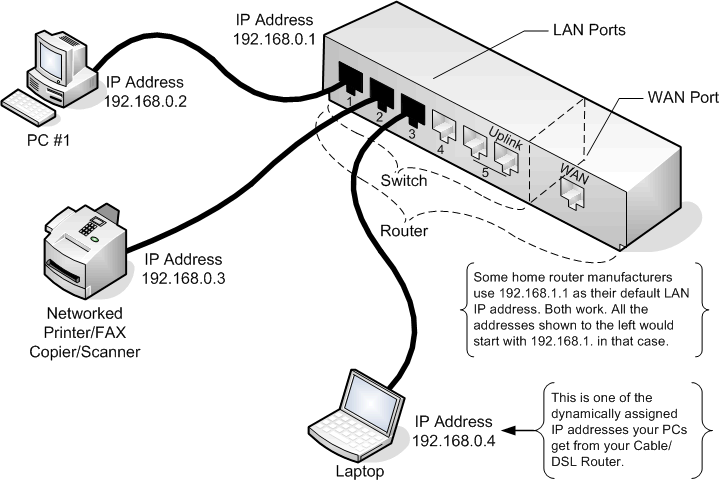
In this guide, we will clearly explain:
- What a router is
- What a switch is
- Key differences between them
- When to use each device
🌐 What is a Router?
A router is a networking device that connects multiple networks together and directs data between them.
👉 In simple words:
A router connects your local network (LAN) to other networks like the internet (WAN).
🔹 Key Functions of a Router
- Connects different networks (LAN ↔ WAN)
- Uses IP addresses to route data
- Finds the best path for data transmission
- Acts as a gateway to the internet
💡 Example
When you access a website:
- Your router sends your request to the internet
- Receives the response
- Sends it back to your device
🔁 What is a Switch?
A network switch is a device that connects multiple devices within the same network (LAN).
👉 In simple words:
A switch helps devices like computers, printers, and servers communicate with each other.
🔹 Key Functions of a Switch
- Connects devices within a LAN
- Uses MAC addresses to forward data
- Maintains a MAC address table
- Improves network efficiency
💡 Example
In an office:
- All computers connect to a switch
- The switch ensures data reaches the correct device
⚙️ How Router and Switch Work Together
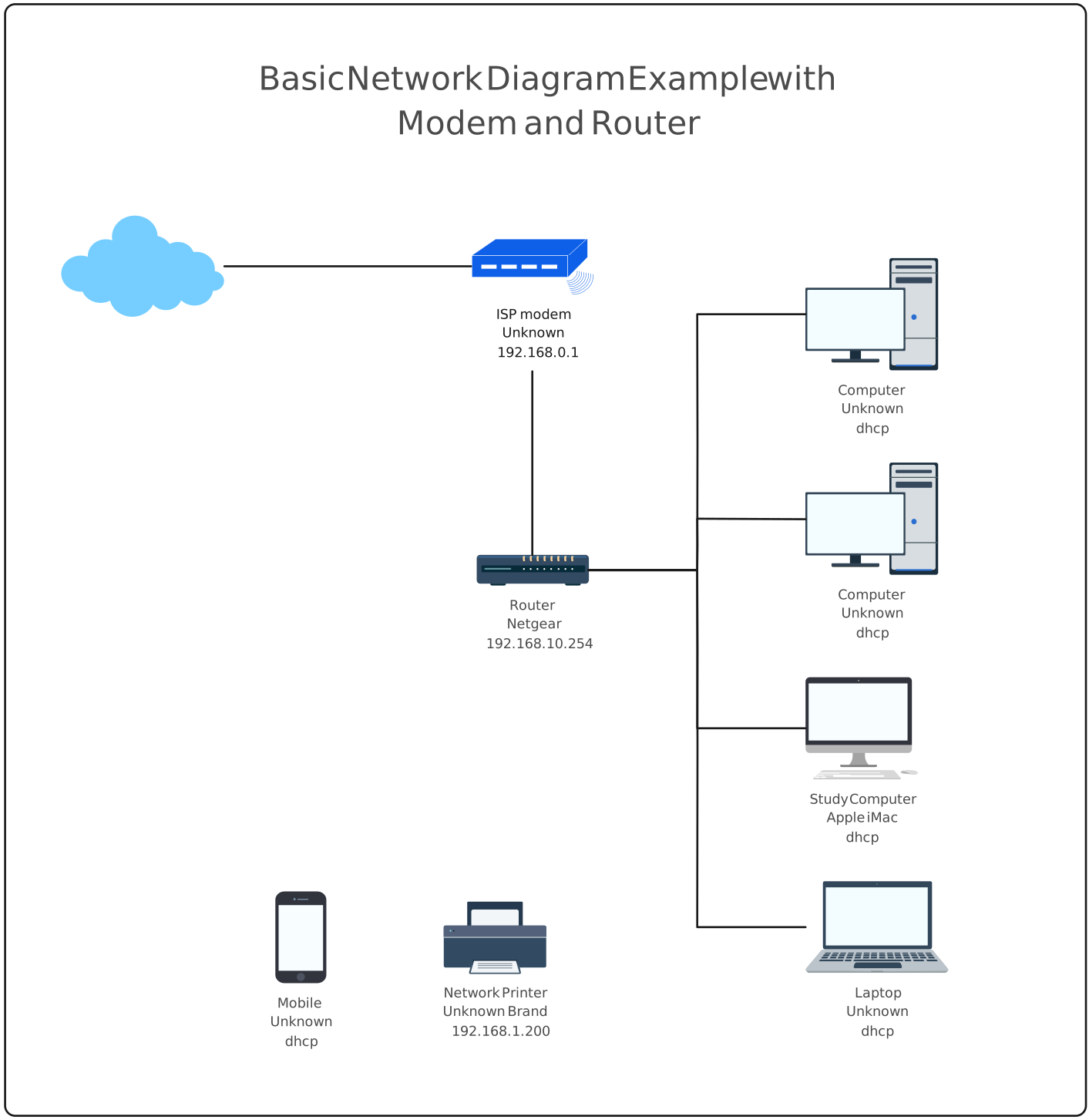
In most real-world networks:
- Devices connect to a switch
- The switch connects to a router
- The router connects to the internet
👉 Flow:
PC → Switch → Router → Internet
🔁 Router vs Switch (Basic Difference)
Before going deeper, let’s quickly understand the difference:
- Router
- Connects different networks (LAN to WAN)
- Works using IP addresses
- Used for communication between locations
- Switch
- Connects devices within the same network
- Works using MAC addresses
- Used for local communication
📊 Router vs Switch: Detailed Comparison Table
The following detailed comparison between router and switch highlights both technical and practical differences to help you clearly understand their roles in networking.
| Feature | 🔵 Router | 🟢 Switch |
|---|---|---|
| 📌 Primary Function | Connects different networks | Connects devices within the same Network ( LAN ) |
| 📶 OSI Layer | Layer 3 (Network Layer) | Layer 2 (Data Link Layer) |
| 🔢 Addressing Method | Works based on IP Address | Works based on MAC Address |
| 📦 Data Unit | Packet | Frame |
| ⚙️ Forwarding Method | Routing Table | MAC Table |
| ⚡ Speed | Slower (due to processing) | Faster (direct switching) |
| 🌐 Broadcast Domain | Separates broadcast domains | Does NOT separate broadcast domains (by default) |
| 💥 Collision Domain | Each interface = separate collision domain | Each port = separate collision domain |
| 🔄 ARP Handling | Performs ARP | Only forwards ARP frames |
| 📋 MAC Address Table | Not used for forwarding decisions | Maintains MAC address table |
| 🧭 Routing Capability | Yes | Basic switch does not have routing Capabilities |
| 🔐 Security Features | NAT, Firewall, ACL | Port Security, VLAN |
| 🏷️ VLAN Support | Limited ( via Routing) | Strong VLAN support |
| 🌍 Network Scope | Works Globally (Internet),Internet connectivity & routing | Works on Local (LAN),Local communication |
| 🧠 Intelligence Level | Router makes complex decisions using routing table | Switch makes simple decisions using MAC table |
| 🌐 Scope of Operation | Works between networks | Works within a network |
| 📊 Data Handling | Router analyzes and routes packets | Switch forwards frames quickly |
| 📡 IP Assignment | Supports DHCP | Does not assign IP |
| 📶 Wireless Support | Yes (in WiFi routers) | No |
| 🔌 Ports | LAN, WAN, Fiber | Ethernet ports |
| ⚙️ Configuration | Complex | Simple |
| 💰 Cost | More expensive | Generally cheaper |
| 🏠 Use Case | Internet & network routing,
Connecting LAN to WAN (Internet) |
Local device connectivity
Connecting PCs, printers, servers |
🔹 Example Scenario
When you open a website:
✔ Router handles communication with the internet
✔ Switch handles communication inside your network
🎯 When to Use Router and Switch
✅ Use a Router When:
- Connecting to the internet
- Linking multiple networks
- Managing traffic between networks
✅ Use a Switch When:
- Connecting multiple devices
- Expanding a local network
- Improving internal communication
⚠️ Common Confusion (Important)
A switch does NOT perform routing
A router does NOT replace a switch in LAN communication
👉 Both devices are used together, not as replacements
🧾 Conclusion
Routers and switches are both essential networking devices, but they serve different roles. A router connects networks and enables internet access, while a switch connects devices within a local network.
Understanding their differences helps in designing efficient and scalable networks.