
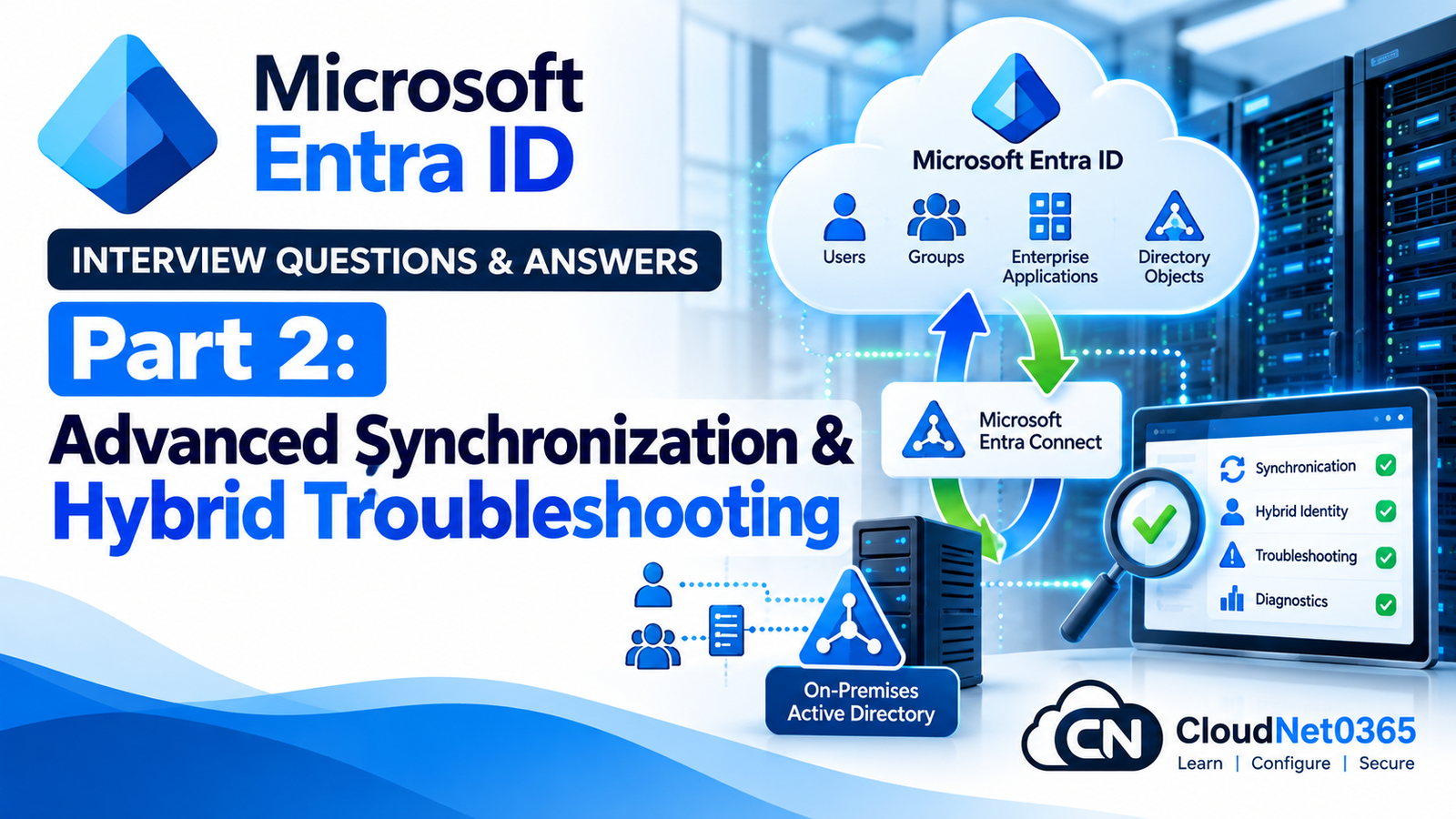
In Part 1, we covered the architecture and fundamentals of Hybrid Identity, Microsoft Entra Connect Sync, Cloud Sync, PHS, PTA, Seamless SSO, source anchor, matching, filtering, writeback and synchronization troubleshooting.
This part moves into advanced troubleshooting and architecture.
A senior System Administrator should be able to answer questions such as:
- Why did an attribute not synchronize?
- Why does the wrong value appear in Microsoft Entra ID?
- Why is a user getting a duplicate-object error?
- Why does PHS work for some users but not others?
- Why does PTA fail while PHS works?
- Why does Seamless SSO fail on one workstation?
- How do you troubleshoot authentication without immediately changing configuration?
- How do you handle multiple Active Directory forests?
- How do you identify whether the problem is AD, Connect Sync, Microsoft Entra ID or authentication?
- How do you safely troubleshoot a production identity incident?
The key principle is:
Find the exact layer where the failure occurs before changing anything.
Advanced Synchronization & Hybrid Identity Interview Questions
Q1. What is attribute flow in Microsoft Entra Connect Sync?
Attribute flow determines how an attribute from a source connected directory is transformed and written into the Metaverse and eventually to the target connected directory.
For example:
Active Directory
      |
      | userPrincipalName
      ↓
Synchronization Rule
      ↓
Metaverse
      |
      ↓
Microsoft Entra ID
The source value does not necessarily have to be copied directly. Synchronization rules can transform or calculate values.
Q2. Why might an attribute in Active Directory not appear in Microsoft Entra ID?
Possible causes include:
- The attribute is not included in the synchronization rule.
- The object is outside synchronization scope.
- A synchronization rule has higher precedence.
- The attribute has no source value.
- The attribute is filtered or transformed.
- Synchronization has not completed.
- Export has failed.
- Another synchronization rule is controlling the attribute.
I would inspect the object and synchronization rules rather than assuming the connector is broken.
Q3. What is a synchronization rule?
A synchronization rule defines how objects and attributes should flow between connected directories and the Metaverse.
A rule can determine:
- Which objects are in scope
- Join behavior
- Attribute flow
- Transformations
- Provisioning behavior
- Precedence
Conceptually:
Source Object
     ↓
Synchronization Rule
     ↓
Join / Projection
     ↓
Attribute Flow
     ↓
Metaverse
Q4. What is synchronization rule precedence?
When multiple synchronization rules can affect an object or attribute, precedence determines which applicable rule has priority.
A senior administrator should be careful when creating custom rules because an incorrectly designed rule can affect many users.
Before modifying synchronization rules, I would document:
- Existing rules
- Rule precedence
- Scope
- Attribute flow
- Expected impact
Q5. Why should you avoid modifying default synchronization rules unnecessarily?
Default synchronization rules are part of the supported synchronization configuration.
Unnecessary changes can:
- Complicate troubleshooting
- Create unexpected attribute flow
- Make upgrades more difficult to understand
- Cause synchronization errors
- Affect large numbers of users
If customization is required, I would prefer a properly designed custom rule rather than modifying a default rule without a documented reason.
Q6. What is attribute precedence?
Attribute precedence determines which source should provide the value when multiple connected directories contribute information about the same Metaverse object.
For example:
Forest A
   |
   +--- Department = IT
   |
Forest B
   |
   +--- Department = Infrastructure
            |
            ↓
        Metaverse
The synchronization configuration must determine which source wins.
This becomes especially important in multi-forest environments.
Q7. What is object projection?
Projection occurs when a source object does not have an existing corresponding Metaverse object and the synchronization engine creates a new Metaverse representation for it.
Simplified:
Connector Space
      ↓
No existing Metaverse object
      ↓
Projection
      ↓
New Metaverse object
Projection is different from joining an existing Metaverse object.
Q8. What is object joining?
Joining occurs when an imported object is associated with an existing Metaverse object.
For example:
AD User
   ↓
Matching criteria
   ↓
Existing Metaverse object
   ↓
Join
Joining prevents the synchronization engine from unnecessarily creating a second identity.
Q9. What is a duplicate attribute error?
A duplicate attribute error occurs when a value that should be unique is assigned to more than one object.
Common examples include:
- Duplicate UPN
- Duplicate SMTP address
- Conflicting proxyAddresses
For example:
User A:
SMTP:user@company.com

User B:
SMTP:user@company.com
The synchronization/export process may fail because the value cannot uniquely identify the intended object.
Q10. How would you troubleshoot a duplicate proxyAddresses error?
I would:
- Identify the affected object.
- Identify the conflicting address.
- Search Active Directory for all objects containing that address.
- Determine which object should own it.
- Correct the source attribute.
- Allow AD replication to complete.
- Run synchronization.
- Verify the export.
- Confirm the correct cloud object.
I would not simply delete a cloud user to make the error disappear.
Q11. Why is the uppercase SMTP: prefix important in proxyAddresses?
In Exchange-related AD attributes, the uppercase:
SMTP:user@company.com
normally identifies the primary SMTP address.
Lowercase entries such as:
smtp:alias@company.com
represent secondary proxy addresses.
This distinction is important when troubleshooting mail-enabled synchronized objects.
Q12. A user’s UPN is correct in AD but Microsoft Entra shows a different sign-in name. What would you investigate?
I would check:
- Synchronization scope
- UPN synchronization rule
- Verified domain
- Attribute flow
- Object type
- Source anchor/matching
- Last successful synchronization
- Export status
- Whether another object is actually being viewed
I would not immediately modify the cloud object manually because the synchronized source may overwrite the value again.
Q13. Why is manually changing synchronized attributes in Microsoft Entra usually a poor troubleshooting strategy?
Because synchronized attributes are generally sourced from on-premises identity management.
If the source attribute is:
AD → Entra
then changing it in the cloud may either be unavailable, temporary, or overwritten by synchronization.
The correct approach is usually:
Correct Source
      ↓
Synchronize
      ↓
Verify Cloud
Source of authority identifies where an object’s authoritative identity information is managed.
For a synchronized user, many identity attributes are mastered from on-premises Active Directory.
For a cloud-only user, Microsoft Entra ID is the identity source.
This distinction is important before making changes.
Q15. How can you determine whether a user is synchronized or cloud-only?
I would inspect the user’s Microsoft Entra properties.
A synchronized user typically has on-premises identity information such as:
- On-premises synchronization state
- On-premises domain
- On-premises distinguished name
- On-premises object identifier
A cloud-only user will not have the same on-premises synchronization metadata.
This distinction should be established before troubleshooting identity ownership.
Password Hash Synchronization Troubleshooting
Q16. PHS is enabled, but one user’s new password does not work in Microsoft 365. What do you check?
I would determine whether the problem is:
- User-specific
- Synchronization-wide
- Authentication-specific
Then check:
- User is synchronized.
- User is within synchronization scope.
- Password synchronization is healthy.
- Recent sync cycle completed.
- No synchronization errors exist.
- User’s AD account is enabled.
- Password was actually changed in AD.
- Domain controllers are replicating correctly.
- The correct identity is being tested.
If other users synchronize passwords successfully, I would focus on the affected user’s AD and synchronization state.
Q17. PHS works for most users but not users in one domain. What does this suggest?
This suggests a possible domain-specific problem.
I would compare:
- Domain configuration
- Connector scope
- OU filtering
- Domain filtering
- AD connectivity
- Permissions
- Domain controller health
- Synchronization errors
The fact that users from another domain work provides a useful comparison.
Q18. Does PHS synchronize the user’s plaintext password?
No.
The plaintext password is not synchronized to Microsoft Entra ID.
PHS uses a derived hash process to provide the cloud with information required for cloud authentication.
Therefore, an administrator should never describe PHS as:
“The user’s password is copied to Microsoft Entra.”
That is incorrect.
Pass-through Authentication Troubleshooting
Q19. PTA users cannot sign in, but PHS users can. What would you investigate?
This strongly suggests the problem may be in the PTA path rather than the user’s general cloud identity.
I would check:
- PTA agent status.
- Agent server availability.
- Network connectivity.
- Domain controller availability.
- Agent registration.
- Firewall/proxy configuration.
- Authentication logs.
- Recent changes.
- Whether the problem affects all PTA users.
The comparison with PHS users is useful because it separates cloud identity problems from PTA-specific problems.
Q20. Why should PTA have multiple authentication agents?
A single PTA agent creates a potential availability dependency.
Multiple agents provide redundancy.
For example:
             Microsoft Entra
              /          \
             /            \
        PTA Agent 1    PTA Agent 2
             \            /
              \          /
             Domain Controllers
If one agent becomes unavailable, another available agent can continue handling authentication requests.
The actual number and placement should be based on Microsoft’s current supported design and the organization’s availability requirements.
Q21. PTA agents are installed, but authentication still fails. What would you check?
I would check:
- Agent service
- Agent registration
- Server connectivity
- DNS
- Firewall
- Proxy
- Domain controller connectivity
- Agent version
- Authentication logs
- Microsoft Entra sign-in logs
I would also determine whether:
All users fail
or:
Only one user fails
because these indicate different troubleshooting paths.
Seamless SSO Troubleshooting
Q22. Seamless SSO works for one computer but not another. What would you investigate?
I would compare:
- Domain membership
- User logon account
- DNS
- Intranet zone configuration
- Browser settings
- Device authentication state
- Kerberos-related connectivity
- Microsoft Entra configuration
- Network location
If only one workstation fails, I would avoid changing tenant-wide settings initially.
Q23. Seamless SSO works on the corporate LAN but not from home. Is that necessarily a problem?
Not necessarily.
Seamless SSO depends on the supported domain/network authentication scenario.
A home user connected through an appropriate VPN may have a different authentication path from a user physically connected to the corporate network.
I would determine:
Corporate LAN
       ↓
Does SSO work?

VPN
       ↓
Does SSO work?

Internet only
       ↓
What authentication method is expected?
Then troubleshoot the relevant path.
Q24. How would you distinguish a Seamless SSO problem from a Conditional Access problem?
I would inspect the sign-in logs.
First determine:
- Did the user reach Microsoft Entra?
- Was authentication successful?
- Was a Conditional Access policy evaluated?
- Was access blocked after authentication?
- Was MFA required?
- Was the device compliant?
- Was the location considered trusted?
If authentication succeeds but access is blocked by Conditional Access, fixing Seamless SSO will not resolve the access decision.
Microsoft Entra Connect Health
Q25. What is Microsoft Entra Connect Health?
Microsoft Entra Connect Health provides monitoring and insights for supported hybrid identity components.
It can help administrators monitor areas such as:
- Entra Connect Sync
- AD FS
- Active Directory Domain Services-related health scenarios
It provides useful visibility into synchronization and hybrid identity infrastructure.
Q26. How would you use Connect Health during an incident?
I would use it as one source of evidence rather than relying on it alone.
I would correlate:
Connect Health
      +
Entra Connect logs
      +
Synchronization Service Manager
      +
Entra sign-in logs
      +
Windows Event Logs
      +
Active Directory health
This helps avoid assuming that a dashboard status alone identifies the root cause.
Q27. Synchronization shows healthy in Connect Health, but a user still cannot sign in. What does that tell you?
It tells me that synchronization infrastructure may be healthy, but it does not prove that the user’s authentication path is healthy.
I would then investigate:
- User object
- Password
- PHS/PTA
- Conditional Access
- MFA
- Device state
- Sign-in logs
- Application-specific access
This is an important senior-level troubleshooting distinction:
Synchronization health and authentication health are different things.
Multi-Forest / Multi-Domain Troubleshooting
Q28. What challenges exist in a multi-forest hybrid identity environment?
Potential challenges include:
- Duplicate users
- Matching identities
- Attribute precedence
- Multiple UPN suffixes
- Duplicate SMTP addresses
- Multiple source systems
- Global Address List considerations
- Cross-forest trusts
- Synchronization scope
- Object ownership
For example:
Forest A
   \
    \
     → Microsoft Entra ID
    /
   /
Forest B
The synchronization design must determine how identities from both forests map to cloud identities.
Q29. Two forests contain users with the same email address. What would you investigate?
I would first determine whether they are:
- The same person
- Different people
- Duplicate accounts
- Migration remnants
Then compare:
- UPN
- SMTP
- ProxyAddresses
- Source Anchor
- Object identifiers
- Organizational ownership
I would resolve the identity design before changing synchronization rules.
Q30. Why is source anchor particularly important in multi-forest scenarios?
Because the same user may move between forests during mergers, acquisitions or restructuring.
For example:
Forest A
   ↓
User
   ↓
Microsoft Entra

Later:

Forest B
   ↓
Same User
   ↓
Microsoft Entra
A properly designed stable source anchor helps maintain identity continuity.
Without careful identity matching, the migration can result in duplicate cloud identities.
Advanced Authentication Troubleshooting
Q31. A user can sign in to Microsoft 365 in a browser but Outlook cannot connect. Is this necessarily an Entra authentication problem?
No.
Browser authentication proves that one authentication path works.
Outlook may involve additional factors such as:
- Modern authentication
- Cached credentials/tokens
- Device state
- Conditional Access
- Application configuration
- Local profile
- Network connectivity
I would compare:
Browser
   ↓
Authentication successful

Outlook
   ↓
Application-specific failure
This prevents unnecessary changes to Entra Connect.
Q32. A user can authenticate but cannot access a specific Microsoft 365 application. What should you investigate?
I would separate authentication from authorization.
Check:
- Sign-in logs.
- Conditional Access.
- License.
- Application assignment.
- Group membership.
- Application-specific policies.
- Service health.
- Application configuration.
A successful sign-in does not automatically mean the user is authorized for every service.
Q33. A user suddenly receives an MFA prompt every time. What would you investigate?
I would inspect:
- Conditional Access policies
- Authentication strengths
- Sign-in risk
- User risk
- Device state
- Session controls
- Sign-in frequency
- Location/network changes
- Browser/application behavior
I would compare the affected user with a working user.
The goal is to identify what changed rather than disabling MFA.
Q34. How do you troubleshoot a Conditional Access block?
I would start with the Microsoft Entra sign-in logs and examine the Conditional Access tab/details.
I would determine:
User
 ↓
Application
 ↓
Device
 ↓
Location
 ↓
Risk
 ↓
Policy
 ↓
Grant/Block Result
Then identify which policy caused the decision.
I would not disable all Conditional Access policies simply to make the user sign in.
Advanced Synchronization Incidents
Q35. A synchronization change affects thousands of users. What is your first priority?
My first priority is to determine:
What changed and whether the change should continue propagating.
I would check:
- Recent configuration changes
- Synchronization rule changes
- Filtering changes
- OU changes
- Domain changes
- Attribute changes
- Connect Sync upgrades
- Administrative changes
If necessary, I would pause further propagation through the appropriate supported operational control while investigating.
The exact recovery action depends on whether changes are already pending export and whether they are safe to stop.
Q36. How would you investigate a sudden mass deletion from synchronization?
I would immediately determine:
- Which objects are affected.
- Which OU/domain/filter changed.
- Whether objects left synchronization scope.
- Whether the export was blocked by deletion protection.
- Whether the deletion is expected.
- Whether the Connect Sync configuration was changed.
- Whether the staging server has the same configuration.
I would not simply re-create deleted cloud users.
First I would determine the source of the deletion.
Q37. What is accidental deletion protection in Entra Connect?
Entra Connect includes protection mechanisms designed to reduce the risk of accidentally deleting large numbers of Microsoft Entra objects because of an unexpected synchronization change.
For example, a major scope/filtering mistake could otherwise result in a large number of objects becoming out of scope.
The protection mechanism can prevent or limit the export of unexpected deletions.
The exact threshold and behavior should be verified against the current Entra Connect configuration and Microsoft documentation rather than assuming a hard-coded value.
Q38. Why should you not immediately disable deletion protection during an incident?
Because deletion protection exists specifically to prevent an administrator from accidentally exporting destructive changes.
If thousands of deletions suddenly appear, the correct question is:
“Why did these objects become eligible for deletion?”
rather than:
“How do I force the deletions through?”
Only after validating that the deletions are intentional should they be allowed to proceed.
Q39. What is a delta synchronization?
A delta synchronization processes changes since the previous synchronization rather than performing a full synchronization of all objects.
For normal incremental changes:
Start-ADSyncSyncCycle -PolicyType Delta
This is commonly used for routine changes.
Q40. When might an Initial synchronization be appropriate?
An Initial synchronization may be appropriate after certain configuration changes that require broader processing.
For example:
- Major synchronization configuration changes
- Certain filtering changes
- Significant rule changes
However, I would not automatically run Initial synchronization for every troubleshooting problem.
First I would understand what changed and what processing is required.
Production Troubleshooting Methodology
Q41. What logs would you check during a hybrid identity incident?
Depending on the problem:
Microsoft Entra
- Sign-in logs
- Audit logs
- Provisioning logs where applicable
- Conditional Access information
Entra Connect
- Synchronization Service Manager
- Connector errors
- Synchronization errors
- Export errors
Windows
- Application logs
- System logs
- Service-related events
Active Directory
- Domain Controller events
- Directory Service logs
- DNS
- Replication health
No single log source should automatically be considered the complete source of truth.
Q42. How would you determine whether a problem is Active Directory or Microsoft Entra?
I would follow the identity path.
AD
 ↓
Connect Sync
 ↓
Microsoft Entra
 ↓
Authentication
 ↓
Application
Then test each layer.
For example:
AD object correct
       ↓
Sync successful
       ↓
Entra object correct
       ↓
Authentication fails
This points away from synchronization and toward authentication/policy.
Alternatively:
AD object correct
       ↓
Import successful
       ↓
Export error
points toward synchronization.
Q43. How would you troubleshoot a user whose attributes are correct in AD but stale in Microsoft Entra?
I would check:
- Is the user in scope?
- Did AD replication complete?
- Did Connect Sync import the change?
- Is the attribute included in synchronization?
- Which synchronization rule controls the attribute?
- Is the attribute being transformed?
- Is the value present in the Metaverse?
- Did export succeed?
- Does Microsoft Entra display the updated value?
The critical question is:
Where did the new value stop?
Q44. How would you troubleshoot a user who appears twice in Microsoft Entra ID?
I would determine:
- Whether both objects are cloud-only
- Whether one is synchronized
- Whether they represent the same person
- UPN values
- SMTP addresses
- ImmutableId/source anchor
- On-premises object identifiers
- Creation dates
- Application dependencies
Then I would determine which identity should remain authoritative.
I would not delete an account before checking:
- Mailbox
- OneDrive
- Teams
- Application assignments
- Group membership
- Licensing
- Ownership
- Audit requirements
Q45. What is your troubleshooting approach when a synchronization issue affects only one user?
I use a comparison approach.
Compare:
Affected User
      vs
Working User
Compare:
- OU
- Domain
- Attributes
- Group membership
- UPN
- ProxyAddresses
- License
- Sign-in method
- Device
- Synchronization status
If 999 users work and one fails, I first look for what is different about that one user.
Senior-Level Scenarios
Q46. Your company acquires another company with a separate Active Directory forest. How would you plan the Entra integration?
I would first perform discovery.
Identity
- Number of users
- Domains
- Forests
- UPNs
- SMTP addresses
- Service accounts
- Privileged accounts
Infrastructure
- Domain Controllers
- DNS
- Network connectivity
- Trusts
- Existing Entra tenant
Synchronization
- Existing Connect Sync
- Cloud Sync
- Filtering
- Source anchor
- Matching
Authentication
- PHS
- PTA
- Federation
- MFA
- Conditional Access
Migration
Discovery
   ↓
Identity mapping
   ↓
Collision resolution
   ↓
Pilot
   ↓
Synchronization
   ↓
Authentication validation
   ↓
Production migration
The most important part is identity mapping before synchronization.
Q47. Your company wants to change from oldcompany.com to newcompany.com. What would you consider?
I would consider:
- Microsoft Entra verified domain
- AD UPN suffix
- UserPrincipalName
- ProxyAddresses
- Email addresses
- Applications
- Conditional Access
- SSO
- OneDrive
- Teams
- Outlook
- Scripts
- Service accounts
- Certificates
- Third-party SaaS applications
I would perform the change in phases.
Pilot
 ↓
Small department
 ↓
Larger department
 ↓
Organization-wide
I would not change every UPN simultaneously without testing.
Q48. A senior executive’s synchronized account has a matching problem. What is your approach?
I would treat the account as high-impact.
Before making changes:
- Verify identity.
- Verify the correct AD account.
- Verify the correct cloud account.
- Check source anchor.
- Check UPN.
- Check SMTP addresses.
- Check privileged roles.
- Check hard-match security protections.
- Document the intended result.
- Perform the smallest supported change.
- Validate authentication.
- Validate Microsoft 365 access.
For a privileged account, I would be especially cautious about manually manipulating identity-matching attributes.
Q49. Entra Connect is healthy, but users report Microsoft 365 sign-in failures. How would you investigate?
I would separate:
Synchronization
from:
Authentication
First verify:
- Connect Sync health
- Last successful sync
Then investigate:
- Microsoft Entra sign-in logs
- Authentication method
- PHS/PTA
- Conditional Access
- MFA
- Device state
- User risk
- Application
- Service health
A healthy synchronization server does not prove that authentication is healthy.
Q50. What is your complete troubleshooting methodology for a hybrid identity incident?
My methodology is:
1. Define the problem
Identify:
- User
- Application
- Time
- Scope
- Error message
- Business impact
2. Establish whether it is one user or many
One user
   ↓
Likely object-specific

Many users
   ↓
Likely infrastructure/configuration/service issue
3. Follow the identity path
Active Directory
       ↓
Scope
       ↓
Import
       ↓
Connector Space
       ↓
Metaverse
       ↓
Attribute Flow
       ↓
Export
       ↓
Microsoft Entra ID
       ↓
Authentication
       ↓
Conditional Access
       ↓
Application
4. Compare with a working identity
This is one of the fastest ways to identify differences.
5. Check recent changes
Look for:
- Configuration changes
- OU changes
- UPN changes
- Domain changes
- Sync rule changes
- Network changes
- Server changes
- Conditional Access changes
6. Make the smallest safe change
Avoid changing multiple variables simultaneously.
7. Validate
Test:
- Synchronization
- Authentication
- Application access
- Required user attributes
8. Document
Record:
- Symptoms
- Timeline
- Root cause
- Fix
- Validation
- Preventive action
A senior administrator does not stop at:
“The user can log in now.”
The incident should end with an explanation of why it happened and how recurrence will be prevented.
Important PowerShell Commands
Check synchronization scheduler
Get-ADSyncScheduler
Start a Delta Sync
Start-ADSyncSyncCycle -PolicyType Delta
Start an Initial Sync
Start-ADSyncSyncCycle -PolicyType Initial
Check ADSync Service
Get-Service ADSync
Restart ADSync
Restart-Service ADSync
Use only when appropriate.
Check AD replication
repadmin /replsummary
This is particularly useful when a password or attribute change appears inconsistent between domain controllers.
Check a user’s AD attributes
Get-ADUser username -Properties userPrincipalName,mail,proxyAddresses,msDS-ConsistencyGuid
This requires the Active Directory PowerShell module.
Check domain controller discovery
nltest /dsgetdc:company.com
This can help verify domain controller discovery from a Windows system.
Quick Revision
Synchronization path
AD
 ↓
Connector
 ↓
Connector Space
 ↓
Synchronization
 ↓
Metaverse
 ↓
Export
 ↓
Microsoft Entra
Authentication path
PHS
User
 ↓
Microsoft Entra
 ↓
Cloud Authentication
PTA
User
 ↓
Microsoft Entra
 ↓
PTA Agent
 ↓
AD
Troubleshooting principle
Find the layer
      ↓
Find the evidence
      ↓
Identify the change
      ↓
Make the smallest safe correction
      ↓
Validate
      ↓
Document
Senior Interview Answer Summary
1. What is attribute flow?
Attribute flow defines how values from connected directories are processed and written into the Metaverse and target directory.
2. What is synchronization-rule precedence?
It determines which applicable synchronization rule has priority when multiple rules can affect an object or attribute.
3. What is object projection?
Projection creates a new Metaverse object when an imported object does not have an existing corresponding Metaverse object.
4. What is object joining?
Joining associates an imported object with an existing Metaverse object based on configured matching criteria.
5. What causes duplicate synchronization errors?
Common causes include duplicate UPNs, proxy addresses, SMTP addresses and conflicting identity attributes.
6. How do you troubleshoot PHS?
Verify the user’s synchronization scope, synchronization health, recent sync cycles, AD password change, connector status and synchronization errors.
7. How do you troubleshoot PTA?
Check PTA agents, their registration and service health, network connectivity, domain controller availability and Microsoft Entra authentication logs.
8. How do you troubleshoot Conditional Access?
Start with Microsoft Entra sign-in logs, identify the evaluated policy and determine whether the failure is authentication, device, location, risk, MFA or authorization related.
9. How do you troubleshoot a stale attribute?
Follow the value from AD through import, Connector Space, Metaverse, synchronization and export until identifying where the new value stopped.
10. How do you troubleshoot a mass synchronization failure?
Determine the first affected synchronization cycle, identify the common error or recent configuration change, stop unintended propagation where appropriate, correct the root cause, validate synchronization and then document the incident.
Senior Interview Tip
For a senior System Administrator interview, avoid giving this answer:
“I will restart Azure AD Connect.”
That is not a troubleshooting methodology.
A stronger answer is:
“First I determine whether the issue is synchronization, authentication or authorization. Then I follow the identity through AD scope, Connector Space, Metaverse and export. If synchronization succeeds, I move to Microsoft Entra sign-in logs and Conditional Access. I compare the affected user with a known-good user, identify recent changes, make the smallest supported correction and validate the entire authentication path.”
That demonstrates structured troubleshooting rather than command memorization.
Progress in Microsoft Entra ID Interview Questions & Answers Series
Part 1 — Hybrid Identity, Entra Connect & Synchronization
Covered:
- Hybrid Identity
- Entra Connect Sync
- Cloud Sync
- PHS
- PTA
- Seamless SSO
- PRT
- Source Anchor
- ImmutableId
- Hard Match
- Soft Match
- Filtering
- Connector Space
- Metaverse
- Import
- Synchronization
- Export
- Writeback
- Staging mode
- Connect Sync migration
- Cloud Sync migration
Part 2 — Advanced Synchronization & Hybrid Troubleshooting
Covered:
- Attribute flow
- Synchronization rules
- Rule precedence
- Attribute precedence
- Projection
- Joining
- Duplicate attributes
- proxyAddresses
- UPN troubleshooting
- Source of authority
- PHS troubleshooting
- PTA troubleshooting
- Seamless SSO troubleshooting
- Connect Health
- Multi-forest environments
- Conditional Access troubleshooting
- Mass synchronization failures
- Accidental deletion scenarios
- Domain migration
- Acquisition/multi-forest migration
- Production incident methodology
Next Part
Microsoft Entra ID Interview Questions – Part 3: Advanced Authentication, Conditional Access & Identity Security
The next part will move away from synchronization-engine internals and focus on the senior-level areas that remain:
- Conditional Access architecture
- Authentication methods
- Authentication strengths
- MFA troubleshooting
- Temporary Access Pass
- FIDO2/security keys
- Windows Hello for Business
- Authentication policies
- Risk-based access
- Identity Protection
- Privileged Identity Management
- Administrative roles
- Break-glass accounts
- Emergency access
- Token/session troubleshooting
- Legacy authentication
- Service accounts
- Workload identities
- Managed identities
- Enterprise application authentication
- Real-world identity security incidents
These will be treated as new topics, not a repetition of the existing 200-question Entra ID series or Parts 1–2.