
In Part 1, we covered Hybrid Identity and Microsoft Entra Connect.
In Part 2, we covered advanced synchronization and hybrid troubleshooting.
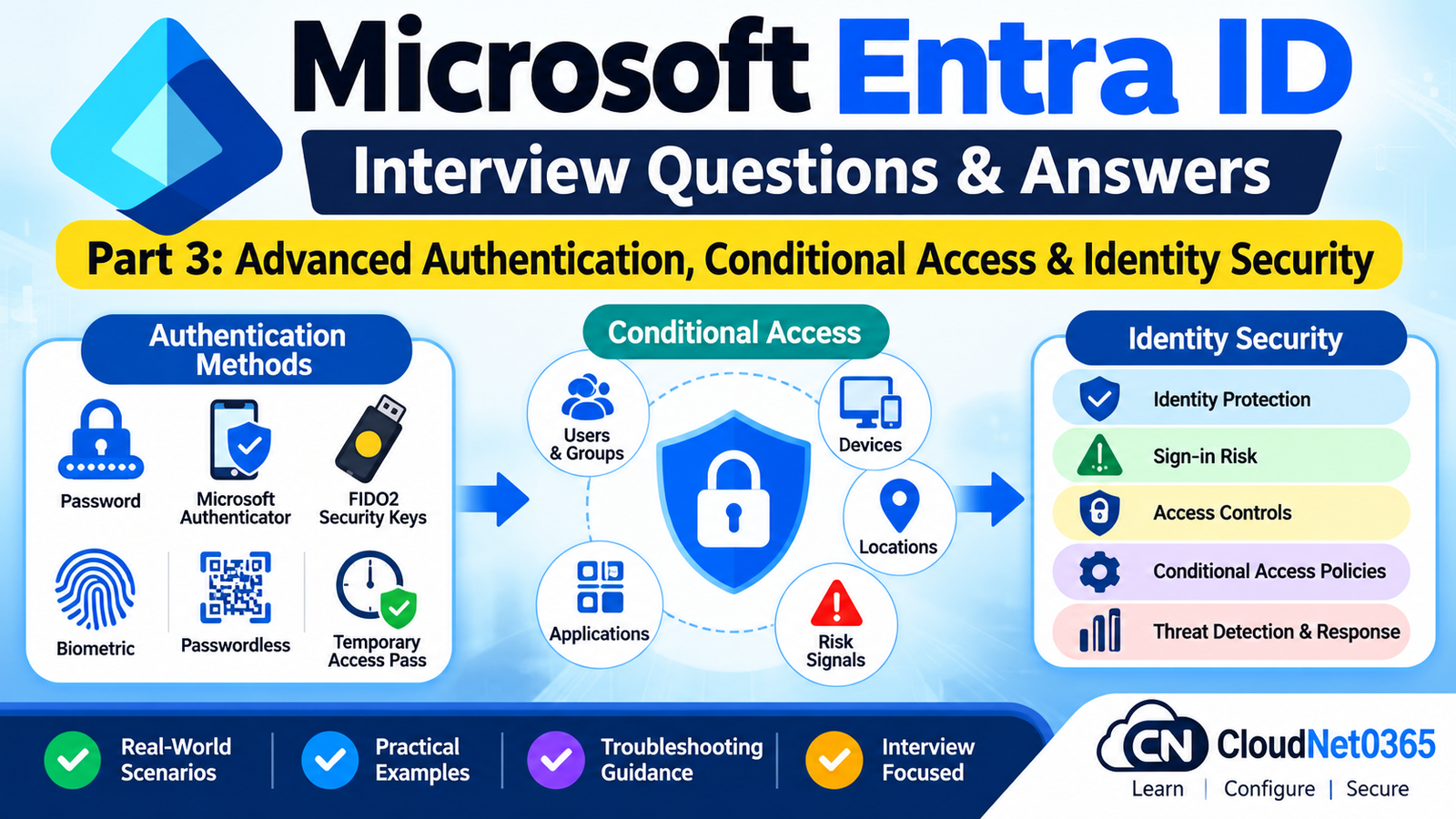
This part moves into authentication and identity security.
A senior System Administrator should understand not only how users authenticate, but also how Microsoft Entra decides whether an authenticated identity should be allowed to access a resource.
A simplified model is:
User
 ↓
Authentication
 ↓
MFA / Authentication Strength
 ↓
Conditional Access
 ↓
Risk Evaluation
 ↓
Device / Location / Application
 ↓
Authorization
 ↓
Resource
The important distinction is:
Authentication answers “Who are you?” while authorization and Conditional Access determine “Are you allowed to access this resource under these conditions?”
Advanced Authentication & Conditional Access Interview Questions
Q1. What is Conditional Access?
Conditional Access is Microsoft’s policy engine for controlling access to resources based on conditions such as:
- User
- Group
- Application
- Device
- Location
- Risk
- Authentication context
- Authentication strength
- Session conditions
A simplified policy is:
IF
    User = Finance
    AND
    Application = Microsoft 365
    AND
    Location = Outside Corporate Network

THEN
    Require MFA
Conditional Access should be viewed as an access decision engine rather than simply an MFA feature.
Q2. What are the major components of a Conditional Access policy?
A Conditional Access policy generally contains:
Assignments
Who or what the policy applies to.
Examples:
- Users
- Groups
- Workload identities
- Applications
Conditions
Examples:
- Locations
- Device platforms
- Device state
- Risk
- Client applications
- Authentication context
Access controls
Examples:
- Block access
- Require MFA
- Require authentication strength
- Require compliant device
Session controls
Examples:
- Sign-in frequency
- Persistent browser session
- Application-enforced restrictions where supported
Q3. How does Conditional Access differ from MFA?
MFA is an authentication control.
Conditional Access is the policy framework that can require MFA based on specific conditions.
For example:
All users
      ↓
Conditional Access
      ↓
Outside trusted location?
      ↓
YES
      ↓
Require MFA
Therefore:
MFA is an authentication method/control; Conditional Access determines when that control is required.
Q4. What happens when multiple Conditional Access policies apply?
Multiple applicable Conditional Access policies are evaluated together.
The user generally needs to satisfy the requirements of all applicable policies.
For example:
Policy 1:
Require MFA

+

Policy 2:
Require compliant device

+

Policy 3:
Require phishing-resistant authentication

=

User must satisfy all applicable requirements
This is why adding a new Conditional Access policy can unexpectedly affect existing users.
Q5. What is Report-only mode?
Report-only mode allows administrators to evaluate the expected effect of a Conditional Access policy without enforcing the policy.
This is useful when deploying a new policy.
Example:
New CA Policy
      ↓
Report-only
      ↓
Review sign-in results
      ↓
Identify unintended impact
      ↓
Adjust policy
      ↓
Enable enforcement
For production environments, this is an important change-management technique.
Q6. What is the Conditional Access What If tool?
The What If tool helps administrators simulate whether Conditional Access policies would apply to a particular sign-in scenario.
You can use it to investigate combinations such as:
- User
- Application
- Platform
- Location
- Device state
It is useful for policy troubleshooting before making changes.
However, I would still verify the actual sign-in logs because real authentication can include conditions that are not fully represented by a simple simulation.
Q7. How would you troubleshoot a user blocked by Conditional Access?
I would start with:
Microsoft Entra admin center → Sign-in logs
Then inspect:
- User
- Application
- Timestamp
- Device
- Location
- Authentication requirement
- Conditional Access tab
- Applied policies
- Grant controls
- Session controls
- Failure reason
Then I would determine whether the block is intentional.
I would not immediately disable the Conditional Access policy.
Q8. What is an authentication strength?
Authentication strength specifies which combinations of authentication methods can satisfy a Conditional Access requirement.
Microsoft Entra provides built-in authentication strengths such as:
- Multifactor authentication strength
- Passwordless MFA strength
- Phishing-resistant MFA strength
Custom authentication strengths can also be created.
For example:
Sensitive Application
        ↓
Conditional Access
        ↓
Require Phishing-Resistant MFA
        ↓
FIDO2 / Windows Hello for Business /
Supported certificate-based authentication
Q9. What is the difference between “Require MFA” and “Require authentication strength”?
Require MFA requires the user to satisfy an MFA requirement.
Require authentication strength lets the administrator specify which authentication-method combinations are acceptable.
For example:
Require MFA
is broader than:
Require Phishing-Resistant MFA
Authentication strengths are therefore useful when the organization needs more precise control over authentication methods.
Q10. What is phishing-resistant authentication?
Phishing-resistant authentication is designed to resist credential-phishing techniques where attackers attempt to trick users into providing authentication information.
Examples supported by Microsoft’s built-in phishing-resistant authentication strength include:
- FIDO2 security keys
- Windows Hello for Business/platform credentials
- Supported multifactor certificate-based authentication
This is particularly relevant for:
- Administrators
- Highly privileged users
- Sensitive applications
- High-value accounts
Authentication Methods
Q11. What is Microsoft Authenticator?
Microsoft Authenticator is an authentication application that can provide methods such as:
- Push authentication
- Number matching
- Passwordless phone sign-in
The available method depends on the tenant configuration and user enrollment.
It can be used as part of MFA and passwordless authentication scenarios.
Q12. Why is number matching used with Microsoft Authenticator?
Number matching helps reduce some common MFA-push abuse scenarios.
Instead of simply approving a notification, the user is asked to enter the number displayed on the sign-in screen.
Example:
Sign-in screen:
Number = 42

Authenticator:
Enter 42
This gives the user additional context about the authentication request.
Q13. What is FIDO2 authentication?
FIDO2 enables passwordless, phishing-resistant authentication using supported security keys or passkeys.
Conceptually:
User
 ↓
FIDO2 / Passkey
 ↓
Cryptographic authentication
 ↓
Microsoft Entra ID
The private key remains protected by the authenticator.
This avoids sending a reusable password to the service during authentication.
Q14. What is Windows Hello for Business?
Windows Hello for Business provides strong authentication using device-bound credentials and user gestures such as:
- PIN
- Biometrics
The PIN is associated with the device and is not simply the user’s Microsoft account password.
Windows Hello for Business can provide passwordless and phishing-resistant authentication when configured appropriately.
Q15. What is a Temporary Access Pass (TAP)?
A Temporary Access Pass is a time-limited credential that can be used to bootstrap authentication methods.
For example:
New Employee
      ↓
Temporary Access Pass
      ↓
Microsoft Entra authentication
      ↓
Register FIDO2 / passwordless method
TAP can be configured for single use or multiple uses, depending on policy.
Q16. When would you use Temporary Access Pass?
Common scenarios include:
- New employee onboarding
- Passwordless authentication registration
- FIDO2/passkey registration
- Recovery after losing an authentication method
It is especially useful when a user does not yet have another strong authentication method available.
Q17. A user has lost their phone and cannot complete MFA. How would you recover access?
I would first verify the user’s identity using the organization’s help-desk identity-verification procedure.
Then depending on the organization’s configuration:
- Register another approved authentication method.
- Use Temporary Access Pass where appropriate.
- Remove/replace the lost authentication method.
- Re-register Microsoft Authenticator.
- Review sign-in activity for suspicious activity.
I would not simply disable MFA permanently.
Q18. What is authentication method policy?
Authentication methods policy controls which authentication methods are available and which users/groups can use them.
Examples include:
- Microsoft Authenticator
- FIDO2/passkeys
- Temporary Access Pass
- Certificate-based authentication
- Other supported methods
Authentication-method availability and Conditional Access authentication strength are related but different concepts.
Q19. What is the difference between authentication methods policy and Conditional Access?
Authentication methods policy answers:
Which authentication methods are available to users?
Conditional Access authentication strength answers:
Which authentication methods are acceptable for this particular access scenario?
For example:
Authentication Methods Policy
        ↓
FIDO2 enabled for Administrators

Conditional Access
        ↓
Finance application requires
phishing-resistant MFA
Both layers work together.
Identity Protection
Q20. What is Microsoft Entra ID Protection?
Microsoft Entra ID Protection helps detect identity-related risks.
It can identify risk signals associated with:
- User accounts
- Sign-ins
- Credentials
- Other supported identity scenarios
These signals can be used with Conditional Access for risk-based access decisions.
Q21. What is user risk?
User risk represents the likelihood that an identity itself has been compromised.
For example, Microsoft may detect evidence suggesting that a user’s credentials have been compromised.
The administrator can then configure policies to:
- Require remediation
- Require MFA
- Block access
depending on the organization’s design and licensing.
Q22. What is sign-in risk?
Sign-in risk represents the likelihood that a particular authentication attempt is risky.
For example, an unusual sign-in pattern may produce a risk signal.
Conceptually:
Normal Sign-in
      ↓
Low Risk

Suspicious Sign-in
      ↓
Higher Risk
      ↓
Conditional Access
      ↓
Additional Control
Sign-in risk and user risk should not be treated as identical.
Q23. What is the difference between user risk and sign-in risk?
User Risk
Concerned with the identity/account itself.
Example:
“The user’s credentials may have been compromised.”
Sign-in Risk
Concerned with a particular authentication attempt.
Example:
“This login attempt appears suspicious.”
This distinction is important when designing risk-based Conditional Access policies.
Q24. A user reports that Microsoft Entra suddenly requires MFA because of risk. What would you check?
I would inspect:
- Sign-in logs
- Risk level
- Risk detection
- User risk
- Sign-in risk
- Conditional Access
- Recent authentication activity
- Device/location
- Authentication method
I would not simply mark the user as safe without investigating why the risk was generated.
Privileged Identity Management
Q25. What is Microsoft Entra Privileged Identity Management (PIM)?
PIM helps manage privileged access to Microsoft Entra and Azure resources.
Instead of giving an administrator permanent active privileges:
Permanent Global Administrator
PIM can support:
Eligible
   ↓
Activation
   ↓
Temporary Privilege
   ↓
Administrative Work
   ↓
Privilege Expires
This reduces the amount of time privileged access remains active.
Q26. What is the difference between Eligible and Active in PIM?
Eligible
The user is authorized to activate the role but does not currently have the active privilege.
Active
The role is currently activated and usable.
Example:
User
 ↓
Global Administrator - Eligible
 ↓
Activate
 ↓
Global Administrator - Active
 ↓
Expiration
 ↓
Back to Eligible
Q27. Why is PIM useful for Global Administrator roles?
Global Administrator is highly privileged.
Keeping many users permanently active as Global Administrators increases the potential impact of credential compromise.
PIM can reduce standing privilege by allowing administrators to activate the role only when required.
Q28. What controls can be used when activating a privileged role?
Depending on configuration and supported features, organizations can require controls such as:
- MFA
- Justification
- Approval
- Time-limited activation
- Notifications
- Other activation controls
The exact controls should be configured according to the organization’s security requirements.
Q29. What is a break-glass or emergency access account?
An emergency access account is designed to provide access when normal administrative authentication mechanisms fail.
Examples of incidents include:
- Conditional Access misconfiguration
- MFA outage
- Authentication-method failure
- Administrator lockout
The account should be:
- Highly protected
- Monitored
- Used only when necessary
- Excluded from policies that could accidentally lock out all administrators, according to Microsoft’s emergency-access guidance
There should be more than one emergency access account in a resilient design.
Q30. Why should emergency access accounts be tested?
An emergency account is useless if nobody can actually sign in when an incident occurs.
Testing should verify:
- Credentials are valid
- Authentication works
- Account is not accidentally blocked
- Required exclusions are still present
- Monitoring works
- Authorized administrators know the recovery process
Testing should be controlled and documented.
Conditional Access Design
Q31. Why should you exclude emergency access accounts from broad Conditional Access policies?
Because a misconfigured policy could otherwise lock out every administrator, including the emergency account.
For example:
CA Policy
 ↓
All Users
 ↓
Require MFA
If the emergency account cannot satisfy the policy, it may become unavailable during an outage.
Therefore emergency-access accounts should be handled deliberately according to Microsoft’s recommended emergency-access design.
Q32. Should service accounts be included in normal user Conditional Access policies?
Not automatically.
Traditional service accounts may not support interactive MFA in the same way human users do.
If scripts or applications depend on a user account, breaking authentication can cause production outages.
A better approach is often to replace user-based service accounts with:
- Managed identities
- Service principals
- Appropriate workload identity mechanisms
where supported.
Q33. What is a workload identity?
A workload identity represents a non-human workload such as:
- Application
- Service
- Automation
- Script
- API
Examples include:
- Service principals
- Managed identities
They authenticate differently from normal human users.
Q34. What is a service principal?
A service principal is the tenant-specific identity representation of an application.
A simplified architecture is:
Application Registration
        ↓
Service Principal
        ↓
Tenant
        ↓
Permissions
The service principal can be granted access to resources.
It can use supported credentials or federation mechanisms depending on the architecture.
Q35. What is a managed identity?
A managed identity provides an Azure resource with an identity that can authenticate to supported resources without requiring administrators to manage a traditional client secret.
For example:
Azure VM
   ↓
Managed Identity
   ↓
Microsoft Entra ID
   ↓
Azure Resource
Managed identities are particularly useful for Azure-hosted workloads.
Q36. Why are managed identities generally preferable to storing application secrets?
With a traditional client secret:
Application
   ↓
Client Secret
   ↓
Microsoft Entra
The secret must be:
- Stored
- Protected
- Rotated
- Monitored
With a managed identity:
Azure Resource
   ↓
Managed Identity
   ↓
Microsoft Entra
Azure manages the identity lifecycle.
This reduces secret-management overhead for supported Azure workloads.
Q37. Can Conditional Access policies scoped to users automatically block service principals?
No.
User-scoped Conditional Access policies do not automatically apply to service principals.
Microsoft provides Conditional Access for workload identities for supported service principals.
Managed identities are not currently covered by those workload-identity Conditional Access policies.
Therefore, administrators must understand whether they are dealing with:
- Human user
- Service principal
- Managed identity
before assuming a Conditional Access policy applies.
Legacy Authentication & Security
Q38. What is legacy authentication?
Legacy authentication refers to older authentication protocols that do not support modern authentication capabilities such as MFA in the same way.
Examples historically include protocols such as:
- Basic authentication
- Older Exchange protocols
- Legacy mail clients
Modern organizations generally aim to eliminate unnecessary legacy authentication.
Q39. Why is blocking legacy authentication important?
Legacy authentication can provide attackers with an authentication path that does not support modern controls in the same way.
For example:
Password Spray
      ↓
Legacy Authentication
      ↓
Potential access
Therefore organizations should identify legacy authentication dependencies before blocking them.
Q40. How would you safely block legacy authentication?
I would not immediately create a production blocking policy.
I would:
- Identify legacy authentication usage.
- Review sign-in logs.
- Identify applications/users affected.
- Migrate compatible applications.
- Test.
- Create a Conditional Access policy in report-only mode.
- Monitor.
- Resolve remaining dependencies.
- Enable enforcement.
- Continue monitoring.
This avoids breaking legitimate legacy applications unexpectedly.
Advanced Identity Security
Q41. A Global Administrator account is compromised. What are your immediate priorities?
I would treat it as a critical identity-security incident.
Immediate actions would include:
- Confirm the account and incident.
- Prevent further unauthorized access.
- Revoke/reset credentials as appropriate.
- Review authentication methods.
- Review active sessions/tokens where applicable.
- Review PIM activation.
- Review role assignments.
- Review audit logs.
- Review Conditional Access changes.
- Review application/service-principal changes.
- Search for persistence mechanisms.
- Preserve evidence.
- Investigate affected resources.
I would not limit the investigation to the compromised user’s sign-in history.
Q42. What would you look for after a privileged account compromise?
I would investigate:
Identity changes
- New users
- New administrators
- Role assignments
- PIM changes
Authentication
- New authentication methods
- MFA changes
- Temporary Access Pass creation
- Suspicious sign-ins
Applications
- New app registrations
- New service principals
- New credentials
- Permission grants
Policies
- Conditional Access changes
- Authentication-method changes
- Security settings
Data access
- SharePoint
- Exchange
- OneDrive
- Azure resources
The objective is to identify both the initial compromise and any persistence established afterward.
Q43. Why are app registrations and service principals important during an identity incident?
Attackers may attempt to establish persistent application access rather than relying only on the compromised user account.
For example:
Compromised Admin
       ↓
Create/modify Application
       ↓
Create credential
       ↓
Grant permissions
       ↓
Persistent application access
Therefore, after a privileged identity compromise, I would review:
- Application registrations
- Service principals
- Credentials
- API permissions
- Consent
- Role assignments
Q44. How would you secure an application that currently uses a client secret?
I would first determine whether the workload runs on Azure.
If it runs on Azure and supports managed identity:
Client Secret
     ↓
Replace
     ↓
Managed Identity
If managed identity is not applicable, I would consider:
- Certificate-based authentication
- Workload identity federation
- Secure secret storage
- Credential rotation
- Least-privilege permissions
I would avoid leaving long-lived secrets unmanaged.
Senior-Level Scenarios
Q45. Your company wants all administrators to use phishing-resistant authentication. How would you design it?
I would:
Step 1
Identify privileged users and administrative roles.
Step 2
Confirm supported authentication methods:
- FIDO2/passkeys
- Windows Hello for Business
- Supported certificate-based authentication
Step 3
Ensure users can register the required method.
Step 4
Create a Conditional Access policy targeting administrators.
Step 5
Require the appropriate authentication strength.
Step 6
Use report-only mode first.
Step 7
Test with pilot administrators.
Step 8
Ensure emergency-access accounts have appropriate protection/exclusion.
Step 9
Enable enforcement.
Step 10
Monitor sign-in failures and authentication-method usage.
Q46. A Conditional Access policy accidentally locks out administrators. What do you do?
First, use an approved emergency-access account if normal administrator access is unavailable.
Then:
- Sign in using the emergency-access process.
- Identify the problematic policy.
- Disable or modify the policy safely.
- Restore administrator access.
- Investigate why the policy caused the lockout.
- Test the corrected policy in report-only mode.
- Re-enable it after validation.
- Document the incident.
This is exactly why emergency-access accounts should exist before a Conditional Access disaster occurs.
Q47. A user is successfully authenticating but still receives “Access Denied.” What is your troubleshooting approach?
I would separate authentication from authorization.
Authentication
      ↓
SUCCESS
      ↓
Conditional Access
      ↓
Authorization
      ↓
Application permissions
      ↓
Resource permissions
I would check:
- Conditional Access
- License
- Application assignment
- Group membership
- Resource permissions
- Device compliance
- Authentication strength
- Application-specific restrictions
A successful password/MFA event does not automatically grant resource access.
Q48. A new Conditional Access policy causes a business application to stop working. How would you troubleshoot?
I would:
- Identify affected application.
- Identify affected users.
- Check Entra sign-in logs.
- Inspect Conditional Access evaluation.
- Identify the exact policy.
- Compare with a working scenario.
- Determine whether the application supports the required authentication method.
- Review legacy authentication dependencies.
- Use report-only/testing where appropriate.
- Adjust the policy narrowly rather than disabling security globally.
Q49. An organization has 20 Global Administrators. What security improvements would you consider?
I would review:
- Whether all 20 actually require Global Administrator
- Role-specific alternatives
- PIM eligibility
- MFA
- Phishing-resistant authentication
- Emergency-access accounts
- Administrative workstations
- Conditional Access
- Sign-in monitoring
- Access reviews
- Role activation
- Audit logs
The goal is to apply least privilege and reduce unnecessary standing administrative access.
I would not simply remove administrators without first mapping their actual responsibilities.
Q50. What is your complete identity-security architecture for a senior Microsoft Entra environment?
I would design multiple layers:
                    Microsoft Entra ID
                           |
          +----------------+----------------+
          |                |                |
     Authentication   Conditional      Identity
                       Access          Protection
          |                |                |
     MFA / FIDO2       Device        Risk Detection
     WHfB / TAP       Location       Risk Policies
          |           Application
          |           Session
          |
       PIM
          |
    Privileged Access
          |
  +-------+--------+
  |                |
Emergency       Admin
Access          Accounts
Accounts
          |
          +----------------------+
                                 |
                         Workload Identities
                                 |
                    +------------+------------+
                    |                         |
              Managed Identity        Service Principal
                    |                         |
                 Azure                  Applications
The architecture should also include:
- Least privilege
- Strong authentication
- PIM
- Conditional Access
- Identity Protection
- Emergency access
- Workload identity security
- Application governance
- Audit logging
- Monitoring
- Regular access reviews
- Incident-response procedures
The objective is not to create the maximum number of security policies.
The objective is to create a controlled, testable and recoverable identity security architecture.
Important PowerShell / Microsoft Graph Commands
Connect to Microsoft Graph
Connect-MgGraph
Use the appropriate delegated permissions for the operation being performed.
Get the current user
Get-MgUser -UserId user@company.com
Get a user’s authentication methods
Get-MgUserAuthenticationMethod -UserId user@company.com
Get Conditional Access policies
Get-MgIdentityConditionalAccessPolicy
Get a specific Conditional Access policy
Get-MgIdentityConditionalAccessPolicy -ConditionalAccessPolicyId <PolicyId>
List service principals
Get-MgServicePrincipal -All
Find a specific service principal
Get-MgServicePrincipal -Filter "displayName eq 'Application Name'"
List directory role assignments
Get-MgRoleManagementDirectoryRoleAssignment -All
Get sign-in logs
Microsoft Graph sign-in log access requires appropriate permissions and licensing.
A typical Microsoft Graph query can be performed through the Graph PowerShell SDK, for example:
Get-MgAuditLogSignIn -Top 10
Quick Revision
Conditional Access
Identity
   ↓
Conditions
   ↓
Policy Evaluation
   ↓
Grant / Block
   ↓
Resource
Authentication Strength
Controls which authentication-method combinations can satisfy a Conditional Access requirement.
MFA
Adds an additional authentication factor.
TAP
Temporary credential used to bootstrap or recover authentication methods.
PIM
Eligible
   ↓
Activate
   ↓
Temporary Privilege
   ↓
Expire
Identity Protection
Provides risk detection and risk-based identity controls.
Workload Identity
Represents a non-human workload such as:
- Service principal
- Managed identity
Emergency Access
Provides a recovery path when normal administrative authentication fails.
Senior Interview Answer Summary
What is Conditional Access?
Conditional Access is Microsoft’s policy engine that evaluates identity, device, location, application, risk and other conditions to determine whether access should be allowed and which controls must be satisfied.
What is authentication strength?
Authentication strength specifies which authentication-method combinations can satisfy a Conditional Access requirement.
What is phishing-resistant authentication?
It uses authentication mechanisms designed to resist credential-phishing attacks, such as FIDO2 security keys, Windows Hello for Business and supported certificate-based authentication.
What is TAP?
Temporary Access Pass is a time-limited credential that can be used to bootstrap passwordless authentication methods or recover access.
What is PIM?
Privileged Identity Management provides controlled, time-limited access to privileged roles instead of requiring permanent active privilege.
What is user risk?
User risk represents the likelihood that an identity has been compromised.
What is sign-in risk?
Sign-in risk represents the likelihood that a particular authentication attempt is suspicious or risky.
What is a workload identity?
A workload identity represents a non-human workload such as an application or service and can include service principals and managed identities.
Why are emergency-access accounts important?
They provide a recovery path if normal administrative accounts become inaccessible because of authentication or Conditional Access failures.
How would you troubleshoot a Conditional Access block?
I would inspect the Microsoft Entra sign-in logs, identify the evaluated Conditional Access policies, determine which condition or grant control caused the block, compare with a working sign-in and make the smallest supported policy change.
Senior Interview Tip
Do not answer every identity-security question with:
“Enable MFA.”
A senior answer should demonstrate layered security:
Strong Authentication
        ↓
Authentication Strength
        ↓
Conditional Access
        ↓
Risk Detection
        ↓
Device Security
        ↓
Least Privilege
        ↓
PIM
        ↓
Workload Identity Security
        ↓
Monitoring
        ↓
Incident Response
Also remember this distinction:
MFA protects authentication. Conditional Access controls access decisions. PIM controls privileged access. Identity Protection detects identity risk.
Knowing how these components work together is much more valuable in a senior interview than memorizing individual portal settings.
Day 6 Progress
Part 1 — Hybrid Identity, Entra Connect & Synchronization
Covered:
- Hybrid Identity
- Entra Connect Sync
- Cloud Sync
- PHS
- PTA
- Seamless SSO
- PRT
- Source Anchor
- ImmutableId
- Hard Match
- Soft Match
- Filtering
- Connector Space
- Metaverse
- Import
- Synchronization
- Export
- Writeback
- Staging Mode
- Connect Sync migration
- Cloud Sync migration
Part 2 — Advanced Synchronization & Hybrid Troubleshooting
Covered:
- Attribute flow
- Synchronization rules
- Rule precedence
- Attribute precedence
- Projection
- Joining
- Duplicate attributes
- ProxyAddresses
- UPN troubleshooting
- Source of authority
- PHS troubleshooting
- PTA troubleshooting
- Seamless SSO troubleshooting
- Connect Health
- Multi-forest environments
- Conditional Access troubleshooting
- Mass synchronization failures
- Accidental deletion scenarios
- Domain migration
- Acquisition/multi-forest migration
- Production incident methodology
Part 3 — Advanced Authentication, Conditional Access & Identity Security
Covered:
- Conditional Access
- Report-only mode
- What If
- Authentication strengths
- Phishing-resistant authentication
- Microsoft Authenticator
- Number matching
- FIDO2
- Windows Hello for Business
- Temporary Access Pass
- Authentication methods policy
- Identity Protection
- User risk
- Sign-in risk
- PIM
- Eligible vs Active roles
- Emergency-access accounts
- Workload identities
- Service principals
- Managed identities
- Legacy authentication
- Privileged-account compromise
- Application/service-principal security
- Senior identity-security architecture
Next Part
Microsoft Entra ID Interview Questions – Day 6 Part 4: Applications, Enterprise Apps, Service Principals & Workload Identity
The next part will focus on the remaining application-identity topics:
- App registrations
- Enterprise applications
- Application objects vs service principals
- Delegated permissions
- Application permissions
- Admin consent
- User consent
- API permissions
- Microsoft Graph permissions
- Application roles
- OAuth 2.0 concepts
- OpenID Connect
- SAML
- Single sign-on
- Certificates vs client secrets
- Credential expiration
- Service-principal troubleshooting
- Managed identities
- Workload identity federation
- Application access incidents
- Application permission abuse
- Real-world enterprise application troubleshooting
These topics will be kept separate from Parts 1–3 so the Day 6 series continues filling genuine senior-level gaps instead of repeating the same Entra questions.