
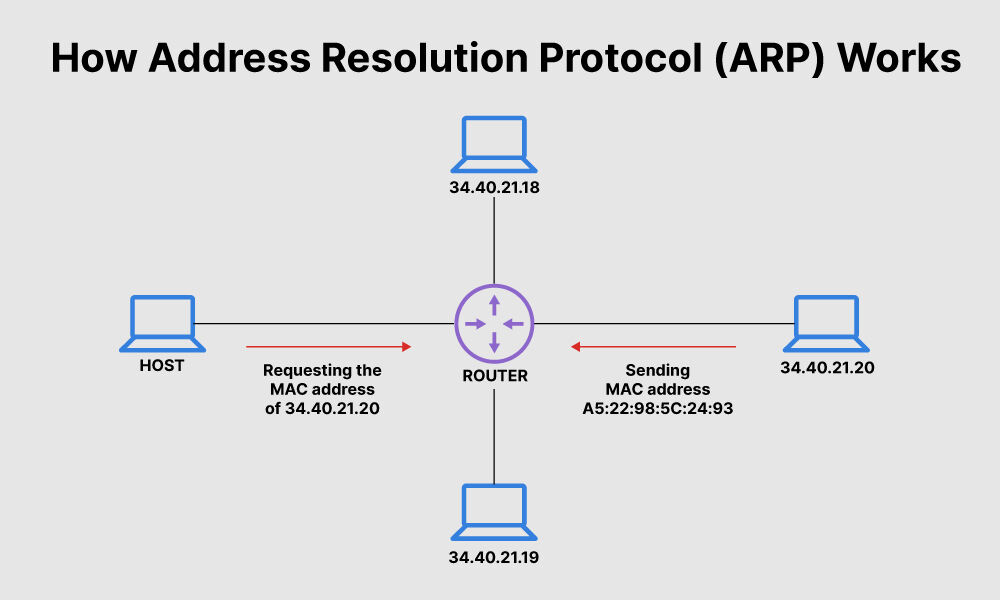
🧠 Introduction
In networking, devices communicate using IP addresses, but actual data transmission happens using MAC addresses. This creates an important question:
👉 How does a device find the MAC address of another device using its IP address?
This is where ARP (Address Resolution Protocol) comes into the picture.
In this article, we will understand:
- What ARP is
- How ARP works
- Whether ARP is only used to find MAC addresses
🌐 What is ARP (Address Resolution Protocol)?
ARP (Address Resolution Protocol) is a network protocol used to map an IP address to its corresponding MAC address within a local network (LAN).
ARP is primarily used to find MAC addresses, but its role is essential in enabling communication between devices in a network.
👉 In simple words:
ARP helps a device find the physical address (MAC) of another device when only the IP address is known.
Even though communication starts with an IP address, switches don’t understand IP.
⚙️ How ARP Works (Step-by-Step)
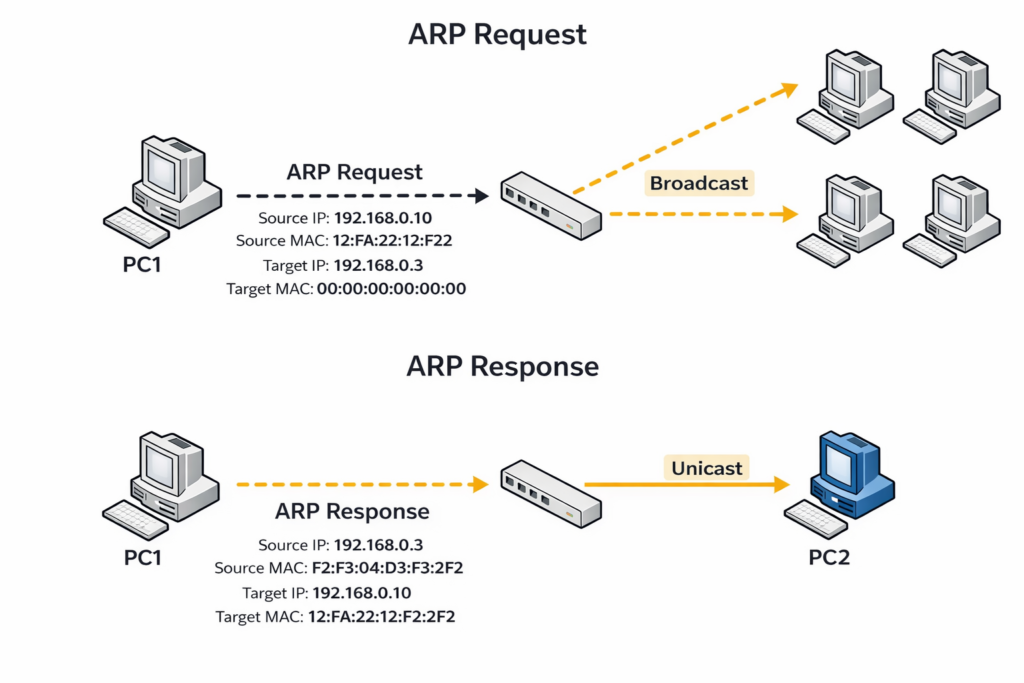
Let’s understand this with a simple example:
👉 PC1 (IP: 192.168.0.10) wants to communicate with PC2 (IP: 192.168.0.3) as shown in the diagram.
🔹 Step 1: Check ARP Cache
- PC1 first checks its ARP table (cache)
- If MAC address is already available → no ARP needed
🔹 Step 2: ARP Request (Broadcast)
- If MAC is not found, PC1 sends an ARP request
- This request is sent as a broadcast to all devices
👉 Message: “Who has IP 192.168.0.3? Tell me your MAC address”
🔹 Step 3: ARP Reply (Unicast)
- Only PC2 responds
- It sends its MAC address back to PC1
👉 This is a unicast reply
🔹 Step 4: Store in ARP Table
- PC1 stores the MAC address in its ARP cache
- This entry is temporary (dynamic)
🔹 Step 5: Communication Begins
- Now PC1 sends actual data (like ping) using MAC address
- No need for ARP again until entry expires
📊 What is ARP Cache?
ARP cache is a table that stores:
- IP address
- Corresponding MAC address
👉 Important points:
- Entries are temporary
- Automatically removed after some time
- Improves network performance
❓ Is ARP Only Used to Find MAC Address?
👉 YES — but with a deeper understanding
✅ Primary Purpose
✔ ARP is mainly used to:
Convert IP address → MAC address
⚠️ But Also Important for:
- Enabling communication in LAN
- Helping devices send frames correctly
- Supporting routing (next-hop resolution)
🚫 Does a Switch Perform ARP?
👉 No, a switch does NOT perform ARP.
✔ What switch does:
- Forwards ARP requests (broadcast)
- Forwards ARP replies (unicast)
- Learns MAC addresses from frames
👉 ARP is performed by:
- PCs
- Routers
⚠️ Key Points to Remember
✔ ARP maps IP address to MAC address
✔ ARP request is broadcast
✔ ARP reply is unicast
✔ ARP entries are temporary
✔ Switch does not perform ARP
🧾 Conclusion
ARP (Address Resolution Protocol) is a fundamental networking protocol that enables devices to communicate within a local network by resolving IP addresses into MAC addresses.
Without ARP, devices would not be able to identify the correct destination at the data link layer, making communication impossible.
📚 Further Reading
- How Switch Learns MAC Address
- ARP (Address Resolution Protocol) – Wikipedia
- ARP (Address Resolution Protocol) – Cisco