
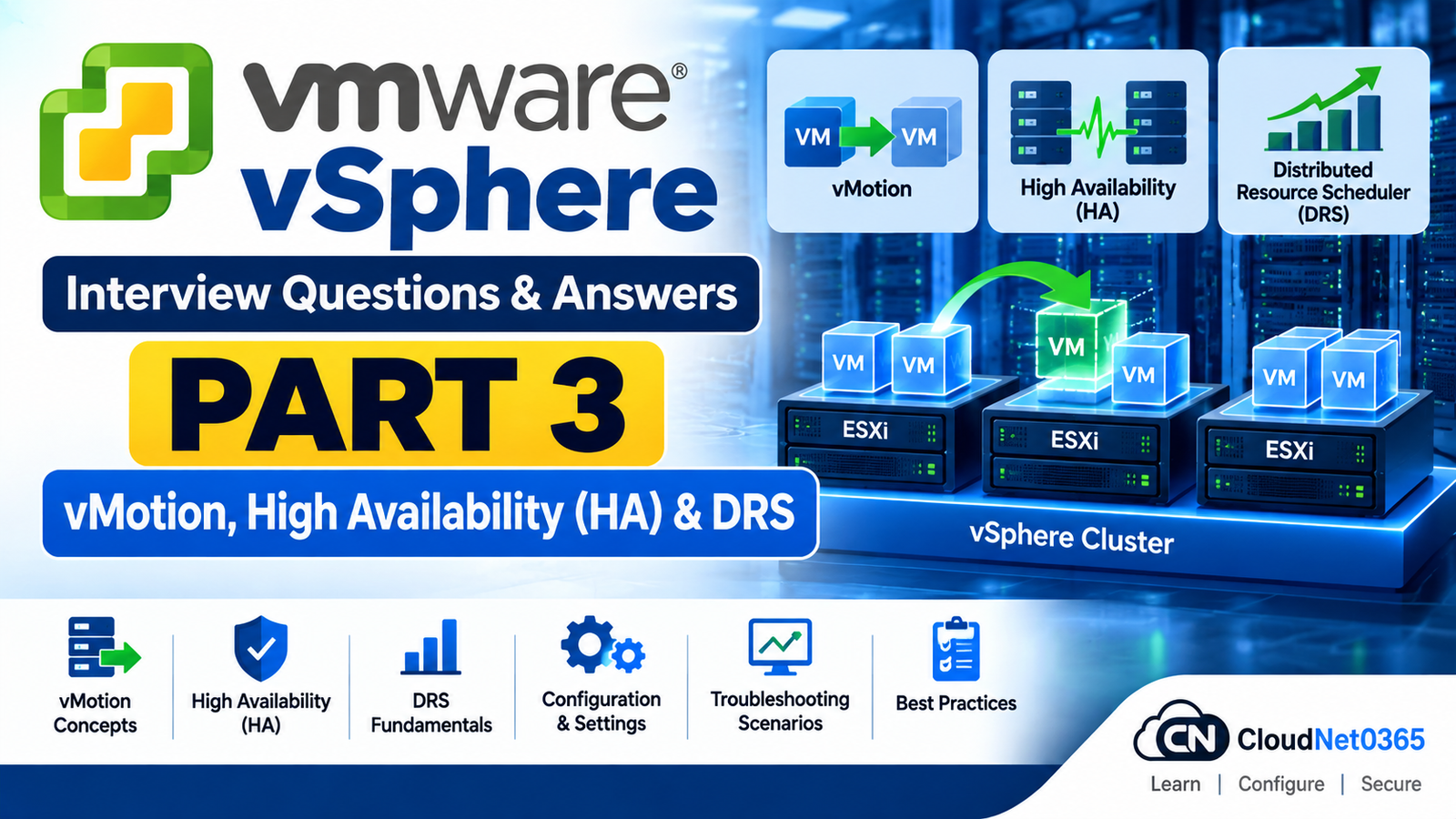
VMware vSphere Interview Questions – Day 4 Part 3: vMotion, HA, DRS & Advanced Availability
SEO Title: VMware vSphere Interview Questions – Day 4 Part 3: vMotion, HA & DRS
Suggested Slug:
vmware-vsphere-interview-questions-day-4-part-3-vmotion-ha-drs
Meta Description:
Prepare for VMware vSphere interviews with questions covering vMotion, Storage vMotion, vSphere HA, DRS, admission control, EVC, Fault Tolerance, affinity rules and real-world availability troubleshooting.
Introduction
In Day 4 Part 1, we covered ESXi and vSphere fundamentals.
In Day 4 Part 2, we covered vCenter Server, clusters and virtual machine management.
This part focuses on some of the most important VMware technologies used for availability, workload mobility and resource management:
- vMotion
- Storage vMotion
- vSphere HA
- HA Admission Control
- Host isolation
- VM Monitoring
- DRS
- DRS automation
- Affinity and anti-affinity rules
- EVC
- Fault Tolerance
- Real-world vMotion, HA and DRS troubleshooting
These topics are especially important for System Administrator and System Engineer interviews because interviewers often want to know not only what a VMware feature does, but also its prerequisites, limitations and troubleshooting approach.
VMware vSphere Interview Questions – Day 4 Part 3
1. What is vMotion?
Answer:
vMotion is a VMware technology that allows a running virtual machine to be migrated from one compatible ESXi host to another with minimal service interruption.
During a vMotion operation, the VM’s execution is transferred to the destination host while the VM continues running.
A simplified workflow is:
ESXi Host 1
     │
     │ vMotion
     ↓
ESXi Host 2
     │
     ↓
VM continues running
vMotion is commonly used for:
- Host maintenance
- Workload balancing
- Hardware maintenance
- Resource management
- Host evacuation
2. Does vMotion move the VM’s storage?
Answer:
Traditional compute vMotion moves a running VM from one compatible ESXi host to another while the VM’s storage remains on its existing datastore.
If the VM’s storage also needs to be moved, the migration operation can include Storage vMotion or an appropriate migration workflow that moves both compute and storage.
Therefore:
Compute vMotion → moves the VM’s execution between hosts.
Storage vMotion → moves VM storage between supported datastores.
Do not state that vMotion always moves storage. The exact behavior depends on the migration type being performed.
3. What is Storage vMotion?
Answer:
Storage vMotion allows the storage associated with a supported running VM to be migrated between supported datastores without requiring the VM to be powered off.
For example:
VM01
 │
 ├── Datastore-A
 │
 │   Storage vMotion
 ↓
Datastore-B
Common uses include:
- Datastore maintenance
- Storage balancing
- Moving workloads to different storage tiers
- Storage capacity management
- Storage migration
4. What are the basic prerequisites for vMotion?
Answer:
The exact requirements depend on the vSphere version and migration type, but important considerations include:
- Source and destination hosts must satisfy the required compatibility checks.
- Appropriate vMotion networking must be configured.
- The destination host must have sufficient CPU and memory resources.
- Required VM networks must be available at the destination.
- For compute-only migration, the destination host must have access to the VM’s required storage.
- CPU compatibility requirements must be satisfied.
- VM hardware and virtual devices must be supported for the migration.
- Required permissions and licensing must be available.
- VM/Host affinity and anti-affinity policies must permit the migration.
A vMotion-enabled VMkernel adapter is normally configured for vMotion traffic.
The exact requirements should always be checked against the vSphere version and the migration type being used.
5. What is the vMotion network?
Answer:
The vMotion network is the network used by ESXi hosts to transfer VM migration data during a vMotion operation.
A VMkernel adapter is configured with the vMotion service enabled.
For example:
ESXi-01
   │
   └── VMkernel Adapter
          │
          │ vMotion Traffic
          │
          ▼
ESXi-02
   │
   └── VMkernel Adapter
The vMotion VMkernel interfaces must have appropriate network connectivity according to the environment’s design.
A physically dedicated network is not universally mandatory. The important requirement is that the vMotion traffic has an appropriate, reliable and properly configured network path.
In production environments, vMotion traffic should be appropriately isolated and protected according to the organization’s security and network architecture.
6. Why is vMotion network performance important?
Answer:
vMotion transfers VM memory and other migration state between ESXi hosts.
Insufficient bandwidth, packet loss, high latency or incorrect network configuration can result in:
- Slow migrations
- Migration failures
- Longer migration times
- Increased VM stun time
- Migration timeouts
When troubleshooting vMotion, check:
- Correct vMotion VMkernel adapter
- IP connectivity
- VLAN configuration
- MTU consistency
- NIC/uplink status
- Packet loss
- Network utilization
- Physical switch configuration
- Security controls where applicable
7. What is vMotion CPU compatibility?
Answer:
The source and destination ESXi hosts must provide a CPU feature set that is compatible with the VM’s requirements.
If the destination host does not provide a required CPU feature, vMotion may fail.
This is particularly important when hosts contain different CPU generations.
Enhanced vMotion Compatibility (EVC) can help provide a common CPU feature baseline across supported hosts.
8. What is EVC?
Answer:
Enhanced vMotion Compatibility (EVC) establishes a common CPU feature baseline for supported hosts and VMs.
This can help enable vMotion between hosts with different generations of compatible CPUs.
Conceptually:
Older CPU Generation
        │
        ├── Common CPU Feature Baseline
        │
Newer CPU Generation
EVC can hide certain newer CPU features from VMs so that the VM sees the configured compatibility baseline.
EVC does not make physically different CPUs identical and does not increase the capabilities of an older physical CPU.
9. Why would vMotion fail because of CPU compatibility?
Answer:
A common reason is that the destination host does not provide a CPU feature set compatible with the VM’s current requirements.
I would check:
- CPU generations
- EVC configuration
- VM CPU compatibility
- Source and destination host compatibility
- The exact vMotion error reported by vCenter
I would not make CPU compatibility changes without first understanding the specific compatibility issue.
10. What is vMotion stun time?
Answer:
During vMotion, there is a final phase in which the VM’s execution is briefly paused while the remaining state is transferred and execution is switched to the destination host.
This brief pause is referred to as stun time.
The objective is to keep the pause as short as possible.
Large-memory VMs, high memory write rates and insufficient vMotion network performance can make migration more difficult and may increase migration time or stun time.
11. What happens if a VM changes memory faster than vMotion can transfer it?
Answer:
vMotion uses an iterative memory-copy process while the VM continues running.
If the VM modifies memory faster than vMotion can transfer those changes, additional iterations may be required.
If the VM does not sufficiently converge toward a state where the remaining changes can be transferred during the final migration phase, the migration can fail.
This can be more likely with:
- Very high memory write rates
- Heavy memory activity
- Insufficient vMotion bandwidth
I would investigate the VM workload and vMotion network rather than repeatedly retrying the migration without addressing the underlying condition.
Answer:
Yes, depending on the migration type and vSphere configuration.
Traditional compute-only vMotion normally requires the destination ESXi host to have access to the VM’s existing storage.
However, supported shared-nothing migration workflows can migrate both compute and storage, subject to the applicable compatibility, networking, storage and resource requirements.
Therefore, avoid saying:
“vMotion always requires shared storage.”
A better interview answer is:
“Compute-only vMotion normally requires the destination host to access the VM’s existing storage, while supported shared-nothing migration can move both compute and storage.”
13. What is Cross-vCenter vMotion?
Answer:
Cross-vCenter vMotion allows supported VMs to be migrated between different vCenter Server environments.
It can be useful for:
- Datacenter migrations
- Infrastructure consolidation
- Organizational migrations
- Moving workloads between vCenter environments
The source and destination environments must meet the applicable compatibility, networking, authentication, licensing and configuration requirements.
14. What is vSphere HA?
Answer:
vSphere HA (High Availability) provides automatic VM recovery after supported ESXi host failures.
When an ESXi host fails, HA can detect the failure and restart affected VMs on surviving hosts, provided the cluster has sufficient resources and the required storage and networking are available.
A simplified workflow is:
ESXi Host Failure
       ↓
HA detects failure
       ↓
Affected VM identified
       ↓
Suitable surviving host selected
       ↓
VM restarted
       ↓
Guest OS boots
       ↓
Application starts
HA is primarily a VM restart/recovery mechanism after host failure, not a zero-downtime migration mechanism.
15. What is the difference between HA and vMotion?
Answer:
The key difference is:
vMotion is planned workload migration; HA is failure recovery.
| vMotion | vSphere HA |
|---|---|
| Planned migration | Failure recovery |
| VM normally remains running | VM is normally restarted |
| Used for maintenance/load balancing | Used for availability |
| Requires migration compatibility | Requires HA cluster configuration |
For example:
Planned maintenance
        ↓
     vMotion
Unexpected ESXi host failure
        ↓
       HA
        ↓
  Restart affected VM
16. Does HA continuously move VMs between hosts?
Answer:
No.
vSphere HA is not primarily a workload-balancing technology.
HA focuses on recovering VMs after host failures.
DRS is responsible for VM placement and resource-balancing decisions within a DRS-enabled cluster.
17. What happens when an ESXi host fails in an HA cluster?
Answer:
When a supported ESXi host failure is detected, HA can restart affected VMs on suitable surviving hosts.
A simplified sequence is:
ESXi Host Failure
       ↓
HA detects failure
       ↓
Affected VMs identified
       ↓
Suitable surviving host selected
       ↓
VM restarted
       ↓
Guest OS boots
       ↓
Application services start
Successful recovery depends on factors such as:
- HA configuration
- Admission Control
- Available resources
- Datastore accessibility
- Network availability
- VM restart configuration
- VM protection status
- Cluster health
For HA to restart a VM on another host, the VM’s required storage must be accessible to that destination host.
A VM stored only on local storage of the failed host cannot normally be restarted on another host because the destination host cannot access its virtual disks.
18. Does HA preserve the VM’s memory state after a host failure?
Answer:
Normally, no.
Standard vSphere HA restarts the affected VM on another suitable ESXi host.
The VM therefore goes through a normal boot process and applications inside the guest OS must start again.
This is different from vSphere Fault Tolerance, which is designed for supported workloads where a secondary execution instance can continue after certain host failures.
19. What is HA Admission Control?
Answer:
HA Admission Control helps ensure that sufficient cluster resources are available to recover VMs after host failures.
Its purpose is to prevent the cluster from consuming resources in a way that would leave insufficient failover capacity according to the configured HA policy.
In simple terms:
Admission Control protects planned failover capacity.
20. Why is HA Admission Control important?
Answer:
If a cluster consumes almost all of its available resources, there may not be enough CPU or memory capacity to restart VMs after a host failure.
For example:
Cluster resources
       ↓
Most capacity consumed
       ↓
One host fails
       ↓
Remaining hosts have insufficient capacity
       ↓
Some VMs may not be recoverable
Admission Control helps maintain the desired failover capacity.
21. What HA Admission Control policies are available?
Answer:
The exact policies and terminology depend on the vSphere version.
Common HA Admission Control concepts include:
- Host failures cluster tolerates
- Percentage of cluster resources reserved for failover
- Dedicated failover host, where supported
The important interview concept is:
Admission Control ensures that enough capacity is reserved to recover workloads after host failures.
Always verify the exact available policy options for the vSphere version being administered.
22. What is an HA heartbeat?
Answer:
vSphere HA uses communication mechanisms to determine host availability and cluster health.
These include:
- HA network communication between hosts
- Datastore heartbeating where applicable
Datastore heartbeating provides an additional signal that can help HA distinguish between certain host/network failure conditions.
It does not replace the HA network.
23. What is host isolation in vSphere HA?
Answer:
Host isolation occurs when an ESXi host remains powered on but loses the required network communication with other hosts according to HA’s failure-detection mechanisms.
This is different from a complete physical host failure.
HA uses available evidence to determine whether a host is:
- Functioning but isolated
- Failed
- Still communicating through another available mechanism
The configured Host Isolation Response determines how protected VMs should be handled when isolation is detected.
24. What is HA Host Isolation Response?
Answer:
The HA Host Isolation Response defines how vSphere HA handles VMs when an ESXi host is determined to be isolated.
Depending on the configured policy and vSphere version, actions can include:
- Leave powered on
- Power off
- Shut down
The appropriate configuration depends on:
- Network architecture
- Storage architecture
- Application requirements
- HA configuration
- Failure-detection behavior
The isolation response should therefore be designed for the actual environment rather than selected arbitrarily.
25. Why is choosing the HA isolation response important?
Answer:
An incorrect isolation response can produce undesirable behavior during network-partition scenarios.
For example, if an isolated host continues running a VM while another host believes that VM needs to be restarted, there can be a risk of duplicate execution depending on the circumstances.
Therefore, the isolation response must be considered together with:
- Network design
- Storage design
- HA configuration
- Application behavior
- Failure-detection mechanisms
The objective is to minimize the risk of service interruption and conflicting VM execution.
26. What is VM Monitoring in vSphere HA?
Answer:
VM Monitoring is an HA capability that can detect certain VM-level failures using mechanisms such as VMware Tools heartbeats.
If a VM becomes unresponsive according to the configured monitoring criteria, HA can restart the VM.
This is different from host-level HA.
Host failure
     ↓
HA restarts affected VMs

VM becomes unresponsive
     ↓
VM Monitoring may restart the VM
VM Monitoring should not be confused with application-level monitoring unless application monitoring is specifically configured and supported.
27. What is vSphere DRS?
Answer:
vSphere DRS (Distributed Resource Scheduler) manages VM placement and resource balancing within a cluster.
Depending on the configured automation and vSphere version, DRS can:
- Make VM placement recommendations
- Automatically place VMs
- Automatically migrate VMs
- Help balance cluster resources
- Assist with host maintenance and evacuation
DRS uses resource utilization, VM requirements and configured placement policies when making decisions.
28. What are the DRS automation levels?
Answer:
In vSphere environments using the traditional DRS automation model, common automation levels are:
Manual
DRS provides recommendations and the administrator decides whether to apply them.
Partially Automated
Initial VM placement can be automated, while subsequent migration recommendations may require administrator action.
Fully Automated
DRS can automatically perform VM placement and migration actions according to its policies.
The exact DRS behavior and configuration options can vary between vSphere releases.
The key interview concept is:
DRS automation determines how much of VM placement and migration is performed automatically versus requiring administrator action.
29. What is the difference between HA and DRS?
Answer:
They solve different problems.
HA
Focuses on availability after host failure.
DRS
Focuses on resource management and VM placement.
Example:
ESXi host fails
      ↓
HA
      ↓
Restart VM
Cluster resources become unbalanced
      ↓
DRS
      ↓
Recommend/perform VM migration
HA and DRS are commonly used together in production clusters.
30. Does DRS require vMotion?
Answer:
For DRS to automatically rebalance running VMs by moving them between hosts, the environment must support the required VM migration operations, normally through vMotion.
DRS can still evaluate placement and provide recommendations when automatic migration is not possible.
Therefore:
DRS makes the placement decision; vMotion provides the mechanism for moving a running VM between hosts.
31. What is a DRS recommendation?
Answer:
A DRS recommendation is a proposed action intended to improve VM placement or cluster resource balance.
For example:
ESXi-01 → High resource contention
ESXi-02 → Available capacity

DRS recommendation:
Move VM01 from ESXi-01 → ESXi-02
In Manual or applicable partially automated configurations, an administrator may need to review and apply the recommendation.
32. What are VM-Host affinity rules?
Answer:
VM-Host affinity rules define placement relationships between VMs and ESXi hosts.
They can specify that selected VMs should or must:
- Run on particular hosts
- Prefer particular hosts
- Avoid particular hosts
They can be useful for:
- Hardware requirements
- Licensing requirements
- Application requirements
- Dedicated infrastructure
- Operational requirements
However, overly restrictive rules can reduce DRS flexibility and affect VM placement during failures.
33. What are VM-VM affinity rules?
Answer:
VM-VM affinity rules define placement relationships between virtual machines.
An affinity rule can specify that selected VMs should run together where supported by the configured rule.
For example:
Application VM
      ↕
Database VM
An organization might use an affinity rule when workloads benefit from being placed on the same host.
The rule should only be used when the placement requirement has a valid operational reason.
34. What are anti-affinity rules?
Answer:
Anti-affinity rules instruct vSphere to keep selected workloads apart.
For example:
Domain Controller 1 → ESXi-01
Domain Controller 2 → ESXi-02
This reduces the risk that a single ESXi host failure will affect both redundant workloads.
Anti-affinity can be useful for:
- Domain controllers
- Cluster nodes
- Application redundancy
- Database replicas
- Other redundant workloads
35. What is a VM-Host affinity rule used for?
Answer:
A VM-Host affinity rule can be used when a VM should run on, or avoid, a particular group of hosts.
Possible reasons include:
- Hardware requirements
- Licensing restrictions
- Application requirements
- Dedicated infrastructure
- Compliance or operational requirements
However, hard placement constraints can reduce the number of hosts available for VM placement and may affect DRS flexibility and HA recovery.
36. What is the difference between “Should” and “Must” affinity rules?
Answer:
A Should rule expresses a preference.
DRS attempts to satisfy the preference but can violate it when necessary.
A Must rule expresses a stronger placement requirement.
DRS attempts to maintain the rule and may restrict placement options when the rule cannot be satisfied.
Hard placement constraints should be used carefully because they can reduce DRS flexibility and may limit placement options during host failures.
37. What is EVC used for?
Answer:
Enhanced vMotion Compatibility (EVC) establishes a common CPU feature baseline for supported hosts and VMs so that VMs can be migrated between hosts with different generations of compatible CPUs.
EVC is particularly useful during gradual hardware refreshes.
For example:
Older CPU Generation
        │
        ├── Common CPU Feature Baseline
        │
Newer CPU Generation
The newer host can provide additional physical CPU capabilities, but EVC can hide selected newer CPU features from the VM so that it sees the configured compatibility baseline.
EVC does not upgrade an older CPU or make different physical CPUs identical.
38. Can EVC make an old CPU perform like a newer CPU?
Answer:
No.
EVC does not upgrade physical CPU capabilities.
Instead, it establishes a common CPU feature baseline and can hide selected newer CPU features from VMs.
Therefore:
EVC improves compatibility; it does not improve the physical CPU’s capabilities.
39. What is vSphere Fault Tolerance (FT)?
Answer:
vSphere Fault Tolerance provides continuous availability for supported VMs by maintaining a secondary execution instance on another ESXi host.
The primary and secondary instances are kept synchronized so that, after certain host failures, the secondary can continue execution without the normal VM reboot associated with standard HA recovery.
Conceptually:
ESXi-01
  │
  └── Primary VM
        │
        │ FT
        ↓
ESXi-02
  │
  └── Secondary VM
FT has specific VM, host, CPU, storage, networking, resource and licensing requirements.
The exact supported limits and requirements depend on the vSphere version.
FT should not be described as a backup, snapshot or ordinary VM clone. It maintains a secondary execution instance.
40. What is the difference between HA and Fault Tolerance?
Answer:
The key difference is how the workload is recovered.
vSphere HA
Host failure
     ↓
VM restarted on another host
     ↓
Guest OS boots
There is normally some downtime while the VM restarts.
vSphere Fault Tolerance
Primary VM
     │
     │ Synchronized execution
     ↓
Secondary VM
If the primary host fails, the secondary can continue execution, avoiding the normal guest OS reboot associated with standard HA recovery.
FT therefore provides a different availability model from HA and is intended for supported workloads with higher continuity requirements.
41. When would you consider Fault Tolerance instead of HA?
Answer:
FT may be considered when:
- The workload has very high availability requirements.
- VM restart downtime is unacceptable.
- The workload is supported by FT.
- The infrastructure meets the required resource and networking requirements.
- The applicable licensing and operational requirements are satisfied.
FT consumes additional resources and has more specific requirements, so it is not appropriate for every VM.
42. A vMotion operation fails. What would you check first?
Answer:
I would first check the exact vCenter migration error.
Then I would check:
- Source and destination host compatibility
- CPU compatibility and EVC
- vMotion VMkernel configuration
- IP connectivity
- VLAN configuration
- MTU consistency
- Destination CPU and memory resources
- VM network availability
- Storage accessibility
- VM hardware/device compatibility
- VM-Host and VM-VM affinity rules
- Permissions and licensing
- Recent infrastructure changes
I would correct the identified issue before repeatedly retrying the migration.
Answer:
I would check the vMotion path end-to-end:
Source ESXi
   ↓
vMotion VMkernel
   ↓
Physical NIC/Uplink
   ↓
Physical Switch
   ↓
Destination Switch/Uplink
   ↓
Destination ESXi
   ↓
Destination vMotion VMkernel
I would verify:
- Correct VMkernel adapter
- vMotion service enabled
- IP configuration
- VLAN
- Routing where applicable
- MTU
- NIC/uplink status
- Physical switch configuration
- Packet loss/connectivity
- Security controls
I would also verify that vCenter is using the intended vMotion network.
44. A VM cannot vMotion because the destination host does not have the VM’s network. What would you do?
Answer:
I would verify that the destination host has access to the required virtual network.
I would check:
- Port group availability
- VSS/VDS configuration
- VLAN configuration
- Physical uplinks
- NIC teaming/failover configuration
- Network connectivity
- VM network adapter configuration
The destination host must provide the necessary network connectivity for the VM.
I would correct the network configuration before attempting the migration again.
45. A VM cannot vMotion because its datastore is not accessible from the destination host. What would you check?
Answer:
I would verify:
- Datastore visibility on the destination host
- Storage adapter status
- HBA/iSCSI connectivity
- NFS connectivity where applicable
- Storage paths
- Multipathing
- Storage array connectivity
- Datastore mount status
- Recent storage changes
If the migration is intended to move both compute and storage, I would verify that the selected migration workflow and destination storage meet the applicable requirements.
46. An HA cluster is not protecting VMs as expected. What would you check?
Answer:
I would check:
- Is HA enabled on the cluster?
- Are the expected hosts participating correctly?
- Is the cluster healthy?
- Is Admission Control configured appropriately?
- Are required datastores accessible?
- Is HA communication functioning?
- Are network heartbeats functioning?
- Is the VM protected by HA?
- Are VM restart priorities/configuration appropriate?
- Are there HA-related events or alarms?
- Are there host-isolation or network-partition issues?
- Is sufficient failover capacity available?
I would use the vSphere Client’s HA status, events and cluster health information to identify the actual problem.
47. An ESXi host fails, but HA does not restart a VM. What could cause this?
Answer:
Possible causes include:
- HA configuration problem
- VM was not protected
- Insufficient resources
- Admission Control/resource constraints
- Required datastore inaccessible
- HA communication problem
- Host or cluster configuration issue
- VM-specific configuration or restart limitation
- HA detected a different failure condition than expected
I would examine HA events, VM protection status, datastore accessibility and available resources rather than assuming HA itself is broken.
48. DRS is enabled, but VMs are not moving between hosts. What would you check?
Answer:
First, I would determine whether DRS actually has a reason to migrate the VM.
I would check:
- DRS automation level
- DRS recommendations
- Current resource utilization
- CPU and memory contention
- VM-Host affinity rules
- VM-VM affinity/anti-affinity rules
- Reservations and limits
- Host compatibility
- vMotion health
- Maintenance/evacuation state
- HA/Admission Control constraints
A common misconception is:
“DRS must constantly move VMs.”
That is incorrect.
DRS moves VMs when its resource calculations, policies and constraints determine that migration is appropriate.
49. A DRS cluster has plenty of total CPU capacity, but a VM is experiencing performance problems. What would you investigate?
Answer:
I would not look only at total cluster CPU utilization.
I would investigate:
- VM CPU demand
- CPU Ready
- Individual ESXi host utilization
- Memory contention
- Ballooning
- Memory compression
- Swapping
- NUMA placement
- Reservations
- Limits
- Resource pools
- DRS placement rules
- Storage latency
- Network performance
- Guest OS performance
- Application-level performance
A cluster can have plenty of aggregate CPU capacity while an individual VM or ESXi host is still experiencing a resource bottleneck.
50. Explain your approach to a production incident involving vMotion, HA or DRS.
Answer:
I would use a structured incident-response approach.
Step 1 – Identify the impact
Determine:
- Which VMs are affected?
- Is the issue isolated or cluster-wide?
- Is production service unavailable?
Step 2 – Check recent changes
Look for:
- Host maintenance
- Network changes
- Storage changes
- Patching
- vCenter changes
- Configuration changes
Step 3 – Identify the failing technology
Determine whether the issue involves:
- vMotion
- HA
- DRS
- Storage
- Networking
- ESXi
- vCenter
Step 4 – Collect evidence
Review:
- vCenter Tasks
- Events
- Alarms
- Cluster health
- ESXi status
- VM status
- Network/storage health
- Relevant logs
Step 5 – Isolate the root cause
Avoid changing multiple components simultaneously.
Step 6 – Restore service safely
Apply the least disruptive supported remediation.
Step 7 – Verify
Confirm:
- VM health
- Application health
- Host health
- Cluster health
- HA/DRS/vMotion functionality
Step 8 – Prevent recurrence
Document:
- Root cause
- Corrective action
- Preventive action
- Configuration changes
- Monitoring improvements
This demonstrates senior-level troubleshooting rather than simply knowing VMware feature definitions.
VMware vMotion, HA & DRS – Quick Revision
- vMotion → Migrates a running VM between compatible ESXi hosts.
- Storage vMotion → Migrates VM storage between supported datastores.
- vMotion VMkernel → Provides the network interface used for vMotion traffic.
- CPU compatibility → Source and destination hosts must satisfy the VM’s CPU compatibility requirements.
- EVC → Provides a common CPU feature baseline for supported hosts/VMs.
- vMotion stun time → Brief period when VM execution is paused during the final migration phase.
- HA → Restarts affected VMs after supported ESXi host failures.
- HA ≠ vMotion → HA is failure recovery; vMotion is planned migration.
- Admission Control → Helps preserve capacity for VM recovery after host failures.
- Host isolation → An ESXi host remains powered on but loses required HA cluster communication.
- Isolation Response → Defines how protected VMs are handled when isolation is detected.
- VM Monitoring → Can detect certain VM-level failures and restart affected VMs.
- DRS → Manages VM placement and resource balancing.
- DRS + vMotion → vMotion provides the migration mechanism for moving running VMs when DRS determines movement is appropriate.
- Affinity → Establishes preferred/required placement relationships.
- Anti-affinity → Keeps selected workloads apart.
- EVC does not upgrade CPUs → It establishes compatibility by providing a common CPU feature baseline.
- Fault Tolerance → Maintains a synchronized secondary execution instance for supported VMs.
- HA → Normally involves VM restart after host failure.
- FT → Designed to avoid the normal guest OS restart associated with HA for supported workloads.
Exam Answer Summary
What is vMotion?
vMotion migrates a running VM between compatible ESXi hosts with minimal service interruption.
What is Storage vMotion?
Storage vMotion moves VM storage between supported datastores while the VM remains powered on.
What is the difference between HA and vMotion?
vMotion is planned migration; HA is failure recovery that normally restarts affected VMs on surviving hosts.
What is DRS?
DRS manages VM placement and resource balancing within a vSphere cluster.
What is HA Admission Control?
Admission Control helps ensure sufficient cluster resources are available to recover VMs after host failures.
What is EVC?
EVC establishes a common CPU feature baseline to improve VM migration compatibility between supported hosts with different CPU generations.
What is Fault Tolerance?
FT maintains a synchronized secondary execution instance of a supported VM so that certain host failures can be handled without the normal guest OS reboot associated with HA.
What do you check when vMotion fails?
Check the exact vCenter error, then verify host compatibility, CPU/EVC, vMotion VMkernel networking, VLAN/MTU, destination resources, VM networking, storage accessibility, placement rules, permissions and configuration.
What do you check when HA does not restart a VM?
Check HA health, VM protection status, Admission Control, available resources, required datastore accessibility, HA communication, host isolation and HA events.
What do you check when DRS does not move a VM?
Check DRS automation, recommendations, resource utilization, reservations/limits, affinity rules, host compatibility, vMotion health and whether migration would actually improve placement.
Senior VMware Interview Tip
When answering VMware availability questions, remember this simple distinction:
PLANNED EVENT
     │
     ├── vMotion
     │      ↓
     │   Move running VM
     │
     └── Storage vMotion
            ↓
         Move VM storage


UNPLANNED HOST FAILURE
     │
     └── vSphere HA
            ↓
       Restart VM elsewhere


HIGH AVAILABILITY REQUIREMENT
     │
     └── Fault Tolerance
            ↓
       Secondary execution instance


RESOURCE IMBALANCE
     │
     └── DRS
            ↓
       Placement / balancing
A strong senior-level answer should include:
Definition → Purpose → Prerequisites → Dependencies → Failure conditions → Troubleshooting
Do not simply memorize the feature definitions. Understand why the feature is used, what it depends on and what you would check when it fails.
What’s Next?
Day 4 Part 4 – vSphere Storage & Networking
The next part will cover:
- VMFS
- NFS
- iSCSI
- Fibre Channel
- vSAN fundamentals
- Datastore architecture
- Storage adapters
- Multipathing
- Path Selection Policies
- Storage latency
- Storage troubleshooting
- Standard vSwitch
- Distributed vSwitch
- Port groups
- VLANs
- VMkernel networking
- NIC teaming
- LACP
- MTU/Jumbo Frames
- Management, vMotion and storage networks
- Real-world storage and networking failure scenarios
- Senior-level VMware storage/network troubleshooting