
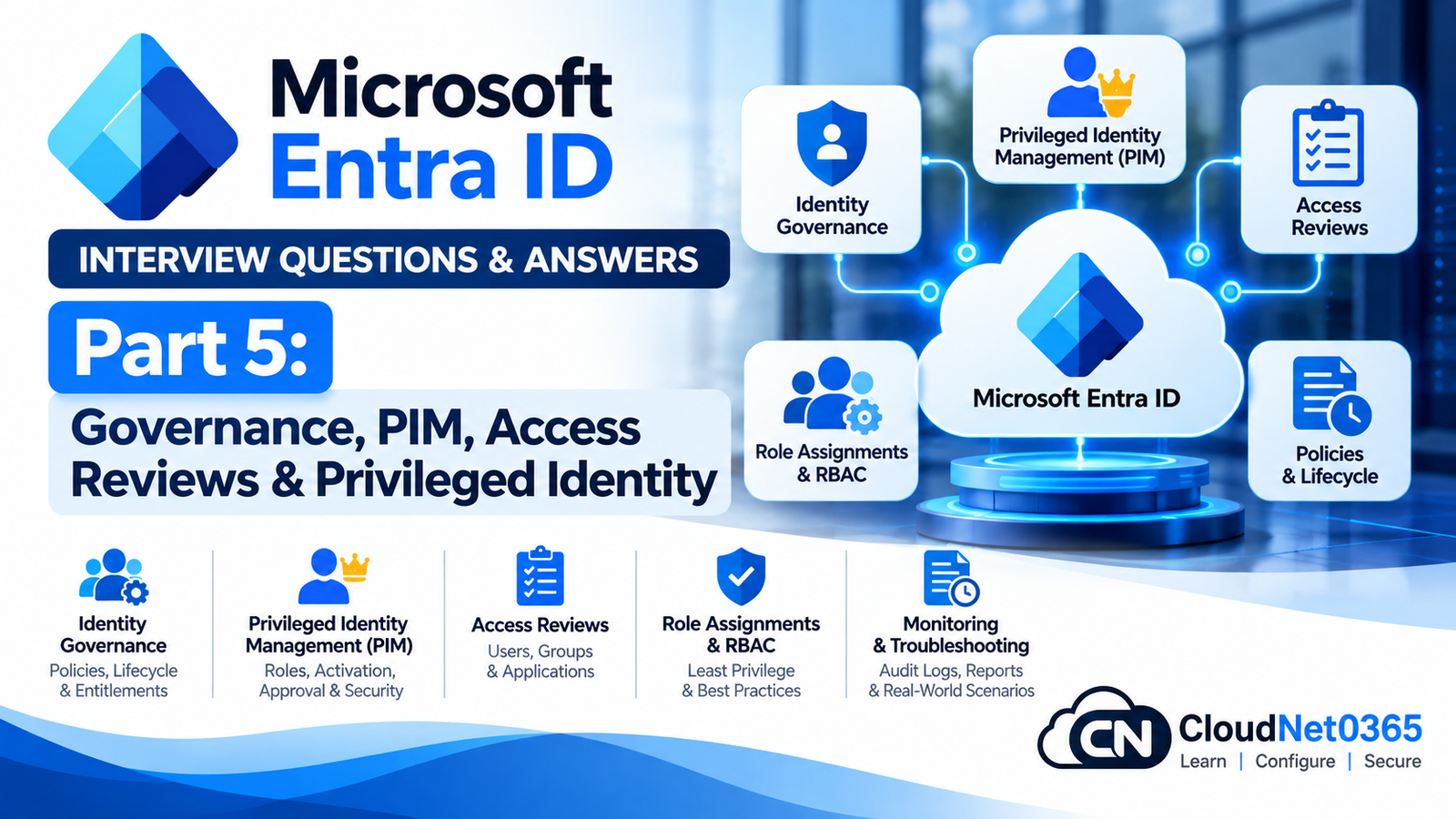
Microsoft Entra ID Interview Questions – Day 6 Part 5: Governance, PIM, Access Reviews & Privileged Identity
SEO Title
Microsoft Entra ID Interview Questions – Day 6 Part 5: Governance, PIM, Access Reviews & Privileged Identity
Suggested Slug
entra-id-interview-questions-day-6-part-5-governance-pim-access-reviews
Meta Description
Prepare for senior Microsoft Entra ID interviews with PIM, RBAC, privileged roles, access reviews, entitlement management, access packages, lifecycle governance, administrative units, guest access and real-world identity security scenarios.
Introduction
This is Day 6 – Part 5 of the Microsoft Entra ID interview preparation series.
Previous parts covered:
- Hybrid Identity
- Entra Connect
- Synchronization
- Authentication
- MFA
- Passwordless authentication
- Conditional Access
- Authentication Strengths
- App Registrations
- Enterprise Applications
- Service Principals
- OAuth 2.0
- OpenID Connect
- SAML
- API Permissions
- Consent
- Managed Identities
- Application Proxy
This part focuses on another major senior-level area:
Microsoft Entra Identity Governance & Privileged Access
A senior administrator must not only know how to grant access, but also understand:
Who has access, why they have it, how long they should have it, who approved it, whether they still need it, and how privileged access is controlled.
This part covers:
- Microsoft Entra RBAC
- Administrative roles
- Least privilege
- Privileged Identity Management
- Eligible vs Active assignments
- Just-in-Time access
- Role activation
- Approval
- MFA for activation
- Time-bound assignments
- PIM for Groups
- Access Reviews
- Entitlement Management
- Access Packages
- Administrative Units
- Guest governance
- External identities
- Lifecycle governance
- Privileged account security
- Role-assignment troubleshooting
- Real-world identity security incidents
Microsoft Entra RBAC
Q1. What is Microsoft Entra RBAC?
Microsoft Entra role-based access control (RBAC) allows administrators to grant specific administrative permissions through predefined or custom roles.
Instead of giving every administrator Global Administrator, the organization assigns the minimum role required for the person’s responsibilities.
For example:
Helpdesk
   ↓
Helpdesk Administrator

Identity team
   ↓
User Administrator

Security team
   ↓
Security Administrator

Conditional Access team
   ↓
Conditional Access Administrator
This follows the principle of least privilege.
Microsoft recommends using just-enough and just-in-time access for privileged roles where appropriate.
Q2. What is the principle of least privilege?
Least privilege means giving an identity only the permissions necessary to perform its required tasks.
For example, if an administrator only needs to reset user passwords, there is generally no reason to grant Global Administrator.
Conceptually:
Required permission
       ↓
Minimum role
       ↓
Minimum scope
       ↓
Minimum duration
This reduces the potential impact of a compromised administrative account.
Q3. What is the difference between Microsoft Entra roles and Azure RBAC roles?
They control access to different resource planes.
Microsoft Entra roles
Control administrative access to Microsoft Entra ID and related identity services.
Examples:
- Global Administrator
- User Administrator
- Groups Administrator
- Application Administrator
- Conditional Access Administrator
Azure RBAC
Controls access to Azure resources.
Examples:
- Owner
- Contributor
- Reader
- Virtual Machine Contributor
A user can therefore have:
Microsoft Entra role
+
Azure RBAC role
without those roles being the same thing.
Q4. What is a Global Administrator?
Global Administrator is one of the most powerful Microsoft Entra administrative roles.
It provides broad administrative capabilities across Microsoft Entra ID and connected Microsoft services.
Because of its privilege level, it should not be used as the default administrative role for routine tasks.
A senior administrator should prefer more specific roles wherever possible.
Q5. Why should you avoid assigning Global Administrator to every IT administrator?
Because a compromised Global Administrator account can have extremely broad impact.
If ten administrators have Global Administrator:
10 privileged accounts
       ↓
10 high-value attack targets
Instead, use role separation:
Identity Helpdesk
→ Helpdesk Administrator

Identity Administration
→ User Administrator

Application Team
→ Application Administrator

Security Team
→ Security Administrator
Use Global Administrator only when the actual task requires its privileges.
Privileged Identity Management
Q6. What is Microsoft Entra Privileged Identity Management (PIM)?
Microsoft Entra Privileged Identity Management helps manage, control and monitor privileged access to Microsoft Entra roles and other supported resources.
PIM can support:
- Eligible role assignments
- Time-bound assignments
- Role activation
- MFA requirements
- Approval
- Justification
- Notifications
- Access reviews
An eligible user does not continuously hold the active privileges of the role; they activate the role when required.
Q7. What is an eligible role assignment?
An eligible assignment means the user is authorized to activate the role when needed but does not continuously use the role’s privileges.
For example:
Administrator
     ↓
Eligible for Global Administrator
     ↓
Needs emergency task
     ↓
Activates role
     ↓
Temporary active access
     ↓
Role expires/deactivates
The activation process can require controls such as MFA, justification or approval depending on the configured PIM policy.
Q8. What is an active role assignment?
An active assignment means the user currently has the role’s permissions without needing to activate the role for each use.
Conceptually:
Active
→ Privileges are already assigned

Eligible
→ Privileges must be activated when needed
This distinction is fundamental to PIM.
Q9. What is Just-In-Time (JIT) privileged access?
Just-In-Time access means privileged permissions are activated only when required and generally for a limited period.
For example:
Normal state
→ No active Global Administrator privileges

Incident
→ Activate role

Work completed
→ Role deactivates/expires
This reduces the amount of time that highly privileged permissions are continuously available.
Q10. What is the difference between eligible and time-bound assignments?
These are related but different concepts.
Eligible
The user must activate the role before using it.
Time-bound
The assignment has a defined expiration time.
A role can therefore be:
- Permanently eligible
- Time-bound eligible
- Permanently active
- Time-bound active
PIM supports these assignment models depending on the role and configuration.
Q11. What controls can PIM require when a user activates a role?
Depending on the PIM configuration, activation can require controls such as:
- MFA
- Justification
- Approval
- Authentication context
- Time-limited activation
The exact controls are configured through the relevant PIM role settings.
Microsoft documents PIM role settings for activation requirements, maximum durations and approval workflows.
Q12. Why require MFA during privileged-role activation?
Because privileged access is high-impact.
Even if an administrator’s normal authentication is compromised, requiring another strong authentication step before privilege elevation provides an additional security control.
Example:
Normal user
     ↓
Administrator account
     ↓
Eligible role
     ↓
MFA
     ↓
Role activation
This is especially useful for high-impact administrative roles.
Q13. Why require approval before activating a privileged role?
Approval provides an additional governance control.
For example:
Administrator
     ↓
Requests activation
     ↓
Provides justification
     ↓
Approver reviews request
     ↓
Approved
     ↓
Role activated
This can be useful for particularly sensitive roles or organizations with formal change-control requirements.
Q14. What is the difference between PIM and Conditional Access?
They solve different problems.
Conditional Access
Controls access based on conditions associated with a sign-in.
Example:
Require phishing-resistant authentication when accessing a sensitive application.
PIM
Controls privileged-role assignment and activation.
Example:
Allow an administrator to activate Global Administrator for 30 minutes after MFA and approval.
They can work together.
Q15. Can PIM replace Conditional Access?
No.
PIM and Conditional Access address different layers.
Conditional Access
→ Should this sign-in be allowed and under what conditions?

PIM
→ Should this user have privileged administrative permissions right now?
A mature identity-security design can use both.
PIM Troubleshooting
Q16. A user is eligible for a role but cannot activate it. What would you check?
I would check:
- Role eligibility.
- Assignment start/end time.
- PIM activation policy.
- MFA requirement.
- Approval requirement.
- Authentication context.
- User licensing.
- Whether the role is actually the intended role.
- Current sign-in/session.
- PIM activation logs.
I would determine whether the failure occurs during:
Eligibility
   ↓
Activation request
   ↓
Authentication
   ↓
Approval
   ↓
Role activation
Q17. A user activated Global Administrator but still cannot perform an administrative action. What would you check?
I would verify:
- Correct role was activated.
- Activation succeeded.
- Activation has not expired.
- Correct tenant is being used.
- The task actually requires Global Administrator.
- Another authorization layer is blocking the operation.
- The browser/session has refreshed appropriately.
Some applications can cache role information, so signing out and back in may sometimes be necessary for application access to reflect role changes. Microsoft documents this behavior for applications using role information.
Q18. A user’s PIM activation expired, but they still appear to have access. What would you investigate?
I would determine whether the access is actually coming from the expired role.
Check:
- Current active assignments.
- Other permanent roles.
- Group-based role assignments.
- Azure RBAC assignments.
- Application-specific permissions.
- Cached application/session state.
A user can lose one privileged role while still retaining another independent access path.
Q19. A user has no direct Global Administrator assignment but still appears to have Global Administrator privileges. What would you investigate?
I would check all possible assignment paths.
For example:
User
 ├── Direct role
 ├── Group-based role
 ├── PIM assignment
 ├── Other administrative path
 └── Application/resource-specific permissions
I would inspect the user’s complete role-assignment information rather than looking only at direct assignments.
Q20. How would you investigate unexpected privileged-role assignment?
I would examine:
- Current role assignments
- PIM assignments
- Audit logs
- Assignment timestamp
- Initiating administrator
- Assignment type
- Assignment duration
- Group membership
- Related policy/configuration changes
The audit trail is important because the goal is to determine who assigned the privilege, when, and through what operation.
PIM for Groups
Q21. What is PIM for Groups?
PIM for Groups allows organizations to manage privileged group membership with just-in-time activation.
For example:
Privileged Group
       ↓
User eligible for group membership
       ↓
User activates membership
       ↓
Temporary group membership
       ↓
Group-based privileges become available
This can be useful when access to multiple resources is controlled through group membership.
Q22. Why use PIM for Groups instead of assigning many permissions directly to a user?
Suppose an administrator needs access to:
- Multiple Azure resources
- Multiple applications
- Multiple Microsoft 365 resources
Instead of assigning each permission directly:
User
 ├── Permission 1
 ├── Permission 2
 ├── Permission 3
 ├── Permission 4
 └── Permission 5
you can sometimes use:
User
 ↓
PIM-managed group
 ↓
Group-based permissions
This can simplify lifecycle management and provide just-in-time group membership.
Access Reviews
Q23. What is a Microsoft Entra Access Review?
An Access Review is a governance mechanism used to periodically review whether users or other identities should continue to have access to resources.
Resources that can be reviewed include:
- Groups
- Teams
- Applications
- Access packages
- Microsoft Entra roles
- Azure resource roles
Microsoft documents Access Reviews as a way to determine whether users should continue to have access and to automate review outcomes such as removing access.
Q24. Why are Access Reviews important?
Access can accumulate over time.
For example:
Employee joins
 ↓
Gets access
 ↓
Changes department
 ↓
Gets more access
 ↓
Old access remains
This creates excessive permissions.
Access Reviews provide a mechanism to periodically ask:
Does this person still need this access?
Q25. What is the difference between PIM and Access Reviews?
PIM
Controls privileged access and role activation.
Access Reviews
Review whether existing access should continue.
Example:
PIM
→ How does administrator activate privilege?

Access Review
→ Should this administrator still have the role?
They complement each other.
Q26. What should you review for privileged administrators?
I would prioritize high-impact roles such as:
- Global Administrator
- Privileged Role Administrator
- User Administrator
- Conditional Access Administrator
- Security Administrator
- Other high-impact Microsoft 365/Entra roles
Microsoft’s current guidance specifically identifies privileged roles as important targets for recurring review.
Q27. Who can perform an Access Review?
Depending on the resource and review configuration, reviewers can include:
- Specific users
- Managers
- Group owners
- Resource owners
- Members themselves
The appropriate reviewer depends on the resource and governance requirement.
The key principle is that the reviewer should be able to make a meaningful decision about whether access is still required.
Q28. What happens when a reviewer denies access?
The resulting action depends on the Access Review configuration.
It can trigger removal or other configured remediation.
A mature governance process should define:
Review
 ↓
Decision
 ↓
Remediation
 ↓
Verification
It should not stop at simply collecting reviewer responses.
Entitlement Management
Q29. What is Microsoft Entra Entitlement Management?
Entitlement Management helps organizations manage access requests, approvals, assignments, reviews and expiration for resources.
It is particularly useful when users need a bundle of resources rather than one isolated permission.
Microsoft describes access packages as a way to bundle resources such as applications, SharePoint sites and groups and manage their lifecycle.
Q30. What is an Access Package?
An Access Package is a collection of resources that users can request as a bundle.
For example:
HR New Employee Access Package

 ├── HR SharePoint site
 ├── HR security group
 ├── HR application
 └── Required Teams access
Instead of manually provisioning every resource individually, the organization can govern access through the package.
Q31. What is a Catalog in Entitlement Management?
A catalog is a container used to organize resources and access packages.
It helps delegate management and organize resources according to business areas.
For example:
IT Catalog
 ├── IT Access Package
 ├── Helpdesk Application
 └── IT SharePoint Site

HR Catalog
 ├── HR Access Package
 └── HR Application
Q32. What is the difference between an Access Package and an Access Review?
Access Package
Used to request/provision/govern access.
Access Review
Used to review existing access.
Simple model:
Access Package
→ How does the user get access?

Access Review
→ Should the user keep access?
Q33. How can Access Packages help with external users?
An organization can create an access package that external users request or are assigned.
The package can include:
- Applications
- Groups
- Teams
- SharePoint resources
- Other supported resources
Approval and expiration policies can be applied.
Microsoft documents Entitlement Management as a mechanism for governing external access through request workflows, approvals, expiration and reviews.
Q34. What is an approval workflow in Entitlement Management?
An approval workflow determines who must approve an access request before resources are provisioned.
For example:
User requests package
        ↓
Manager approval
        ↓
Application owner approval
        ↓
Access provisioned
Multiple approval stages can be configured where supported.
Q35. Why should access packages have expiration?
Because access should not automatically become permanent.
For example:
External consultant
      ↓
Project access
      ↓
90 days
      ↓
Access expires
This reduces the risk of forgotten accounts and stale permissions.
Administrative Units
Q36. What is a Microsoft Entra Administrative Unit?
An Administrative Unit provides a scope for delegated administration of certain Microsoft Entra objects.
For example:
Organization
 ├── Delhi users
 ├── Mumbai users
 └── Ranchi users
An administrator can potentially be delegated administrative responsibility over a particular administrative unit rather than the entire directory, where the relevant role supports administrative-unit scope.
Q37. Why would an organization use Administrative Units?
Consider a large organization with regional helpdesk teams.
Instead of:
Regional Helpdesk
→ All users in tenant
you can potentially design:
North Region Helpdesk
→ North Administrative Unit

South Region Helpdesk
→ South Administrative Unit
This supports delegated administration and reduces unnecessary tenant-wide privileges.
Q38. Can every Microsoft Entra role be scoped to an Administrative Unit?
No.
Administrative-unit scoping is supported only for roles and scenarios that support that scope.
Therefore, before designing the delegation model, I would verify whether the specific role supports administrative-unit scope.
Guest & External Identity Governance
Q39. Why is guest-user governance important?
Guest users can retain access long after their business relationship ends.
For example:
Vendor joins project
 ↓
Guest account created
 ↓
Access granted
 ↓
Project ends
 ↓
Guest account remains
Without governance, this becomes a security risk.
Q40. How would you govern guest users?
I would consider:
- Guest access policies
- Access packages
- Expiration
- Access Reviews
- Sponsor/business ownership
- Group membership
- Application assignments
- Conditional Access
- Periodic review
- Removal after business need ends
The goal is:
Every guest account should have a business reason and an accountable owner.
I would check all access paths:
Guest account
 ↓
Direct permission?
 ↓
Group membership?
 ↓
Team membership?
 ↓
Access package?
 ↓
Application assignment?
 ↓
SharePoint sharing link?
Removing one permission may not remove all access.
I would identify the exact path that is providing access.
Lifecycle Governance
Q42. What is identity lifecycle management?
Identity lifecycle management manages identities and their access across stages such as:
Joiner
   ↓
Mover
   ↓
Leaver
Joiner
Employee joins.
Mover
Employee changes department/role.
Leaver
Employee leaves the organization.
A mature identity design should automatically adjust access as the user’s business relationship changes.
Q43. Why is the “Mover” stage often overlooked?
Organizations often handle:
- Joiners
- Leavers
but forget users who change jobs internally.
For example:
Finance employee
      ↓
Moves to IT
If old Finance access remains while IT access is added:
Finance access
+
IT access
the user may have excessive permissions.
Therefore, department/role changes must trigger access review or automated lifecycle processes.
Q44. What are Microsoft Entra lifecycle workflows?
Lifecycle workflows help automate identity lifecycle processes for users.
They can support processes associated with events such as:
- Joining
- Moving
- Leaving
They are intended to automate repeatable identity-governance tasks rather than relying entirely on manual administration.
Privileged Account Security
Q45. What are best practices for protecting administrator accounts?
I would use:
- Separate admin and standard accounts
- Least-privilege roles
- PIM
- Strong authentication
- Phishing-resistant authentication where appropriate
- Conditional Access
- Emergency access accounts
- Access Reviews
- Monitoring
- Alerts
- Administrative workstation controls
- Credential protection
The important principle is:
Do not use a highly privileged account for normal day-to-day activities.
Q46. Why should an administrator have separate standard and privileged accounts?
Suppose an administrator uses one account for:
- Web browsing
- Teams
- Administrative work
A phishing attack against that account could potentially compromise both ordinary productivity access and privileged administrative access.
A separation model is:
Standard account
→ Email
→ Teams
→ Web

Privileged account
→ Administrative tasks
This reduces the exposure of privileged credentials.
Q47. Why should Global Administrator accounts be protected differently from ordinary users?
Because compromise of a Global Administrator can have tenant-wide consequences.
Therefore, privileged accounts should receive stronger controls such as:
- Strong authentication
- PIM
- Conditional Access
- Restricted usage
- Monitoring
- Alerting
- Periodic access review
Privileged Access Incident Scenarios
Q48. A user was accidentally assigned Global Administrator. What would you do?
I would:
- Confirm the assignment.
- Determine who assigned it.
- Determine when it happened.
- Remove the unnecessary assignment.
- Check whether the role was activated or used.
- Review audit logs.
- Investigate any administrative actions performed.
- Determine why the assignment occurred.
- Correct the role-assignment process.
- Review other privileged assignments for similar issues.
The incident is not complete merely because the role has been removed.
Scenario 2 — Compromised Administrator Account
Q49. You suspect that a Global Administrator account has been compromised. What is your response?
I would treat it as a high-priority identity security incident.
Immediate actions
Depending on the organization’s incident-response procedure:
- Contain the account.
- Revoke/terminate active access where appropriate.
- Secure or disable the compromised credentials.
- Preserve evidence.
- Investigate sign-in activity.
- Review audit logs.
- Review Conditional Access changes.
- Review role assignments.
- Review application registrations/service principals.
- Review new credentials/secrets/certificates.
- Check for persistence mechanisms.
- Rotate affected credentials.
- Validate emergency access accounts.
- Restore secure administrative access.
Investigation
I would look for changes such as:
- New Global Administrators
- New application credentials
- New service principals
- Conditional Access modifications
- Authentication-method changes
- New users
- Modified groups
- Consent grants
- Application permissions
A compromised administrator account can be used to create additional persistence, so simply resetting the password may not be sufficient.
Scenario 3 — Excessive Permissions Discovered
Situation
A quarterly review discovers that a helpdesk administrator has several high-level roles.
Investigation
Determine:
- Which roles?
- Why were they assigned?
- Direct or group-based?
- Permanent or eligible?
- Last used?
- Required for current job?
- Who approved them?
Corrective action
Remove unnecessary permissions and replace them with the minimum required role.
Then update the access-request process to prevent recurrence.
Scenario 4 — Contractor Access Never Expired
Situation
An external consultant left six months ago but still has access.
Investigation
Check:
- Guest account
- Group membership
- Application assignments
- SharePoint/Teams access
- Access package
- Direct permissions
- Sharing links
Corrective action
Remove unnecessary access and review other external accounts.
Preventive action
Use:
- Access packages
- Expiration
- Access Reviews
- Defined owners
- Lifecycle processes
Scenario 5 — User Changed Department
Situation
A Finance employee moves to IT.
The HR system updates the department, but the user’s Finance access remains.
Risk
The user now has:
Finance permissions
+
IT permissions
Senior response
Investigate the organization’s joiner/mover/leaver process and automate or enforce removal of obsolete access.
This is a classic example of why identity lifecycle governance matters.
Scenario 6 — PIM Activation Is Being Used Too Broadly
Situation
An administrator activates Global Administrator every morning even though most tasks do not require it.
Problem
PIM is being used, but privilege minimization is still poor.
Better approach
Determine which tasks require:
- Global Administrator
- User Administrator
- Exchange Administrator
- Security Administrator
- Other specialized roles
Then use the minimum required role for each task.
PIM should not become:
“Activate Global Administrator whenever I need to do anything.”
Scenario 7 — Access Review Shows Hundreds of Stale Accounts
Situation
An application has 2,000 assigned users, but many haven’t used it for months.
Response
I would:
- Identify inactive users.
- Determine business ownership.
- Start an Access Review.
- Assign appropriate reviewers.
- Remove unnecessary access.
- Investigate why stale access accumulated.
- Configure recurring reviews.
The goal is not simply to clean the list once.
The goal is to create a sustainable governance process.
Scenario 8 — Privileged Group Membership
Situation
A user belongs to a group that grants administrative permissions.
The user does not have the corresponding role assigned directly.
Investigation
Do not conclude that the user has no administrative access.
Check:
User
 ↓
Group membership
 ↓
Role assignment
 ↓
Inherited privilege
Group-based role assignment can create administrative access even when there is no direct role assignment.
Scenario 9 — Application Has Excessive Privileged Permissions
Situation
An application has broad Microsoft Graph application permissions.
Response
I would:
- Identify the service principal.
- List granted permissions.
- Determine which permissions are actually used.
- Confirm the business requirement.
- Remove unnecessary permissions.
- Review who granted consent.
- Monitor future permission changes.
Application identities must be governed just like human privileged identities.
Scenario 10 — Major Identity Governance Review
Situation
You join an organization as the senior Entra administrator.
What would you review first?
I would review:
Privileged identities
- Global Administrators
- Privileged Role Administrators
- Other high-impact roles
- Permanent assignments
- PIM configuration
- Emergency accounts
Authentication
- MFA coverage
- Authentication methods
- Passwordless adoption
- Conditional Access
Applications
- App registrations
- Enterprise applications
- Service principals
- Application permissions
- Expiring credentials
External identities
- Guests
- Contractors
- External sharing
Governance
- Access Reviews
- Access Packages
- Lifecycle workflows
- Administrative Units
Monitoring
- Sign-in logs
- Audit logs
- Privileged activity
- Alerts
Process
- Joiner/mover/leaver
- Access request
- Approval
- Periodic review
- Offboarding
I would prioritize the areas with the highest privilege and greatest potential impact.
Essential Microsoft Graph PowerShell Commands
Connect to Microsoft Graph
Connect-MgGraph
List directory roles
Get-MgDirectoryRole
Get a user’s assigned roles
Get-MgUserMemberOf -UserId user@company.com
This can help identify group and directory-object memberships, but role investigation should distinguish direct role assignments from group-based or other inherited access.
List service principals
Get-MgServicePrincipal
Find a service principal by App ID
Get-MgServicePrincipal -Filter "appId eq '<APP-ID>'"
Review audit activity
Get-MgAuditLogDirectoryAudit
Review sign-in activity
Get-MgAuditLogSignIn
Important Troubleshooting Principle
When investigating privileged access, never ask only:
“Does the user have this role?”
Ask:
“Through which path does this user obtain this privilege?”
For example:
User
 ├── Direct role
 ├── PIM eligible role
 ├── PIM active role
 ├── Group membership
 │      └── Role assignment
 ├── Administrative Unit scoped role
 └── Application/resource permissions
This prevents incomplete investigations.
Governance Decision Framework
When someone requests access, ask:
1. What resource?
       ↓
2. Why is access required?
       ↓
3. What minimum permission is required?
       ↓
4. Who approves it?
       ↓
5. Should access be permanent?
       ↓
6. Can it be time-bound?
       ↓
7. Should PIM be used?
       ↓
8. Should an Access Package be used?
       ↓
9. When should access be reviewed?
       ↓
10. How will access be removed?
This is the mindset of a senior identity administrator.
PIM vs Access Reviews vs Entitlement Management
This is an important interview comparison.
| Feature | Primary Purpose |
|---|---|
| PIM | Control and activate privileged access |
| Access Reviews | Periodically review existing access |
| Entitlement Management | Request, approve, provision and govern bundles of access |
| Conditional Access | Control access based on sign-in conditions |
| RBAC | Define permissions through roles |
Think of them as different layers:
RBAC
 ↓
Defines permission

PIM
 ↓
Controls privileged activation

Conditional Access
 ↓
Controls sign-in/access conditions

Entitlement Management
 ↓
Manages access requests and packages

Access Reviews
 ↓
Checks whether access should continue
Quick Revision
Least Privilege
Give only the permissions required.
RBAC
Assign permissions through roles.
PIM
Manage and control privileged access.
Eligible
Can activate the role when required.
Active
Currently has the role’s permissions.
JIT
Privilege is activated only when needed.
Access Review
Review whether existing access is still required.
Entitlement Management
Govern access requests and resource bundles.
Access Package
A bundle of resources that can be requested/provisioned together.
Administrative Unit
Scope certain delegated administrative operations to a subset of directory objects.
Lifecycle Governance
Manage identity access through Joiner → Mover → Leaver stages.
PIM for Groups
Provides just-in-time group membership for supported scenarios.
Guest Governance
Control and periodically review external identities.
Exam Answer Summary
If asked: “What is PIM?”
Microsoft Entra Privileged Identity Management is used to manage and control privileged access. It can provide eligible role assignments, just-in-time activation, MFA, approval, justification, time limits and monitoring for privileged roles.
If asked: “What is the difference between Active and Eligible?”
An active assignment gives the user the role’s privileges immediately, while an eligible assignment requires the user to activate the role when they need it. Activation can require controls such as MFA, justification or approval.
If asked: “What is the difference between PIM and Access Reviews?”
PIM controls privileged-role assignment and activation, while Access Reviews determine whether users should continue to have access to roles, groups, applications or other supported resources.
If asked: “What is Entitlement Management?”
Entitlement Management governs access requests, approvals, provisioning, expiration and reviews through access packages. It is particularly useful when users need a bundle of resources rather than a single permission.
If asked: “How would you secure Global Administrator?”
I would minimize permanent assignments, use PIM for eligible just-in-time access where appropriate, require strong authentication, apply appropriate Conditional Access controls, maintain emergency access accounts, monitor privileged activity and periodically review assignments.
If asked: “A user still has access after leaving the company. What would you investigate?”
I would check the identity’s account status, group memberships, application assignments, SharePoint/Teams access, access packages, direct permissions and guest/external access. I would then remove unnecessary access and investigate why the offboarding process did not remove it.
If asked: “A user has no direct admin role but still has administrative permissions. What do you check?”
I would check group-based role assignments, PIM assignments, administrative-unit scoped roles and other inherited or resource-specific permissions. I would identify the exact access path rather than checking only direct role assignments.
Senior Interview Tip
A junior administrator often thinks:
“Give the user the required role.”
A senior identity administrator thinks:
“What is the minimum permission, who should approve it, how long should it exist, how should it be activated, how will we review it, and how will it be removed?”
That is the difference between access administration and identity governance.
A strong senior answer should naturally include:
Least Privilege
      ↓
Role-based access
      ↓
JIT / PIM
      ↓
Strong Authentication
      ↓
Approval
      ↓
Monitoring
      ↓
Access Review
      ↓
Lifecycle / Expiration
      ↓
Removal
Day 6 — Complete Entra ID Senior Interview Series
Part 1 — Hybrid Identity & Entra Connect
Covered:
- Hybrid Identity
- Entra Connect
- PHS
- PTA
- Seamless SSO
- Source Anchor
- Immutable ID
- UPN
- OU filtering
- Attribute synchronization
- Synchronization troubleshooting
Part 2 — Advanced Hybrid Identity & Synchronization
Covered:
- Connector Space
- Metaverse
- Projection
- Join
- Synchronization Rules
- Rule precedence
- Hard Match
- Soft Match
- Duplicate objects
- Source-anchor conflicts
- Staging Mode
- Cloud Sync
- Password Writeback
- Multi-forest
ms-DS-ConsistencyGuid- Object synchronization troubleshooting
- Hybrid identity redesign
Part 3 — Authentication & Conditional Access
Covered:
- MFA
- Passwordless authentication
- Authentication methods
- Windows Hello for Business
- Passkeys
- Temporary Access Pass
- Conditional Access
- Authentication Strengths
- Report-only mode
- Emergency access
- Named locations
- Device conditions
- Client application conditions
- Legacy authentication
- Session controls
- Sign-in Logs
- Audit Logs
- What If
- Conditional Access troubleshooting
Part 4 — Application Identity & Enterprise Applications
Covered:
- App Registrations
- Application Objects
- Enterprise Applications
- Service Principals
- OAuth 2.0
- OpenID Connect
- SAML
- Access Tokens
- ID Tokens
- Refresh Tokens
- API Permissions
- Delegated Permissions
- Application Permissions
- User Consent
- Admin Consent
- Client Secrets
- Certificates
- Application Roles
- Managed Identities
- Application Proxy
- Application authentication troubleshooting
Part 5 — Identity Governance & Privileged Access
Covered:
- Microsoft Entra RBAC
- Least Privilege
- Administrative Roles
- Global Administrator
- PIM
- Eligible assignments
- Active assignments
- JIT access
- Role activation
- MFA for activation
- Approval
- Time-bound assignments
- PIM for Groups
- Access Reviews
- Entitlement Management
- Access Packages
- Catalogs
- Approval workflows
- Administrative Units
- Guest governance
- External identities
- Identity lifecycle
- Lifecycle workflows
- Privileged account security
- Privileged access troubleshooting
- Identity security incidents
Day 6 Senior-Level Checklist
Before considering Entra ID preparation complete, you should be able to explain and troubleshoot:
Hybrid Identity
- Entra Connect
- PHS
- PTA
- Cloud Sync
- Source Anchor
- Immutable ID
- Hard Match
- Soft Match
- Connector Space
- Metaverse
- Synchronization Rules
- Filtering
- Writeback
- Multi-forest
Authentication
- MFA
- Passwordless
- Authentication Methods
- Authentication Strengths
- TAP
- Windows Hello for Business
- Passkeys
Conditional Access
- Conditions
- Grant controls
- Session controls
- Report-only
- What If
- Named Locations
- Device conditions
- Client applications
- Legacy authentication
- Sign-in troubleshooting
Applications
- App Registrations
- Enterprise Applications
- Application Objects
- Service Principals
- OAuth
- OIDC
- SAML
- Access Tokens
- ID Tokens
- API Permissions
- Consent
- Secrets
- Certificates
- Managed Identities
- Application Proxy
Governance
- RBAC
- Least Privilege
- PIM
- JIT
- Eligible/Active
- Access Reviews
- Entitlement Management
- Access Packages
- Administrative Units
- Guest governance
- Lifecycle governance
- Privileged account security
Senior Troubleshooting
- Authentication incidents
- Conditional Access incidents
- Application authentication failures
- Token/permission problems
- Service principal problems
- Privileged account compromise
- Excessive permissions
- Stale access
- Guest access problems
- Joiner/Mover/Leaver problems
- Identity governance incidents
Final Senior Principle
A mature Microsoft Entra environment should answer five questions for every important access path:
Who has access?
Why do they have access?
How much access do they have?
How long should they have it?
How do we know when they no longer need it?
If you can answer those five questions and demonstrate how you would implement and troubleshoot them, you are thinking beyond basic Entra administration and into senior identity engineering and governance.
Day 7 — Next Interview Domain
With the senior Microsoft Entra series now covered, the next major domain should move forward rather than creating additional duplicate Entra questions.
Day 7 — Microsoft Azure Administration & Infrastructure
The next series will focus on practical Azure administration and senior troubleshooting, including:
- Azure subscriptions
- Management groups
- Resource groups
- Azure Resource Manager
- Azure regions and availability zones
- Azure VMs
- VM sizing
- Managed disks
- Storage accounts
- Blob Storage
- Azure Files
- Azure networking
- VNets
- Subnets
- NSGs
- Route tables
- Public/private IP
- Azure Load Balancer
- Application Gateway
- Azure DNS
- Private DNS
- VPN Gateway
- ExpressRoute
- Azure Bastion
- Azure Backup
- Azure Site Recovery
- Azure Monitor
- Log Analytics
- Azure Alerts
- Azure networking troubleshooting
- VM troubleshooting
- Storage troubleshooting
- Hybrid Azure/on-premises scenarios
- Real-world Azure production incidents
The same rule continues:
One meaningful concept or scenario = one question. No duplicate questions simply to increase the question count.