
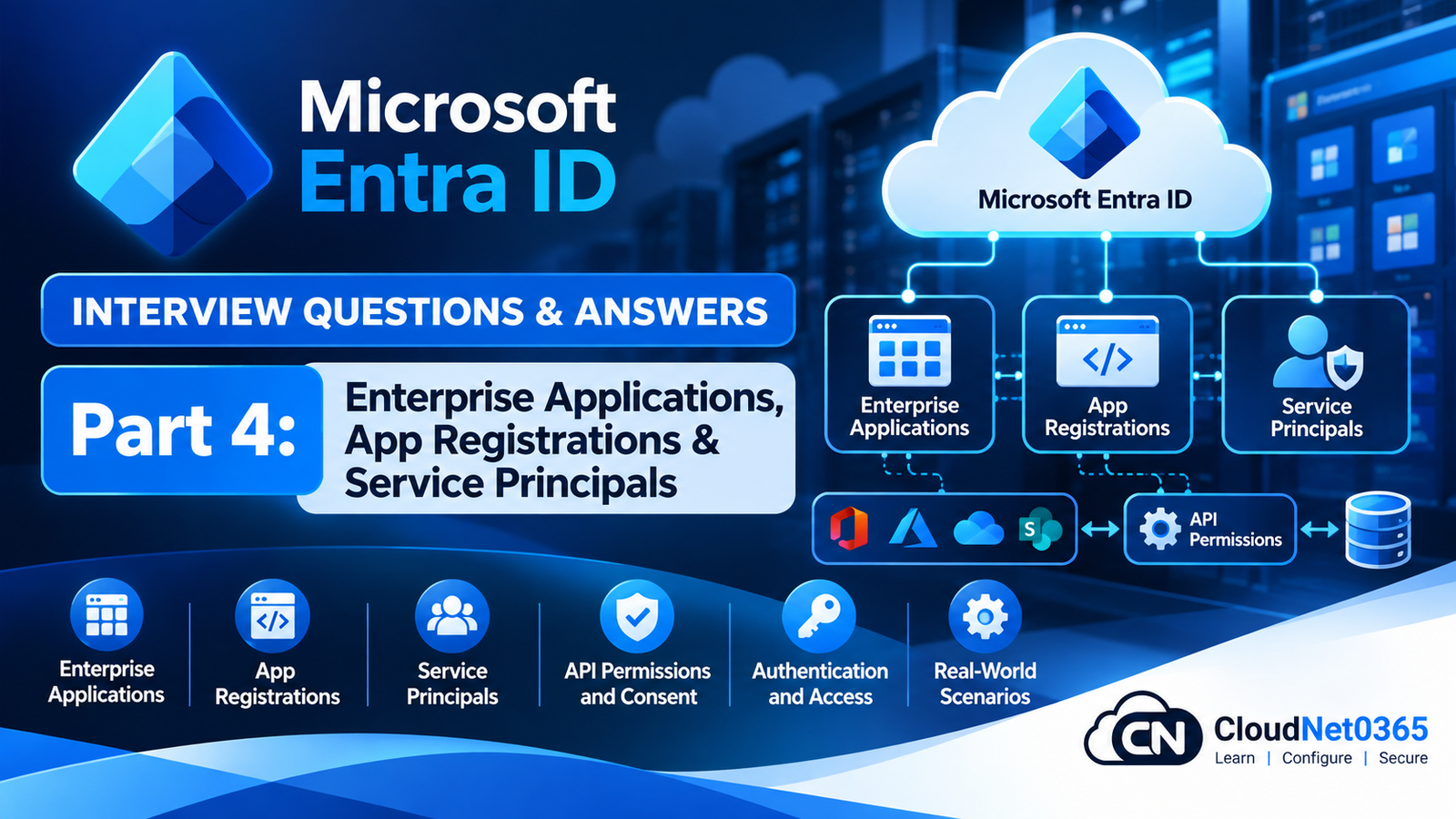
Microsoft Entra ID Interview Questions – Day 6 Part 4: Applications, Enterprise Apps, Service Principals & Workload Identity
SEO Title
Microsoft Entra ID Interview Questions – Day 6 Part 4: Enterprise Applications, App Registrations & Service Principals
Suggested Slug
microsoft-entra-id-interview-questions-day-6-part-4-enterprise-applications-service-principals
Meta Description
Prepare for senior Microsoft Entra ID interviews with 50 practical questions covering App Registrations, Enterprise Applications, service principals, OAuth 2.0, OpenID Connect, SAML SSO, API permissions, admin consent, client secrets, certificates and workload identity.
Introduction
Microsoft Entra ID is not only a directory for human users.
Modern organizations also use Microsoft Entra ID to authenticate:
- Applications
- APIs
- Automation
- Scripts
- Azure workloads
- SaaS applications
- Service principals
- Managed identities
A senior System Administrator therefore needs to understand the difference between:
User Identity
Application Identity
Service Principal
Managed Identity
Enterprise Application
API Permission
Authentication
Authorization
A simplified application-authentication architecture looks like:
                    Microsoft Entra ID
                           |
             +-------------+-------------+
             |                           |
        Human Users                 Applications
             |                           |
        Authentication          Service Principals
             |                           |
             |                    API Permissions
             |                           |
             +-------------+-------------+
                           |
                     Target Resource
This part concentrates on the application and workload identity areas that commonly appear in senior Microsoft Entra interviews.
Application Identity Interview Questions
Q1. What is an App Registration in Microsoft Entra ID?
An App Registration represents an application’s identity and configuration in Microsoft Entra ID.
It is used to define things such as:
- Application identity
- Redirect URIs
- Supported account types
- API permissions
- Credentials
- Authentication configuration
- Exposed APIs
A simplified model is:
Application
     ↓
App Registration
     ↓
Microsoft Entra ID
An App Registration is primarily the application’s definition in the home tenant.
Q2. What is an Enterprise Application?
An Enterprise Application is the tenant-specific service principal representation of an application.
It is commonly used to manage:
- SSO
- User assignment
- Provisioning
- Application access
- Conditional Access
- Service-principal configuration
A useful relationship is:
App Registration
        ↓
Application Object
        ↓
Service Principal
        ↓
Enterprise Application
The terminology can be confusing because administrators often refer to the service principal shown under Enterprise Applications simply as an “enterprise application.”
Q3. What is the difference between App Registration and Enterprise Application?
App Registration
Defines the application.
It contains configuration such as:
- Application/client ID
- Redirect URI
- API permissions
- Authentication settings
- Credentials
- Exposed APIs
Enterprise Application
Represents the application’s service principal within a particular tenant.
It is commonly where administrators manage:
- User assignment
- SSO
- Provisioning
- Application access
- Conditional Access-related configuration
Simplified:
Application Definition
        ↓
App Registration
        ↓
Service Principal
        ↓
Enterprise Application
Q4. What is an application object?
The application object is the global definition of an application in its home Microsoft Entra tenant.
It contains information that describes the application.
For example:
Application Object
 ├── Application ID
 ├── Redirect URIs
 ├── API permissions
 ├── Credentials
 └── Authentication configuration
A service principal is created from that application definition in a tenant where the application is used.
Q5. What is a service principal?
A service principal is the local security identity representing an application in a Microsoft Entra tenant.
For example:
Application
     ↓
Application Object
     ↓
Service Principal
     ↓
Permissions in Tenant
The service principal can be assigned permissions and used by the application to access resources.
Q6. Can one application have multiple service principals?
Yes.
A multi-tenant application can have a service principal in multiple Microsoft Entra tenants.
For example:
Application
    |
    +---- Tenant A
    |       ↓
    |   Service Principal
    |
    +---- Tenant B
    |       ↓
    |   Service Principal
    |
    +---- Tenant C
            ↓
        Service Principal
Each tenant controls how the application is represented and authorized within that tenant.
Q7. What is the Application ID / Client ID?
The Application ID, commonly called the Client ID, uniquely identifies an application registration.
Example:
Client ID:
xxxxxxxx-xxxx-xxxx-xxxx-xxxxxxxxxxxx
It is commonly used by applications when requesting authentication tokens.
The Client ID itself is not a password or secret.
Q8. What is a Tenant ID?
The Tenant ID uniquely identifies a Microsoft Entra tenant.
Applications commonly need both:
Client ID
Tenant ID
For example:
Application
   |
   +-- Client ID → identifies application
   |
   +-- Tenant ID → identifies tenant
A Client ID identifies the application.
A Tenant ID identifies the Microsoft Entra directory.
Q9. What is a client secret?
A client secret is a credential that an application can use to authenticate as itself.
Conceptually:
Application
   ↓
Client ID + Client Secret
   ↓
Microsoft Entra ID
   ↓
Access Token
Client secrets are sensitive credentials.
They must be:
- Protected
- Stored securely
- Rotated
- Monitored
- Removed when no longer required
Q10. What is the problem with long-lived client secrets?
Long-lived secrets create a persistent credential that can be abused if compromised.
Potential problems include:
- Secret leakage
- Expiration surprises
- Poor rotation
- Credentials stored in source code
- Credentials stored in scripts
- Excessive application permissions
A better architecture may use:
- Managed identities
- Certificates
- Workload identity federation
- Secure secret storage
depending on the workload.
Certificates and Application Credentials
Q11. What is certificate-based application authentication?
Instead of using a client secret, an application can authenticate using a certificate.
Conceptually:
Application
   ↓
Private Key
   ↓
Certificate-based credential
   ↓
Microsoft Entra ID
The application uses the private key to prove its identity.
The private key must remain protected.
Q12. Certificate vs client secret — what are the differences?
| Client Secret | Certificate |
|---|---|
| Shared secret value | Cryptographic credential |
| Easier to implement | More complex to manage |
| Must be protected | Private key must be protected |
| Requires rotation | Requires certificate lifecycle management |
| Can be leaked easily | Can provide stronger credential management |
For sensitive production applications, certificate-based authentication may be preferable where appropriate.
Q13. How would you troubleshoot an application that suddenly stopped authenticating because its credential expired?
I would check:
- Application registration.
- Service principal.
- Credential expiration date.
- Application logs.
- Microsoft Entra sign-in/service-principal logs where available.
- Recent credential changes.
- Whether another valid credential exists.
Then I would:
- Issue a new credential.
- Update the application securely.
- Test authentication.
- Remove the old credential when safe.
- Document the expiration date.
I would also implement credential-expiration monitoring to prevent recurrence.
Q14. How would you prevent client-secret expiration from causing a production outage?
I would implement:
- Credential inventory
- Expiration monitoring
- Alerting
- Defined ownership
- Rotation procedures
- Secure secret storage
- Backup credential strategy where appropriate
- Application testing after rotation
The goal is:
Credential
    ↓
Expiration Monitoring
    ↓
Alert
    ↓
Planned Rotation
    ↓
Application Validation
rather than discovering expiration when production fails.
Q15. Where should application secrets be stored?
They should not normally be stored directly in:
- Source code
- Git repositories
- Plain-text configuration files
- Scripts
- Public documentation
For Azure workloads, Azure Key Vault is a common secure storage option.
Where possible, eliminating secrets entirely through managed identities or workload identity federation is even better.
API Permissions
Q16. What are API permissions in an App Registration?
API permissions define what resources an application is requesting permission to access.
For example, an application may request access to:
- Microsoft Graph
- SharePoint
- Exchange-related APIs
- Custom APIs
- Other protected resources
Conceptually:
Application
    ↓
API Permission
    ↓
Protected API
Q17. What is delegated permission?
Delegated permission is used when an application acts on behalf of a signed-in user.
Conceptually:
User
 ↓
Application
 ↓
Microsoft Graph
The application receives permissions within the context of the user’s identity and granted access.
Example:
A user signs into an application and the application reads that user’s profile information.
Q18. What is application permission?
Application permission is used when an application acts as itself, without a signed-in user.
Conceptually:
Application
     ↓
Microsoft Graph
This is common for:
- Background services
- Daemons
- Automation
- Scheduled jobs
Application permissions can be highly powerful and therefore require careful governance.
Q19. What is the difference between delegated and application permissions?
Delegated
User
 ↓
Application
 ↓
API
The application acts on behalf of the user.
Application
Application
 ↓
API
The application acts as itself.
This is an important security distinction.
Q20. Why are application permissions more sensitive?
An application with broad application permissions may access data without requiring an interactive user.
For example:
Application
      ↓
Mail.Read
      ↓
Potentially broad mailbox access
depending on the exact permission and API.
Therefore I would apply:
- Least privilege
- Admin consent controls
- Application governance
- Credential protection
- Monitoring
- Periodic access review
Consent
Q21. What is user consent?
User consent allows a user to authorize an application to access permitted resources on their behalf, subject to the tenant’s consent policies.
For example:
Application
    ↓
Request permission
    ↓
User
    ↓
Consent
Whether a user can grant consent depends on tenant configuration and the requested permissions.
Q22. What is admin consent?
Admin consent allows an authorized administrator to grant consent for permissions that require administrative approval.
Example:
Application
     ↓
Application Permission
     ↓
Admin Consent
     ↓
Service Principal
Admin consent should be reviewed carefully because it can grant significant access.
Q23. What is the risk of granting excessive API permissions?
Excessive permissions increase the impact of an application compromise.
For example:
Compromised Application
       ↓
Excessive Graph Permissions
       ↓
Large Data Access
Therefore:
Grant only the permissions the application actually requires.
This is the application equivalent of least privilege.
Q24. A developer asks for Mail.Read application permission for a small application. What would you ask before approving it?
I would ask:
- Why does the application need mail access?
- Does it really require application permission?
- Could delegated permission work?
- Does it need all mailboxes?
- Can access be restricted?
- How are credentials protected?
- How is the application monitored?
- Who owns the application?
- What data does it process?
- How long will access be required?
I would approve permissions based on documented business and technical requirements rather than convenience.
OAuth 2.0 and OpenID Connect
Q25. What is OAuth 2.0?
OAuth 2.0 is an authorization framework used to allow applications to obtain access to protected resources.
A simplified model is:
Application
     ↓
Authorization Request
     ↓
Microsoft Entra ID
     ↓
Access Token
     ↓
Protected API
OAuth primarily addresses authorization.
Q26. What is OpenID Connect?
OpenID Connect, or OIDC, is an identity layer built on top of OAuth 2.0.
It is used for authentication.
Simplified:
OAuth 2.0
   ↓
Authorization

OpenID Connect
   ↓
Authentication + Identity
OIDC commonly uses an ID token to provide identity information to the client application.
Q27. What is an access token?
An access token is a credential issued by an authorization server and presented to a protected resource/API.
Conceptually:
Application
     ↓
Microsoft Entra ID
     ↓
Access Token
     ↓
API
The API validates the token and determines whether the token provides the required access.
Q28. What is an ID token?
An ID token is primarily used by the client application to obtain information about the authenticated user and authentication event.
It is associated with OpenID Connect.
An important interview point is:
Do not use an ID token as an API access token.
Access tokens are intended for APIs.
ID tokens are intended for the client application.
Q29. What is the Authorization Code flow?
Authorization Code flow is commonly used by applications where a user signs in interactively.
Simplified:
User
 ↓
Application
 ↓
Microsoft Entra Login
 ↓
Authorization Code
 ↓
Application
 ↓
Token Endpoint
 ↓
Tokens
Modern implementations commonly use PKCE to protect the authorization-code exchange.
Q30. What is PKCE?
PKCE stands for Proof Key for Code Exchange.
It adds protection to the authorization-code flow by requiring the client to prove possession of a secret value associated with the authorization request.
Conceptually:
Client
 ↓
Code Verifier
 ↓
Authorization Request
 ↓
Authorization Code
 ↓
Token Request
 ↓
Verify Code Verifier
PKCE is particularly important for public clients such as mobile and single-page applications.
SAML and Enterprise Applications
Q31. What is SAML?
SAML is an XML-based federation protocol commonly used for enterprise Single Sign-On.
A typical architecture is:
User
 ↓
Microsoft Entra ID
 ↓
SAML Assertion
 ↓
SaaS Application
The application trusts Microsoft Entra ID as the identity provider.
Q32. What is the difference between SAML and OpenID Connect?
SAML
- XML-based
- Common in enterprise SaaS SSO
- Uses SAML assertions
- Often configured as Enterprise Application SSO
OpenID Connect
- Built on OAuth 2.0
- Uses modern web/API-oriented authentication
- Uses ID tokens
- Common for modern applications
Both can provide SSO, but they use different protocols and token formats.
Q33. What is a SAML assertion?
A SAML assertion contains identity and/or authentication information issued by the identity provider.
Conceptually:
Microsoft Entra ID
       ↓
SAML Assertion
       ↓
Enterprise Application
       ↓
User Logged In
The exact claims depend on the application’s requirements.
Q34. A SAML application says “user not found” even though the user exists in Microsoft Entra ID. What would you check?
I would check:
- User assignment
- SAML NameID
- Required claims
- Attribute mappings
- UPN/email
- Application-side user identifier
- Domain configuration
- SAML response
- Application logs
For example:
Microsoft Entra:
user@company.com

Application expects:
user@company.org
The user may authenticate successfully but still fail application authorization because the identifier does not match.
Q35. A user can authenticate to an enterprise application but receives “Access Denied.” What is the likely troubleshooting path?
I would distinguish:
Authentication
      ↓
SUCCESS
      ↓
Authorization
      ↓
FAILURE
Then check:
- User assignment
- Group assignment
- Application roles
- SAML claims
- Application-side permissions
- Conditional Access
- Provisioning status
Successful Microsoft Entra authentication does not automatically mean the application will authorize the user.
Enterprise Application Provisioning
Q36. What is application provisioning?
Provisioning automates the creation, update and removal of user identities in an external application.
For example:
Microsoft Entra ID
      ↓
Provisioning
      ↓
SaaS Application
A provisioning service may:
- Create users
- Update attributes
- Disable users
- Remove access
depending on the application and configuration.
Q37. What is the difference between SSO and provisioning?
SSO
Controls authentication:
User
 ↓
Microsoft Entra
 ↓
Application
Provisioning
Controls account lifecycle:
Microsoft Entra
 ↓
Create / Update / Disable
 ↓
Application Account
An application can have SSO without automated provisioning.
Likewise, provisioning does not itself provide authentication.
Q38. A new employee can authenticate to an application but has no application account. What would you check?
I would check:
- Provisioning enabled?
- User in provisioning scope?
- User/group assignment?
- Provisioning logs?
- Attribute mapping?
- Target application response?
- Required application attributes?
- Provisioning credentials?
- SCIM endpoint connectivity where applicable?
The distinction is:
Authentication works
+
Provisioning failed
rather than assuming Entra authentication is broken.
Workload Identity
Q39. What is workload identity federation?
Workload identity federation allows a workload to use a trusted external identity/token to obtain Microsoft Entra access without storing a long-lived client secret.
For example:
GitHub Actions
       ↓
Federated Identity
       ↓
Microsoft Entra
       ↓
Access Token
       ↓
Azure Resource
This can reduce secret-management requirements.
Q40. How is workload identity federation different from a client secret?
Client Secret
Application
 ↓
Long-lived Secret
 ↓
Microsoft Entra
The secret must be stored and rotated.
Workload Identity Federation
Trusted Workload
 ↓
Federated Token
 ↓
Microsoft Entra
 ↓
Access Token
No long-lived client secret is required for that authentication path.
Q41. When would you use workload identity federation?
Common scenarios include:
- CI/CD pipelines
- GitHub Actions
- Kubernetes workloads
- External cloud workloads
- Automation platforms
It is particularly useful when an external workload needs Azure/Microsoft Entra access without storing long-lived credentials.
Q42. A GitHub Actions pipeline uses an Azure client secret. What security improvement would you consider?
I would evaluate replacing the client secret with workload identity federation.
Current model:
GitHub
 ↓
Client Secret
 ↓
Microsoft Entra
Potential improved model:
GitHub
 ↓
OIDC Token
 ↓
Federated Credential
 ↓
Microsoft Entra
 ↓
Azure
This reduces the need to store a long-lived Azure credential in the CI/CD environment.
Real-World Application Identity Scenarios
Q43. A production application suddenly fails because its client secret expired. What is your incident procedure?
I would:
- Confirm the application.
- Confirm the expired credential.
- Verify the application owner.
- Create/rotate the required credential.
- Update the application securely.
- Test authentication.
- Monitor application behavior.
- Remove the old credential when safe.
- Document the incident.
- Implement expiration monitoring.
Then I would determine why the expiration was not detected earlier.
Q44. An application has excessive Microsoft Graph application permissions. What would you do?
I would first identify:
- Application owner
- Business purpose
- Current permissions
- Actual API usage
- Data accessed
- Credential configuration
Then reduce permissions to the minimum required.
For example:
Current:
Mail.ReadWrite
User.ReadWrite.All
Directory.ReadWrite.All

Required:
User.Read
If the application only needs User.Read, the broader permissions should not remain simply because they were granted historically.