
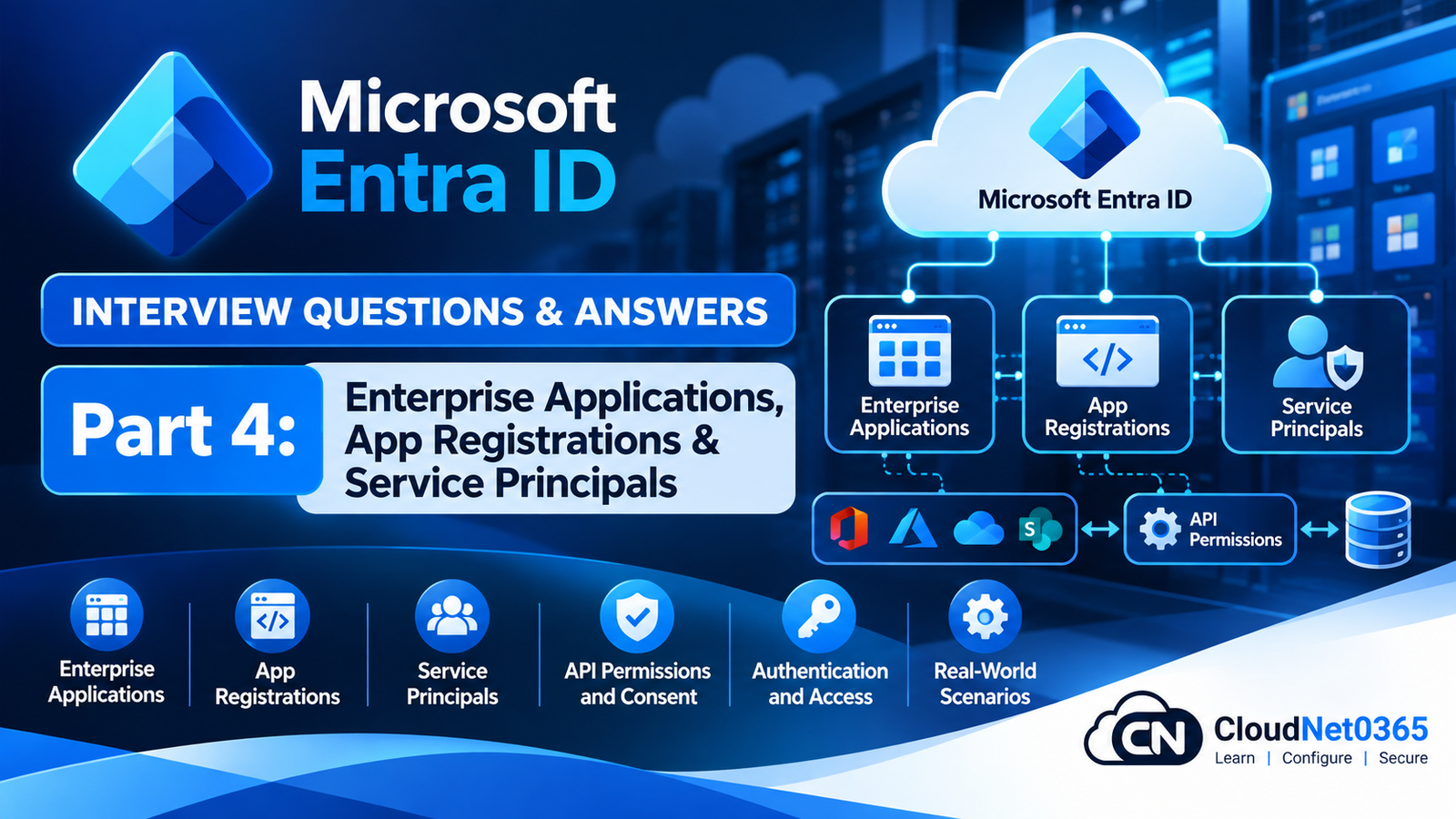
Microsoft Entra ID Interview Questions & Answers – Part 4: Applications, Service Principals & Workload Identity

Microsoft Entra ID is not only a directory for human users.

Contents hide
12 Application Authorization and Token Troubleshooting

Modern organizations also use Microsoft Entra ID to authenticate:

  • Applications
  • APIs
  • Automation
  • Scripts
  • Azure workloads
  • SaaS applications
  • Service principals
  • Managed identities

A senior System Administrator therefore needs to understand the difference between:

User Identity
Application Identity
Service Principal
Managed Identity
Enterprise Application
API Permission
Authentication
Authorization

A simplified application-authentication architecture looks like:

                    Microsoft Entra ID
                           |
             +-------------+-------------+
             |                           |
        Human Users                 Applications
             |                           |
        Authentication          Service Principals
             |                           |
             |                    API Permissions
             |                           |
             +-------------+-------------+
                           |
                     Target Resource

This part concentrates on the application and workload identity areas that commonly appear in senior Microsoft Entra interviews.

Continue the Microsoft Entra Id Interview Series

← Previous Part: [Part 3: Authentication, Conditional Access & Identity Security] | Complete Series: [Microsoft Entra ID Interview Questions & Answers – Complete Series] | Next Part →: [Part 5: PIM, Access Reviews & Privileged Identity]


Application Identity Interview Questions

Q1. What is an App Registration in Microsoft Entra ID?

An App Registration represents an application’s identity and configuration in Microsoft Entra ID.

It is used to define things such as:

  • Application identity
  • Redirect URIs
  • Supported account types
  • API permissions
  • Credentials
  • Authentication configuration
  • Exposed APIs

A simplified model is:

Application
     ↓
App Registration
     ↓
Microsoft Entra ID

An App Registration is primarily the application’s definition in the home tenant.


Q2. What is an Enterprise Application?

An Enterprise Application is the tenant-specific service principal representation of an application.

It is commonly used to manage:

  • SSO
  • User assignment
  • Provisioning
  • Application access
  • Conditional Access
  • Service-principal configuration

A useful relationship is:

App Registration
        ↓
Application Object
        ↓
Service Principal
        ↓
Enterprise Application

The terminology can be confusing because administrators often refer to the service principal shown under Enterprise Applications simply as an “enterprise application.”


Q3. What is the difference between App Registration and Enterprise Application?

App Registration

Defines the application.

It contains configuration such as:

  • Application/client ID
  • Redirect URI
  • API permissions
  • Authentication settings
  • Credentials
  • Exposed APIs

Enterprise Application

Represents the application’s service principal within a particular tenant.

It is commonly where administrators manage:

  • User assignment
  • SSO
  • Provisioning
  • Application access
  • Conditional Access-related configuration

Simplified:

Application Definition
        ↓
App Registration
        ↓
Service Principal
        ↓
Enterprise Application

Q4. What is an application object?

The application object is the global definition of an application in its home Microsoft Entra tenant.

It contains information that describes the application.

For example:

Application Object
 ├── Application ID
 ├── Redirect URIs
 ├── API permissions
 ├── Credentials
 └── Authentication configuration

A service principal is created from that application definition in a tenant where the application is used.


Q5. What is a service principal?

A service principal is the local security identity representing an application in a Microsoft Entra tenant.

For example:

Application
     ↓
Application Object
     ↓
Service Principal
     ↓
Permissions in Tenant

The service principal can be assigned permissions and used by the application to access resources.


Q6. Can one application have multiple service principals?

Yes.

A multi-tenant application can have a service principal in multiple Microsoft Entra tenants.

For example:

Application
    |
    +---- Tenant A
    |       ↓
    |   Service Principal
    |
    +---- Tenant B
    |       ↓
    |   Service Principal
    |
    +---- Tenant C
            ↓
        Service Principal

Each tenant controls how the application is represented and authorized within that tenant.


Q7. What is the Application ID / Client ID?

The Application ID, commonly called the Client ID, uniquely identifies an application registration.

Example:

Client ID:
xxxxxxxx-xxxx-xxxx-xxxx-xxxxxxxxxxxx

It is commonly used by applications when requesting authentication tokens.

The Client ID itself is not a password or secret.


Q8. What is a Tenant ID?

The Tenant ID uniquely identifies a Microsoft Entra tenant.

Applications commonly need both:

Client ID
Tenant ID

For example:

Application
   |
   +-- Client ID → identifies application
   |
   +-- Tenant ID → identifies tenant

A Client ID identifies the application.

A Tenant ID identifies the Microsoft Entra directory.


Q9. What is a client secret?

A client secret is a credential that an application can use to authenticate as itself.

Conceptually:

Application
   ↓
Client ID + Client Secret
   ↓
Microsoft Entra ID
   ↓
Access Token

Client secrets are sensitive credentials.

They must be:

  • Protected
  • Stored securely
  • Rotated
  • Monitored
  • Removed when no longer required

Q10. What is the problem with long-lived client secrets?

Long-lived secrets create a persistent credential that can be abused if compromised.

Potential problems include:

  • Secret leakage
  • Expiration surprises
  • Poor rotation
  • Credentials stored in source code
  • Credentials stored in scripts
  • Excessive application permissions

A better architecture may use:

  • Managed identities
  • Certificates
  • Workload identity federation
  • Secure secret storage

depending on the workload.


Certificates and Application Credentials

Q11. What is certificate-based application authentication?

Instead of using a client secret, an application can authenticate using a certificate.

Conceptually:

Application
   ↓
Private Key
   ↓
Certificate-based credential
   ↓
Microsoft Entra ID

The application uses the private key to prove its identity.

The private key must remain protected.


Q12. Certificate vs client secret — what are the differences?

Client SecretCertificate
Shared secret valueCryptographic credential
Easier to implementMore complex to manage
Must be protectedPrivate key must be protected
Requires rotationRequires certificate lifecycle management
Can be leaked easilyCan provide stronger credential management

For sensitive production applications, certificate-based authentication may be preferable where appropriate.


Q13. How would you troubleshoot an application that suddenly stopped authenticating because its credential expired?

I would check:

  1. Application registration.
  2. Service principal.
  3. Credential expiration date.
  4. Application logs.
  5. Microsoft Entra sign-in/service-principal logs where available.
  6. Recent credential changes.
  7. Whether another valid credential exists.

Then I would:

  • Issue a new credential.
  • Update the application securely.
  • Test authentication.
  • Remove the old credential when safe.
  • Document the expiration date.

I would also implement credential-expiration monitoring to prevent recurrence.


Q14. How would you prevent client-secret expiration from causing a production outage?

I would implement:

  • Credential inventory
  • Expiration monitoring
  • Alerting
  • Defined ownership
  • Rotation procedures
  • Secure secret storage
  • Backup credential strategy where appropriate
  • Application testing after rotation

The goal is:

Credential
    ↓
Expiration Monitoring
    ↓
Alert
    ↓
Planned Rotation
    ↓
Application Validation

rather than discovering expiration when production fails.


Q15. Where should application secrets be stored?

They should not normally be stored directly in:

  • Source code
  • Git repositories
  • Plain-text configuration files
  • Scripts
  • Public documentation

For Azure workloads, Azure Key Vault is a common secure storage option.

Where possible, eliminating secrets entirely through managed identities or workload identity federation is even better.


API Permissions

Q16. What are API permissions in an App Registration?

API permissions define what resources an application is requesting permission to access.

For example, an application may request access to:

  • Microsoft Graph
  • SharePoint
  • Exchange-related APIs
  • Custom APIs
  • Other protected resources

Conceptually:

Application
    ↓
API Permission
    ↓
Protected API

Q17. What is delegated permission?

Delegated permission is used when an application acts on behalf of a signed-in user.

Conceptually:

User
 ↓
Application
 ↓
Microsoft Graph

The application receives permissions within the context of the user’s identity and granted access.

Example:

A user signs into an application and the application reads that user’s profile information.


Q18. What is application permission?

Application permission is used when an application acts as itself, without a signed-in user.

Conceptually:

Application
     ↓
Microsoft Graph

This is common for:

  • Background services
  • Daemons
  • Automation
  • Scheduled jobs

Application permissions can be highly powerful and therefore require careful governance.


Q19. What is the difference between delegated and application permissions?

Delegated

User
 ↓
Application
 ↓
API

The application acts on behalf of the user.

Application

Application
 ↓
API

The application acts as itself.

This is an important security distinction.


Q20. Why are application permissions more sensitive?

An application with broad application permissions may access data without requiring an interactive user.

For example:

Application
      ↓
Mail.Read
      ↓
Potentially broad mailbox access

depending on the exact permission and API.

Therefore I would apply:

  • Least privilege
  • Admin consent controls
  • Application governance
  • Credential protection
  • Monitoring
  • Periodic access review

Consent

Q21. What is user consent?

User consent allows a user to authorize an application to access permitted resources on their behalf, subject to the tenant’s consent policies.

For example:

Application
    ↓
Request permission
    ↓
User
    ↓
Consent

Whether a user can grant consent depends on tenant configuration and the requested permissions.


Q22. What is admin consent?

Admin consent allows an authorized administrator to grant consent for permissions that require administrative approval.

Example:

Application
     ↓
Application Permission
     ↓
Admin Consent
     ↓
Service Principal

Admin consent should be reviewed carefully because it can grant significant access.


Q23. What is the risk of granting excessive API permissions?

Excessive permissions increase the impact of an application compromise.

For example:

Compromised Application
       ↓
Excessive Graph Permissions
       ↓
Large Data Access

Therefore:

Grant only the permissions the application actually requires.

This is the application equivalent of least privilege.


Q24. A developer asks for Mail.Read application permission for a small application. What would you ask before approving it?

I would ask:

  1. Why does the application need mail access?
  2. Does it really require application permission?
  3. Could delegated permission work?
  4. Does it need all mailboxes?
  5. Can access be restricted?
  6. How are credentials protected?
  7. How is the application monitored?
  8. Who owns the application?
  9. What data does it process?
  10. How long will access be required?

I would approve permissions based on documented business and technical requirements rather than convenience.


OAuth 2.0 and OpenID Connect

Q25. What is OAuth 2.0?

OAuth 2.0 is an authorization framework used to allow applications to obtain access to protected resources.

A simplified model is:

Application
     ↓
Authorization Request
     ↓
Microsoft Entra ID
     ↓
Access Token
     ↓
Protected API

OAuth primarily addresses authorization.


Q26. What is OpenID Connect?

OpenID Connect, or OIDC, is an identity layer built on top of OAuth 2.0.

It is used for authentication.

Simplified:

OAuth 2.0
   ↓
Authorization

OpenID Connect
   ↓
Authentication + Identity

OIDC commonly uses an ID token to provide identity information to the client application.


Q27. What is an access token?

An access token is a credential issued by an authorization server and presented to a protected resource/API.

Conceptually:

Application
     ↓
Microsoft Entra ID
     ↓
Access Token
     ↓
API

The API validates the token and determines whether the token provides the required access.


Q28. What is an ID token?

An ID token is primarily used by the client application to obtain information about the authenticated user and authentication event.

It is associated with OpenID Connect.

An important interview point is:

Do not use an ID token as an API access token.

Access tokens are intended for APIs.

ID tokens are intended for the client application.


Q29. What is the Authorization Code flow?

Authorization Code flow is commonly used by applications where a user signs in interactively.

Simplified:

User
 ↓
Application
 ↓
Microsoft Entra Login
 ↓
Authorization Code
 ↓
Application
 ↓
Token Endpoint
 ↓
Tokens

Modern implementations commonly use PKCE to protect the authorization-code exchange.


Q30. What is PKCE?

PKCE stands for Proof Key for Code Exchange.

It adds protection to the authorization-code flow by requiring the client to prove possession of a secret value associated with the authorization request.

Conceptually:

Client
 ↓
Code Verifier
 ↓
Authorization Request
 ↓
Authorization Code
 ↓
Token Request
 ↓
Verify Code Verifier

PKCE is particularly important for public clients such as mobile and single-page applications.


SAML and Enterprise Applications

Q31. What is SAML?

SAML is an XML-based federation protocol commonly used for enterprise Single Sign-On.

A typical architecture is:

User
 ↓
Microsoft Entra ID
 ↓
SAML Assertion
 ↓
SaaS Application

The application trusts Microsoft Entra ID as the identity provider.


Q32. What is the difference between SAML and OpenID Connect?

SAML

  • XML-based
  • Common in enterprise SaaS SSO
  • Uses SAML assertions
  • Often configured as Enterprise Application SSO

OpenID Connect

  • Built on OAuth 2.0
  • Uses modern web/API-oriented authentication
  • Uses ID tokens
  • Common for modern applications

Both can provide SSO, but they use different protocols and token formats.


Q33. What is a SAML assertion?

A SAML assertion contains identity and/or authentication information issued by the identity provider.

Conceptually:

Microsoft Entra ID
       ↓
SAML Assertion
       ↓
Enterprise Application
       ↓
User Logged In

The exact claims depend on the application’s requirements.


Q34. A SAML application says “user not found” even though the user exists in Microsoft Entra ID. What would you check?

I would check:

  • User assignment
  • SAML NameID
  • Required claims
  • Attribute mappings
  • UPN/email
  • Application-side user identifier
  • Domain configuration
  • SAML response
  • Application logs

For example:

Microsoft Entra:
user@company.com

Application expects:
user@company.org

The user may authenticate successfully but still fail application authorization because the identifier does not match.


Q35. A user can authenticate to an enterprise application but receives “Access Denied.” What is the likely troubleshooting path?

I would distinguish:

Authentication
      ↓
SUCCESS
      ↓
Authorization
      ↓
FAILURE

Then check:

  • User assignment
  • Group assignment
  • Application roles
  • SAML claims
  • Application-side permissions
  • Conditional Access
  • Provisioning status

Successful Microsoft Entra authentication does not automatically mean the application will authorize the user.


Enterprise Application Provisioning

Q36. What is application provisioning?

Provisioning automates the creation, update and removal of user identities in an external application.

For example:

Microsoft Entra ID
      ↓
Provisioning
      ↓
SaaS Application

A provisioning service may:

  • Create users
  • Update attributes
  • Disable users
  • Remove access

depending on the application and configuration.


Q37. What is the difference between SSO and provisioning?

SSO

Controls authentication:

User
 ↓
Microsoft Entra
 ↓
Application

Provisioning

Controls account lifecycle:

Microsoft Entra
 ↓
Create / Update / Disable
 ↓
Application Account

An application can have SSO without automated provisioning.

Likewise, provisioning does not itself provide authentication.


Q38. A new employee can authenticate to an application but has no application account. What would you check?

I would check:

  1. Provisioning enabled?
  2. User in provisioning scope?
  3. User/group assignment?
  4. Provisioning logs?
  5. Attribute mapping?
  6. Target application response?
  7. Required application attributes?
  8. Provisioning credentials?
  9. SCIM endpoint connectivity where applicable?

The distinction is:

Authentication works
+
Provisioning failed

rather than assuming Entra authentication is broken.


Workload Identity

Q39. What is workload identity federation?

Workload identity federation allows a workload to use a trusted external identity/token to obtain Microsoft Entra access without storing a long-lived client secret.

For example:

GitHub Actions
       ↓
Federated Identity
       ↓
Microsoft Entra
       ↓
Access Token
       ↓
Azure Resource

This can reduce secret-management requirements.


Q40. How is workload identity federation different from a client secret?

Client Secret

Application
 ↓
Long-lived Secret
 ↓
Microsoft Entra

The secret must be stored and rotated.

Workload Identity Federation

Trusted Workload
 ↓
Federated Token
 ↓
Microsoft Entra
 ↓
Access Token

No long-lived client secret is required for that authentication path.


Q41. When would you use workload identity federation?

Common scenarios include:

  • CI/CD pipelines
  • GitHub Actions
  • Kubernetes workloads
  • External cloud workloads
  • Automation platforms

It is particularly useful when an external workload needs Azure/Microsoft Entra access without storing long-lived credentials.


Q42. A GitHub Actions pipeline uses an Azure client secret. What security improvement would you consider?

I would evaluate replacing the client secret with workload identity federation.

Current model:

GitHub
 ↓
Client Secret
 ↓
Microsoft Entra

Potential improved model:

GitHub
 ↓
OIDC Token
 ↓
Federated Credential
 ↓
Microsoft Entra
 ↓
Azure

This reduces the need to store a long-lived Azure credential in the CI/CD environment.


Real-World Application Identity Scenarios

Q43. A production application suddenly fails because its client secret expired. What is your incident procedure?

I would:

  1. Confirm the application.
  2. Confirm the expired credential.
  3. Verify the application owner.
  4. Create/rotate the required credential.
  5. Update the application securely.
  6. Test authentication.
  7. Monitor application behavior.
  8. Remove the old credential when safe.
  9. Document the incident.
  10. Implement expiration monitoring.

Then I would determine why the expiration was not detected earlier.


Q44. An application has excessive Microsoft Graph application permissions. What would you do?

I would first identify:

  • Application owner
  • Business purpose
  • Current permissions
  • Actual API usage
  • Data accessed
  • Credential configuration

Then reduce permissions to the minimum required.

For example:

Current:
Mail.ReadWrite
User.ReadWrite.All
Directory.ReadWrite.All

Required:
User.Read

If the application only needs User.Read, the broader permissions should not remain simply because they were granted historically.


Q45. A developer requests Global Administrator permissions for an application. How would you evaluate the request?

I would not approve the permission simply because the application requires administrative access.

I would first determine:

  1. What does the application actually need to do?
  2. Which API or resource does it need to access?
  3. Which specific permissions are required?
  4. Can a narrower permission satisfy the requirement?
  5. Does the application need delegated or application permissions?
  6. What data or operations will the application perform?
  7. How is the application authenticating?
  8. Who owns and maintains the application?

For example, if an application needs to read a limited set of Microsoft Graph data, granting a directory-wide administrative capability would be excessive.

The goal is to map:

Business Requirement
        ↓
Technical Operation
        ↓
Required API
        ↓
Minimum Required Permission

The application should receive the specific permission required for its function rather than a broad administrative role.


Q46. What is the difference between an application’s Application Object ID and its Service Principal Object ID?

These are different identifiers representing different directory objects.

Application Object ID

Identifies the application object in its home tenant.

Service Principal Object ID

Identifies the service principal object representing that application in a particular tenant.

For a multitenant application:

Application Object
        ↓
Application ID
        ↓
Service Principal in Tenant A
        ↓
Service Principal in Tenant B
        ↓
Service Principal in Tenant C

The Application ID can remain the same while each tenant has a different service principal object.

This distinction is important when troubleshooting permissions and configuring resource access.


Q47. How would you identify which service principal is actually making an API request?

I would correlate the application request with Microsoft Entra and application logs.

I would look for identifiers such as:

  • Application/client ID
  • Service principal information
  • Tenant ID
  • Request/correlation ID
  • Token claims
  • API/resource being accessed
  • Sign-in or service-principal activity

For a token-based request, I would inspect the token claims where appropriate.

The objective is to establish:

Request
   ↓
Token
   ↓
Application Identity
   ↓
Service Principal
   ↓
Target API

I would not identify an application solely by its display name because display names are not reliable unique identifiers.


Q48. How would you investigate an unknown or suspicious service principal in a tenant?

I would first identify exactly what the service principal represents.

I would investigate:

  • Display name
  • Application ID
  • Service principal object ID
  • Publisher information where available
  • Application registration
  • Creation date
  • Credentials
  • API permissions
  • Resource permissions
  • Recent authentication activity
  • Owners
  • Whether the application is actually used

I would then determine whether it is:

  • A Microsoft application
  • A third-party application
  • An internally developed application
  • A workload identity
  • A managed identity
  • An application that is no longer required

The investigation should be evidence-based rather than deleting the service principal immediately.


Q49. What is the difference between an application object and a service principal when troubleshooting permissions?

The application object describes the application itself, while the service principal represents that application within a tenant.

For example:

Application Object
      ↓
Defines application
      ↓
Service Principal
      ↓
Tenant-specific identity
      ↓
Resource/API permissions

Therefore, when an application works in its home tenant but fails in another tenant, I would examine the service principal in the affected tenant rather than assuming the application object itself is the problem.


Q50. Why can the same application have different access in different Microsoft Entra tenants?

Because the application’s definition and its tenant-specific service principal are separate concepts.

A multitenant application can have:

One Application Object
        ↓
Service Principal — Tenant A
Service Principal — Tenant B
Service Principal — Tenant C

Each consuming tenant controls how that application is authorized within its own directory.

Therefore, differences in:

  • Consent
  • API permissions
  • Application access
  • Service-principal configuration
  • Tenant policies
  • Application configuration

can result in different behavior between tenants.


Managed Identities

Q51. What is a managed identity in Microsoft Entra ID?

A managed identity provides an Azure resource or workload with an identity in Microsoft Entra ID without requiring administrators to manage a traditional client secret or certificate for that identity.

For example:

Azure VM
   ↓
Managed Identity
   ↓
Microsoft Entra ID
   ↓
Access Token
   ↓
Azure Resource

The Azure platform manages the identity’s credentials.

This is particularly useful for Azure workloads that need to authenticate to supported resources.


Q52. What is the difference between system-assigned and user-assigned managed identities?

System-assigned managed identity

  • Created as part of an Azure resource.
  • Tied to that resource’s lifecycle.
  • Deleted when the associated resource is deleted.

User-assigned managed identity

  • Created as a separate Azure resource.
  • Has its own lifecycle.
  • Can be assigned to multiple supported resources.

Simplified:

System-assigned:

Azure VM
   ↓
Identity


User-assigned:

User-assigned Identity
       ↓
   +---+---+
   ↓       ↓
 VM 1     VM 2

Q53. When would you choose a user-assigned managed identity over a system-assigned managed identity?

I would consider a user-assigned identity when the identity needs to have an independent lifecycle or be reused by multiple supported Azure resources.

For example:

Application Service 1 ──┐
                        ├── User-assigned Identity
Application Service 2 ──┘

This can simplify identity management when multiple workloads need the same application identity.

A system-assigned identity is often simpler when the identity should belong exclusively to one resource.


Q54. What is the relationship between a managed identity and a service principal?

A managed identity is represented in Microsoft Entra ID by a service principal.

Conceptually:

Azure Resource
      ↓
Managed Identity
      ↓
Service Principal
      ↓
Microsoft Entra ID

The important distinction is that administrators do not manage a normal application registration and client secret for the managed identity in the same way as a traditional application.


Q55. Why doesn’t a managed identity have an application object like a normal app registration?

A managed identity is designed to provide an Azure resource with an identity without requiring the administrator to create and manage a conventional app registration and its credentials.

The identity is represented by a service principal associated with the managed identity.

Therefore:

Normal Application
Application Object
        ↓
Service Principal


Managed Identity
Azure Resource
        ↓
Service Principal

This is one of the key differences between traditional application identity and managed identity.


Q56. An Azure VM has a managed identity but cannot access Key Vault. How would you troubleshoot it?

I would separate identity availability from authorization.

I would check:

  1. Is the managed identity enabled on the VM?
  2. Is the correct identity being used?
  3. Can the workload obtain a token?
  4. Is the token intended for the Key Vault resource?
  5. Does the identity have the required Key Vault permissions?
  6. Is the correct RBAC role or Key Vault permission model configured?
  7. Are there Key Vault network restrictions?
  8. Are there firewall/private endpoint/DNS issues?
  9. What error is returned by the application?

The troubleshooting model is:

VM
 ↓
Managed Identity
 ↓
Token Acquisition
 ↓
Key Vault Authorization
 ↓
Network Access
 ↓
Secret/Key/Certificate

Having a managed identity does not automatically grant access to Key Vault.


Q57. Can a managed identity access Microsoft Graph?

Yes, where the workload and Microsoft Entra configuration support the required authentication and authorization model.

However, simply enabling a managed identity does not automatically grant Microsoft Graph permissions.

The identity must have the appropriate permissions for the operation being performed.

Therefore:

Managed Identity
       ↓
Token
       ↓
Microsoft Graph
       ↓
Required Permission

If the token is obtained successfully but Graph returns an authorization error, I would investigate the permissions assigned to the application’s service principal and the API request being made.


Workload Identity Federation

Q58. What is a Federated Identity Credential (FIC)?

A Federated Identity Credential establishes a trust relationship that allows an external workload identity provider to be trusted by Microsoft Entra ID.

Instead of storing a long-lived client secret, the workload presents an external OIDC token.

Simplified:

External Workload
      ↓
OIDC Token
      ↓
Federated Identity Credential
      ↓
Microsoft Entra ID
      ↓
Microsoft Entra Access Token

The external token is evaluated against the federation configuration.


Q59. What are the issuer, subject and audience in a Federated Identity Credential?

These values help Microsoft Entra ID determine whether the external token is from the expected issuer and represents the expected workload.

Issuer

Identifies the external identity provider.

Subject

Identifies the specific workload identity according to the external provider.

Audience

Identifies the intended token audience.

Conceptually:

External Token
 ├── Issuer
 ├── Subject
 └── Audience
        ↓
Compare with FIC configuration
        ↓
Trust decision

A mismatch in any of the required values can cause federation authentication to fail.


Q60. How does Microsoft Entra ID validate an external OIDC token during workload identity federation?

The workload first obtains an OIDC token from the trusted external identity provider.

Microsoft Entra ID then evaluates the token against the configured federated identity credential.

Conceptually:

External IdP
     ↓
OIDC Token
     ↓
Microsoft Entra
     ↓
Validate issuer/subject/audience
     ↓
Trusted workload?
     ↓
Issue Entra access token

The external token does not simply become the Azure access token. Microsoft Entra ID performs the federation exchange and issues an appropriate Entra token.


Q61. How would you troubleshoot a workload identity federation failure?

I would check:

  1. External identity provider.
  2. OIDC token generation.
  3. Issuer.
  4. Subject.
  5. Audience.
  6. Federated Identity Credential configuration.
  7. Application/client ID.
  8. Tenant ID.
  9. Token request.
  10. Target resource/API.
  11. Application logs.
  12. Microsoft Entra sign-in or authentication logs where applicable.

The most common troubleshooting approach is to compare the actual token claims with the configured federation values.

Actual Token
     ↓
Issuer
Subject
Audience
     ↓
Compare
     ↓
Federated Credential

Q62. How would you configure workload identity federation for a Kubernetes workload?

The exact implementation depends on the Kubernetes platform and identity integration being used.

At a high level, I would:

  1. Establish the Kubernetes workload identity/OIDC issuer.
  2. Create or identify the Microsoft Entra application or supported user-assigned managed identity.
  3. Configure a Federated Identity Credential.
  4. Match the expected issuer.
  5. Match the workload subject.
  6. Configure the expected audience.
  7. Grant the required permissions to the identity.
  8. Configure the Kubernetes workload to use the identity.
  9. Test token acquisition and resource access.

The important design principle is:

Kubernetes Workload
        ↓
OIDC Identity
        ↓
Federated Credential
        ↓
Microsoft Entra
        ↓
Target Resource

No long-lived client secret is required for that federation path.


Q63. What security considerations are important when using workload identity federation?

I would ensure that the federation trust is as specific as practical.

Important considerations include:

  • Restrict the issuer to the expected identity provider.
  • Use a narrowly defined subject.
  • Use the correct audience.
  • Avoid unnecessarily broad workload matching.
  • Grant only required resource/API permissions.
  • Protect the external workload environment.
  • Monitor authentication activity.
  • Remove obsolete federation configurations.

A weak federation configuration can allow an unintended workload to obtain access.


Q64. Can workload identity federation eliminate all application credentials?

No.

It can eliminate the need for a long-lived client secret or certificate for a supported federation scenario, but the workload still requires an identity and authorization configuration.

For example:

Without Federation:

Workload
 ↓
Client Secret
 ↓
Microsoft Entra


With Federation:

Workload
 ↓
OIDC Identity
 ↓
Federated Credential
 ↓
Microsoft Entra

The second model removes the long-lived secret from that authentication path, but permissions and trust configuration are still required.


Application Authorization and Token Troubleshooting

Q65. What is the difference between Microsoft Graph API permissions and access to an Azure resource?

They represent different authorization models.

For example:

Microsoft Graph
      ↓
Graph API permissions


Azure Storage
      ↓
Azure resource authorization

An application having Microsoft Graph permissions does not automatically give it access to Azure Storage.

Likewise, permission to an Azure resource does not automatically grant Microsoft Graph access.

I would always identify the actual target resource/API first.


Q66. An application successfully obtains an access token but receives HTTP 403 from an API. What would you investigate?

A successful token request proves that authentication/token issuance succeeded, but it does not prove that the application is authorized for the requested operation.

I would check:

  1. Token audience (aud).
  2. Required scopes or roles.
  3. Application versus delegated permission model.
  4. Tenant.
  5. Target API.
  6. Resource-specific authorization.
  7. Application roles where applicable.
  8. Conditional access or security controls where applicable.
  9. Application-side authorization.
  10. API logs.

The distinction is:

Token obtained
     ↓
Authentication succeeded
     ↓
API request
     ↓
Authorization failed
     ↓
HTTP 403

Q67. How do you determine whether an application problem is authentication or authorization related?

I would separate the troubleshooting process.

Authentication problem

The application cannot successfully establish its identity or obtain an appropriate token.

Examples:

  • Invalid client credential
  • Invalid client
  • Invalid authorization code
  • Certificate problem
  • Token acquisition failure

Authorization problem

The application obtains a token but does not have the required permission.

Examples:

  • Missing scope
  • Missing application role
  • Incorrect audience
  • Insufficient API permission
  • Resource-specific authorization failure

Simplified:

Can the application obtain a valid token?
        |
     No ───→ Authentication problem
        |
       Yes
        ↓
Can the API authorize the requested operation?
        |
     No ───→ Authorization problem
        |
       Yes
        ↓
      Success

Q68. An application successfully obtains a token, but the API rejects it. What would you check?

I would inspect the token and request context.

Important checks include:

  • aud — intended API
  • iss — issuer
  • tid — tenant
  • scp — delegated scopes where applicable
  • roles — application roles where applicable
  • Token expiration
  • Client/application identity
  • API endpoint
  • API-side authorization rules

For example, an application could obtain a valid Microsoft Entra token intended for Microsoft Graph and incorrectly present it to a different API.

The token can be valid while still being unusable for that API.


Q69. An application receives invalid_client. What are the likely causes?

Possible causes include:

  • Incorrect client ID
  • Incorrect client secret
  • Expired client secret
  • Incorrect certificate
  • Invalid client assertion
  • Incorrect tenant endpoint
  • Incorrect client authentication method
  • Credential not configured as expected

I would verify the exact authentication flow and compare the application’s configuration with the Microsoft Entra application registration.

I would avoid immediately generating another credential without identifying the original failure.


Q70. An application receives invalid_grant. How would you investigate it?

The exact cause depends on the authentication flow.

I would check:

  • Authorization code validity
  • Code expiration
  • Redirect URI
  • Client configuration
  • Tenant
  • Requested scopes
  • Certificate/client assertion where applicable
  • User/session context where applicable
  • Whether the grant has already been used
  • Application logs
  • Microsoft Entra error details

I would first identify which OAuth/OIDC flow is being used, because invalid_grant can have different causes depending on the flow.


Q71. An application works in one tenant but fails in another. What would you check?

I would compare the two tenant configurations.

Important areas include:

  • Supported account types
  • Service principal existence
  • Consent
  • API permissions
  • Application configuration
  • Redirect URIs
  • Tenant-specific policies
  • User assignment where applicable
  • Application roles
  • SSO configuration
  • Provisioning configuration
  • Tenant-specific application settings

I would create a comparison:

Working Tenant
      ↕
Compare
      ↕
Failing Tenant

The difference is often more useful than troubleshooting the application in isolation.


Q72. An Enterprise Application exists, but users receive Access Denied. How would you troubleshoot it?

I would first determine whether the user is successfully authenticating.

Then check:

  1. User assignment.
  2. Group assignment.
  3. Application role assignment.
  4. Enterprise Application configuration.
  5. Conditional Access result.
  6. SSO claims where applicable.
  7. Application-side authorization.
  8. Provisioning status if the application requires an account.

The key distinction is:

Enterprise Application exists
        ≠
User is automatically authorized

The service principal existing in the tenant does not by itself guarantee user access.


Q73. A certificate-based application suddenly stops authenticating. What would you investigate?

I would check:

  • Certificate expiration
  • Certificate thumbprint/identifier
  • Correct certificate configured in the application
  • Private-key availability
  • Private-key permissions
  • Application registration credential
  • Certificate rollover
  • Server certificate store
  • Application logs
  • Microsoft Entra authentication errors
  • Recent certificate changes

I would particularly verify that the certificate registered in Microsoft Entra corresponds to the certificate/private key actually being used by the application.


Advanced Application and Enterprise Application Scenarios

Q74. What is the difference between authentication, authorization, SSO and provisioning?

These are related but different functions.

Authentication

Determines who or what the identity is.

Authorization

Determines what that identity is allowed to do.

SSO

Allows an authenticated identity to access an application without separately entering credentials for that application, according to the configured protocol and trust.

Provisioning

Creates, updates or disables the corresponding account in the target application.

Simplified:

Authentication
      ↓
Who are you?

Authorization
      ↓
What are you allowed to do?

SSO
      ↓
How do you access the application?

Provisioning
      ↓
Does the application have your account?

Q75. A SAML application authenticates users successfully, but the application displays an error immediately afterward. How would you isolate the problem?

I would determine whether Microsoft Entra successfully issued the SAML response.

Then inspect:

  • SAML response
  • NameID
  • Required claims
  • Attribute mappings
  • Audience
  • Recipient
  • Destination
  • Assertion validity
  • Application-side logs
  • Application user mapping

The troubleshooting flow would be:

User Authentication
       ↓
SAML Response
       ↓
Application Receives Assertion
       ↓
Claim/User Mapping
       ↓
Application Authorization

If authentication succeeds but the application rejects the assertion or cannot map the user, the issue may be on the SAML/application side rather than the user’s Microsoft Entra password or MFA.


Q76. A user is assigned to an Enterprise Application but still cannot access it. What would you investigate?

I would verify:

  1. Assignment is actually present.
  2. The assignment is direct or through the expected group.
  3. The user is a member of the required group.
  4. The application requires assignment.
  5. Application role assignment is correct.
  6. Conditional Access is not blocking access.
  7. SSO configuration is correct.
  8. Provisioning has created the required target account.
  9. The target application recognizes the user’s identifier.

Assignment alone does not guarantee that the downstream application has correctly provisioned or authorized the user.


Q77. How would you troubleshoot SCIM provisioning when users are created but their attributes are incorrect?

I would inspect the provisioning configuration rather than immediately recreating the users.

I would check:

  • Source attribute
  • Target attribute
  • Attribute mapping
  • Transformation rules
  • Matching attributes
  • Scope
  • Provisioning logs
  • Target application schema
  • Target application behavior

For example:

Microsoft Entra Attribute
        ↓
Attribute Mapping
        ↓
SCIM Request
        ↓
Target Application Attribute

I would identify exactly where the incorrect value was introduced.


Q78. How would you design application access using groups rather than assigning hundreds of users individually?

For an application that supports group-based assignment, I would use appropriately managed groups and assign the group to the application.

Conceptually:

Users
  ↓
Group
  ↓
Enterprise Application
  ↓
Application Role

This simplifies application assignment and reduces administrative effort.

However, the actual design should account for:

  • Group membership model
  • Application roles
  • Provisioning
  • Licensing requirements where applicable
  • Nested-group behavior supported by the application
  • Access requirements

The goal is to avoid hundreds of individual assignments while keeping application access predictable.


Application Proxy

Q79. What is Microsoft Entra Application Proxy?

Microsoft Entra Application Proxy provides published access to supported on-premises web applications through Microsoft Entra ID.

A simplified architecture is:

Internet User
      ↓
Microsoft Entra ID
      ↓
Application Proxy
      ↓
Connector
      ↓
On-Premises Web Application

The connector is installed inside the organization’s network and establishes outbound communication to the Microsoft service.

This allows organizations to publish supported internal web applications without directly exposing the application server to the internet.


Q80. What is the role of the Application Proxy Connector?

The connector acts as the on-premises component that communicates with the Application Proxy service and facilitates access to the published application.

I would troubleshoot:

  • Connector installation
  • Connector service status
  • Connector group
  • DNS
  • On-premises application reachability
  • Firewall/proxy connectivity
  • Application URL
  • Authentication configuration
  • Connector logs

A useful troubleshooting sequence is:

User
 ↓
Microsoft Entra
 ↓
Application Proxy Service
 ↓
Connector
 ↓
Internal Application

Senior Application Identity Architecture

Q81. When would you choose a managed identity, certificate, client secret or workload identity federation?

I would select the authentication mechanism based on the workload architecture.

Managed identity

Useful for supported Azure-hosted workloads.

Client secret

Simple, but requires secure storage and lifecycle management.

Certificate

Useful when certificate-based application authentication is appropriate and private-key protection can be managed securely.

Workload identity federation

Useful when an external workload can provide a trusted OIDC identity and I want to avoid a long-lived client secret.

A simplified decision model is:

Azure workload?
      |
     Yes
      ↓
Managed Identity may fit

External OIDC workload?
      |
     Yes
      ↓
Workload Identity Federation may fit

Traditional application?
      |
      +── Certificate
      |
      +── Client Secret

The final decision depends on the application’s capabilities and security requirements.


Q82. How would you design application authentication for separate development, test and production environments?

I would avoid using one application identity and credential set for every environment unless there is a specific reason to do so.

A cleaner model is:

Development
    ↓
Development Application Identity

Test
    ↓
Test Application Identity

Production
    ↓
Production Application Identity

This provides separation between environments.

I would also separate:

  • Credentials
  • Redirect URIs
  • API permissions where appropriate
  • Configuration
  • Secrets
  • Resource access

A production credential should not be unnecessarily present in development systems.


Q83. How would you troubleshoot an application that works interactively but fails when running as a background service?

I would first determine whether the two execution modes use different authentication flows.

For example:

Interactive Application
       ↓
Signed-in User
       ↓
Delegated Permission


Background Service
       ↓
Application Identity
       ↓
Application Permission

I would check:

  • Authentication flow
  • Client credential
  • Certificate/secret
  • Managed identity
  • Application permissions
  • Token acquisition
  • Token audience
  • API authorization
  • Service account/environment configuration

A background process cannot automatically be assumed to have the same identity context as an interactive user.


Q84. As a senior administrator, how would you design application identity architecture for a large enterprise?

I would design the architecture around clear separation between:

Application
     ↓
Identity
     ↓
Authentication Method
     ↓
API Permissions
     ↓
Target Resource

I would establish consistent technical standards for:

  • Application registrations
  • Service principals
  • Managed identities
  • Workload identity federation
  • Client credentials
  • Certificates
  • API permissions
  • Consent
  • Application ownership information
  • Credential monitoring
  • Authentication logging
  • Development/test/production separation

I would prefer passwordless or secretless approaches such as managed identities and workload identity federation where they fit the workload.

The objective is to make application authentication:

secure, traceable, maintainable and appropriate to the workload.


Important PowerShell / Microsoft Graph Commands

The PowerShell commands should cover concepts such as:

Connect-MgGraph -Scopes "Application.Read.All"

Get-MgApplication

Get-MgApplication -ApplicationId "<Application-Object-ID>"

Get-MgServicePrincipal

Get-MgServicePrincipal -Filter "appId eq '<Application-ID>'"

Get-MgServicePrincipal -ServicePrincipalId "<Service-Principal-Object-ID>"

I would not fill this section with PIM/RBAC/Access Review commands because those belong to Part 5.

Quick Revision

A compact revision table covering:

TopicKey Point
Application ObjectDefines the application
Application/Client IDIdentifies the application
Service PrincipalTenant-specific identity of an application
Enterprise ApplicationAdministrative representation of the service principal
Client SecretApplication credential
CertificateCertificate-based application credential
Delegated PermissionApplication acts on behalf of a user
Application PermissionApplication acts as itself
OAuth 2.0Authorization framework
OpenID ConnectAuthentication/identity layer over OAuth
Access TokenUsed to access an API
ID TokenProvides identity information to the client
SAMLEnterprise federation/SSO protocol
SCIMAutomated application provisioning
Managed IdentityAzure-managed workload identity
Workload Identity FederationExternal workload authentication without a long-lived secret
Federated Identity CredentialDefines the external identity trust

Senior Interview Answer Summary

This should give the candidate concise answers to the major senior-level questions, particularly:

  • App Registration vs Enterprise Application
  • Application Object vs Service Principal
  • Delegated vs Application Permissions
  • Access Token vs ID Token
  • OAuth vs OIDC
  • Client Secret vs Certificate
  • Managed Identity vs Service Principal
  • System-assigned vs User-assigned Managed Identity
  • Workload Identity Federation
  • Issuer/Subject/Audience
  • Authentication vs Authorization
  • 401 vs 403
  • Application authentication troubleshooting
  • Multitenant application behavior
  • Application Proxy

Senior Interview Tip

Something along these lines:

For senior-level interviews, don’t stop at defining Microsoft Entra application concepts. Explain the complete identity flow: how the workload authenticates, which identity is represented by the service principal, how the token is obtained, which API the token targets, which permissions are present, and where authorization can fail.

Progress in Microsoft Entra ID Interview Questions & Answers Series

Below parts have got covered till now.

Part 1: Hybrid Identity & Entra Connect
Part 2: Advanced Hybrid Identity & Synchronization Troubleshooting
Part 3: Advanced Authentication, Conditional Access & Identity Security
Part 4: Applications, Enterprise Apps, Service Principals & Workload Identity

Next Part

Microsoft Entra ID Interview Questions –Part 5: Governance, PIM, Access Reviews & Privileged Identity

The next part will focus on the remaining governance and privileged access topics:

  • Microsoft Entra RBAC
  • Administrative roles
  • Least privilege at the identity-governance level
  • PIM
  • Eligible/Active assignments
  • JIT activation
  • Approval/MFA for activation
  • Time-bound assignments
  • PIM for Groups
  • Access Reviews
  • Entitlement Management
  • Access Packages
  • Administrative Units
  • Guest/external identity governance
  • Lifecycle governance
  • Privileged account security
  • Role-assignment incidents

Leave a Comment