
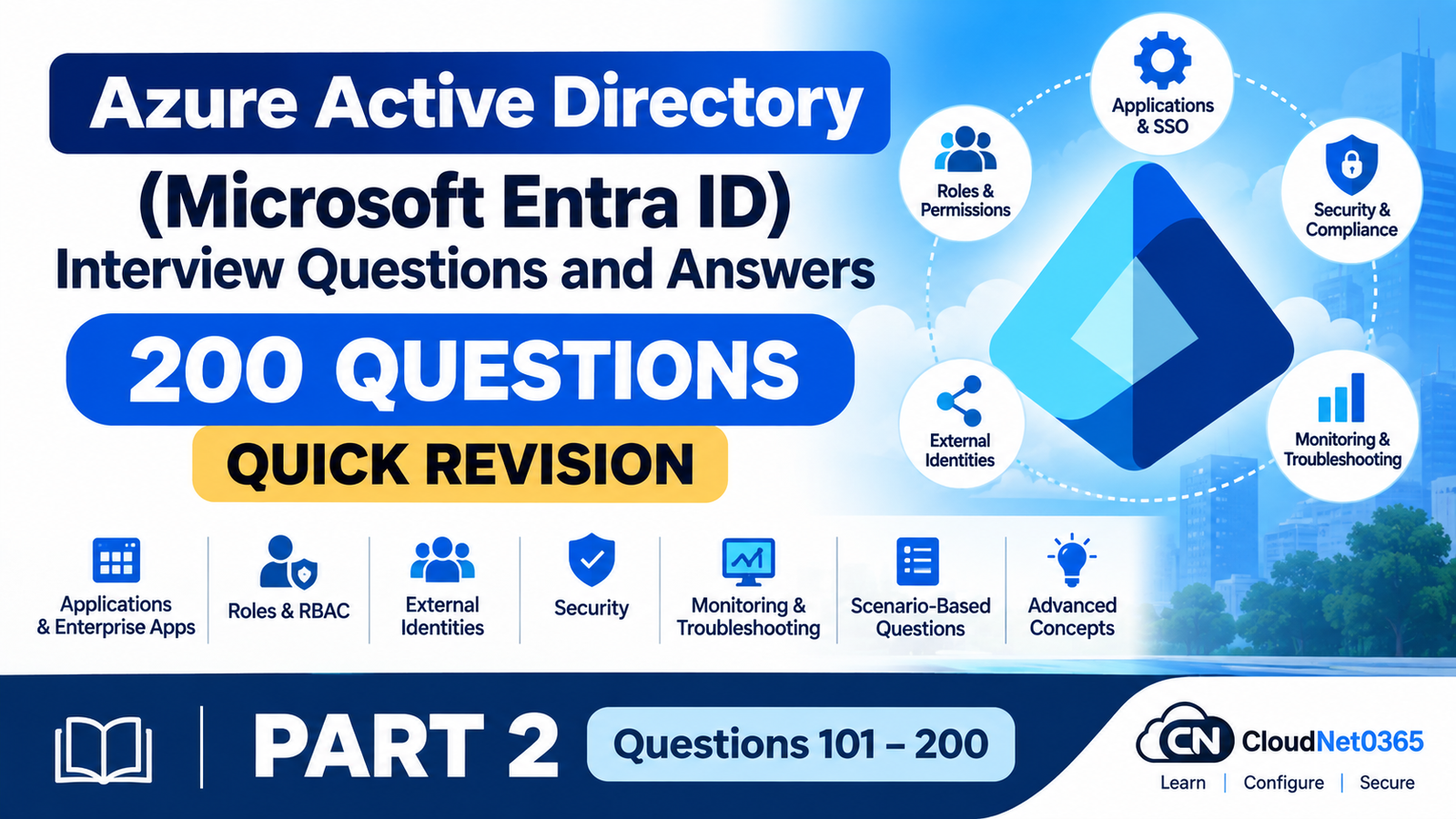
📘 Microsoft Entra ID Interview Questions and Answer Series
These questions and answers are designed for quick interview revision. The answers are intentionally concise and interview-focused, making them useful for last-minute preparation and refreshing important Microsoft Entra ID concepts.
This article is Part 2 of our 200 Microsoft Entra ID Interview Questions and Answers – Quick Revision series.
Part 1: Questions 1–100
Part 2: Questions 101–200
Part 2 covers Questions 101–200.
📚 Series Navigation
Part 1: Questions 1–100 | Part 2: Questions 101–200
📚 What You’ll Learn in Part 1
- Section 1 – Azure AD / Microsoft Entra ID Fundamentals
- Section 2 – Users and Groups
- Section 3 – Authentication & Identity
- Section 4 – Microsoft Entra Connect
- Section 5 – Conditional Access
📚 What You’ll Learn in Part 2
- Section 6 – Applications & Enterprise Applications
- Section 7 – Roles & RBAC
- Section 8 – External Identities
- Section 9 – Security
- Section 10 – Monitoring & Troubleshooting
- Section 11 – Scenario-Based Interview Questions
- Section 12 – Advanced Interview Questions
Section 6 — Applications & Enterprise Applications
101. What is an App Registration?
An App Registration is the process of registering an application with Microsoft Entra ID so it can use Microsoft identity services and authenticate users.
102. What is an Enterprise Application?
An Enterprise Application is a representation of an application within a specific Microsoft Entra tenant that is used to manage access, users, permissions, and SSO.
103. What is the difference between App Registration and Enterprise Application?
App Registration defines the application globally, while an Enterprise Application represents the application’s instance within a specific tenant.
In short:
App Registration → Application definition
Enterprise Application → Application instance in a tenant
104. What is a Service Principal?
A Service Principal is an identity representing an application or service within a Microsoft Entra tenant.
It is used to control what the application can access within that tenant.
105. What is the relationship between an App Registration and Service Principal?
The App Registration creates the application definition, while the Service Principal represents that application within a specific tenant.
An application can have Service Principals in multiple tenants.
106. What is an application object?
An application object is the global definition of an application in Microsoft Entra ID. It contains information such as application settings, redirect URIs, credentials, and permissions.
107. What is a service principal object?
A service principal object is the local representation of an application within a specific Microsoft Entra tenant.
It defines the application’s identity and access within that tenant.
108. What is a client ID?
A Client ID, also called an Application (Client) ID, is a unique identifier assigned to an application registered in Microsoft Entra ID.
109. What is a Tenant ID?
A Tenant ID is the unique identifier (GUID) of a Microsoft Entra ID tenant.
110. What is a client secret?
A Client Secret is a credential used by an application to authenticate itself to Microsoft Entra ID.
It should be stored securely and treated like a password.
111. What are certificates used for in application authentication?
Certificates can be used as application credentials to authenticate an application securely with Microsoft Entra ID.
They are often preferred over client secrets for certain scenarios because they can provide stronger credential management.
112. What are API permissions?
API permissions define what data or operations an application is allowed to access from an API on behalf of a user or as the application itself.
113. What is delegated permission?
Delegated permission allows an application to act on behalf of a signed-in user.
The application’s access is generally limited by both the granted permission and the user’s privileges.
114. What is application permission?
Application permission allows an application to access resources as itself without a signed-in user.
These permissions are commonly used by background services or automated applications.
115. What is admin consent?
Admin consent is the process where an administrator approves API permissions on behalf of users in the organization.
Some permissions require administrator approval before they can be used.
116. What is OAuth 2.0?
OAuth 2.0 is an authorization framework that allows applications to obtain access tokens for accessing protected resources without sharing a user’s password.
117. What is OpenID Connect?
OpenID Connect (OIDC) is an authentication protocol built on top of OAuth 2.0 that allows applications to verify a user’s identity.
118. What is SAML?
Security Assertion Markup Language (SAML) is an XML-based standard for exchanging authentication and authorization information between an identity provider and a service provider.
119. What is SSO for enterprise applications?
SSO allows users to sign in once using Microsoft Entra ID and access supported enterprise applications without signing in again separately.
120. How would you troubleshoot an enterprise application login issue?
Check:
- User or group assignment.
- Application sign-in logs.
- Conditional Access policies.
- SSO configuration.
- Application permissions.
- Authentication errors and error codes.
Section 7 — Roles & RBAC
121. What is Azure RBAC?
Azure Role-Based Access Control (Azure RBAC) is an authorization system used to manage access to Azure resources by assigning roles to users, groups, service principals, or managed identities.
122. What is Microsoft Entra ID role-based access control?
Microsoft Entra ID role-based access control allows administrators to assign directory roles that provide permissions to manage Microsoft Entra ID resources and services.
123. What is the difference between Azure RBAC and Microsoft Entra roles?
Azure RBAC controls access to Azure resources such as virtual machines and storage accounts.
Microsoft Entra roles control permissions to manage Microsoft Entra ID and its directory resources.
In short:
Azure RBAC → Azure resources
Microsoft Entra roles → Microsoft Entra ID management
124. What is a Global Administrator?
Global Administrator is a highly privileged Microsoft Entra ID role that can manage most aspects of the Microsoft Entra tenant, including users, roles, and major identity settings.
125. What is a User Administrator?
A User Administrator can manage users and groups and perform certain user-management tasks, including managing selected directory objects and permissions.
126. What is a Helpdesk Administrator?
A Helpdesk Administrator can perform password reset and support-related tasks for eligible users, with limitations based on role and privilege levels.
127. What is a Security Administrator?
A Security Administrator can manage security-related settings and services within Microsoft Entra and related Microsoft security services, depending on assigned permissions.
128. What is a Cloud Application Administrator?
A Cloud Application Administrator can manage enterprise applications and app registrations within Microsoft Entra ID, subject to role limitations.
129. What is the Principle of Least Privilege?
The Principle of Least Privilege means users should receive only the minimum permissions required to perform their job.
130. Why shouldn’t everyone be given Global Administrator?
Global Administrator provides extensive privileges. Giving it to everyone increases the security risk and potential impact of compromised accounts or accidental changes.
131. What is Privileged Identity Management (PIM)?
Privileged Identity Management (PIM) is a Microsoft Entra feature that helps organizations manage, control, and monitor privileged access.
132. What is eligible access?
Eligible access means a user is assigned a role but does not have the role permanently active. The user must activate the role when access is needed.
133. What is active access?
Active access means the user currently has the role and its permissions active.
134. What is just-in-time access?
Just-in-time (JIT) access provides temporary privileged access only when it is needed, rather than granting permanent administrative permissions.
135. How does PIM improve security?
PIM improves security by reducing permanent privileged access and providing features such as:
- Just-in-time access
- Time-limited role activation
- Approval workflows
- MFA requirements
- Privileged access monitoring
Section 8 — External Identities
136. What is Microsoft Entra External ID?
Microsoft Entra External ID provides identity and access capabilities for external users, enabling organizations to securely manage external collaboration and customer or partner identities.
137. What is B2B collaboration?
Business-to-Business (B2B) collaboration allows organizations to invite external users to access applications and resources in their Microsoft Entra tenant.
138. What is a B2B guest user?
A B2B guest user is an external user invited into a Microsoft Entra tenant to access specific applications, resources, or collaborate with the organization.
139. How does B2B collaboration work?
An organization invites an external user, who authenticates using their identity. A guest user object is then represented in the organization’s Microsoft Entra tenant, where access can be managed using permissions and policies.
140. What is the difference between internal users and guest users?
Internal users are typically members of the organization’s Microsoft Entra tenant.
Guest users are external users invited to collaborate and access selected resources.
In short:
Internal user → Member of the organization
Guest user → External invited user
141. How can you control guest access?
Guest access can be controlled using:
- Microsoft Entra roles and permissions
- Group membership
- Conditional Access policies
- External collaboration settings
- Application-specific access controls
142. Can guest users access Microsoft 365 resources?
Yes. Guest users can access supported Microsoft 365 resources when they are invited and granted the appropriate permissions.
Their access depends on the organization’s configuration and the permissions assigned to them.
143. How can you restrict external collaboration?
External collaboration can be restricted by configuring:
- External collaboration settings
- Guest invitation policies
- Domain allow/block lists
- Cross-tenant access settings
- Conditional Access policies
These controls help organizations limit who can be invited and what external users can access.
Section 9 — Security
144. What are Microsoft Entra Security Defaults?
Microsoft Entra Security Defaults are preconfigured security settings designed to provide basic identity protection, including stronger authentication and protection against common identity attacks.
145. What is Microsoft Entra ID Protection?
Microsoft Entra ID Protection is a security capability that helps organizations detect, investigate, and respond to identity-related risks.
146. What is a risky user?
A risky user is a user account that Microsoft Entra ID has identified as having a potential risk of compromise based on detected risk signals.
147. What is a risky sign-in?
A risky sign-in is a sign-in attempt identified as potentially suspicious or risky based on Microsoft’s risk detection signals.
148. How does Identity Protection detect risk?
Identity Protection uses Microsoft security signals, machine learning, and risk detections to identify suspicious users and sign-in activity.
149. What is risk-based Conditional Access?
Risk-based Conditional Access uses detected user risk or sign-in risk to automatically apply security controls.
For example, it can require MFA, require password changes, or block access when risk is detected.
150. What is a compromised identity?
A compromised identity is an account whose credentials or authentication methods have been accessed or controlled by an unauthorized person.
151. What is Privileged Identity Management?
Privileged Identity Management (PIM) is a Microsoft Entra feature used to manage, control, and monitor privileged access, including just-in-time and time-limited role access.
152. What is least privilege?
Least privilege is the security principle of giving users only the minimum permissions necessary to perform their required tasks.
153. What are break-glass/emergency access accounts?
Break-glass or emergency access accounts are highly privileged accounts reserved for emergency situations, such as when normal administrator accounts cannot access the tenant.
154. Why should organizations have emergency access accounts?
Emergency access accounts provide a way to regain administrative access during an identity or authentication outage, misconfiguration, or lockout situation.
155. How should emergency access accounts be protected?
Emergency access accounts should be:
- Strongly secured and monitored.
- Used only during emergencies.
- Protected with appropriate authentication controls.
- Excluded from policies only when necessary to prevent complete tenant lockout.
- Regularly tested and reviewed.
Section 10 — Monitoring & Troubleshooting
156. How do you check a user’s sign-in activity?
You can check a user’s sign-in activity in the Microsoft Entra admin center by reviewing the user’s Sign-in logs.
157. What are Microsoft Entra sign-in logs?
Sign-in logs record information about user and application sign-in attempts, including the sign-in status, location, device, authentication details, and Conditional Access results.
158. What are audit logs?
Audit logs record changes and administrative activities performed in Microsoft Entra ID, such as creating users, modifying groups, or changing settings.
159. What is the difference between Sign-in Logs and Audit Logs?
Sign-in Logs show authentication and sign-in activity.
Audit Logs show changes made to Microsoft Entra ID objects and settings.
In short:
Sign-in Logs → Who signed in and what happened
Audit Logs → What was changed and who changed it
160. How do you troubleshoot a failed login?
Check the user’s Sign-in logs, error code, authentication details, Conditional Access results, and the user’s account status.
161. How do you determine why MFA was triggered?
Review the sign-in logs and authentication details to identify the authentication requirement and determine whether MFA was triggered by Conditional Access, security policies, or other authentication settings.
162. How do you determine which Conditional Access policy blocked a user?
Review the user’s Sign-in logs and check the Conditional Access details to see which policies were applied and which policy caused access to be blocked.
163. How do you troubleshoot a disabled user?
Check whether the user’s account is enabled and sign-in is allowed in Microsoft Entra ID. Also verify whether the account is blocked by Conditional Access or other policies.
164. How do you troubleshoot a synchronized user?
Check the Microsoft Entra Connect or Cloud Sync status, synchronization logs, filtering configuration, and whether the user is successfully included in the synchronization scope.
165. How do you troubleshoot duplicate users?
Check for multiple user objects with the same or similar identity attributes, such as UPN, email address, or source identity, and review synchronization and matching configurations.
166. How do you troubleshoot an application authentication failure?
Check:
- Application sign-in logs.
- Error codes and messages.
- App registration or enterprise application configuration.
- API permissions and consent.
- Redirect URIs and authentication settings.
- Conditional Access policies.
167. How do you troubleshoot SSO problems?
Check the application’s SSO configuration, user assignment, authentication settings, certificates, claims, and Microsoft Entra sign-in logs.
168. How do you troubleshoot MFA problems?
Check the user’s authentication methods, MFA configuration, sign-in logs, Conditional Access policies, and any authentication errors.
169. How do you investigate suspicious sign-in activity?
Review the user’s sign-in logs, including location, IP address, device, authentication details, and risk information. If the activity appears suspicious, investigate further and take appropriate actions such as revoking sessions, resetting credentials, or requiring stronger authentication.
Section 11 — Scenario-Based Interview Questions
170. A user can log into their computer but cannot access Microsoft 365. How would you troubleshoot it?
Check the user’s Microsoft Entra sign-in logs, account status, license assignment, Conditional Access policies, MFA requirements, and whether the Microsoft 365 service is accessible.
171. A user says they suddenly started receiving MFA prompts. What would you check?
Check the sign-in logs, authentication details, Conditional Access policies, recent policy changes, and whether the MFA prompts are legitimate or potentially suspicious.
172. A synchronized user exists in on-premises AD but doesn’t appear in Entra ID. What would you check?
Check whether the user is within the synchronization scope, selected OU, and filtering rules, then review Microsoft Entra Connect or Cloud Sync synchronization status and errors.
173. A user changed their password on-premises but the new password doesn’t work in Microsoft 365. What would you troubleshoot?
Check whether Password Hash Synchronization is enabled and functioning, review synchronization errors, and verify that the password change has successfully synchronized to Microsoft Entra ID.
174. An administrator accidentally deleted a user. How would you recover the user?
Check the Deleted Users area in Microsoft Entra ID and restore the user if it is still within the supported retention period.
175. A Conditional Access policy is blocking a legitimate user. How would you identify the problem?
Review the user’s Sign-in logs and Conditional Access details to identify which policy was applied and which condition or grant control caused the sign-in to be blocked.
176. A user can access an application from the office but not from home. What would you investigate?
Check Conditional Access policies, named locations, network/location conditions, device compliance requirements, and the sign-in logs for differences between the two sign-ins.
177. A newly created application isn’t allowing users to sign in. What would you check?
Check the application’s configuration, user assignment, sign-in settings, redirect URIs, permissions, consent, and sign-in logs for errors.
178. An enterprise application is asking for admin consent. What does that mean?
It means the application is requesting permissions that require administrator approval before users can access the requested resources or functionality.
179. You have 10,000 users but only want a Conditional Access policy to apply to 500 users. How would you accomplish this?
Create a Microsoft Entra ID group containing the 500 users and target that specific group in the Conditional Access policy.
180. Your company wants administrators to use MFA but doesn’t want to enforce MFA on service accounts in the same way. How would you design this?
Create a Conditional Access policy that targets administrator roles and requires MFA. Manage service accounts separately based on their purpose and authentication requirements, avoiding unnecessary interactive MFA requirements for non-interactive workloads.
Section 12 — Advanced Interview Questions
181. What is Microsoft Graph?
Microsoft Graph is a Microsoft API platform that allows applications to access and manage Microsoft cloud services and data, including Microsoft Entra ID.
182. How does Microsoft Graph interact with Entra ID?
Microsoft Graph uses Microsoft Entra ID for authentication and authorization and can be used to access and manage Entra ID objects such as users, groups, applications, and devices.
183. What is a managed identity?
A managed identity is an identity managed by Microsoft Entra ID that allows Azure resources to authenticate to supported services without storing credentials in application code.
184. What is the difference between system-assigned and user-assigned managed identities?
A system-assigned managed identity is created and managed with a specific Azure resource.
A user-assigned managed identity is created separately and can be assigned to multiple Azure resources.
185. What is workload identity?
A workload identity is an identity used by an application, service, or automated workload to authenticate and access resources.
186. What is a service principal?
A service principal is an identity representing an application or service within a Microsoft Entra tenant and is used to control its access to resources.
187. Service principal vs managed identity?
A service principal is an application identity that can use credentials such as certificates or client secrets.
A managed identity is a Microsoft-managed identity for Azure workloads that reduces the need to manage credentials manually.
188. What are application roles?
Application roles are roles defined by an application that can be assigned to users, groups, or applications to control access and authorization within that application.
189. What are directory roles?
Directory roles are Microsoft Entra roles that provide administrative permissions to manage Microsoft Entra ID and its directory resources.
190. What is OAuth consent?
OAuth consent is the process of approving an application’s requested permissions to access protected resources on behalf of a user or organization.
191. What is token-based authentication?
Token-based authentication uses a security token issued by an identity provider to prove identity and authorize access instead of sending a password to every application.
192. What is an access token?
An access token is a security token used by an application to access a protected resource or API on behalf of a user or as the application itself.
193. What is an ID token?
An ID token is a token used to provide information about the authenticated user to an application.
It is commonly used with OpenID Connect.
194. What is a refresh token?
A refresh token is used to obtain new access tokens without requiring the user to sign in again, subject to the organization’s policies and token controls.
195. What is the difference between OAuth and OpenID Connect?
OAuth 2.0 is primarily an authorization framework for granting access to resources.
OpenID Connect (OIDC) is an authentication layer built on top of OAuth 2.0 that provides information about the authenticated user.
196. How does SAML-based authentication work?
SAML authentication allows an Identity Provider (IdP) to authenticate a user and send a SAML assertion to a Service Provider (SP), which uses the assertion to grant access.
197. How does modern authentication differ from legacy authentication?
Modern authentication uses token-based protocols, such as OAuth 2.0 and OpenID Connect, and supports security features such as MFA and Conditional Access.
Legacy authentication typically relies on older protocols that may not support these modern security controls.
198. What is workload identity federation?
Workload identity federation allows an application or workload to authenticate using a trusted external identity instead of storing a client secret or certificate.
199. How can applications authenticate without storing client secrets?
Applications can use methods such as:
- Managed identities
- Workload identity federation
- Certificates
- Federated credentials
These approaches can reduce or eliminate the need to store traditional client secrets.
200. How would you design a secure Entra ID environment for a large organization?
Use a defense-in-depth and least-privilege approach, including MFA, Conditional Access, PIM, strong authentication methods, secure workload identities, monitoring, Identity Protection, and regularly reviewed emergency access accounts.
🎉 Completed All 200 Questions?
Congratulations! You have completed our 200 Microsoft Entra ID Interview Questions and Answers – Quick Revision series.
📘 Review Part 1 Again
Need to revise the fundamentals?
👈 Go back to Part 1: Questions 1–100
Note: This article focuses on quick revision and interview preparation. For a deeper understanding of Microsoft Entra ID concepts, refer to the detailed articles and guides available on CloudNet0365 and official Microsoft documentation.