
Managing VLANs across multiple switches sounds easy—until something breaks.
Imagine:
- You connect a new switch
- Suddenly, all VLANs disappear
- Entire network goes down
👉 This happens due to VTP misconfiguration, especially when using wrong versions.
Here VLAN Trunking Protocol (VTP) helps. But here’s the real challenge:
👉 Which VTP version should you use — Version 1, 2, or 3?
Choosing the wrong version can lead to:
- VLAN mismatches
- Network outages
- Configuration overwrites
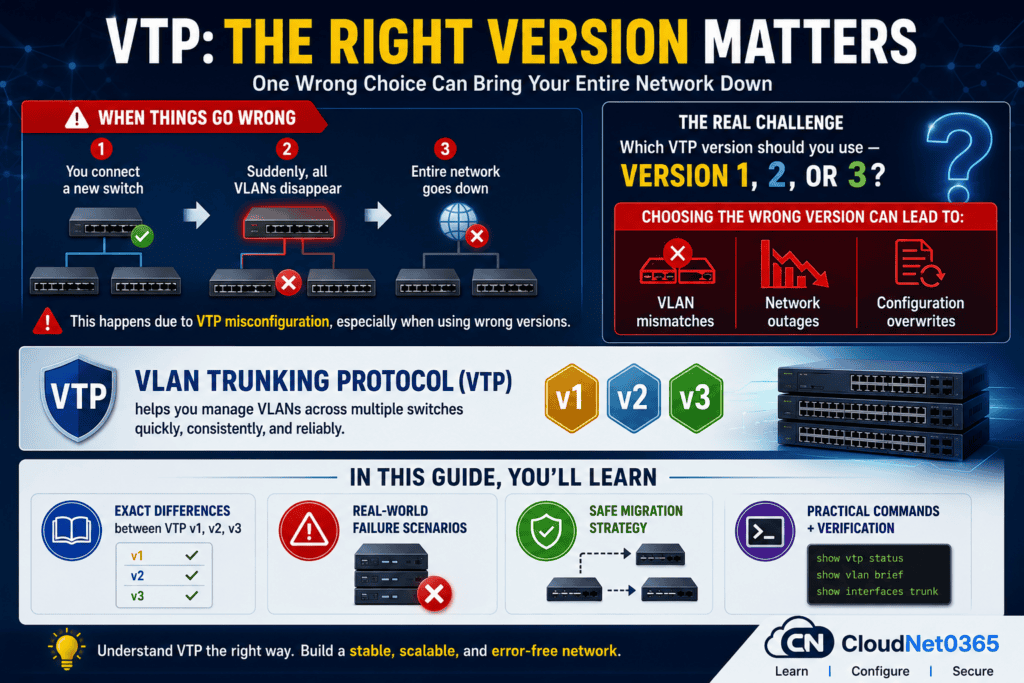
In this guide, you’ll learn:
- Exact differences between VTP v1, v2, v3
- Real-world failure scenarios
- Safe migration strategy
- Practical commands + verification
What is VTP?
VTP (VLAN Trunking Protocol) is a Cisco protocol that automatically distributes or synchronizes VLAN configurations across switches in the same domain.
Instead of configuring VLANs manually on each switch:
- One switch acts as VTP Server, controls VLANs
- Others sync automatically as Clients
Why it matters:
- Eliminates manual VLAN creation
- Reduces configuration errors
- Ensures consistency across network
👉 This saves time, reduces human error, and ensures consistency.
⚠️ CRITICAL: VTP Revision Number (Real-World Risk)
Every VTP update increases a revision number. A number that tracks VLAN database changes
👉 The switch with the highest revision number wins.
Why it’s dangerous:
If a switch with:
- Higher revision number
- Empty VLAN database
connects to network → it overwrites entire VLAN configuration
Real Failure Scenario:
A new switch was added in a company network. It had revision number 50 but no VLANs.
Within seconds → entire network VLANs were erased.
✅ Prevention:
Here is the command to delete or reset the VLAN database.
Switch# delete flash:vlan.dat
Switch# reload
👉 Always reset revision before connecting a new switch.
VTP Versions Overview
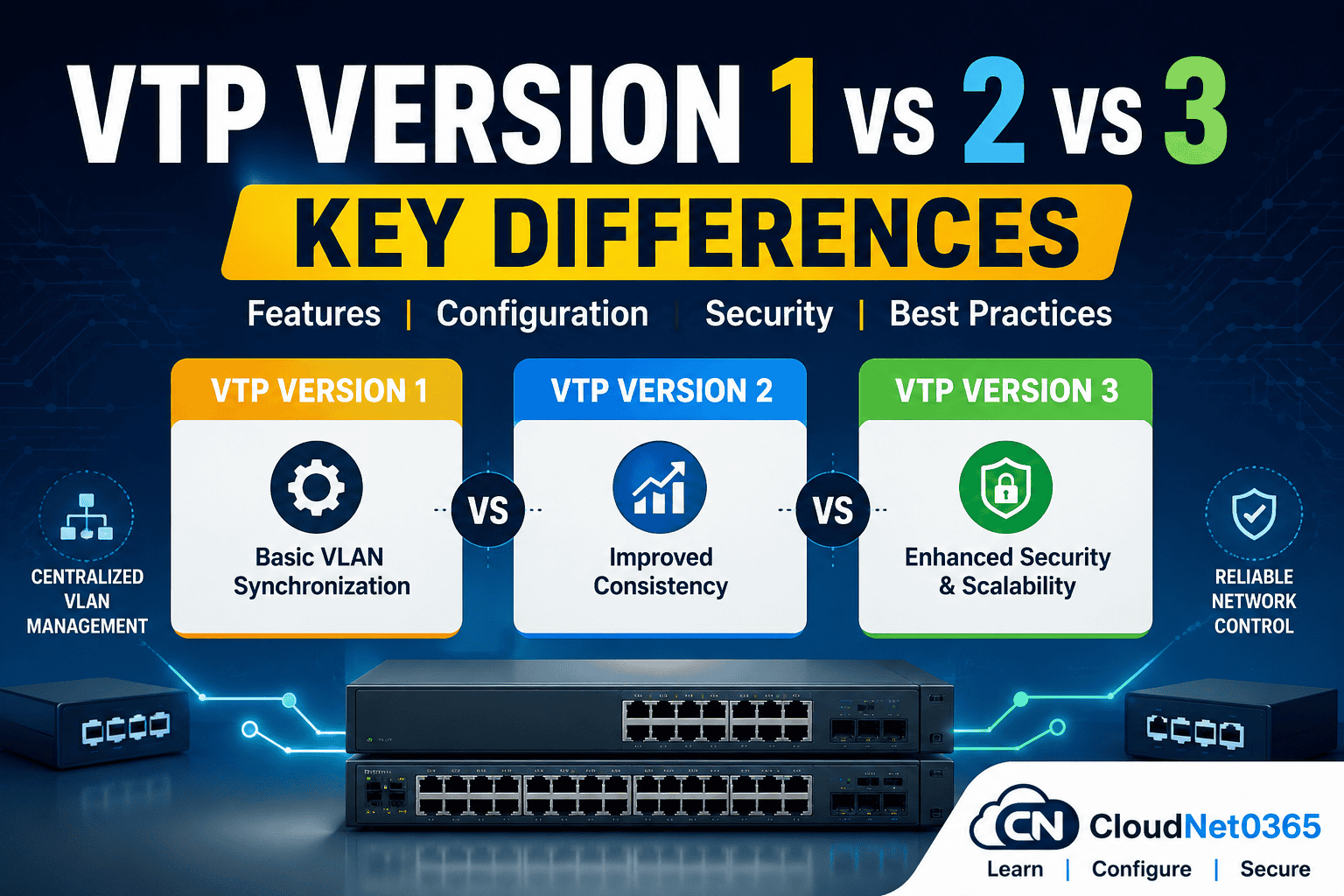
There are three versions of VTP:
- VTP Version 1 → Basic VLAN synchronization
- VTP Version 2 → Adds minor improvements
- VTP Version 3 → Advanced features like Security + scalability + control
Each version solves limitations of the previous one.
VTP Version 1 (Basic or Legacy)
VTP v1 is the default version in most Cisco switches.
Features:
- Supports VLAN range from: 1–1005
- Basic VLAN advertisement or synchronization
- Default on older switches
- Works only with Ethernet VLANs
Limitations:
- No support for extended VLANs (1006–4094)
- Weak security (no authentication enhancements)
- Cannot propagate Token Ring VLANs
- No protection from overwrites
Example Commands:
Switch(config)# vtp mode server
Switch(config)# vtp domain CloudNet0365
Switch(config)# vtp version 1
Switch(config)# vlan 10
Switch(config-vlan)# name Sales
VTP Version 2 (Improved Stability)
VTP v2 improves compatibility and consistency but is still rarely used today.
Improvements over v1:
- Supports Token Ring VLANs
- Improved VLAN consistency checks
- Backward compatible with VTP v1
Still limited:
- Still no extended VLAN support
- No major security improvements
👉 Rarely used in modern networks
Example Commands:
Switch(config)# vtp version 2
Switch(config)# vtp mode client
👉 In real-world networks, v2 is often skipped in favor of v3.
VTP Version 3 (Enterprise-Level)
VTP v3 is the most advanced and recommended version.
Key Features:
- Supports Extended VLANs (1006–4094)
- Strong authentication (password protection)
- Protects against accidental VLAN deletion
- Introduces Primary Server concept
Primary Server Concept:
- Only the primary server can make VLAN changes
- Prevents accidental VLAN overwrite
Example Commands:
Switch(config)# vtp version 3
Switch(config)# vtp domain CloudNet0365
Switch(config)# vtp password secure123

Switch# vtp primary
📊 Difference between VTP v1 vs v2 vs v3 (Comparison Table)
Here below is the difference between VTP Version 1, VTP Version 2 and VTP Version 3.
| Feature | VTP Version 1 | VTP Version 2 | VTP Version 3 |
|---|---|---|---|
| Cisco Release | Original VTP implementation | Enhanced version of VTP v1 | Most advanced VTP version |
| VLAN Range | 1–1005 | 1–1005 | 1–4094 ✅ |
| Extended VLAN Support | ❌ No | ❌ No | ✅ Yes |
| Primary Server | ❌ Not Available | ❌ Not Available | ✅ Available |
| Security | Basic | Basic | Advanced |
| Configuration Protection | ❌ No | ❌ No | ✅ Yes |
| Token Ring Support | ❌ No | ✅ Yes | ❌ No |
| Private VLAN Support | ❌ No | ❌ No | ✅ Yes |
| Enterprise Suitability | Low | Medium | High ⭐ |
| Recommended Today | ❌ No | ❌ No | ✅ Yes |
For modern enterprise networks, Cisco recommends VTP Version 3 due to its enhanced security, extended VLAN support, and protection against accidental VLAN database overwrites.
For detailed explanation read the post “VTP Modes Explained with Examples (Server vs Client vs Transparent)“.
🛠️ Practical Configuration Example (Real Network Setup)
Scenario:
You have 3 switches:
- Core Switch → VTP Server
- Access Switch 1 → Client
- Access Switch 2 → Client
Configuration:
Core Switch (Server):
Switch(config)# vtp version 3
Switch(config)# vtp mode server
Switch(config)# vtp domain CloudNet
Switch(config)# vtp password secure123
Switch# vtp primary
Access Switches (Clients):
Switch(config)# vtp mode client
Switch(config)# vtp domain CloudNet
Switch(config)# vtp password secure123
👉 Now VLANs created on the core switch will automatically sync.
🔎 Verification Commands
show vtp status
show vlan brief
show interfaces trunk
👉 Always verify before and after changes in production environment.
🔄 Migration Guide (v1/v2 → v3 Safely)
Step-by-Step:
- Backup VLAN config
- Set all switches to transparent mode
- Upgrade one switch from VTP version v1/v2 to 3
- Configure domain + password
- Set primary server
- Re-enable clients
- Gradually upgrade other switches
👉 This avoids accidental VLAN wipe.
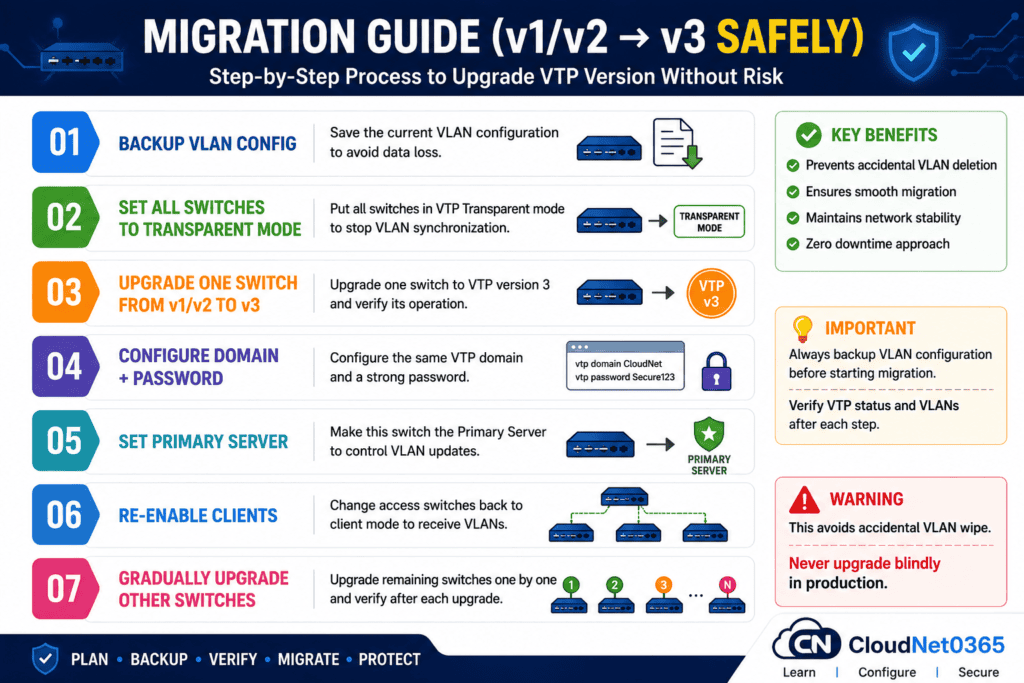
👉Never upgrade blindly in production.
🌍 Real-World Use Cases
1. Large Enterprise Networks
- Centralized VLAN management across 100+ switches using VTP v3
2. Data Centers
- Rapid VLAN deployment across racks
- Avoids manual configuration errors
3. Campus Networks
- Different departments (HR, IT, Sales)
- VLANs synced automatically
4. Lab Environments
- Easy VLAN testing without repetitive configs
💡Best Practices (Expert Tips)
- Always use VTP Version 3 in modern networks
- Use a strong VTP password for authentication
- Use VTP Transparent mode if unsure
- Avoid connecting unknown switches (can overwrite VLAN database)
- Always verify revision number before connecting switches
⚠️ When NOT to use VTP:
- Small networks
- Security-sensitive environments
👉 Use Transparent Mode instead
❓ FAQs
Q1: Which VTP version is best?
👉 VTP Version 3 is the best due to security and extended VLAN support. VTP v3 is recommended for modern networks.
Q2: Can VTP cause outages?
👉 Yes, due to revision number mismatch.
Q3: What is VTP transparent mode?
👉 It disables VLAN sync but forwards updates.
Q4: Is VTP required?
👉 No. Many networks prefer manual VLAN control.
Q5: Is VTP still used today?
👉 Yes, but many admins prefer manual VLAN configuration or automation tools for better control.
Q6: What is VTP Transparent mode?
👉 It disables synchronization but allows VLANs to pass through.
Q7: Can VTP cause network issues?
👉 Yes. A switch with a higher revision number can overwrite VLANs → causing outages.
Q8: Should I disable VTP?
👉 In small networks, yes. In large networks, use VTP v3 carefully.
Q9: How to reset VTP?
delete flash:vlan.dat
reload
🔗 Related Articles
You can also refer to documentation on VTP Version 1 vs 2 vs 3 – Key Differences, from Cisco Community or ipwithease.
🏁 Conclusion
VTP can be a powerful automation tool—or a network killer if miss-configured.
Final Verdict:
- ❌ VTP v1 → Outdated
- ❌ VTP v2 → Rarely used
- ✅ VTP v3 → Secure, scalable, reliable and recommended
👉 Use it carefully, understand revision numbers, and always verify before deployment.
👉 If you’re serious about networking:
Master VTP v3 + understand its risks