
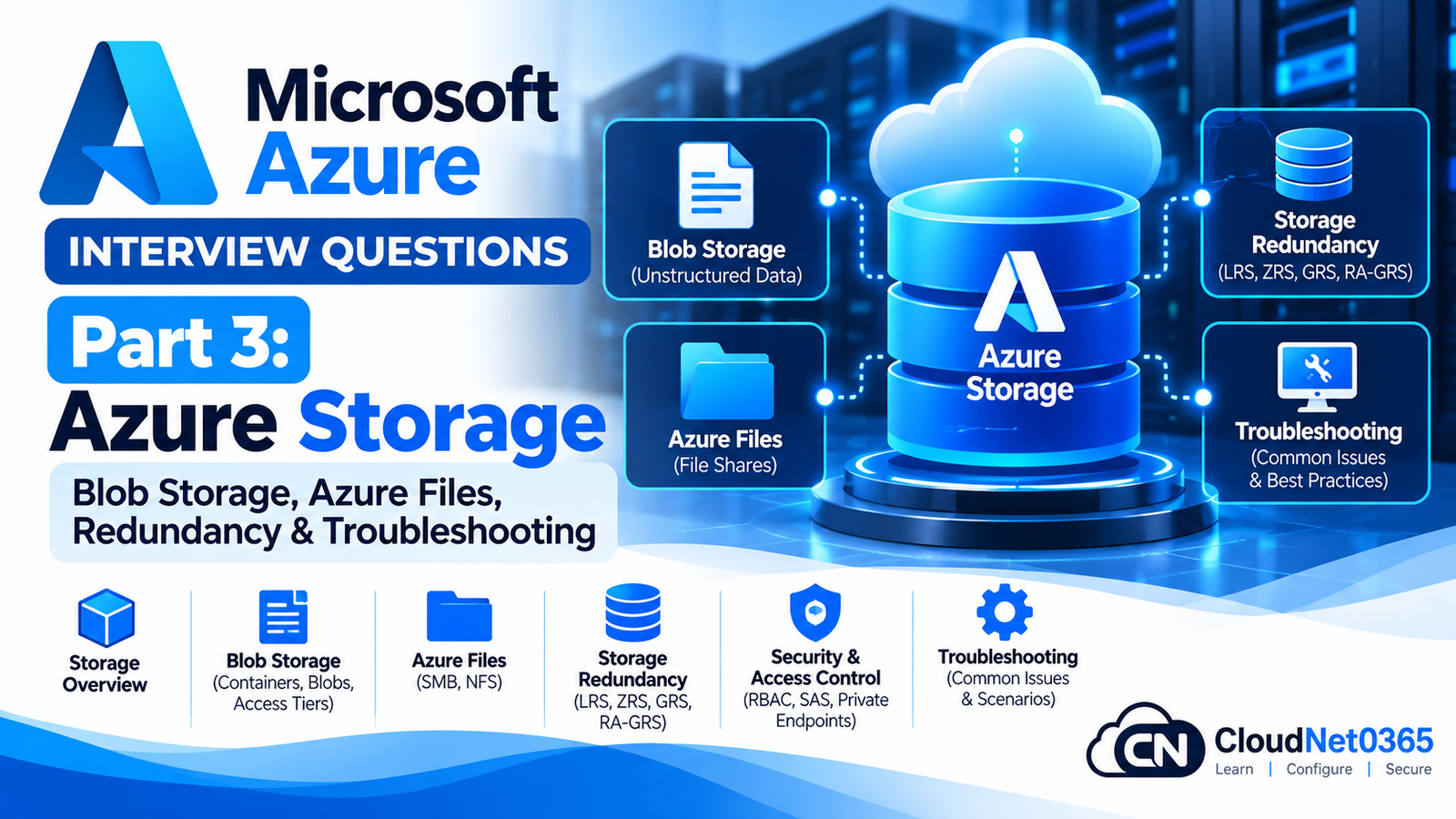
Azure Storage is one of the most important services for an Azure Administrator or System Administrator.
In production environments, Azure Storage is commonly used for:
- Application data
- File shares
- VM-related storage
- Backups
- Logs
- Documents
- Images and videos
- Archives
- Data lakes
- Application integration
- Disaster recovery
A senior Azure administrator must understand not only how to create a Storage Account, but also:
- Storage Account types
- Blob Storage
- Azure Files
- Queue Storage
- Table Storage
- Storage redundancy
- Access tiers
- SAS
- Access keys
- Microsoft Entra authentication
- Lifecycle Management
- Soft delete
- Blob versioning
- Private Endpoints
- Storage firewall
- Networking
- Azure Files SMB/NFS
- Storage performance
- Storage troubleshooting
This part focuses specifically on Azure Storage, while VM disks were covered separately in Part 2.
Continue the Microsoft Azure Interview Series
← Previous Part: [Part 2: Azure Virtual Machines, Compute, Disks & Availability] | Complete Series: [Microsoft Azure Interview Questions & Answers – Complete Series] | Next Part →: [Part 4: Load Balancer, Application Gateway, Front Door & Traffic Manager]
Azure Storage Interview Questions & Answers
1. What is Azure Storage?
Azure Storage is Microsoft’s cloud storage platform for storing different types of data.
The major Azure Storage services include:
- Blob Storage
- Azure Files
- Queue Storage
- Table Storage
Azure Storage can provide:
- High durability
- High availability
- Scalability
- Security
- Different redundancy options
- Different performance options
2. What is an Azure Storage Account?
A Storage Account is the top-level Azure resource that provides access to Azure Storage services.
A Storage Account can contain resources such as:
Storage Account
│
├── Blob Containers
├── File Shares
├── Queues
└── Tables
The exact services and capabilities available depend on the account type and configuration.
3. What is the recommended general-purpose Storage Account type?
For most general-purpose Azure Storage workloads, the modern recommended account type is:
Standard general-purpose v2 (StorageV2)
It supports services and features including:
- Blob Storage
- Azure Files
- Queue Storage
- Table Storage
- Blob access tiers
- Lifecycle Management
- Modern redundancy options
Legacy Storage Account types should generally not be selected for new deployments unless there is a specific compatibility requirement.
4. What is Blob Storage?
Azure Blob Storage is Microsoft’s object storage service.
It is designed for storing large amounts of unstructured data.
Examples:
- Images
- Videos
- Documents
- Backups
- Logs
- Software packages
- Data files
- Application objects
Example:
Storage Account
      ↓
Container
      ↓
Blob
5. What is a Blob Container?
A container is a logical grouping of blobs inside a Storage Account.
For example:
Storage Account: companydata

Containers:
├── documents
├── backups
├── images
└── logs
Containers help organize blob data and participate in access-control and data-management operations.
6. What are the main types of Azure Blobs?
The major Blob types are:
Block Blob
Primarily used for:
- Documents
- Images
- Videos
- General files
- Application data
Append Blob
Optimized for append operations.
Common example:
Application logs
Page Blob
Designed for random read/write operations and is used by certain Azure storage scenarios, including VHD-related storage.
7. What is the difference between Blob Storage and Azure Files?
Blob Storage
Object storage.
Best suited for:
- Documents
- Images
- Videos
- Backups
- Application objects
- Large unstructured datasets
Azure Files
Managed cloud file shares.
Supports protocols such as:
- SMB
- NFS
Example:
Blob:
Application → Object → Blob

Azure Files:
Server/User → File Share → Folder → File
8. What is Azure Files?
Azure Files provides managed cloud file shares.
It can be used as a cloud-based alternative or extension to traditional file servers.
Example:
On-Premises File Server
        ↓
Azure Files
        ↓
SMB File Share
        ↓
Windows Clients
Azure Files can also be accessed from Azure VMs and other supported clients.
9. What is SMB?
SMB stands for:
Server Message Block
SMB is commonly used for Windows file sharing.
Example:
\\storageaccount.file.core.windows.net\share
Azure Files SMB shares can use identity-based authentication for supported identity sources.
10. What is NFS in Azure Files?
NFS stands for:
Network File System
Azure Files supports NFS file shares for supported configurations.
NFS is commonly used in Linux/Unix environments.
A key difference from SMB is that Azure Files NFS shares do not currently support identity-based authentication in the same way as SMB shares. Network security controls are therefore especially important.
11. What is the difference between SMB and NFS in Azure Files?
| Feature | SMB | NFS |
|---|---|---|
| Common environment | Windows | Linux/Unix |
| Identity-based authentication | Supported | Not currently supported |
| Kerberos | Supported for identity-based SMB authentication | Not used for Azure Files NFS identity authentication |
| Network controls | Important | Especially important |
| Typical use | Windows file shares | Linux file shares |
Azure Files identity-based authentication is currently applicable to SMB shares, not NFS shares.
12. What is Azure Storage redundancy?
Storage redundancy determines how Azure maintains copies of your data.
The major options are:
- LRS
- ZRS
- GRS
- RA-GRS
- GZRS
- RA-GZRS
The correct option depends on:
- Availability requirements
- Disaster recovery requirements
- Regional requirements
- Cost
- Application architecture
13. What is LRS?
LRS means:
Locally Redundant Storage
Data is replicated within a single physical datacenter in the primary region.
Conceptually:
Primary Region
    |
Datacenter
    |
    +--- Copy 1
    +--- Copy 2
    +--- Copy 3
LRS protects against certain hardware failures but does not provide protection against a datacenter-level disaster.
It is generally the lowest-cost redundancy option.
14. What is ZRS?
ZRS means:
Zone-Redundant Storage
Data is synchronously replicated across three or more Availability Zones in the primary region.
Conceptually:
Region
│
├── Zone 1 → Copy
├── Zone 2 → Copy
└── Zone 3 → Copy
ZRS protects against a failure affecting an Availability Zone.
Microsoft currently recommends ZRS for Azure Files workloads where supported.
15. What is GRS?
GRS means:
Geo-Redundant Storage
Data is replicated:
Primary Region
     ↓
Secondary Region
Replication to the secondary region is asynchronous.
GRS provides protection against a regional disaster, but the secondary endpoint is not normally available for read access.
A failover is required before the secondary becomes the primary for writes.
16. What is RA-GRS?
RA-GRS means:
Read-Access Geo-Redundant Storage
It combines geo-redundancy with read access to the secondary region.
Conceptually:
Primary Region
     ↕
Read/Write

Secondary Region
     ↓
Read
This can be useful for applications that need read access to the secondary region during primary-region availability problems.
17. What is GZRS?
GZRS means:
Geo-Zone-Redundant Storage
It combines:
ZRS in primary region
+
Geo-replication to secondary region
Conceptually:
Primary Region
│
├── Zone 1
├── Zone 2
└── Zone 3
        |
        | Asynchronous replication
        ↓
Secondary Region
        |
      LRS
GZRS provides protection against both zone-level failures and regional disasters.
18. What is RA-GZRS?
RA-GZRS means:
Read-Access Geo-Zone-Redundant Storage
It provides:
- ZRS in the primary region
- Geo-replication to the secondary region
- Read access to the secondary region
It is designed for applications requiring strong availability and geographic resilience.
19. What is the difference between GRS and GZRS?
GRS
Primary region:
LRS
Then asynchronous replication to the secondary region.
GZRS
Primary region:
ZRS
Then asynchronous replication to the secondary region.
Therefore:
GRS  = LRS + Geo replication

GZRS = ZRS + Geo replication
20. What is the difference between GRS and RA-GRS?
The major difference is secondary-region read access.
GRS
Primary → Read/Write
Secondary → No normal read access
RA-GRS
Primary → Read/Write
Secondary → Read
RA-GRS is useful when applications need to read from the secondary region without waiting for a failover.
21. Is geo-replication synchronous or asynchronous?
Geo-replication to the secondary region is asynchronous.
Therefore, during a regional disaster, the secondary region can be behind the primary region.
This means some recently written data may not yet have been replicated when a failover occurs.
That is why geo-redundancy should not be treated as a zero-data-loss guarantee.
22. Does redundancy protect against accidental deletion?
No.
This is an important senior-level interview question.
Suppose a file is accidentally deleted.
With geo-replication:
Delete in Primary
      ↓
Replication
      ↓
Delete also reaches Secondary
Redundancy protects primarily against infrastructure failures, not against malicious or accidental data modification.
For data protection, use capabilities such as:
- Blob soft delete
- Blob versioning
- Container soft delete
- Point-in-time recovery where supported
- Immutability policies
- Backup/recovery solutions
Microsoft specifically warns against relying on geo-redundancy alone for ransomware protection.
23. What is Blob access tiering?
Blob access tiers allow you to optimize storage cost based on how frequently data is accessed.
Current Blob access tiers include:
- Hot
- Cool
- Cold
- Archive
The exact availability of tiers depends on the account type and configuration.
24. What is the Hot tier?
The Hot tier is optimized for data that is accessed or modified frequently.
It generally has:
- Higher storage cost
- Lower access cost
Examples:
- Active application data
- Frequently accessed documents
- Current logs
- Frequently downloaded files
25. What is the Cool tier?
The Cool tier is designed for data that is accessed less frequently but still needs online access.
Compared with Hot:
Storage cost → Lower
Access cost → Higher
It can be appropriate for data that remains online but is accessed less frequently.
26. What is the Cold tier?
Cold is an online access tier intended for data that is accessed or modified less frequently than Cool.
It is useful when:
- Data must remain online
- Access frequency is low
- Lower storage cost is desirable
The Cold tier is part of current Azure Blob Storage tiering.
27. What is the Archive tier?
Archive is intended for long-term, rarely accessed data.
Typical examples:
- Compliance archives
- Historical records
- Long-term backups
- Old documents
Archive data must be rehydrated before normal online access.
Therefore:
Hot → frequent access

Cool → infrequent access

Cold → very infrequent online access

Archive → rarely accessed long-term data
28. What is Blob lifecycle management?
Blob Lifecycle Management allows you to automatically transition or delete blobs based on rules.
Example:
Day 0
Hot

Day 30
Cool

Day 90
Cold

Day 365
Archive

Day 2555
Delete
This can reduce operational effort and storage cost.
29. Give a real-world lifecycle policy example.
Suppose an organization stores application logs.
Requirement:
0–30 days → Hot
31–90 days → Cool
91–365 days → Cold
After 365 days → Delete
A lifecycle policy can automate these transitions.
This is better than manually changing thousands of blobs.
30. What is a SAS token?
SAS stands for:
Shared Access Signature
A SAS provides delegated access to Azure Storage resources.
It can specify:
- Permissions
- Start time
- Expiry time
- Resource
- Protocol
- IP restrictions in supported scenarios
Example:
Read-only access
+
Expires in 2 hours
This is safer than giving the user the Storage Account access key.
31. What are the main types of SAS?
Important SAS concepts include:
- User delegation SAS
- Service SAS
- Account SAS
User delegation SAS
Uses Microsoft Entra credentials and is generally preferred for Blob Storage scenarios where applicable because it avoids relying on the storage account key.
Service SAS
Provides access to a specific storage service resource.
Account SAS
Can provide broader access across supported storage services/resources.
Use the least privilege required.
32. Why is User Delegation SAS preferred in many Blob scenarios?
User Delegation SAS uses Microsoft Entra credentials rather than the Storage Account key.
This provides better integration with identity-based security and avoids distributing a highly privileged account key.
For example:
User
 ↓
Microsoft Entra authentication
 ↓
User Delegation SAS
 ↓
Blob
33. What are Storage Account access keys?
A Storage Account has access keys that can be used to authenticate applications to storage.
They provide broad access to the Storage Account.
Because of their power, they should be protected carefully.
Do not place storage keys directly into:
- Source code
- Git repositories
- Public scripts
- Documentation
- Chat messages
- Client applications
34. What is the difference between SAS and Storage Account Key?
Storage Account Key
Provides broad access to the Storage Account.
SAS
Provides delegated, limited access.
For example:
Storage Key
→ Broad access

SAS
→ Read only
→ Specific container/blob
→ Limited time
Therefore, SAS is generally more appropriate when you need to delegate temporary or restricted access.
35. What is Microsoft Entra authentication for Azure Storage?
Azure Storage can integrate with Microsoft Entra ID for identity-based authorization.
Instead of using:
Storage Account Key
an application or user can authenticate using an identity and receive permissions through Azure RBAC or supported storage authorization mechanisms.
This supports a least-privilege security model.
36. What is Azure RBAC for Storage?
Azure RBAC controls access to Azure resources and can provide data-plane permissions for supported Storage operations.
Examples of built-in roles include:
- Storage Blob Data Reader
- Storage Blob Data Contributor
- Storage Blob Data Owner
Example:
User
 ↓
Microsoft Entra ID
 ↓
Storage Blob Data Reader
 ↓
Read Blob Data
37. What is the difference between Reader and Storage Blob Data Reader?
This is a common interview trap.
Reader
Generally provides management-plane read access to the Azure resource.
Storage Blob Data Reader
Provides data-plane read access to blob data.
Therefore:
Reader
≠
Storage Blob Data Reader
A user may be able to see the Storage Account resource in the Azure portal but still not have permission to read blob contents.
38. What is a Private Endpoint for Azure Storage?
A Private Endpoint provides a private IP address from an Azure VNet for supported Azure Storage services.
Conceptually:
VNet
 |
Private IP
 |
Private Endpoint
 |
Azure Storage
Traffic can remain on private connectivity rather than using the public endpoint.
39. Does a Private Endpoint automatically disable the public endpoint?
No.
Creating a Private Endpoint does not automatically mean the public network endpoint is disabled.
If the security requirement is:
Storage must be accessible only through private connectivity.
Then configure the Storage Account networking settings appropriately, including restricting or disabling public network access as required.
40. What is a Storage Account firewall?
Storage Account networking controls can restrict access based on:
- Public network access
- Selected virtual networks/subnets
- IP/network rules
- Private Endpoints
Example:
Internet
   X
   |
Storage Account

VNet
 |
Private Endpoint
 |
Storage Account
This is an important part of securing Storage Accounts.
41. What is the difference between Service Endpoint and Private Endpoint for Storage?
Service Endpoint
Extends a VNet subnet’s identity to the Azure Storage service.
The service continues to use its public endpoint, but access can be restricted to selected VNets/subnets.
Private Endpoint
Provides a private IP address inside the VNet.
Conceptually:
Service Endpoint
VNet → Public Storage endpoint

Private Endpoint
VNet → Private IP → Storage
Private Endpoint is commonly preferred when private connectivity and private DNS integration are required.
42. What is Private DNS in an Azure Storage Private Endpoint design?
When using Private Endpoints, DNS must resolve the storage FQDN to the private endpoint IP.
For example:
storageaccount.blob.core.windows.net
              ↓
       Private DNS resolution
              ↓
          Private IP
Without correct DNS configuration, a client may resolve the public endpoint instead of the private endpoint.
43. A VM cannot access a Storage Account through a Private Endpoint. What do you check?
Use this sequence:
1. Private Endpoint
Check:
- Connection status
- Target resource
- Private IP
2. DNS
From the VM:
nslookup <storage-account>.blob.core.windows.net
Verify it resolves to the expected private IP.
3. Network
Check:
- VNet
- Peering
- Routing
- NSGs
- Firewall
4. Storage networking
Check:
- Public network access
- Firewall rules
- Private Endpoint configuration
5. Authentication
Confirm the user/application has the required storage data permissions.
44. What is Azure Storage soft delete?
Soft delete helps recover deleted data for a configured retention period.
For example:
File deleted
      ↓
Soft delete
      ↓
Recoverable
      ↓
Retention expires
      ↓
Permanent deletion
Soft delete should be considered as part of a broader data-protection strategy.
45. What is Blob versioning?
Blob versioning automatically maintains previous versions of a blob when it is modified or overwritten.
Example:
Document.docx
    ↓
Version 1
    ↓
Version 2
    ↓
Version 3
If Version 3 is accidentally modified, an earlier version may be available for recovery.
46. What is the difference between Blob versioning and Blob soft delete?
Versioning
Protects against changes/overwrites by retaining previous versions.
Soft delete
Protects against deletion by retaining deleted data for a configured period.
For stronger protection, organizations may use both.
47. What is immutable Blob Storage?
Immutable storage helps protect data from modification or deletion for a defined retention period.
It is useful for:
- Compliance
- Legal retention
- Financial records
- Audit data
- Ransomware protection
Immutability can be implemented through supported time-based retention and legal-hold mechanisms.
48. What is Azure Data Lake Storage Gen2?
Azure Data Lake Storage Gen2 is built on Azure Blob Storage and adds a hierarchical namespace capability.
It is designed for analytics workloads and large-scale data processing.
A simplified architecture is:
Application/Data
       ↓
Azure Data Lake Storage Gen2
       ↓
Hierarchical namespace
       ↓
Analytics
It is commonly used with Azure analytics services.
49. What is hierarchical namespace?
Hierarchical namespace enables a directory-like structure in Blob Storage.
Instead of treating everything purely as flat object names, data can be organized into:
/company
    /finance
        /2026
    /hr
        /2026
    /it
        /logs
It is a key capability behind Azure Data Lake Storage Gen2.
50. What is Azure Queue Storage?
Azure Queue Storage provides cloud-based messaging using queues.
Example:
Application A
     ↓
Azure Queue
     ↓
Application B
It can be used to decouple components.
For example:
Website
  ↓
Queue
  ↓
Background Worker
This allows the producer and consumer to operate more independently.
51. What is Azure Table Storage?
Azure Table Storage is a NoSQL key-value store designed for structured, non-relational data.
It is useful for workloads that need:
- Simple NoSQL storage
- Large amounts of structured data
- Flexible schema
It is different from Blob Storage and Azure Files.
52. What is AzCopy?
AzCopy is a command-line utility designed for high-performance data transfer to and from Azure Storage.
It can be used for:
- Blob transfers
- File transfers
- Synchronization
- Large-scale storage operations
Example:
azcopy copy "C:\Data" "https://<storage-account>.blob.core.windows.net/<container>?<SAS>"
Always protect SAS tokens and avoid exposing them in command histories, scripts or logs where possible.
53. What is Azure Storage Explorer?
Azure Storage Explorer is a graphical tool for managing Azure Storage data.
It can be used to work with:
- Blob containers
- Blobs
- File shares
- Queues
- Tables
It is useful for administrators who need GUI-based storage management.
54. How do you create a Storage Account using Azure CLI?
Example:
az storage account create \
  --name <storageaccountname> \
  --resource-group <ResourceGroupName> \
  --location eastus \
  --sku Standard_ZRS \
  --kind StorageV2
The exact redundancy option should be selected based on the workload requirements and regional availability.
55. How do you list Storage Accounts?
az storage account list -o table
For a specific resource group:
az storage account list \
  --resource-group <ResourceGroupName> \
  -o table
56. How do you show Storage Account properties?
az storage account show \
  --name <StorageAccountName> \
  --resource-group <ResourceGroupName>
You can use this to inspect configuration such as:
- Location
- SKU
- Kind
- TLS settings
- Network configuration
- Access settings
57. How do you list containers?
Using Azure CLI:
az storage container list \
  --account-name <StorageAccountName> \
  --auth-mode login \
  -o table
Using --auth-mode login allows Azure CLI to use the logged-in identity rather than requiring a storage account key, provided the identity has the required permissions.
58. How do you list blobs in a container?
az storage blob list \
  --account-name <StorageAccountName> \
  --container-name <ContainerName> \
  --auth-mode login \
  -o table
59. How do you copy a blob using Azure CLI?
Example:
az storage blob download \
  --account-name <StorageAccountName> \
  --container-name <ContainerName> \
  --name <BlobName> \
  --file <LocalFilePath> \
  --auth-mode login
60. How do you check Azure Storage Account keys?
Azure CLI:
az storage account keys list \
  --account-name <StorageAccountName> \
  --resource-group <ResourceGroupName>
Access keys should be treated as secrets.
Do not expose them in:
- Git
- Scripts stored in public repositories
- Screenshots
- Documentation
- Chat messages
61. What should you do if a Storage Account key is compromised?
Immediately treat it as a security incident.
A typical response is:
- Identify which key is compromised.
- Rotate the compromised key.
- Update dependent applications.
- Investigate access logs.
- Identify unauthorized activity.
- Prefer identity-based authentication where possible.
- Remove unnecessary key-based authentication.
Azure Storage provides two account keys so applications can rotate keys with reduced downtime.
62. How do you rotate Storage Account keys safely?
A common approach is:
Application
   ↓
Key 1

Rotate Key 2
   ↓
Update application to Key 2
   ↓
Verify application
   ↓
Rotate Key 1
This allows staged rotation rather than changing the currently used key first.
63. A user can see the Storage Account but cannot open blobs. Why?
Likely a management-plane versus data-plane permission issue.
For example:
Reader
   ↓
Can view Storage Account

Storage Blob Data Reader
   ↓
Can read blob data
Check the user’s effective Azure RBAC assignments and any additional access restrictions.
64. A user gets “AuthorizationPermissionMismatch” when accessing a blob. What do you check?
Check:
- Authentication method.
- Azure RBAC role.
- Scope of role assignment.
- Whether the role has data-plane permissions.
- SAS permissions if SAS is being used.
- Storage firewall/network restrictions.
- Private Endpoint/DNS configuration.
- Whether the requested operation is permitted.
Do not automatically assign Owner or Storage Account Contributor.
Use the least privilege required.
65. A Storage Account works from Azure but not from on-premises. What do you check?
Follow this sequence:
On-premises Client
       ↓
DNS
       ↓
VPN/ExpressRoute
       ↓
Private Endpoint / Public Endpoint
       ↓
Storage Firewall
       ↓
Authentication
       ↓
Authorization
Check:
- DNS resolution
- VPN/ExpressRoute
- Routing
- Private Endpoint
- Firewall rules
- Public network access
- Authentication
- RBAC
Check:
Network
Client
 ↓
DNS
 ↓
Storage Account
SMB
Verify that SMB connectivity is allowed.
Authentication
Check:
- Microsoft Entra/AD authentication configuration
- User credentials
- Kerberos
- Required permissions
Share permissions
Check both:
- Share-level permissions
- File/NTFS permissions where applicable
Azure Files SMB identity-based authentication uses Kerberos and supports permissions at share, directory and file levels.
67. A user can connect to Azure Files but receives Access Denied. Why?
Connectivity and authorization are separate.
The user may successfully reach:
Azure Files
but lack permission to the requested share/file.
Check:
- Identity
- Share-level permission
- NTFS-style directory/file permissions
- Group membership
- Kerberos authentication
- Token/session state
Do not assume that successful network connectivity means the user has access.
Check:
- VNet connectivity.
- Private Endpoint or Service Endpoint.
- Storage firewall.
- Network rules.
- NFS configuration.
- Mount command.
- Client-side network connectivity.
- Root squash/security configuration where applicable.
Azure Files NFS does not use user-based authentication like SMB and relies heavily on network-based security controls.
69. A Storage Account is suddenly inaccessible after enabling firewall restrictions. What happened?
A common cause is that the client’s network source is no longer allowed.
For example:
Before:
Internet → Storage

After:
Storage Firewall
     ↓
Only selected networks
If the client is outside the allowed network, access fails.
Check:
- Public network access
- IP rules
- VNet rules
- Private Endpoint
- DNS
- Client source IP
70. Blob access suddenly becomes expensive. How would you investigate?
Check:
- Storage capacity
- Access tier
- Transaction volume
- Data retrieval
- Egress
- Replication
- Lifecycle policies
- Application behavior
For example, moving data to Archive may reduce storage cost but can introduce retrieval and rehydration costs.
Therefore, optimize based on the complete access pattern rather than storage price alone.
71. How would you secure an enterprise Storage Account?
A strong design could include:
Microsoft Entra ID
       ↓
RBAC
       ↓
Least privilege

Private Endpoint
       ↓
Private DNS

Storage Firewall
       ↓
Restricted network access

Soft Delete
       ↓
Versioning
       ↓
Immutability where required

ZRS/GZRS
       ↓
Availability + DR
Also consider:
- Key rotation
- Disable unnecessary public access
- Avoid account keys where identity-based access is available
- Monitoring and logging
- Defender for Storage where appropriate
- Lifecycle Management
- Backup/recovery requirements
72. Why should you avoid using Storage Account keys for applications when possible?
Storage Account keys provide broad access.
If a key is stolen:
Attacker
   ↓
Storage Account Key
   ↓
Potentially broad Storage access
Identity-based authentication provides a more granular model.
Preferred pattern:
Application
   ↓
Managed Identity
   ↓
RBAC
   ↓
Storage
This avoids embedding long-lived storage secrets in applications.
73. What is Managed Identity with Azure Storage?
Managed Identity allows an Azure resource to authenticate to supported Azure services without storing credentials in application code.
Example:
Azure VM
   ↓
Managed Identity
   ↓
Microsoft Entra ID
   ↓
Storage Blob Data Reader
   ↓
Blob Storage
This is generally preferable to storing Storage Account keys inside application configuration.
74. A VM needs to read blobs without storing credentials. What would you use?
A strong solution is:
VM
 ↓
Managed Identity
 ↓
Microsoft Entra ID
 ↓
Storage Blob Data Reader
 ↓
Storage Account
This provides identity-based access without embedding a storage key in the VM.
75. What is the difference between Storage Account Contributor and Storage Blob Data Contributor?
Storage Account Contributor
Provides management-plane permissions to manage the Storage Account resource.
Storage Blob Data Contributor
Provides data-plane permissions to perform supported operations on blob data.
Therefore:
Management plane
≠
Data plane
This distinction is extremely important in Azure administration.
76. How would you design Azure Storage for a business-critical application?
Start with requirements.
Availability
Consider:
ZRS
Regional disaster recovery
Consider:
GZRS
Secondary-region read access
Consider:
RA-GZRS
where supported and appropriate.
Security
Use:
- Private Endpoint
- Private DNS
- Microsoft Entra ID
- RBAC
- Storage firewall
Data protection
Use:
- Soft delete
- Versioning
- Immutability where required
- Appropriate backup/recovery
Cost
Use:
- Lifecycle Management
- Appropriate access tier
- Appropriate redundancy
77. What is the difference between availability and durability in Azure Storage?
Availability
How accessible the service/data is when requested.
Durability
How likely the data is to remain intact without being lost.
For example:
High durability
≠
Guaranteed continuous availability
A redundancy option must be selected based on both requirements.
78. Does ZRS protect against regional failure?
No.
ZRS protects against failures affecting Availability Zones within the primary region.
For regional disaster protection, use an appropriate geo-redundant option such as:
GRS
GZRS
RA-GRS
RA-GZRS
depending on workload requirements.
79. Does GRS automatically provide read access to the secondary?
No.
GRS does not normally provide read access to the secondary endpoint.
For read access to the secondary, use:
RA-GRS
or:
RA-GZRS
where supported.
80. How would you troubleshoot a major Azure Storage incident?
Use a structured process.
Step 1 – Determine scope
Ask:
One user?
One application?
One Storage Account?
Multiple accounts?
Multiple regions?
Step 2 – Check Azure Service Health
Determine whether Azure itself is reporting a service issue.
Step 3 – Check Storage Account
Review:
- Account status
- Region
- Redundancy
- Networking
- Public access
- Private Endpoint
Step 4 – Check DNS
Especially for Private Endpoint deployments.
Step 5 – Check authentication
Determine whether the client uses:
- Managed Identity
- Microsoft Entra ID
- SAS
- Access key
Step 6 – Check authorization
Review:
- Azure RBAC
- SAS permissions
- Storage ACLs where applicable
- File permissions
Step 7 – Check application behavior
Review:
- Error messages
- Retry behavior
- Timeouts
- API calls
- Storage metrics
Step 8 – Check data protection
If data was deleted or modified:
- Soft delete
- Versioning
- Snapshots where applicable
- Recovery options
Step 9 – Mitigate
Apply the least disruptive solution.
Step 10 – Document
Record:
- Root cause
- Impact
- Timeline
- Resolution
- Preventive action
Azure Storage CLI Quick Reference
List Storage Accounts
az storage account list -o table
Show Storage Account
az storage account show \
  --name <StorageAccountName> \
  --resource-group <ResourceGroupName>
Create Storage Account
az storage account create \
  --name <StorageAccountName> \
  --resource-group <ResourceGroupName> \
  --location eastus \
  --sku Standard_ZRS \
  --kind StorageV2
List Containers
az storage container list \
  --account-name <StorageAccountName> \
  --auth-mode login \
  -o table
List Blobs
az storage blob list \
  --account-name <StorageAccountName> \
  --container-name <ContainerName> \
  --auth-mode login \
  -o table
Download Blob
az storage blob download \
  --account-name <StorageAccountName> \
  --container-name <ContainerName> \
  --name <BlobName> \
  --file <LocalFilePath> \
  --auth-mode login
List Storage Keys
az storage account keys list \
  --account-name <StorageAccountName> \
  --resource-group <ResourceGroupName>
Azure Storage PowerShell Quick Reference
List Storage Accounts
Get-AzStorageAccount
Get Storage Account
Get-AzStorageAccount `
  -ResourceGroupName "<ResourceGroupName>" `
  -Name "<StorageAccountName>"
Get Storage Account Keys
Get-AzStorageAccountKey `
  -ResourceGroupName "<ResourceGroupName>" `
  -Name "<StorageAccountName>"
Get Storage Account Context
$ctx = New-AzStorageContext `
  -StorageAccountName "<StorageAccountName>" `
  -UseConnectedAccount
List Containers
Get-AzStorageContainer -Context $ctx
List Blobs
Get-AzStorageBlob `
  -Container "<ContainerName>" `
  -Context $ctx
Real-World Azure Storage Scenarios
Scenario 1 – Application needs private-only Blob access
Recommended architecture:
Application
    ↓
VNet
    ↓
Private Endpoint
    ↓
Private DNS
    ↓
Blob Storage
Restrict public network access according to the security requirement.
Scenario 2 – Company stores active documents
Use:
Blob Storage
+
Hot tier
if the documents are accessed frequently.
Scenario 3 – Company stores old compliance data
Evaluate:
Cool
Cold
Archive
based on:
- Access frequency
- Retention
- Retrieval requirements
- Cost
Do not automatically archive data merely because it is old.
Scenario 4 – Company requires protection against an Azure zone failure
Consider:
ZRS
where supported.
Scenario 5 – Company requires regional disaster protection
Consider:
GZRS
or another appropriate geo-redundancy configuration.
Scenario 6 – Application needs to read from the secondary region
Evaluate:
RA-GRS
or:
RA-GZRS
where supported.
Scenario 7 – Storage Account key has leaked
Treat it as a security incident.
Compromised Key
      ↓
Rotate Key
      ↓
Update Applications
      ↓
Review Logs
      ↓
Move toward Managed Identity / Entra ID
Scenario 8 – User can see Storage Account but cannot read blobs
Check:
Management Plane
        ≠
Data Plane
Assign the appropriate data-plane role rather than unnecessarily granting Owner.
Scenario 9 – Azure Files works from Azure but not from office
Check:
Office
  ↓
VPN / ExpressRoute
  ↓
DNS
  ↓
Private Endpoint
  ↓
Azure Files
Also verify Storage networking and SMB authentication.
Scenario 10 – Files were accidentally deleted
Do not immediately restore the entire Storage Account.
Check:
Soft Delete
Versioning
Recovery features
Backup
Recover the required objects where possible.
Quick Revision
Storage Account
→ Top-level Azure Storage resource

Blob Storage
→ Object storage

Azure Files
→ Managed file shares

SMB
→ Common Windows file-sharing protocol

NFS
→ Common Linux/Unix file-sharing protocol

LRS
→ Replication within primary datacenter

ZRS
→ Replication across Availability Zones

GRS
→ LRS + asynchronous geo-replication

RA-GRS
→ GRS + secondary read access

GZRS
→ ZRS + asynchronous geo-replication

RA-GZRS
→ GZRS + secondary read access

Hot
→ Frequently accessed data

Cool
→ Infrequently accessed online data

Cold
→ Less frequently accessed online data

Archive
→ Long-term rarely accessed data

SAS
→ Delegated limited access

Storage Key
→ Broad Storage Account access

Managed Identity
→ Identity-based authentication without stored credentials

Private Endpoint
→ Private IP connectivity to Storage

Lifecycle Management
→ Automatic tiering/deletion

Soft Delete
→ Recovery after deletion

Versioning
→ Previous blob versions

Immutability
→ Protection against modification/deletion during retention
Exam Answer Summary
1. What is Azure Storage?
A cloud storage platform providing Blob, Files, Queue and Table services.
2. What is Blob Storage?
Object storage for unstructured data such as files, images, videos, logs and backups.
3. What is Azure Files?
Managed cloud file sharing using supported SMB and NFS protocols.
4. LRS vs ZRS?
LRS keeps replicas within the primary datacenter, while ZRS synchronously replicates data across Availability Zones in the primary region.
5. GRS vs GZRS?
GRS uses LRS in the primary region plus asynchronous geo-replication, while GZRS uses ZRS in the primary region plus asynchronous geo-replication.
6. What does RA mean?
Read access to the secondary region.
7. What is SAS?
A delegated access mechanism that can restrict permissions and duration.
8. What is the difference between Storage Account Key and SAS?
A Storage Account key provides broad account-level access, while SAS provides delegated and limited access.
9. What is Private Endpoint?
A private IP-based endpoint for accessing supported Azure services through a VNet.
10. What is Lifecycle Management?
Rule-based automation for changing blob access tiers or deleting data.
11. What is Blob versioning?
A feature that retains previous versions of blobs when they change.
12. Does geo-redundancy protect against accidental deletion?
No. Data changes can be replicated to the secondary region. Use data-protection features such as soft delete, versioning and immutability as appropriate.
Senior Interview Tip
When an interviewer asks:
“How would you secure an Azure Storage Account?”
Don’t simply answer:
“Enable firewall.”
A stronger senior-level answer is:
I would first determine the application's network
and identity requirements.

For network security, I would prefer Private
Endpoints and restrict public network access where
appropriate.

For authentication, I would prefer Microsoft Entra ID
and Managed Identity over long-lived Storage Account
keys.

For authorization, I would use least-privilege Azure
RBAC.

For data protection, I would evaluate soft delete,
versioning, immutability and appropriate backup/recovery.

For availability, I would select LRS, ZRS, GRS or GZRS
based on the application's availability and disaster
recovery requirements.

Finally, I would enable appropriate monitoring,
logging and alerting and periodically review access.
That answer demonstrates that you understand security, identity, networking, data protection, availability and operations together, rather than treating Storage as simply a place to upload files.
7 Progress
Completed:
- Part 1 – Azure Networking Fundamentals, VNets, Subnets, NSGs & Connectivity
- Part 2 – Azure Virtual Machines, Compute, Disks & Availability
- Part 3 – Azure Storage, Blob Storage, Azure Files, Redundancy & Troubleshooting
Continue the Microsoft Azure Interview Series
← Previous Part: [Part 2: Azure Virtual Machines, Compute, Disks & Availability] | Complete Series: [Microsoft Azure Interview Questions & Answers – Complete Series] | Next Part →: [Part 4: Load Balancer, Application Gateway, Front Door & Traffic Manager]
The next part will move into:
The focus will be on Layer 4 vs Layer 7 load balancing, health probes, backend pools, routing, SSL/TLS termination, WAF, global traffic distribution and real-world troubleshooting, without repeating the networking fundamentals already covered in Part 1.
For official Microsoft 365 documentation and additional technical information, visit: Microsoft Learn