
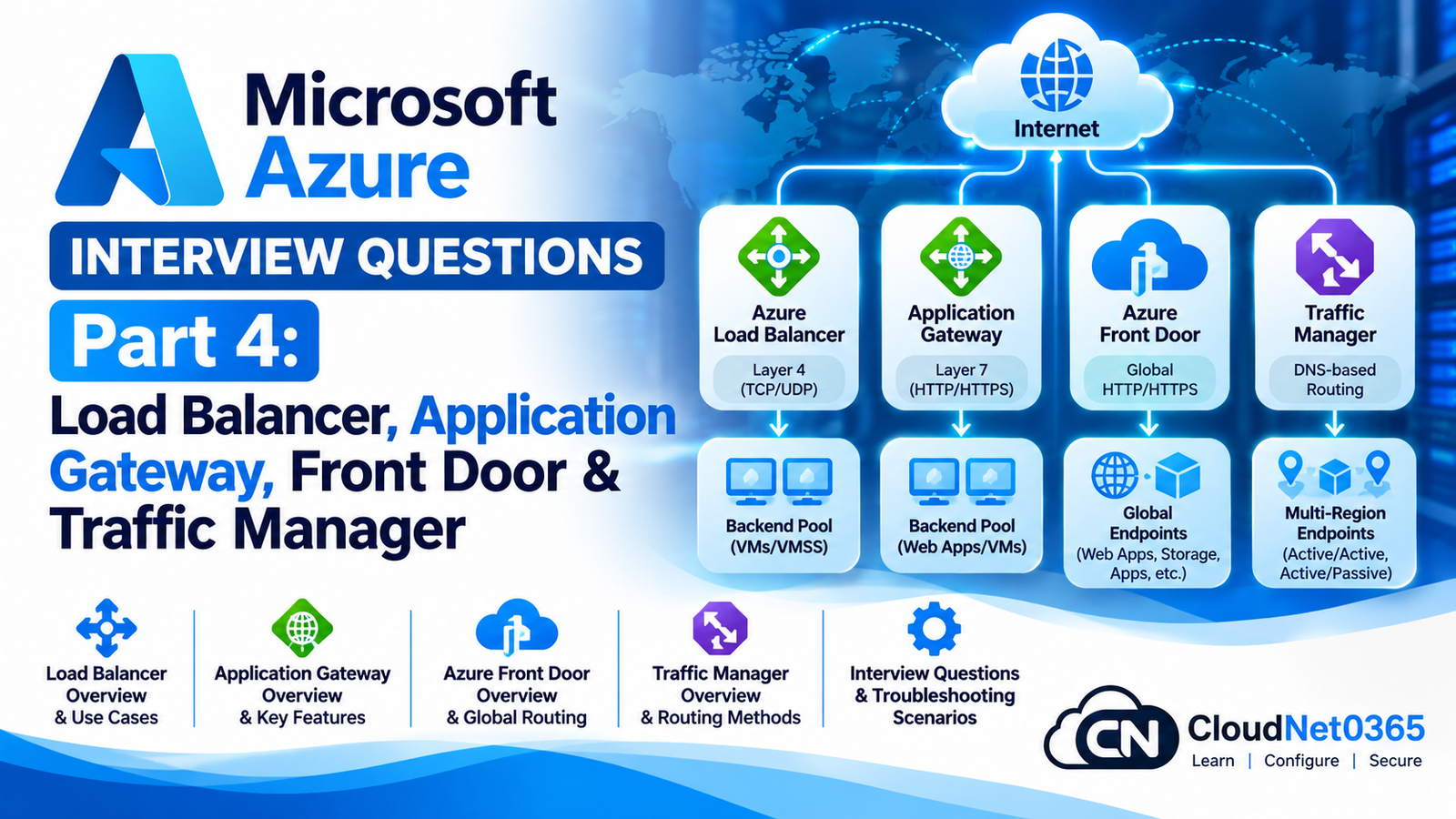
Azure provides several services for distributing application traffic.
The most important services for an Azure Administrator are:
- Azure Load Balancer
- Azure Application Gateway
- Azure Front Door
- Azure Traffic Manager
They solve different problems.
A common interview mistake is saying:
“All four are load balancers and can be used interchangeably.”
They cannot.
A senior Azure administrator must understand:
- Layer 4 vs Layer 7
- Regional vs global traffic distribution
- HTTP/HTTPS routing
- TCP/UDP load balancing
- Health probes
- Backend pools
- TLS termination
- Host-based routing
- Path-based routing
- WAF
- DNS-based routing
- Global failover
- Session affinity
- Caching
- Private origins
- Troubleshooting
Continue the Microsoft Azure Interview Series
← Previous Part: [Part 3: Azure Storage, Blob Storage, Azure Files, Redundancy & Troubleshooting] | Complete Series: [Microsoft Azure Interview Questions & Answers – Complete Series] | Next Part →: [Part 5: Azure Monitor, Log Analytics, Application Insights, Alerts & Advisor]
Azure Traffic Distribution Interview Questions & Answers
1. What is Azure Load Balancer?
Azure Load Balancer is a Layer 4 load-balancing service.
It distributes network traffic based on:
- TCP
- UDP
It can provide:
- Public load balancing
- Internal load balancing
- Health probes
- High availability
- Distribution across backend instances
Azure Load Balancer does not inspect HTTP requests to perform Layer 7 routing.
2. What OSI layer does Azure Load Balancer operate at?
Azure Load Balancer operates at:
Layer 4 – Transport Layer
It works with:
TCP
UDP
It does not understand application-level concepts such as:
/finance
/api
/images
Host: app.company.com
For those requirements, use a Layer 7 service such as Application Gateway or Front Door.
3. What is the difference between Azure Load Balancer and Application Gateway?
| Feature | Azure Load Balancer | Application Gateway |
|---|---|---|
| OSI layer | Layer 4 | Layer 7 |
| TCP/UDP | Yes | Primarily HTTP/HTTPS application delivery |
| HTTP host routing | No | Yes |
| URL path routing | No | Yes |
| TLS termination | No | Yes |
| WAF | No | Yes with WAF capability |
| Regional use | Yes | Yes |
| Backend VM distribution | Yes | Yes |
| Application-aware routing | No | Yes |
Simple rule
TCP/UDP
   ↓
Load Balancer

HTTP/HTTPS
   ↓
Application Gateway
4. What is a public Azure Load Balancer?
A public Load Balancer provides a public frontend IP and distributes incoming traffic to backend resources.
Example:
Internet
    |
Public IP
    |
Azure Load Balancer
    |
+---+---+
|       |
VM1    VM2
The backend VMs can remain behind the load balancer instead of each requiring a public IP for application traffic.
5. What is an internal Azure Load Balancer?
An internal Load Balancer uses a private frontend IP.
Example:
VNet
 |
Internal Load Balancer
 |
+----+----+
|         |
VM1      VM2
It is useful for internal applications and multi-tier architectures.
6. Give an example of an internal Load Balancer architecture.
Consider:
Web Tier
   |
   ↓
Internal Load Balancer
   |
+--+--+
|     |
App1 App2
   |
Database
The web tier can communicate with the application tier through the internal Load Balancer.
The application VMs do not need to expose their service directly to every client.
7. What is a frontend IP configuration?
A frontend IP configuration defines the IP address through which clients access the Load Balancer.
It can be:
- Public IP
- Private IP
Example:
Client
  |
Frontend IP
  |
Load Balancer
8. What is a backend pool?
A backend pool contains the resources that receive traffic from the Load Balancer.
For example:
Backend Pool
│
├── VM1
├── VM2
└── VM3
Traffic is distributed among healthy backend instances according to the Load Balancer configuration.
9. What is a health probe in Azure Load Balancer?
A health probe determines whether a backend instance is healthy enough to receive traffic.
For example:
Load Balancer
      |
Health Probe
      |
   VM1: Healthy
   VM2: Healthy
   VM3: Unhealthy
The unhealthy instance is removed from normal load-balancing decisions for the relevant rule.
10. Why is a health probe important?
Without health probing, a Load Balancer could continue sending traffic to an instance whose application is unavailable.
Example:
VM1 → Application working
VM2 → Application stopped
VM3 → Application working
The health probe allows Azure to detect VM2’s unhealthy state and avoid sending normal traffic to it.
11. What can cause an Azure Load Balancer health probe to fail?
Common causes include:
- Backend service stopped
- Wrong probe port
- NSG blocking traffic
- Guest firewall blocking the probe
- Application not listening
- Wrong protocol
- Application returning an unexpected response
- Incorrect probe configuration
A senior administrator should troubleshoot the complete path rather than only checking the Load Balancer.
12. What is a Load Balancer rule?
A Load Balancer rule defines how traffic received on the frontend is distributed to the backend pool.
It typically maps:
Frontend IP + Port
        ↓
Backend Pool + Port
Example:
Public IP:443
      ↓
Backend VMs:443
13. What is a NAT rule in Azure Load Balancer?
A NAT rule forwards traffic from a frontend IP/port to a specific backend VM and port.
For example:
Public-IP:50001
      ↓
VM1:3389
This can be useful for management access in controlled scenarios.
However, exposing RDP/SSH directly to the internet should generally be avoided when safer management solutions such as Azure Bastion are appropriate.
14. What is a Load Balancer outbound rule?
Outbound rules define how backend instances can make outbound connections through a public Load Balancer frontend.
They can be used to provide explicit outbound connectivity behavior for backend instances.
For production architecture, outbound connectivity should be designed deliberately rather than assumed.
15. What is Azure Load Balancer HA Ports?
HA Ports allow a Load Balancer rule to load balance traffic across all ports and protocols supported by the configuration.
This is useful for certain network virtual appliance and high-availability scenarios.
Example:
Frontend
   |
HA Ports
   |
NVA1 / NVA2
Use HA Ports only when the architecture requires this behavior.
16. Does Azure Load Balancer support URL-based routing?
No.
For example, Load Balancer cannot directly make a decision such as:
/company
     ↓
Server Group A

/api
     ↓
Server Group B
This is Layer 7 routing.
Use Application Gateway or Front Door for such requirements.
17. Can Azure Load Balancer terminate HTTPS?
No.
Azure Load Balancer is Layer 4.
It does not perform application-level TLS termination.
For HTTPS termination, use a Layer 7 service such as:
- Application Gateway
- Azure Front Door
18. What is Application Gateway?
Azure Application Gateway is a Layer 7 web traffic load balancer.
It provides capabilities including:
- HTTP/HTTPS routing
- Host-based routing
- Path-based routing
- TLS termination
- Autoscaling
- Zone redundancy
- WAF integration
The current Application Gateway generation is v2, including Standard_v2 and WAF_v2. Application Gateway v1 retired on April 28, 2026.
19. What is the difference between Application Gateway v1 and v2?
Application Gateway v2 provides modern capabilities such as:
- Autoscaling
- Zone redundancy
- Static VIP support
- Improved performance
- Modern management features
The important current interview point is:
Application Gateway v1 is retired. New production designs should use v2.
20. What are the main components of Application Gateway?
Important components include:
- Frontend IP configuration
- Frontend ports
- Listeners
- Backend pools
- Backend settings
- Health probes
- Routing rules
- SSL certificates
- WAF policy when WAF is enabled
Architecture:
Client
  |
Frontend IP
  |
Listener
  |
Routing Rule
  |
Backend Settings
  |
Backend Pool
  |
VM / App Service / other supported backend
21. What is an Application Gateway listener?
A listener receives incoming client traffic.
A listener can be associated with:
- Frontend IP
- Port
- Protocol
- Host name where applicable
- TLS certificate for HTTPS
Example:
https://www.company.com
          |
     HTTPS Listener
          |
     Routing Rule
22. What is a basic listener?
A basic listener typically listens for traffic using a frontend IP, port and protocol.
For example:
Public IP
   |
443
   |
HTTPS Listener
It can then send matching traffic to the configured backend according to the routing rule.
23. What is a multi-site listener?
A multi-site listener allows Application Gateway to distinguish requests based on the hostname.
Example:
app.company.com
      ↓
Backend Pool A

hr.company.com
      ↓
Backend Pool B
This allows multiple websites to share the same Application Gateway infrastructure.
24. What is host-based routing?
Host-based routing routes requests based on the hostname.
Example:
portal.company.com
        ↓
Portal Backend

api.company.com
        ↓
API Backend
This is a Layer 7 feature.
25. What is path-based routing?
Path-based routing uses the URL path.
Example:
company.com/images
        ↓
Image Backend

company.com/api
        ↓
API Backend

company.com/hr
        ↓
HR Backend
Application Gateway can use URL path rules to send different requests to different backend pools.
26. What is URL path-based routing useful for?
It is useful when multiple application components share the same hostname.
Example:
https://company.com/
        ↓
Web Backend

https://company.com/api/
        ↓
API Backend

https://company.com/images/
        ↓
Image Backend
This can simplify application architecture.
27. What is TLS termination in Application Gateway?
TLS termination means the client establishes HTTPS with Application Gateway.
Application Gateway decrypts the request and can then send traffic to the backend using the configured backend protocol.
Example:
Client
  |
HTTPS
  |
Application Gateway
  |
TLS termination
  |
HTTP/HTTPS
  |
Backend
The backend protocol should be selected according to security requirements.
28. What is end-to-end TLS?
End-to-end TLS means encryption is maintained between:
Client
   ↓
Application Gateway
   ↓
Backend
For example:
Client
 HTTPS
   ↓
Application Gateway
 HTTPS
   ↓
Backend
This provides encrypted communication on both legs.
29. What is a backend HTTP setting in Application Gateway?
Backend settings define how Application Gateway communicates with backend servers.
They can include settings such as:
- Backend protocol
- Backend port
- Host name behavior
- Connection settings
- Cookie-based affinity where supported/configured
- Timeout
The backend setting is separate from the frontend listener.
30. What is Application Gateway health probing?
Application Gateway uses health probes to determine whether backend endpoints are healthy.
A probe can check:
- Protocol
- Host
- Port
- Path
- Expected response
Example:
Application Gateway
       |
       ↓
https://backend/health
       |
       +--- 200 → Healthy
       |
       +--- Failure → Unhealthy
A custom health endpoint is often better than simply checking whether a TCP port is open.
31. Why would you use a custom health probe?
Suppose the web server is running but the application is broken.
A TCP-level check may show:
Port 443 → Open
while the application is actually unavailable.
A custom HTTP probe can check:
/health
and verify that the application itself is responding correctly.
32. What is Web Application Firewall (WAF)?
WAF stands for:
Web Application Firewall
WAF protects web applications against common web attacks and vulnerabilities.
Examples include:
- SQL injection
- Cross-site scripting
- Other common web exploits
Azure WAF can be used with:
- Application Gateway
- Azure Front Door
33. What is the difference between WAF and NSG?
NSG
Controls network traffic based on:
- Source
- Destination
- Port
- Protocol
WAF
Understands HTTP/HTTPS application traffic and protects against web application attacks.
Example:
NSG
↓
TCP/443 allowed

WAF
↓
HTTP request inspected
↓
Malicious SQL injection blocked
They solve different security problems.
34. What is WAF Detection mode?
Detection mode monitors and logs requests that trigger WAF rules but does not block them.
This is useful during initial WAF deployment and tuning.
Example:
Request
   ↓
WAF
   ↓
Rule matched
   ↓
Log
   ↓
Request continues
Microsoft explicitly notes that Detection mode does not block traffic.
35. What is WAF Prevention mode?
Prevention mode can block requests that match configured WAF rules.
Example:
Malicious Request
      ↓
WAF
      ↓
Rule Match
      ↓
BLOCK
Before enabling aggressive blocking in production, tune the policy to reduce false positives.
36. What are managed WAF rules?
Managed rules are predefined rule sets designed to detect common web attacks.
They reduce the need to manually create every security signature.
Administrators can also use:
- Custom rules
- Exclusions
- Rule tuning
depending on the WAF service and policy.
37. What are WAF exclusions?
An exclusion tells WAF to ignore certain request attributes or rules when required.
This is useful when a legitimate application request is incorrectly detected as malicious.
However:
Do not disable broad WAF protections simply because one request generates a false positive.
Use the narrowest appropriate exclusion.
38. What is Azure Front Door?
Azure Front Door is a global application delivery service for HTTP/HTTPS workloads.
It provides capabilities including:
- Global Layer 7 routing
- Application acceleration
- Health-based origin selection
- TLS termination
- WAF integration
- Caching
- Global failover
- Traffic routing
Azure Front Door Standard and Premium are the current tiers.
Azure Front Door Classic is being retired and should not be selected for new deployments.
39. Is Azure Front Door regional or global?
Azure Front Door is designed for global HTTP/HTTPS application delivery.
Example:
India Users
      \
       \
Europe Users → Azure Front Door → Azure Region 1
       /                       \
US Users                       → Azure Region 2
Front Door can route users to appropriate healthy origins.
40. What is an origin in Azure Front Door?
An origin is a backend destination that receives requests from Front Door.
Examples can include supported Azure or external application endpoints.
Conceptually:
Front Door
    |
Origin Group
    |
+---+---+
|       |
Origin1 Origin2
41. What is an origin group?
An origin group contains multiple origins and health monitoring/routing configuration.
Example:
Origin Group
│
├── East US Application
└── West Europe Application
Front Door uses routing and health information to determine where requests should go.
42. What routing methods does Azure Front Door support?
Current Azure Front Door routing includes:
- Latency
- Priority
- Weighted
- Session Affinity
Latency-based routing is the default routing method for Front Door configurations.
43. What is latency-based routing in Front Door?
Front Door can route requests toward an origin with lower measured network latency, subject to the configured routing behavior.
Example:
User in Region A
      ↓
Lower-latency Origin A
while another user may be routed to:
User in Region B
      ↓
Lower-latency Origin B
This is based on network latency rather than simply geographic distance.
44. What is priority routing in Front Door?
Priority routing lets you define a preferred origin and one or more backup origins.
Example:
Priority 1
East US
   ↓
Primary

Priority 2
West Europe
   ↓
Backup
If the primary origin is unavailable, traffic can move to the backup according to the health and routing configuration.
45. What is weighted routing in Front Door?
Weighted routing distributes traffic according to configured weights.
Example:
Origin A → Weight 80
Origin B → Weight 20
This can support:
- Canary deployments
- Gradual migration
- Traffic splitting
- Testing
The exact distribution is influenced by the Front Door routing configuration and latency behavior.
46. What is session affinity in Front Door?
Session affinity helps keep requests from the same user directed to the same origin.
This can be useful for applications that maintain state at the origin.
However, stateless application design is generally preferable where practical because it reduces dependency on a specific backend.
47. What is Azure Traffic Manager?
Azure Traffic Manager is a DNS-based traffic-routing service.
It does not act as an HTTP reverse proxy.
Instead:
Client
  |
DNS Query
  |
Traffic Manager
  |
DNS Response
  |
Client connects directly to selected endpoint
This is one of the most important differences between Traffic Manager and Front Door.
48. What routing methods does Traffic Manager support?
Current Traffic Manager routing methods include:
- Priority
- Weighted
- Performance
- Geographic
- Multivalue
- Subnet
Traffic Manager selects the endpoint to return in the DNS response.
49. What is the difference between Traffic Manager and Front Door?
| Feature | Traffic Manager | Front Door |
|---|---|---|
| Routing mechanism | DNS | Global HTTP/HTTPS service |
| Acts as proxy | No | Yes |
| Layer | DNS-based | Layer 7 |
| TLS termination | No | Yes |
| WAF | No | Yes |
| Caching | No | Yes |
| HTTP path routing | No | Yes |
| Global failover | Yes | Yes |
| Direct client-to-origin | Yes | No, traffic goes through Front Door |
| Protocol scope | Broad because DNS returns endpoint | HTTP/HTTPS |
Microsoft describes Traffic Manager as DNS-based, while Front Door terminates client connections at edge locations and creates connections to origins.
50. Why can Traffic Manager failover take time?
Traffic Manager relies on DNS.
When the DNS response changes, clients and intermediate DNS resolvers may cache results according to DNS TTL behavior.
Therefore, endpoint changes are not necessarily observed instantly by every client.
This differs from a proxy-based service such as Front Door, where the service itself receives the request and selects an origin.
51. When would you choose Traffic Manager?
Traffic Manager is useful when you need:
- DNS-based global routing
- Cross-region endpoint selection
- Priority failover
- Weighted distribution
- Geographic routing
- Performance-based routing
- Support for workloads beyond HTTP/HTTPS
For a simple DNS-level global routing requirement, Traffic Manager can be appropriate.
52. When would you choose Azure Front Door?
Choose Front Door when you need features such as:
- Global HTTP/HTTPS routing
- Edge acceleration
- TLS termination
- WAF
- Caching
- Path-based routing
- Host-based routing
- Global application delivery
- Origin health monitoring
Microsoft recommends evaluating Front Door when caching, TLS termination, advanced routing or WAF are required.
53. What is the difference between Front Door and Application Gateway?
Front Door
Global:
User
 ↓
Front Door
 ↓
Region 1 / Region 2 / Region 3
Application Gateway
Regional:
User
 ↓
Application Gateway
 ↓
Regional Backend
Application Gateway is particularly useful for regional Layer 7 routing and WAF.
Front Door is designed for global HTTP/HTTPS application delivery.
54. Can Front Door and Application Gateway be used together?
Yes.
A common architecture is:
Internet
   |
Azure Front Door
   |
Regional Application Gateway
   |
Backend Applications
Front Door can provide:
- Global routing
- Global entry point
- Edge protection
- Caching
- Global failover
Application Gateway can provide regional:
- Layer 7 routing
- WAF
- Backend routing
Azure documentation describes combining these services for global web applications with regional backends.
55. Can Azure Load Balancer and Application Gateway be used together?
Yes.
For example:
Internet
   |
Application Gateway
   |
Application Tier
   |
Internal Load Balancer
   |
Backend VMs
Application Gateway handles Layer 7 web routing, while Load Balancer can distribute Layer 4 traffic among backend systems.
56. What is the difference between Application Gateway and Azure Load Balancer in a three-tier application?
Example:
Internet
   |
Application Gateway
   |
Web Tier
   |
Internal Load Balancer
   |
Application Tier
   |
Database
Application Gateway:
- HTTP/HTTPS
- Host routing
- Path routing
- TLS
- WAF
Load Balancer:
- TCP/UDP
- Layer 4
- Internal distribution
57. How would you choose between Load Balancer, Application Gateway, Front Door and Traffic Manager?
Use this simplified decision tree:
Need TCP/UDP Layer 4?
        |
       YES
        ↓
Azure Load Balancer

Need regional HTTP/HTTPS Layer 7?
        |
       YES
        ↓
Application Gateway

Need global HTTP/HTTPS application delivery?
        |
       YES
        ↓
Azure Front Door

Need DNS-based global endpoint selection?
        |
       YES
        ↓
Traffic Manager
Additional requirements such as WAF, caching, private connectivity and application architecture can further refine the choice.
58. A Load Balancer backend is marked unhealthy. What do you check?
Check in this order:
1. Health probe configuration
- Protocol
- Port
- Path where applicable
2. Backend service
Verify the application is listening.
3. Guest firewall
Check whether the probe traffic is blocked.
4. NSG
Check relevant inbound rules.
5. Application
Verify the service actually responds correctly.
59. Application Gateway shows a backend as unhealthy. What do you check?
Check:
- Backend IP/FQDN.
- Backend port.
- Backend protocol.
- Health probe.
- Host header.
- Certificate validation if HTTPS is used.
- NSG.
- User-defined routes.
- Guest firewall.
- Application response.
A particularly common issue is an HTTPS backend whose certificate/hostname configuration does not match what Application Gateway expects.
60. Application Gateway returns HTTP 502. What does it usually indicate?
A 502 from Application Gateway commonly indicates that the gateway cannot successfully communicate with a healthy backend.
Investigate:
Application Gateway
      ↓
Backend Settings
      ↓
Health Probe
      ↓
Network
      ↓
Backend Application
Check:
- Backend health
- Port
- Protocol
- Host name
- TLS certificate
- NSG
- UDR
- Firewall
- Application availability
Do not automatically blame the frontend listener.
61. Application Gateway listener works but application returns 502. What would you investigate first?
Check:
Listener
   ↓
Routing Rule
   ↓
Backend Pool
   ↓
Backend Settings
   ↓
Health Probe
   ↓
Backend
The frontend may be working perfectly while the backend configuration is incorrect.
62. Users receive intermittent errors through Application Gateway. What could cause this?
Possible causes include:
- One unhealthy backend
- Backend application instability
- Incorrect health probe
- Uneven application state
- Session affinity requirements
- Connection timeout
- Backend resource exhaustion
- DNS or network instability
First determine whether the issue occurs:
Every request?
Some requests?
Only one backend?
Only one region?
Session affinity, or cookie-based affinity, can keep a client associated with the same backend server.
Example:
User
 ↓
Application Gateway
 ↓
VM1

Same user
 ↓
Application Gateway
 ↓
VM1
This can help applications that maintain local session state.
However, it is generally preferable to make applications stateless where possible.
64. Why can session affinity hide an application problem?
Suppose:
VM1 → Healthy
VM2 → Application problem
If a particular user is consistently routed to VM2, that user may experience failures while other users work normally.
This can make the incident appear random.
Therefore, always investigate backend health individually.
65. Front Door origin is unhealthy. What would you check?
Check:
- Origin hostname.
- Origin protocol.
- Origin port.
- Health probe.
- DNS.
- TLS certificate.
- Origin firewall.
- Origin access restrictions.
- Front Door origin configuration.
- Application response.
Also confirm that the origin permits traffic from Front Door.
Microsoft recommends restricting origins so traffic does not bypass Front Door’s security features.
66. Why should you prevent users from bypassing Front Door?
Suppose:
User
  |
Front Door
  |
WAF
  |
Application
But the application also has a publicly accessible origin IP:
Internet
   |
   +---- Front Door → WAF → Application
   |
   +---- Direct → Application
An attacker could bypass:
- WAF
- Front Door routing
- Some edge security controls
- Caching
Therefore, where appropriate, restrict origin access so traffic flows through the intended Front Door path.
67. Front Door is working but users are reaching an old backend. What would you check?
Check:
- Origin group
- Origin priority
- Weight
- Health status
- Route
- Rule set
- Session affinity
- DNS
- Cache behavior
Front Door routes requests based on the configured route and origin-selection logic.
68. A Front Door application needs canary deployment. How can you implement it?
One approach is weighted origin routing.
Example:
Production Origin → Weight 90
Canary Origin     → Weight 10
Then gradually change:
90/10
↓
70/30
↓
50/50
↓
10/90
↓
100/0
This allows controlled traffic migration.
The exact behavior depends on latency sensitivity and other Front Door routing settings.
69. WAF is blocking legitimate users. What should you do?
Do not immediately disable WAF.
Use this process:
Blocked Request
      ↓
Identify WAF rule
      ↓
Review request
      ↓
Confirm false positive
      ↓
Tune rule / narrow exclusion
      ↓
Test
      ↓
Monitor
If the WAF is in Detection mode during initial tuning, review logs before moving to Prevention mode.
70. WAF is not blocking malicious traffic. What would you check?
Check:
- WAF policy attached correctly
- WAF mode
- Managed rules enabled
- Custom rules
- Rule exclusions
- Policy scope
- Logging
- Request path
- Whether traffic actually passes through WAF
For Front Door, security policies associate domains/routes with WAF policies.
71. Application Gateway WAF and Front Door WAF: what is the difference?
Both provide WAF capabilities, but they operate at different architectural scopes.
Application Gateway WAF
Regional Layer 7 application delivery.
Front Door WAF
Global edge application delivery.
Both can protect HTTP/HTTPS applications, but the correct choice depends on where traffic enters the architecture.
72. How does HTTPS work through Application Gateway?
A typical architecture is:
Client
   |
HTTPS :443
   |
Application Gateway
   |
TLS Certificate
   |
TLS Termination
   |
Backend HTTP/HTTPS
If end-to-end encryption is required:
Client
 HTTPS
   ↓
Application Gateway
 HTTPS
   ↓
Backend
73. What is SSL certificate management in Application Gateway?
For HTTPS listeners, Application Gateway needs the appropriate certificate configuration.
Administrators must manage:
- Certificate validity
- Expiration
- Correct hostname
- Certificate chain
- Renewal process
- Binding to the correct listener
Certificate expiry is a common production incident.
74. What happens if an Application Gateway certificate expires?
Clients may receive TLS/certificate errors.
Possible symptoms:
- Browser certificate warnings
- HTTPS failures
- API clients rejecting the connection
- Application outage
Therefore, certificate monitoring and automated renewal where appropriate are important operational controls.
75. What is Azure Front Door managed certificate?
Azure Front Door supports managed TLS certificates for custom domains, reducing the operational burden of manually managing certificate lifecycle.
This is one reason Front Door can simplify global HTTPS application delivery.
The exact certificate options depend on the Front Door tier and configuration.
76. What is caching in Azure Front Door?
Front Door can cache supported content at edge locations.
Example:
User
 ↓
Front Door Edge
 ↓
Cached image
The request may be served from the edge without contacting the origin for every request.
This can reduce:
- Origin load
- Latency
- Bandwidth consumption
Caching behavior must be configured carefully for dynamic or personalized content.
77. Why should dynamic content generally not be cached blindly?
Suppose:
/user/profile
contains personalized information.
If incorrectly cached, one user’s content could potentially be served to another user.
Therefore, caching rules must consider:
- Authentication
- Cookies
- Query strings
- Cache-control
- Dynamic responses
78. What is Azure Front Door origin health monitoring?
Front Door continuously monitors origins using health probes.
Unhealthy origins can be removed from routing decisions so traffic is directed toward healthy origins.
This supports global application failover.
79. How would you troubleshoot a global application outage?
Use a layered approach:
User
 ↓
DNS
 ↓
Front Door / Traffic Manager
 ↓
Region
 ↓
Application Gateway / Load Balancer
 ↓
Backend
 ↓
Application
 ↓
Database
Determine whether:
- All regions are affected.
- One region is affected.
- One origin is unhealthy.
- DNS is incorrect.
- WAF is blocking requests.
- Backend health probes are failing.
- Application itself is unavailable.
80. How would you design a production global web application in Azure?
A possible architecture is:
                         Internet
                            |
                     Azure Front Door
                       /           \
                      /             \
                 Region 1          Region 2
                    |                 |
            Application Gateway Application Gateway
                    |                 |
              Web/App VMs         Web/App VMs
                    |                 |
             Internal LB          Internal LB
                    |                 |
              Backend Tier        Backend Tier
Security can include:
Front Door WAF
      +
Application Gateway WAF
      +
NSGs
      +
Private connectivity
      +
Identity-based access
The exact architecture should be based on application requirements rather than adding every service unnecessarily.
Azure Load Balancer – Quick Commands
List Load Balancers
az network lb list -o table
Show Load Balancer
az network lb show \

--resource-group <ResourceGroupName> \

--name <LoadBalancerName>
List Backend Pools
az network lb address-pool list \

--resource-group <ResourceGroupName> \

--lb-name <LoadBalancerName> \

-o table
List Health Probes
az network lb probe list \
  --resource-group <ResourceGroupName> \
  --lb-name <LoadBalancerName> \
  -o table
Application Gateway – Quick Commands
List Application Gateways
az network application-gateway list -o table
Show Application Gateway
az network application-gateway show \
  --resource-group <ResourceGroupName> \
  --name <ApplicationGatewayName>
Show Backend Health
az network application-gateway show-backend-health \
  --resource-group <ResourceGroupName> \
  --name <ApplicationGatewayName>
The backend health command is particularly useful when troubleshooting 502 errors and unhealthy backend instances.
Traffic Manager – Quick Commands
List Profiles
az network traffic-manager profile list -o table
Show Profile
az network traffic-manager profile show \

--resource-group <ResourceGroupName> \

--name <TrafficManagerProfileName>
List Endpoints
az network traffic-manager endpoint list \

--resource-group <ResourceGroupName> \

--profile-name <TrafficManagerProfileName> \

-o table
Real-World Troubleshooting Scenarios
Scenario 1 – Azure Load Balancer shows all VMs unhealthy
Check:
Health Probe
    ↓
Port
    ↓
NSG
    ↓
Guest Firewall
    ↓
Application
Do not assume the Load Balancer itself is broken.
Scenario 2 – Application Gateway returns 502
Check:
Backend Health
     ↓
Backend Port
     ↓
Backend Protocol
     ↓
Probe
     ↓
Host Header
     ↓
TLS
     ↓
NSG / UDR
     ↓
Application
Scenario 3 – Website works directly but fails through Application Gateway
If:
Backend directly → Works
Application Gateway → Fails
focus on:
- Listener
- Routing rule
- Backend settings
- Probe
- Host header
- TLS
- NSG
- Gateway configuration
Scenario 4 – One backend works and another fails
Example:
VM1 → Healthy
VM2 → Unhealthy
VM3 → Healthy
Investigate VM2 specifically.
Check:
- Service
- Firewall
- Application
- Configuration
- Port
- Probe response
Scenario 5 – Front Door routes traffic to the wrong region
Check:
- Origin health
- Routing method
- Latency
- Priority
- Weight
- Session affinity
- Route configuration
- Rule sets
Scenario 6 – WAF blocks a legitimate API request
Check:
Request
   ↓
WAF Rule
   ↓
False Positive?
   ↓
Narrow Exclusion
Do not disable the complete WAF policy.
Scenario 7 – Users still reach the old application after migration
Check:
DNS
 ↓
Front Door / Traffic Manager
 ↓
Origin
 ↓
Cache
For Front Door, also inspect route and origin-group configuration.
Scenario 8 – Application works from Azure but not from the internet
Check:
Public Frontend
       ↓
Listener
       ↓
WAF
       ↓
Routing
       ↓
Backend Health
       ↓
Application
Scenario 9 – Application works in Region 1 but not Region 2
Check:
Region 2
 ↓
Front Door Origin Health
 ↓
Application Gateway
 ↓
Backend
 ↓
Application
Compare configuration between regions.
Scenario 10 – Global application requires canary deployment
Use:
Front Door
    ↓
Weighted routing
    ↓
Production Origin
    +
Canary Origin
Start with a small percentage and increase after validation.
Quick Comparison Table
| Requirement | Recommended Azure Service |
|---|---|
| TCP load balancing | Azure Load Balancer |
| UDP load balancing | Azure Load Balancer |
| Internal Layer 4 load balancing | Internal Load Balancer |
| Regional HTTP/HTTPS routing | Application Gateway |
| URL path routing | Application Gateway / Front Door |
| Host-based routing | Application Gateway / Front Door |
| Regional WAF | Application Gateway WAF |
| Global HTTP/HTTPS | Front Door |
| Global WAF | Front Door WAF |
| Global caching | Front Door |
| DNS-based global routing | Traffic Manager |
| DNS-based failover | Traffic Manager |
| Global canary routing | Front Door / Traffic Manager depending on requirement |
| TLS termination | Application Gateway / Front Door |
Quick Revision
Azure Load Balancer
→ Layer 4
→ TCP/UDP
→ Regional load balancing
→ Public or internal

Application Gateway
→ Layer 7
→ HTTP/HTTPS
→ Host/path routing
→ TLS termination
→ WAF
→ Regional application delivery

Azure Front Door
→ Global Layer 7
→ HTTP/HTTPS
→ Global routing
→ Edge acceleration
→ Caching
→ WAF
→ Origin health monitoring

Traffic Manager
→ DNS-based routing
→ Global endpoint selection
→ Priority
→ Weighted
→ Performance
→ Geographic
→ Multivalue
→ Subnet
Exam Answer Summary
Azure Load Balancer
Layer 4 TCP/UDP load balancing.
Application Gateway
Regional Layer 7 HTTP/HTTPS load balancing with features such as path/host routing, TLS termination and WAF.
Azure Front Door
Global Layer 7 HTTP/HTTPS application delivery with routing, edge capabilities, caching and WAF.
Traffic Manager
DNS-based traffic routing that returns an appropriate endpoint to the client.
Load Balancer vs Application Gateway
Load Balancer → L4
Application Gateway → L7
Application Gateway vs Front Door
Application Gateway → Regional L7

Front Door → Global L7
Front Door vs Traffic Manager
Front Door
→ HTTP/HTTPS proxy

Traffic Manager
→ DNS-based routing
WAF vs NSG
NSG
→ Network-level filtering

WAF
→ Web application protection
Senior Interview Tip
If the interviewer asks:
“Which Azure load-balancing service would you choose?”
Do not simply answer with a service name.
Start with the requirements:
First I identify the protocol and scope.

TCP/UDP?
    → Azure Load Balancer

Regional HTTP/HTTPS?
    → Application Gateway

Global HTTP/HTTPS?
    → Azure Front Door

DNS-based global routing?
    → Traffic Manager

Then I evaluate additional requirements such as:

WAF
TLS termination
Path routing
Host routing
Caching
Private connectivity
Health probes
Failover
Session affinity
Cost
This demonstrates that you understand why a service is selected rather than simply memorizing Azure product names.
Progress
Completed:
- Part 1 – Azure Networking Fundamentals, VNets, Subnets, NSGs & Connectivity
- Part 2 – Azure Virtual Machines, Compute, Disks & Availability
- Part 3 – Azure Storage, Blob Storage, Azure Files, Redundancy & Troubleshooting
- Part 4 – Azure Load Balancer, Application Gateway, Front Door & Traffic Manager
Continue the Microsoft Azure Interview Series
← Previous Part: [Part 3: Azure Storage, Blob Storage, Azure Files, Redundancy & Troubleshooting] | Complete Series: [Microsoft Azure Interview Questions & Answers – Complete Series] | Next Part →: [Part 5: Azure Monitor, Log Analytics, Application Insights, Alerts & Advisor]
Next Part
This will cover the monitoring and operations layer needed to complete the Azure Administrator/System Administrator interview preparation.
For official Microsoft 365 documentation and additional technical information, visit: Microsoft Learn