
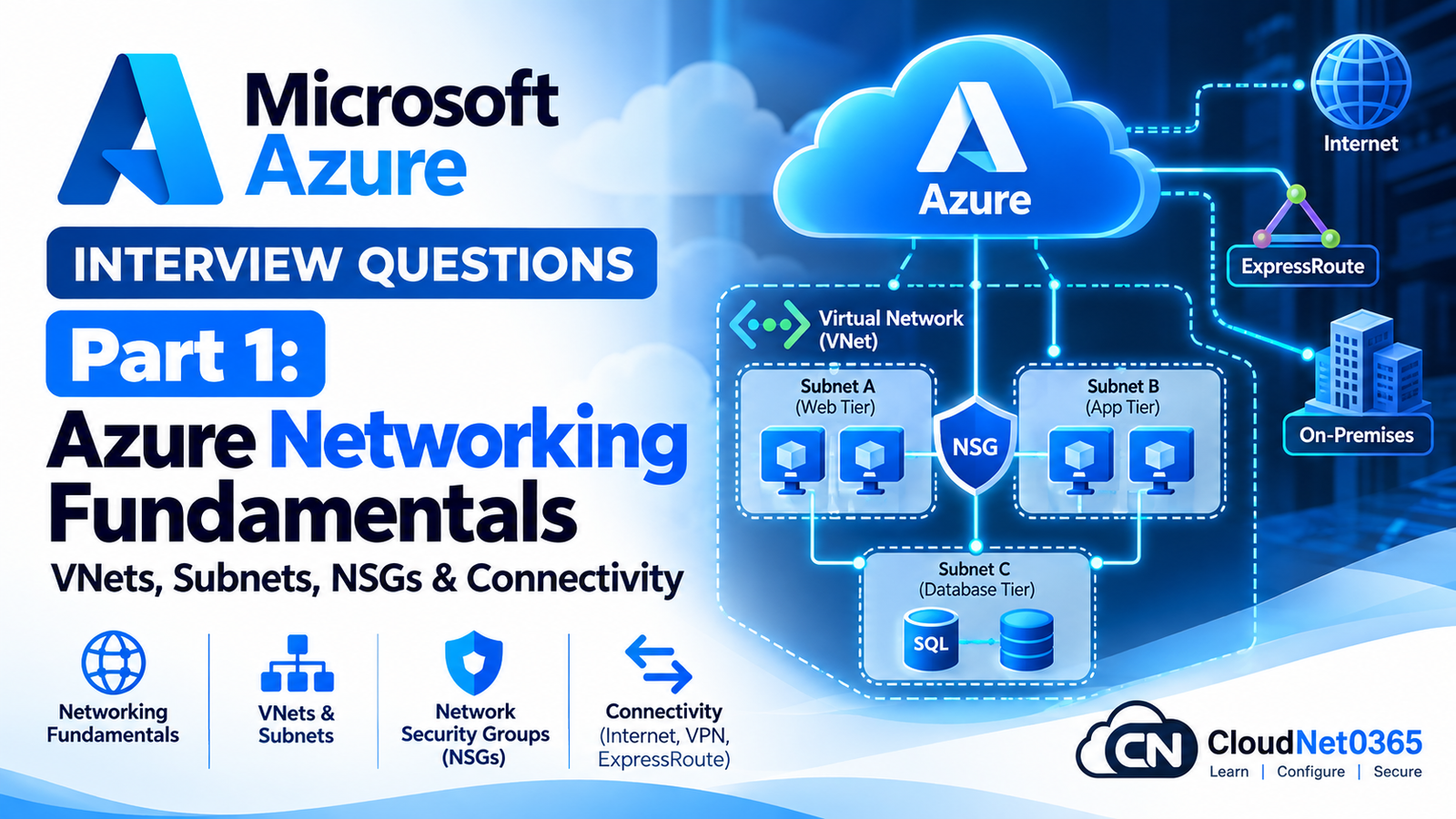
This is Part 1 of the senior IT interview preparation series.
Now we move into Microsoft Azure Administration & Infrastructure.
This first part focuses on Azure networking because networking is one of the most important foundations for Azure administration.
The questions cover:
- Azure Virtual Network
- Address spaces
- Subnets
- Network Interfaces
- Private IP addresses
- Public IP addresses
- Network Security Groups
- Application Security Groups
- Route tables
- User-defined routes
- VNet peering
- Private Endpoints
- Service Endpoints
- DNS
- Azure Load Balancer
- Application Gateway
- Azure Bastion
- VPN Gateway
- ExpressRoute
- Hybrid connectivity
- Network troubleshooting
- Real-world production scenarios
The objective is not simply to memorize Azure services.
You should be able to answer:
“Why is the VM unreachable?”
“Why can two VMs communicate but the application cannot?”
“Why does the NSG allow the traffic but the connection still fails?”
“Why does the private endpoint work from one network but not another?”
“Why can Azure reach on-premises but on-premises cannot reach Azure?”
These are the types of questions that distinguish practical Azure administration from basic Azure terminology.
Azure Networking Fundamentals
Q1. What is an Azure Virtual Network (VNet)?
An Azure Virtual Network is the fundamental private networking boundary for Azure resources.
It provides:
- Private IP address space
- Subnets
- Network segmentation
- Routing
- Connectivity between resources
- Connectivity to on-premises networks
- Integration with Azure networking services
For example:
Azure VNet
10.10.0.0/16
       |
       +--- Web Subnet
       |
       +--- App Subnet
       |
       +--- Database Subnet
Microsoft describes a VNet as a logical representation of a network in Azure and a trust boundary for resources such as virtual machines.
Q2. What is an Azure subnet?
A subnet is a subdivision of a VNet’s address space.
For example:
VNet
10.10.0.0/16

      |
      +--- Web
      |    10.10.1.0/24
      |
      +--- Application
      |    10.10.2.0/24
      |
      +--- Database
           10.10.3.0/24
Subnets are commonly used to:
- Segment workloads
- Apply NSGs
- Control routing
- Separate security zones
- Deploy platform services that require dedicated subnets
Microsoft recommends subnet segmentation based on workload and security requirements.
Q3. Can two Azure VNets use overlapping address spaces?
They can technically be created with overlapping address spaces, but overlapping networks create major connectivity limitations.
For example:
VNet-A
10.10.0.0/16

VNet-B
10.10.0.0/16
This becomes problematic when you need to establish routing between them.
For production environments, I would plan non-overlapping CIDR ranges before deploying VNets, especially when future requirements may include:
- VNet peering
- VPN
- ExpressRoute
- Hub-and-spoke architecture
- On-premises connectivity
Q4. What is CIDR notation?
CIDR represents an IP network and its prefix length.
For example:
10.10.0.0/16
means:
- Network:
10.10.0.0 - Prefix:
/16 - IPv4 address space: 65,536 addresses before Azure-specific subnet reservations and usable-address considerations
Another example:
10.10.1.0/24
provides 256 addresses in the CIDR block.
A senior administrator should be comfortable calculating and planning CIDR ranges before creating Azure networks.
Q5. Why is subnet planning important in Azure?
Poor subnet planning can create problems later.
For example:
Initial design:

VNet 10.10.0.0/16

VM subnet:
10.10.0.0/24
Later you discover that the subnet needs to support many more workloads.
If the subnet cannot be resized conveniently because of existing allocations and dependencies, redesign becomes more difficult.
I would therefore plan:
- Current workload
- Expected growth
- Dedicated platform subnets
- Security boundaries
- Routing requirements
- Future hybrid connectivity
before deploying production workloads.
Azure Network Interfaces
Q6. What is an Azure Network Interface (NIC)?
An Azure NIC connects a virtual machine to an Azure Virtual Network.
A VM must have at least one NIC.
The NIC can be associated with:
- Private IP configuration
- Public IP configuration
- NSG
- Subnet
- Application Security Group membership
Microsoft describes the NIC as the interconnection between an Azure VM and its virtual network.
Q7. Can an Azure VM have multiple NICs?
Yes, supported VM sizes can have multiple NICs.
For example:
VM
 |
 +--- NIC 1 → Front-end subnet
 |
 +--- NIC 2 → Management subnet
Multiple NICs can be useful for specific network architectures.
However, adding multiple NICs does not automatically provide network isolation or security.
Routing and OS configuration must also be designed correctly.
Q8. Can an Azure NIC be moved between subnets?
A NIC can be connected to a different subnet, subject to Azure’s current configuration requirements and constraints.
Before making such a change in production, I would verify:
- NSG
- Route table
- IP configuration
- Application dependencies
- Private endpoint/network dependencies
- Security policies
Changing the subnet can change the effective network behavior of the VM.
IP Addressing
Q9. What is a private IP address in Azure?
A private IP address is used for communication within private Azure networking and connected networks.
Example:
Web VM
10.10.1.10

App VM
10.10.2.10

DB VM
10.10.3.10
These addresses are used for internal communication and can also participate in hybrid connectivity when routing exists between Azure and on-premises networks.
Q10. What is a public IP address?
A public IP address provides public-facing connectivity to an Azure resource or service when supported.
Examples include:
- Public Load Balancer
- Application Gateway
- VPN Gateway
- Azure Bastion
- Certain VM/NIC configurations
A public IP should not be treated as automatically equivalent to unrestricted access.
NSGs, firewall rules and service configuration still determine whether traffic is allowed.
Q11. What is the difference between static and dynamic private IP allocation?
Azure supports dynamic and static private IP allocation.
Dynamic
The private IP is assigned from the subnet and can change when the IP configuration is changed/recreated under applicable conditions.
Static
A specific private IP address is configured for the NIC.
For infrastructure components that require stable addressing, static private IP allocation may be appropriate.
However, I would avoid hardcoding IPs unnecessarily when DNS or Azure service discovery is a better design.
Q12. A VM’s private IP changed unexpectedly. What would you investigate?
I would check:
- NIC IP configuration
- Whether the address was configured as static or dynamic
- VM/NIC lifecycle events
- Recent administrative changes
- Automation
- Infrastructure-as-code deployments
- NIC replacement/recreation
I would also check whether applications incorrectly depend on a hardcoded IP.
Network Security Groups
Q13. What is an Azure Network Security Group (NSG)?
An NSG is a network traffic filtering mechanism that contains security rules for inbound and outbound traffic.
Rules can evaluate factors such as:
- Source
- Destination
- Port
- Protocol
- Direction
- Priority
- Allow/Deny
Example:
Internet
   ↓
TCP 443
   ↓
Web Subnet
   ↓
Allowed

Internet
   ↓
TCP 3389
   ↓
Web Subnet
   ↓
Denied
NSGs can be associated with subnets and network interfaces.
Q14. Can an NSG be associated with both a subnet and a NIC?
Yes.
If an NSG is applied at both levels, both sets of rules participate in the effective traffic filtering.
For inbound traffic, Azure evaluates the subnet-level NSG before the NIC-level NSG.
For outbound traffic, Azure evaluates the NIC-level NSG before the subnet-level NSG.
A deny at either applicable layer can prevent the traffic.
Q15. What are NSG rule priorities?
NSG rules have priority numbers.
A lower numerical priority has higher precedence.
For example:
Priority 100
Allow TCP 443

Priority 200
Deny TCP 443
The priority 100 rule is evaluated first.
Therefore, when troubleshooting an NSG, always inspect the effective rules and their priorities.
Q16. What are the default NSG rules?
Azure NSGs include default rules that allow certain categories of traffic, including:
- VirtualNetwork
- Azure Load Balancer
- Internet outbound traffic
There are also default deny rules at lower priority.
Custom rules can override default behavior because custom rules have higher priority.
I would never assume that “there is no custom allow rule” automatically means every connection is blocked.
Q17. What is the difference between an NSG and Azure Firewall?
NSG
Primarily provides distributed network traffic filtering at subnet/NIC scope.
Azure Firewall
Provides centralized network security and traffic inspection capabilities.
Conceptually:
NSG
→ Distributed access filtering

Azure Firewall
→ Centralized network security / traffic inspection
They can be used together.
Microsoft’s Azure networking documentation identifies NSGs and Azure Firewall as different components within Azure network security architecture.
Q18. A VM has an NSG allowing TCP 443, but HTTPS still does not work. What would you check?
I would not stop at the NSG.
I would check:
- VM is running.
- NIC is connected to correct subnet.
- Effective NSG rules.
- Route table.
- Azure Firewall if present.
- OS firewall.
- Web server is listening on TCP 443.
- DNS resolution.
- Load Balancer/Application Gateway if used.
- TLS/certificate/application configuration.
- Network Watcher connectivity tests.
The traffic path must be investigated end-to-end.
Application Security Groups
Q19. What is an Application Security Group (ASG)?
An ASG allows you to logically group network interfaces based on application roles and reference those groups in NSG rules.
For example:
ASG-Web
  |
  +--- Web01
  +--- Web02

ASG-App
  |
  +--- App01
  +--- App02
Then an NSG rule can conceptually say:
Source: ASG-Web
Destination: ASG-App
Port: TCP 443
Action: Allow
This is easier to maintain than managing large lists of individual IP addresses.
Q20. Why are ASGs useful in large Azure environments?
Because IP addresses can change while application roles remain stable.
For example:
Web servers
→ ASG-Web

Application servers
→ ASG-App

Database servers
→ ASG-DB
Security rules can then describe the intended architecture rather than individual VM IP addresses.
Routing
Q21. What is a route table in Azure?
An Azure route table contains custom routes, also called user-defined routes (UDRs), that can influence how traffic is routed.
For example:
10.20.0.0/16
       ↓
Next hop: Virtual appliance
This can force traffic through a firewall or network virtual appliance.
Q22. What is a User-Defined Route (UDR)?
A UDR is a custom route configured by an administrator.
For example:
Destination:
0.0.0.0/0

Next hop:
Virtual appliance

Next-hop IP:
10.10.10.4
This can cause traffic to pass through a firewall/NVA rather than using the default Azure routing path.
Q23. What is a default route in Azure?
A default route is commonly represented as:
0.0.0.0/0
It represents traffic for destinations not covered by more specific routes.
A UDR can be used to override the default routing behavior for supported scenarios.
Q24. A VM can communicate with resources in its subnet but cannot reach another VNet. What would you check?
I would check:
- VNet address spaces.
- VNet peering.
- Route tables.
- NSGs.
- Azure Firewall/NVA.
- DNS if names are used.
- Whether the VNets have overlapping address spaces.
- Effective routes on the NIC.
- Return path.
The important point is to check both directions.
Q25. What is effective routing?
Effective routes are the routes actually available to a network interface after Azure combines system routes, custom routes and relevant network configuration.
When troubleshooting connectivity, I would inspect the effective routes instead of looking only at the route table resource.
VNet Peering
Q26. What is Azure VNet peering?
VNet peering connects Azure Virtual Networks so resources can communicate using private IP addresses over the Azure backbone.
It can be used between VNets according to the supported peering architecture.
For example:
VNet-A
10.10.0.0/16
     |
     | Peering
     |
VNet-B
10.20.0.0/16
Q27. What is the difference between regional and global VNet peering?
Regional VNet peering
Connects VNets in the same Azure region.
Global VNet peering
Connects VNets across Azure regions.
The appropriate option depends on the architecture and supported configuration.
Q28. Does VNet peering automatically solve all routing problems?
No.
Peering provides connectivity, but you still need to consider:
- Address spaces
- NSGs
- Route tables
- Azure Firewall/NVA
- DNS
- Return routes
- Service-specific restrictions
A successful peering configuration does not automatically mean that every application port is reachable.
Q29. Can VNet peering replace VPN Gateway?
Not for every scenario.
VNet peering is primarily for connecting Azure VNets.
VPN Gateway provides encrypted connectivity such as:
- Site-to-site VPN
- Point-to-site VPN
- VNet-to-VNet VPN
For on-premises connectivity, VPN Gateway or ExpressRoute is typically considered rather than ordinary VNet peering.
Private Connectivity
Q30. What is an Azure Private Endpoint?
A Private Endpoint provides private connectivity from a virtual network to a supported Azure service through a private IP address in the VNet.
For example:
Application VM
10.10.1.10
       |
       ↓
Private Endpoint
10.10.2.10
       |
       ↓
Azure Storage
This allows access to the service through private networking rather than requiring the application to use the service’s public endpoint.
Q31. What is Private Link?
Azure Private Link provides private connectivity to supported Azure services and certain customer-owned services.
A Private Endpoint is the network interface in your VNet that provides the private connection.
A useful distinction is:
Private Link
→ Technology/service

Private Endpoint
→ Private network interface used to connect to it
Q32. What is the difference between Private Endpoint and Service Endpoint?
Private Endpoint
Provides a private IP address in the VNet for the service.
Service Endpoint
Extends VNet identity to supported Azure services over the Azure backbone while the service endpoint remains publicly addressed from the service perspective.
Conceptually:
Private Endpoint
→ Private IP path to service

Service Endpoint
→ VNet-based access control to supported service
For sensitive production architectures, Private Endpoint is often selected when private IP-based access and reduced public exposure are required.
Q33. A private endpoint exists, but the application still connects to the public endpoint. What would you investigate?
I would check:
- DNS
- Private DNS zone
- DNS zone linkage
- Application hostname
- DNS resolution from the workload
- Private endpoint connection state
- Routing
- NSGs/firewall
- Service configuration
A very common issue is that the private endpoint exists but DNS still resolves the service hostname to its public endpoint.
Azure DNS
Q34. What is Azure DNS?
Azure DNS provides DNS hosting and management for DNS zones.
It can host:
- Public DNS zones
- Private DNS zones
Azure Private DNS is particularly important for private connectivity scenarios such as Private Endpoints.
Q35. What is Azure Private DNS?
Azure Private DNS provides name resolution within Azure VNets and connected networks for private DNS namespaces.
For example:
Application
   ↓
storage.internal.company
   ↓
Private IP
Private DNS is especially important when private endpoints are used.
Q36. A Private Endpoint works by IP address but not by hostname. What is your first area of investigation?
DNS.
I would check:
- DNS resolution from the client.
- Private DNS zone.
- VNet link.
- DNS server configuration.
- Conditional forwarding if custom DNS is used.
- Private endpoint DNS records.
- Split-DNS design.
This is a classic Azure troubleshooting scenario.
Azure Load Balancer
Q37. What is Azure Load Balancer?
Azure Load Balancer is a Layer 4 load-balancing service.
It distributes network traffic based on transport-layer information such as:
- IP
- TCP
- UDP
- Port
It can provide:
- Internet-facing load balancing
- Internal load balancing
- High availability
- Health probes
Microsoft describes Azure Load Balancer as a Layer 4 service for distributing traffic among healthy backend instances.
Q38. What is the difference between Public and Internal Azure Load Balancer?
Public Load Balancer
Uses a public frontend IP for internet-facing traffic.
Internal Load Balancer
Uses a private frontend IP for internal applications.
Example:
Internet
   ↓
Public Load Balancer
   ↓
Web VMs
versus:
Web Tier
   ↓
Internal Load Balancer
   ↓
Application VMs
Q39. What is a Load Balancer health probe?
A health probe checks whether a backend instance is healthy enough to receive traffic.
For example:
Load Balancer
      |
      +--- Probe VM01 → Healthy
      |
      +--- Probe VM02 → Unhealthy
If VM02 fails the configured probe, the Load Balancer can stop sending new traffic to that backend according to the load-balancing configuration.
Q40. A VM is running but Azure Load Balancer sends no traffic to it. What would you check?
I would check:
- Backend pool membership
- Health probe
- Probe port
- Probe protocol
- NSG rules
- OS firewall
- Application listening state
- Load-balancing rule
- Frontend IP
- Backend port
- VM NIC configuration
A VM being powered on does not automatically make it healthy from the Load Balancer’s perspective.
Q41. What is an Azure Load Balancer rule?
A load-balancing rule maps frontend traffic to backend instances.
For example:
Frontend:
Public IP : TCP 443

        ↓

Backend Pool:
Web01
Web02
Web03

        ↓

Backend:
TCP 443
The rule works together with the health probe and backend pool.
Q42. Is Azure Load Balancer a Layer 7 reverse proxy?
No.
Azure Load Balancer operates at Layer 4.
For Layer 7 web traffic features such as URL-based routing and web application firewall integration, Azure Application Gateway is the relevant service.
Azure Application Gateway
Q43. What is Azure Application Gateway?
Azure Application Gateway is a Layer 7 web traffic load-balancing service.
It can provide features such as:
- HTTP/HTTPS routing
- Host-based routing
- Path-based routing
- TLS termination
- Web Application Firewall integration
- Cookie-based session affinity
Microsoft describes Application Gateway as a web traffic load balancer for web applications.
Q44. What is the difference between Azure Load Balancer and Application Gateway?
| Feature | Azure Load Balancer | Application Gateway |
|---|---|---|
| Layer | Layer 4 | Layer 7 |
| Protocol focus | TCP/UDP | HTTP/HTTPS |
| URL-based routing | No | Yes |
| Host-based routing | No | Yes |
| WAF integration | No | Yes |
| Web application routing | Limited | Advanced |
| Health probes | Yes | Yes |
A simple interview answer:
Load Balancer distributes TCP/UDP traffic, while Application Gateway provides Layer 7 web traffic routing and can integrate with WAF.
Q45. Why should Application Gateway use a dedicated subnet?
Application Gateway is deployed into a dedicated subnet because it requires its own infrastructure configuration and isolation.
Microsoft specifically recommends a dedicated subnet for Application Gateway deployments.
Q46. An Application Gateway backend is unhealthy. What would you check?
I would investigate:
- Backend pool membership.
- Backend IP/FQDN.
- Health probe configuration.
- Probe path.
- Probe host header if relevant.
- Backend port.
- NSG.
- OS firewall.
- Application listener.
- TLS certificate.
- DNS.
- Network routing.
The Application Gateway health probe is particularly important.
Azure Bastion
Q47. What is Azure Bastion?
Azure Bastion is a managed Azure service that provides secure RDP and SSH connectivity to VMs through the Azure portal without requiring a public IP address on the VM.
Conceptually:
Administrator
      ↓
Azure Portal
      ↓
Azure Bastion
      ↓
Private VM
Microsoft describes Bastion as a managed service providing RDP/SSH connectivity without exposing a public IP directly on the VM.
Q48. Why would you use Bastion instead of assigning public IPs to every VM?
Because exposing individual VMs directly to the Internet increases the attack surface.
Instead:
Bad design:

Internet
 ↓
VM Public IP
 ↓
RDP/SSH
A more controlled design is:
Administrator
 ↓
Bastion
 ↓
Private VM
The VM can remain without a public IP.
Q49. Does Bastion require opening TCP 3389/22 to the Internet on the VM?
No.
With standard portal-based Bastion connectivity, the VM itself does not need inbound Internet exposure on RDP/SSH ports.
Microsoft’s current Bastion security guidance notes that inbound TCP 443 is required to the Bastion public IP for standard portal-based connections, while inbound 3389/22 does not need to be opened on the AzureBastionSubnet for that scenario.
VPN Gateway
Q50. What is Azure VPN Gateway?
Azure VPN Gateway provides encrypted connectivity between:
- On-premises networks and Azure VNets
- Azure VNets
- Remote clients and Azure through supported point-to-site configurations
It supports VPN technologies such as IPsec/IKE for relevant VPN scenarios.
Azure Hybrid Connectivity
Q51. What is a Site-to-Site VPN?
A Site-to-Site VPN connects an on-premises network to an Azure VNet using an encrypted VPN tunnel.
Typical architecture:
On-Premises
10.0.0.0/16
     |
     |
VPN Device
     |
Encrypted IPsec Tunnel
     |
Azure VPN Gateway
     |
Azure VNet
10.20.0.0/16
This is commonly used when an organization needs secure connectivity over the Internet.
Q52. What is Point-to-Site VPN?
Point-to-Site VPN connects an individual client to an Azure VNet.
For example:
Administrator Laptop
       |
       | VPN
       ↓
Azure VPN Gateway
       |
       ↓
Azure VNet
It is useful for individual remote users rather than connecting an entire office network.
Q53. What is ExpressRoute?
Azure ExpressRoute provides private connectivity between an organization’s network and Microsoft cloud services through a connectivity provider.
Unlike an ordinary Internet-based VPN, ExpressRoute is designed for private connectivity through a supported provider.
Microsoft identifies ExpressRoute as a hybrid connectivity service alongside VPN Gateway.
Q54. What is the difference between VPN Gateway and ExpressRoute?
VPN Gateway
- Uses encrypted VPN connectivity.
- Commonly operates over the Internet.
- Generally simpler to deploy.
- Suitable for many hybrid-connectivity scenarios.
ExpressRoute
- Uses private connectivity through a supported provider.
- Designed for enterprise hybrid connectivity.
- Provides predictable private connectivity characteristics.
- More complex and typically more expensive.
The correct choice depends on:
- Business requirements
- Bandwidth
- Reliability
- Latency
- Security
- Existing connectivity provider
- Cost
Azure Networking Troubleshooting
Q55. A VM cannot connect to another VM on the same VNet. What is your troubleshooting sequence?
I would check:
1. VM state
Are both VMs running?
2. IP configuration
Are they using correct private IP addresses?
3. Subnet
Are they connected to the expected subnets?
4. NSG
Check effective security rules.
5. Route
Check effective routes.
6. Guest OS firewall
Windows Firewall or Linux firewall.
7. Application
Is the destination service listening?
8. DNS
If the connection uses a hostname.
9. Network Watcher
Use connection troubleshooting where supported.
I would test layer by layer rather than simply pinging the VM.
Scenario 1 — VM Cannot Reach Internet
Situation
A Windows VM can communicate with another VM but cannot access the Internet.
Investigation
I would check:
- Private IP configuration.
- Default route.
- NSG.
- Route table/UDR.
- NAT Gateway if used.
- Azure Firewall/NVA if present.
- DNS.
- OS firewall.
- Application proxy configuration.
A common mistake is assuming that because a VM has a private IP, Internet access is automatically configured exactly as required by the architecture.
Outbound Internet architecture should be explicitly designed.
Scenario 2 — Internet Can Reach Load Balancer but Backend Is Unhealthy
Investigation
Internet
   ↓
Load Balancer
   ↓
Health Probe
   ↓
Backend VM
I would check:
- Health probe port
- Health probe protocol
- NSG
- OS firewall
- Application listening port
- Backend pool
- Load-balancing rule
The VM being “running” is not enough.
Scenario 3 — VNet Peering Is Connected but VM-to-VM Traffic Fails
Check:
VNet A
  ↓
Peering
  ↓
VNet B
Then investigate:
- Non-overlapping address spaces
- Peering status on both sides
- Effective routes
- NSGs
- Route tables
- Azure Firewall/NVA
- Guest firewalls
Scenario 4 — Private Endpoint Does Not Work
Situation
Application attempts to access Azure Storage through a private endpoint but receives connection errors.
Investigation
I would first test:
nslookup <storage-account-name>.blob.core.windows.net
or:
Resolve-DnsName <storage-account-name>.blob.core.windows.net
I would verify whether the hostname resolves to the expected private IP.
Then check:
- Private DNS
- VNet link
- Private endpoint state
- NSG
- Route
- Storage firewall/network configuration
Scenario 5 — Application Gateway Backend Unhealthy
Investigation
I would check:
Client
 ↓
Application Gateway
 ↓
Listener
 ↓
Routing Rule
 ↓
Backend Pool
 ↓
Health Probe
 ↓
Backend VM/Application
Then validate each layer.
A frequent mistake is checking only the Application Gateway frontend while ignoring the backend health probe.
Scenario 6 — On-Premises Cannot Reach Azure VM
Situation
Azure VM:
10.20.1.10
On-premises:
10.0.0.10
The VPN shows connected, but the VM cannot be reached.
Investigation
I would check:
- VPN tunnel status.
- Local Network Gateway configuration.
- Azure VNet address space.
- On-premises route.
- Azure route.
- NSG.
- Azure Firewall/NVA.
- Guest OS firewall.
- Return path.
- DNS if hostname is used.
A VPN tunnel being “Connected” does not prove that the application traffic path is working.
Scenario 7 — Azure Can Reach On-Premises but On-Premises Cannot Reach Azure
This strongly suggests that the return path or directional security configuration may differ.
I would compare:
Azure → On-Premises
against:
On-Premises → Azure
Check:
- Routing
- NSGs
- Firewalls
- VPN policies
- Asymmetric routing
- Return routes
- On-premises firewall
Network troubleshooting must consider both directions.
Scenario 8 — VM Is Reachable by IP but Not by Name
This is usually a DNS problem.
I would check:
Client
 ↓
DNS Server
 ↓
Record
 ↓
Correct IP?
Commands:
nslookup server01
and:
Resolve-DnsName server01
Then check:
- Azure DNS
- Private DNS
- Custom DNS servers
- DNS forwarding
- Conditional forwarding
- On-premises DNS integration
Scenario 9 — RDP Does Not Work but VM Is Healthy
I would investigate:
- VM running?
- NIC attached?
- NSG allows TCP 3389?
- Route exists?
- Public/private access path correct?
- Windows Firewall?
- Remote Desktop enabled?
- RDP service running?
- Bastion available?
- VPN/ExpressRoute path working?
If using Bastion, I would troubleshoot the Bastion-to-VM path instead of opening RDP publicly.
Scenario 10 — Production Azure Network Incident
Suppose users report:
“The application is completely unavailable.”
A senior administrator should not immediately restart VMs.
I would establish the architecture:
Users
  ↓
DNS
  ↓
Public endpoint
  ↓
Application Gateway / Load Balancer
  ↓
Web tier
  ↓
Application tier
  ↓
Database
  ↓
Private Endpoint / Azure service / On-Premises
Then determine:
- Is DNS working?
- Is the frontend reachable?
- Are backend probes healthy?
- Are NSGs blocking traffic?
- Are routes correct?
- Is the application listening?
- Is storage/database available?
- Is hybrid connectivity working?
- Was there a recent network/security change?
- Is Azure Service Health reporting an issue?
The scope should determine where the investigation starts.
Azure Network Troubleshooting Commands
Test DNS
nslookup server01
PowerShell DNS test
Resolve-DnsName server01
Test TCP connectivity from Windows
Test-NetConnection 10.20.1.10 -Port 443
Example:
Test-NetConnection 10.20.1.10 -Port 3389
This is often more useful than ping when troubleshooting a specific application port.
Test connectivity by hostname
Test-NetConnection app.contoso.com -Port 443
Check local route table
route print
or:
Get-NetRoute
Check local IP configuration
ipconfig /all
Azure CLI Examples
List VNets
az network vnet list -o table
List subnets
az network vnet subnet list \
  --resource-group <resource-group> \
  --vnet-name <vnet-name> \
  -o table
List NSGs
az network nsg list -o table
Show NSG rules
az network nsg rule list \
  --resource-group <resource-group> \
  --nsg-name <nsg-name> \
  -o table
List public IP addresses
az network public-ip list -o table
List route tables
az network route-table list -o table
List VNet peerings
az network vnet peering list \
  --resource-group <resource-group> \
  --vnet-name <vnet-name> \
  -o table
Azure PowerShell Examples
List VNets
Get-AzVirtualNetwork
List NSGs
Get-AzNetworkSecurityGroup
List route tables
Get-AzRouteTable
List public IP addresses
Get-AzPublicIpAddress
List load balancers
Get-AzLoadBalancer
List application gateways
Get-AzApplicationGateway
Network Watcher
Q56. What is Azure Network Watcher?
Azure Network Watcher provides network monitoring and diagnostic capabilities for Azure networking.
It includes capabilities such as:
- Connection troubleshooting
- IP flow verification
- Packet capture
- Network topology
- Network diagnostic information
Microsoft identifies Network Watcher as an Azure network monitoring and diagnostic service.
Q57. What is IP flow verify?
IP flow verify helps determine whether a specific traffic flow is allowed or denied by Azure network security rules.
For example:
Source:
10.10.1.10

Destination:
10.10.2.10

Port:
443

Protocol:
TCP
It can help identify whether an NSG rule is responsible for blocking the traffic.
Q58. What is Connection Troubleshoot?
Connection troubleshoot helps test connectivity between supported Azure resources/endpoints.
It can help identify problems such as:
- No route
- NSG blocking
- Port unavailable
- Network appliance
- Connectivity failure
It is useful because it tests more than simply whether the destination responds to ping.
Senior Azure Networking Architecture
Q59. What is a hub-and-spoke network architecture?
A hub-and-spoke design uses a central VNet as the hub and workload VNets as spokes.
Example:
                 Hub VNet
              /     |      \
             /      |       \
        Spoke-A   Spoke-B   Spoke-C
        Web       Apps      Data
The hub may contain shared services such as:
- Azure Firewall
- VPN Gateway
- ExpressRoute Gateway
- DNS
- Bastion
- Other network services
Spokes contain workload resources.
This can centralize connectivity and security.
Q60. Why is hub-and-spoke useful for enterprise Azure environments?
It can provide:
- Centralized security
- Centralized hybrid connectivity
- Network segmentation
- Shared services
- Consistent routing
- Easier governance
For example:
On-Premises
     |
     ↓
VPN/ExpressRoute
     |
     ↓
Hub
     |
     +--- Spoke 1
     +--- Spoke 2
     +--- Spoke 3
This architecture becomes particularly useful as the Azure environment grows.
Quick Revision
VNet
Logical private network in Azure.
Subnet
Subdivision of a VNet.
NIC
Connects a VM to a VNet.
NSG
Filters network traffic.
ASG
Groups NICs by application role for NSG rules.
Route Table
Contains custom routes.
UDR
User-defined custom route.
VNet Peering
Private connectivity between Azure VNets.
Private Endpoint
Provides private IP-based access to supported services.
Private Link
Technology that enables private connectivity to supported services.
Service Endpoint
Provides VNet-based access control to supported Azure services without a private endpoint IP.
Azure DNS
DNS hosting and management.
Private DNS
Private name resolution.
Load Balancer
Layer 4 load balancing.
Application Gateway
Layer 7 web traffic load balancing.
Bastion
Managed RDP/SSH access to VMs without exposing VM public IPs.
VPN Gateway
Encrypted VPN connectivity.
ExpressRoute
Private connectivity through a supported provider.
Network Watcher
Network monitoring and diagnostics.
Exam Answer Summary
1. If asked: “What is an Azure VNet?”
An Azure VNet is the fundamental private networking boundary for Azure resources. It provides IP addressing, subnets, routing and connectivity between Azure resources and can also integrate with on-premises networks.
2. If asked: “What is the difference between NSG and Azure Firewall?”
An NSG provides distributed network traffic filtering at subnet or NIC scope, while Azure Firewall provides centralized network security and traffic inspection capabilities. They can be used together.
3. If asked: “What is the difference between Load Balancer and Application Gateway?”
Azure Load Balancer operates at Layer 4 and distributes TCP/UDP traffic, while Application Gateway operates at Layer 7 and provides HTTP/HTTPS features such as host/path-based routing and WAF integration.
4. If asked: “What is the difference between Private Endpoint and Service Endpoint?”
A Private Endpoint provides a private IP address in the VNet for a supported service. A Service Endpoint extends VNet identity to supported Azure services while the service remains accessed through its service endpoint architecture.
5. If asked: “A VM cannot communicate with another VM. What do you check?”
I check VM and NIC state, IP configuration, subnet, effective NSG rules, effective routes, firewalls, application listening state and DNS. I also check Azure Network Watcher to determine whether Azure networking is blocking or misrouting the traffic.
6. If asked: “A VPN says connected but applications cannot communicate. What do you check?”
I verify the VPN tunnel, address spaces, local network gateway, Azure routes, on-premises routes, NSGs, firewalls, return path and DNS. A VPN tunnel being connected does not prove that end-to-end application connectivity is working.
7. If asked: “How would you troubleshoot a Private Endpoint?”
I would first verify DNS resolution and confirm that the application hostname resolves to the private endpoint IP. Then I would check the private DNS zone and VNet link, private endpoint state, routes, NSGs, firewalls and the target Azure service’s network configuration.
Senior Interview Tip
Do not answer Azure networking questions by checking only one service.
For example, if the interviewer says:
“The VM cannot connect to SQL.”
Do not immediately say:
“Check the NSG.”
Instead, think end-to-end:
Application
    ↓
DNS
    ↓
Source VM
    ↓
NIC
    ↓
Subnet
    ↓
NSG
    ↓
Route
    ↓
Firewall/NVA
    ↓
Private Endpoint / Load Balancer / Network
    ↓
Destination
    ↓
Destination firewall
    ↓
SQL listener
    ↓
SQL service
Then determine where the failure actually occurs.
This is the senior-level approach:
Follow the packet, not the assumption.
Progress in Microsoft Azure Interview Questions & Answers – Complete Series
Part 1 — Azure Networking Fundamentals
Covered:
- Azure VNet
- Subnets
- CIDR
- NICs
- Private IP
- Public IP
- IP allocation
- NSGs
- NSG priorities
- ASGs
- Route tables
- UDRs
- Effective routes
- VNet peering
- Private Endpoint
- Private Link
- Service Endpoint
- Azure DNS
- Private DNS
- Load Balancer
- Health probes
- Application Gateway
- Azure Bastion
- VPN Gateway
- Site-to-Site VPN
- Point-to-Site VPN
- ExpressRoute
- Network Watcher
- IP flow verification
- Connection Troubleshoot
- Hub-and-spoke architecture
- Real-world networking incidents
What Comes Next
Continue the Microsoft Azure Interview Series
Complete Series: [Microsoft Azure Interview Questions & Answers – Complete Series] | Next Part →: [Part 2: Azure Virtual Machines, Compute, Disks & Availability]
Part 2: Azure Virtual Machines, Compute, Disks & Availability
The next part will move from networking into Azure compute, including:
- Azure VM architecture
- VM sizes
- VM families
- vCPU and memory
- OS disks
- Data disks
- Managed disks
- Disk SKUs
- Premium SSD
- Standard SSD
- Standard HDD
- Ultra Disk
- Disk caching
- Temporary disk
- VM extensions
- VM Agent
- Availability Sets
- Availability Zones
- VM Scale Sets
- VM boot diagnostics
- Serial Console
- VM redeployment
- VM resize
- Stop vs deallocate
- VM networking troubleshooting
- Windows VM troubleshooting
- Linux VM basics
- Azure VM backup considerations
- Performance troubleshooting
- Production VM incidents
- Real-world Azure compute scenarios
The focus will be on how you would actually administer and troubleshoot Azure VMs in production, rather than simply defining VM terminology.
For official Microsoft 365 documentation and additional technical information, visit: Microsoft Learn