
Introduction
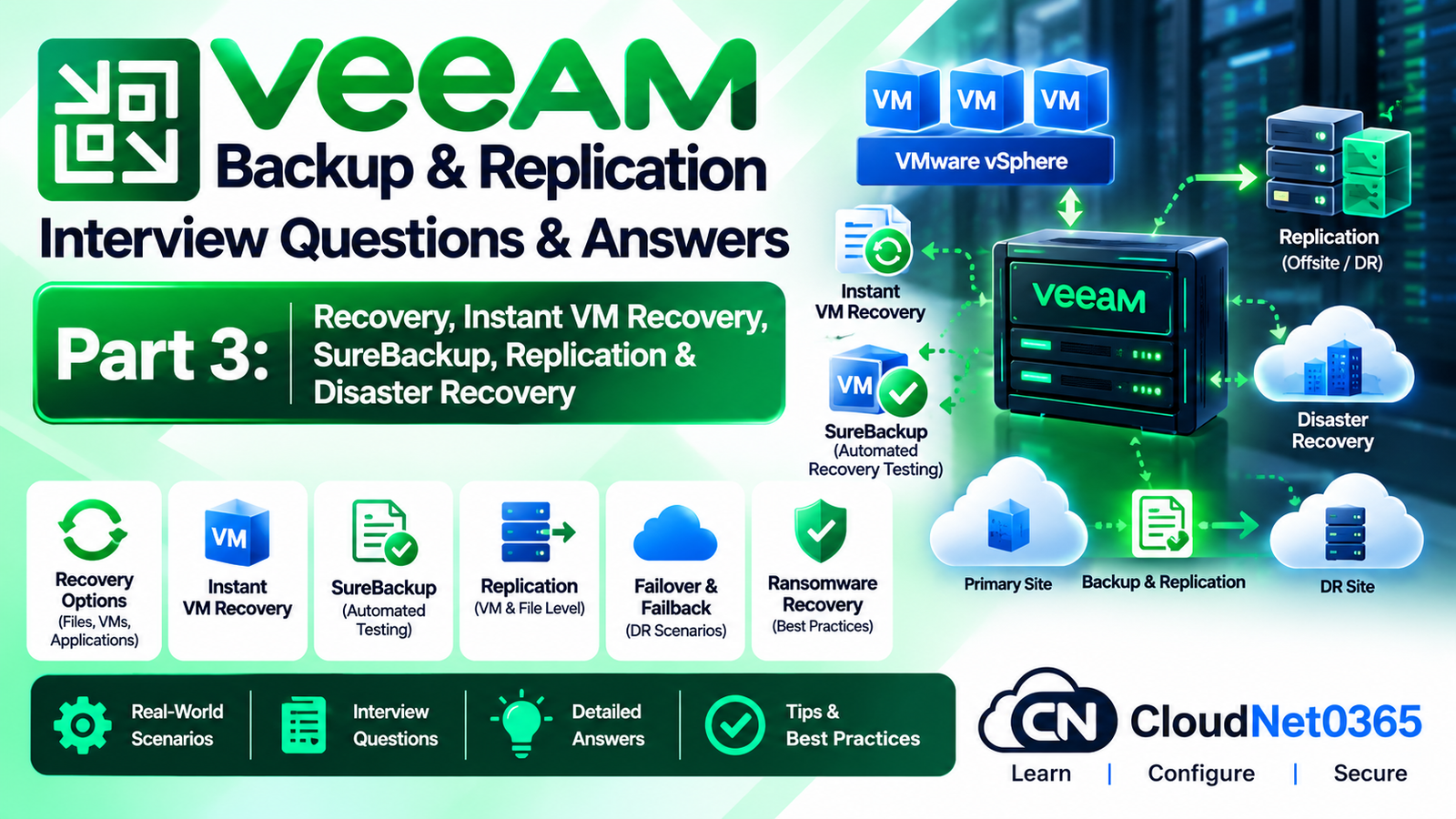
This is Day 10 – Part 3 of the Veeam Backup & Replication interview series.
Parts 1 and 2 covered Veeam architecture, backup jobs, repositories, Backup Copy, GFS, SOBR, Capacity Tier, hardened repositories, immutability and ransomware protection.
This part moves into the recovery and disaster-recovery side of Veeam.
The focus is on the questions commonly asked in senior System Administrator, System Engineer, Infrastructure Engineer, Backup Administrator and IT Manager interviews:
- Instant VM Recovery
- Full VM Restore
- File-Level Recovery
- Application Item Recovery
- SureBackup
- Virtual Lab
- Application Groups
- Recovery verification
- Replication
- Replica seeding and mapping
- Failover
- Planned Failover
- Failback
- Permanent Failover
- Failover Plans
- RPO and RTO
- Disaster Recovery architecture
- Recovery from backup repositories and object storage
- Real-world production failures
The goal is not simply to know which Veeam button to click. A senior administrator should understand which recovery method to select, why to select it, what dependencies exist, and how to troubleshoot the recovery when it fails.
Q1. What is Instant VM Recovery in Veeam?
Answer:
Instant VM Recovery allows you to start a VM directly from a backup without first waiting for the entire VM to be restored to production storage.
The primary purpose is to reduce downtime and improve the recovery time for critical workloads.
Instead of:
Backup → Restore entire VM → Register VM → Power on
Veeam can provide:
Backup → Run VM from backup
The recovered VM can then be migrated or restored to production storage using the appropriate recovery workflow.
Veeam’s current documentation describes Instant Recovery as a method of running workloads directly from backup data to reduce downtime.
Example
A 2 TB application server is corrupted.
A traditional restore may take significant time because 2 TB must be transferred to production storage.
With Instant VM Recovery, the VM can be brought online much faster while the underlying data is still being accessed from the backup infrastructure.
Interview Tip
Do not describe Instant VM Recovery as a permanent replacement for restoring the VM to production storage.
It is primarily a rapid recovery mechanism.
Q2. When would you choose Instant VM Recovery instead of a Full VM Restore?
Answer:
Choose Instant VM Recovery when:
- The business needs the VM online quickly.
- RTO is very aggressive.
- The production datastore is unavailable or slow.
- The VM is large and a full restore would take too long.
- You need temporary access to the workload while planning a permanent restore.
Choose Full VM Restore when:
- There is enough time for the complete restore.
- The VM needs to be permanently returned to production storage.
- You need a clean restored VM at a new location.
- The backup infrastructure should no longer serve the VM’s active workload.
Simple decision
Very low RTO → Instant VM Recovery
Permanent recovery → Full VM Restore
Q3. What is the difference between Instant VM Recovery and Full VM Restore?
Answer:
| Feature | Instant VM Recovery | Full VM Restore |
|---|---|---|
| Startup speed | Very fast | Depends on restore size |
| Runs directly from backup | Yes | No |
| Full data restored before startup | No | Yes |
| Best use | Rapid recovery | Permanent restoration |
| Production migration required | Usually | No |
| Useful for low RTO | Yes | Depends on infrastructure |
The key difference is where the VM’s active data initially comes from.
Instant recovery can start the workload directly from backup data, while a full restore recreates the VM on the target production infrastructure.
Q4. What should you do after performing Instant VM Recovery?
Answer:
For a temporary recovery, the VM should eventually be moved to normal production storage.
The exact workflow depends on the platform and Veeam recovery method, but the administrator should ensure that:
- The recovered VM is operating correctly.
- Network connectivity is correct.
- Application services are healthy.
- Production storage is available.
- The workload is migrated or restored to the intended production location.
- The temporary recovery state is properly finalized.
Senior Interview Point
Do not leave a critical production VM permanently dependent on a temporary recovery mechanism without understanding the operational implications.
Q5. What is Full VM Restore?
Answer:
Full VM Restore restores an entire VM from a backup.
Depending on the requirement, you can restore:
- To the original location.
- To a new location.
- With different VM settings.
- To different compute/storage infrastructure supported by the selected recovery workflow.
When restoring to a new location, Veeam provides options for changing settings such as VM location, network configuration and virtual disk format.
Q6. What is the difference between restoring to the original location and restoring to a new location?
Answer:
Original Location
Used when the original VM needs to be replaced or recovered.
The objective is normally:
Recover the workload back into its original production environment.
New Location
Used when:
- The original host is unavailable.
- The original datastore is unavailable.
- The original VM is damaged and must remain available for investigation.
- You are performing disaster recovery.
- You are testing recovery.
- You need to recover with different VM settings.
Veeam provides separate restore modes for these scenarios.
Q7. What is File-Level Recovery?
Answer:
File-Level Recovery allows you to restore individual files or folders without restoring the entire VM.
For example:
A user accidentally deletes:
D:\Finance\Budget.xlsx
You don’t need to restore the entire server.
You can mount or access the appropriate restore point and recover only:
Budget.xlsx
Veeam supports guest OS file recovery for supported Windows, Linux and other guest operating systems.
Q8. When would you use File-Level Recovery instead of Full VM Restore?
Answer:
Use File-Level Recovery when:
- Only a few files were deleted.
- A user accidentally overwrote a document.
- A configuration file needs to be recovered.
- You need historical file content.
- The VM itself is healthy.
Use Full VM Restore when:
- The entire VM is corrupted.
- The operating system has failed.
- Multiple disks or applications are damaged.
- The VM must be rebuilt.
Interview Answer
“If the workload is healthy and only individual files are missing, I use File-Level Recovery rather than restoring the entire VM.”
Q9. What is Application Item Recovery in Veeam?
Answer:
Application Item Recovery allows administrators to recover individual application objects instead of restoring the complete VM.
Examples include recovery of items from applications such as:
- Microsoft Active Directory
- Microsoft SQL Server
- Microsoft Exchange
- Other supported applications
Veeam uses Veeam Explorers for application-specific item recovery.
Example
If one Active Directory object is accidentally deleted, you may not need to restore the entire domain controller VM.
You can use the appropriate Veeam Explorer to recover the required object.
Q10. What are Veeam Explorers?
Answer:
Veeam Explorers are application-specific recovery tools used to recover granular application data from backups and replicas.
They allow administrators to recover specific application objects rather than restoring an entire VM.
The exact available Explorer depends on the protected application and Veeam version.
Senior Interview Tip
The important concept is:
Image-level backup + application-aware recovery = granular application recovery.
Q11. Why is application-aware processing important for application recovery?
Answer:
For applications such as databases and directory services, simply capturing VM disk blocks does not always provide the best application-level recovery experience.
Application-aware processing helps Veeam coordinate with supported applications and capture application-consistent data.
This is particularly important for:
- Microsoft SQL Server
- Microsoft Exchange
- Active Directory
- Other transactional applications
Example
For a SQL Server workload, you want a recovery point that is suitable for SQL-level recovery, not merely a crash-consistent copy of virtual disks.
Q12. What is SureBackup?
Answer:
SureBackup is Veeam’s recovery verification technology.
It allows administrators to test whether backed-up workloads can actually be started and verified.
This is important because:
A successful backup job does not automatically prove that the workload can be successfully recovered.
SureBackup can run workloads in an isolated environment and perform recovery verification tests.
Q13. Why is SureBackup important in a production environment?
Answer:
Imagine an organization has:
- 500 successful backup jobs.
- 99% backup-job success rate.
That sounds good.
But during a disaster, the administrator discovers that:
- A backup is corrupted.
- A required application does not start.
- DNS is unavailable.
- Network dependencies were not considered.
- A restore point is unusable.
The organization then discovers that:
Backup success ≠ Recovery success
SureBackup helps verify recoverability before an actual disaster.
Q14. How does SureBackup work at a high level?
Answer:
In full recoverability testing mode, Veeam:
- Starts the Virtual Lab.
- Starts required machines from the Application Group.
- Starts the VM being verified directly from backup.
- Performs verification tests.
- Checks application/network/VM behavior.
- Generates the recovery verification result.
- Cleans up the isolated environment.
Veeam documents heartbeat, ping and application tests as part of recovery verification.
Q15. What is a Virtual Lab in Veeam?
Answer:
A Virtual Lab is an isolated virtual environment used for recovery verification.
It allows Veeam to start recovered machines without connecting them directly to the production network.
The Virtual Lab mirrors relevant production network structures while keeping recovered machines isolated.
Why isolation is necessary
Suppose a production VM has:
192.168.10.50
The recovered test VM may also have:
192.168.10.50
Connecting both directly to production could create:
- IP conflicts
- Duplicate hostnames
- Application conflicts
- Security problems
Therefore, isolation is critical.
Q16. What is an Application Group in SureBackup?
Answer:
An Application Group contains machines that provide dependencies required by the workload being tested.
For example:
Exchange Server
may depend on:
- Domain Controller
- DNS
- Other required infrastructure
The Application Group allows those dependencies to be started and tested first.
Veeam’s documentation describes Application Groups as the environment required for a verified workload to operate correctly.
Q17. Give an example of a SureBackup Application Group.
Answer:
Suppose you want to verify an Exchange Server.
You could have:
Application Group
- Domain Controller
- DNS
- Exchange Server
Startup order:
Domain Controller
        ↓
DNS / supporting services
        ↓
Exchange Server
        ↓
Application tests
The exact dependency order should be designed according to the actual environment.
Q18. What tests can SureBackup perform?
Answer:
Depending on the configuration and version, recovery verification can include:
- Heartbeat test
- Ping test
- Application test
- Backup file validation
- Custom verification scripts
- Malware/content scanning capabilities
Veeam documents predefined tests, backup-file validation and custom verification scripts for full recoverability testing.
Q19. What is the difference between a ping test and an application test?
Answer:
Ping Test
Checks basic network-level reachability.
Example:
Can the VM respond to ICMP?
Application Test
Checks whether the required application/service is actually functioning.
For example:
Is DNS responding correctly?
Is SQL Server accepting connections?
Is a web service responding?
A VM can pass a ping test while its application is completely broken.
Therefore:
Ping success does not mean application success.
Q20. What happens to changes made inside a VM during SureBackup verification?
Answer:
The original backed-up data remains protected.
Changes made while the VM is running in the verification environment are written to temporary/differencing storage rather than modifying the original backup data.
After verification completes, those temporary changes are discarded.
This allows administrators to test the workload without modifying the protected backup itself.
Q21. What is Veeam replication?
Answer:
Veeam replication creates a VM replica at another location, typically a disaster recovery site.
The objective is to maintain a ready-to-start copy of the workload.
Conceptually:
Production VM
     |
     | Replication
     v
DR VM Replica
A replication job defines:
- Source VMs
- Replica destination
- Network mapping
- Re-IP rules
- Data transfer settings
- Seeding/mapping
- Schedule
- Guest processing
- Advanced replica settings
Veeam documents these as part of the replication job configuration.
Q22. What is the main difference between a backup and a replica?
Answer:
Backup
Designed primarily for:
- Historical recovery
- Point-in-time recovery
- Long-term retention
- Protection from deletion/corruption
- Granular recovery
Replica
Designed primarily for:
- Fast disaster recovery
- Rapid workload startup
- Maintaining a secondary VM copy
- Site-level continuity
Simple interview answer
“A backup provides historical recovery points, while a replica provides a ready-to-run copy for rapid disaster recovery.”
Q23. Does replication replace backup?
Answer:
No.
Replication should not normally be treated as a replacement for backup.
Consider ransomware.
If malicious changes are replicated immediately:
Production VM
     ↓
Ransomware encryption
     ↓
Replica
The replica may also contain the corrupted state.
Therefore, a resilient design normally uses:
Primary workload + Backup + Off-site/isolated protection + Recovery testing
Q24. What is RPO?
Answer:
RPO = Recovery Point Objective
It defines how much data loss the business can tolerate.
Example:
RPO = 15 minutes.
This means the recovery design should aim to ensure that the business can recover to a point no more than approximately 15 minutes behind the failure, subject to the actual implementation.
Example
If a server fails at:
14:00
and the latest usable recovery point is:
13:50
then the potential data-loss window is approximately:
10 minutes
Q25. What is RTO?
Answer:
RTO = Recovery Time Objective
It defines how quickly the service should be restored after an outage.
Example:
RTO = 30 minutes.
The recovery architecture should therefore be designed so that the service can be restored within the required target, subject to actual infrastructure and recovery conditions.
Q26. What is the difference between RPO and RTO?
Answer:
| Term | Meaning |
|---|---|
| RPO | How much data loss is acceptable |
| RTO | How much downtime is acceptable |
Easy memory:
RPO → Point
RTO → Time to recover
Q27. What is Failover in Veeam replication?
Answer:
Failover switches the workload from the production VM to its replica at the DR site.
Conceptually:
Production VM
      X
      |
      | Failover
      v
DR Replica
The replica becomes the active workload.
Veeam describes failover as switching from the source VM to its replica at the disaster recovery site.
Q28. What is Planned Failover?
Answer:
Planned Failover is used when you know the production workload is going to become unavailable and you want to proactively move it to the replica.
Examples:
- Datacenter maintenance
- Planned infrastructure migration
- Hardware maintenance
- Software upgrades
- Planned shutdown
During planned failover, Veeam attempts to synchronize outstanding changes before switching the workload to the replica.
Example
Production
    |
    | Synchronize latest changes
    ↓
Replica
    |
    | Production shutdown
    ↓
Replica becomes active
Q29. What is the difference between normal Failover and Planned Failover?
Answer:
Normal Failover
Used when the production workload has failed or is no longer usable.
There may be unsynchronized changes.
Planned Failover
Used when the administrator knows the workload will be taken offline.
Veeam attempts to synchronize the latest changes before switching to the replica.
Therefore:
Planned Failover → controlled transition
Failover → disaster/unplanned transition
Q30. What is Failback?
Answer:
Failback is the process of returning the workload from the replica to production.
Conceptually:
Production
     ↓
   FAILOVER
     ↓
DR Replica
     ↓
  FAILBACK
     ↓
Production
During failback, Veeam transfers changes made while the VM was running in the failover state back toward the production workload. The failback operation is an intermediate stage that should then be committed or undone depending on the result.
Q31. What is Commit Failback?
Answer:
After failback, the administrator should verify that the recovered production VM is operating correctly.
If everything is working:
Commit Failback
This confirms that the production workload is now the intended active workload.
If the recovered production VM is not working correctly:
Undo Failback
can be used to return to the previous failover state, according to the recovery workflow.
Q32. What is Permanent Failover?
Answer:
Permanent Failover is used when the DR replica is going to become the new permanent production workload.
This is different from temporary failover.
Temporary Failover
Production → Replica
with the intention of eventually returning or making another recovery decision.
Permanent Failover
Production → Replica
and the replica becomes the new production workload.
The operation is therefore a significant DR decision and should be performed only when the organization has decided that the replica is the permanent workload.
Q33. What is a Failover Plan?
Answer:
A Failover Plan allows administrators to fail over multiple dependent VMs in a controlled sequence.
For example:
1. DNS
2. Domain Controller
3. SQL Server
4. Application Server
5. Web Server
This matters because starting all servers simultaneously may cause application dependency failures.
Veeam allows administrators to define the order and delay between workload failover operations.
Q34. Why is VM startup order important during disaster recovery?
Answer:
Applications often have dependencies.
For example:
DNS
 ↓
Active Directory
 ↓
SQL Server
 ↓
Application Server
 ↓
Web Server
If the application server starts before DNS or its database is available, the application may fail.
Therefore, DR should consider application dependency order, not just VM availability.
Q35. What is replica seeding?
Answer:
Replica seeding is used to reduce the amount of data that must cross the network during the initial replication.
Instead of transferring the entire VM over a WAN:
- Create a suitable backup/seed.
- Make the seed available at the DR site.
- Veeam uses the seed as the initial replica data.
- Only required differences need to be transferred during synchronization.
This is especially useful over slow or expensive WAN links.
Q36. What is replica mapping?
Answer:
Replica mapping is used when a suitable VM already exists at the DR site.
Instead of creating the entire replica again, Veeam compares the source VM with the existing target VM and transfers the required differences.
This can significantly reduce initial synchronization traffic.
Veeam supports both replica seeding and mapping for reducing initial replication traffic.
Q37. What is the difference between replica seeding and replica mapping?
Answer:
Seeding
You provide a backup-based seed that Veeam uses to establish the replica.
Mapping
You already have an existing VM/copy at the DR location and tell Veeam to use it as the target replica.
| Feature | Seeding | Mapping |
|---|---|---|
| Starting data | Backup seed | Existing VM |
| Main purpose | Reduce initial WAN transfer | Reuse existing VM |
| Useful for | New replica | Existing target |
| Full VM transfer required | Avoided | Avoided |
Q38. What happens if a replication job uses seeding/mapping but one VM is not covered?
Answer:
This is an important operational detail.
When replica seeding or mapping is enabled, the VMs in that replication job must be covered appropriately by seeding or mapping.
If a VM has neither a seed nor an appropriate mapping, Veeam can skip that VM from processing rather than treating it as a normal initial replication.
This is documented behavior in the current Veeam replication documentation.
Senior Interview Tip
Do not simply say:
“Seeding is optional.”
Instead, understand the consequences when the replication job is configured to use seeding/mapping.
Q39. A VM replica exists, but the application does not work after failover. What would you check?
Answer:
Use a layered approach.
Step 1 — VM State
Check:
- VM powered on
- CPU/memory
- Virtual disks
- Boot process
Step 2 — Network
Check:
- NIC connected
- Correct VLAN/network
- IP configuration
- DNS
- Gateway
- Routing
Step 3 — Application Dependencies
Check:
- Domain Controller
- DNS
- SQL
- File servers
- Authentication services
Step 4 — Application
Check:
- Windows services
- Application logs
- Database connectivity
- Application configuration
Step 5 — DR Configuration
Check:
- Network mapping
- Re-IP rules
- Replica configuration
- Failover plan order
Do not immediately assume that “replication is broken” simply because the application does not start.
Q40. What is Re-IP in Veeam replication?
Answer:
Re-IP rules allow a replicated VM to receive different IP configuration after it is started at the DR site.
This is useful when production and DR networks use different subnets.
Example:
Production
IP: 10.10.10.50
Gateway: 10.10.10.1
DR
IP: 10.20.10.50
Gateway: 10.20.10.1
The replica can be configured so that the appropriate DR network configuration is applied during failover.
Q41. What is network mapping in replication?
Answer:
Network mapping tells Veeam how the source VM’s production network corresponds to the target DR network.
Example:
Production VLAN 100
        ↓
      DR VLAN 200
Without proper network mapping, a replica could boot with the wrong virtual network and remain inaccessible.
Q42. A replica fails to boot after failover. How would you troubleshoot it?
Answer:
Follow this sequence:
1. Check VM power state
Is the replica actually powered on?
2. Check console
Look for:
- Boot errors
- Missing boot disk
- OS corruption
- Driver problems
3. Check virtual hardware
Verify:
- CPU
- RAM
- Disk controllers
- Virtual disks
- NIC
4. Check datastore
Ensure required replica files are accessible.
5. Check replica restore point
Determine whether the selected restore point is valid.
6. Check network
After the OS boots, verify:
ipconfig /all
route print
nslookup
7. Check application dependencies
A VM may boot successfully while the application remains unavailable.
Q43. What would you do if the latest replica restore point is corrupted?
Answer:
Do not assume that the latest point is the only recovery option.
First identify:
- Earlier replica restore points.
- Backup restore points.
- Off-site backup copies.
- Immutable backup copies.
- Other DR replicas if available.
Then select the latest known-good recovery point that meets the business RPO.
This is why retention and multiple recovery points matter.
Q44. Can SureBackup verify a replica?
Answer:
Yes.
Veeam supports SureBackup recovery verification for VM replicas in the appropriate full recoverability testing mode.
This allows an organization to test whether the replica can actually boot and operate in an isolated environment.
Q45. How would you design Veeam DR for a critical SQL Server?
Answer:
I would first establish business requirements:
- RPO
- RTO
- Data retention
- Application dependencies
- DR site capacity
- Network bandwidth
Then design multiple protection layers.
Example:
SQL Production VM
       |
       +---- Veeam Backup
       |
       +---- Immutable/off-site backup
       |
       +---- VM Replica to DR
       |
       +---- Recovery Verification
I would also include:
- Application-aware processing.
- SQL-aware recovery requirements.
- DNS/AD dependencies.
- Network mapping.
- Re-IP requirements.
- DR runbook.
- Regular recovery testing.
The exact architecture should be based on the organization’s RPO/RTO rather than simply enabling every available feature.
Q46. A company says: “Our backup jobs are successful, so DR is ready.” How would you respond in an interview?
Answer:
I would explain:
“Successful backup jobs demonstrate that data is being protected, but they do not by themselves prove that the workload can be successfully recovered within the required RTO.”
I would validate:
- Restore-point availability.
- Backup integrity.
- VM boot capability.
- Application recovery.
- Network configuration.
- Application dependencies.
- DR capacity.
- Recovery time.
- Recovery documentation.
- Regular recovery testing.
This is where SureBackup and actual restore testing become important.
Answer:
If the infrastructure and backup type support it, I would consider Instant VM Recovery to bring the workload online rapidly.
Then I would:
- Verify the VM.
- Verify network connectivity.
- Verify application services.
- Restore/migrate the workload to appropriate production storage when available.
- Confirm that the final production state is protected by the normal backup policy.
The key objective is to satisfy the immediate RTO first, then establish a stable permanent production state.
Answer:
I would follow this sequence:
Step 1 — Identify the disaster scope
Determine:
- Single VM?
- Host?
- Cluster?
- Storage?
- Entire datacenter?
Step 2 — Identify recovery source
Determine whether the best source is:
- Replica
- Local backup
- Off-site backup
- Immutable backup
- Capacity Tier/object storage
Step 3 — Validate RPO
Determine the latest usable recovery point.
Step 4 — Validate RTO
Select the recovery method that can meet the required recovery time.
Step 5 — Recover dependencies first
For example:
Network
 ↓
DNS
 ↓
AD
 ↓
Database
 ↓
Application
 ↓
Web
Step 6 — Validate applications
Don’t stop after confirming that VMs are powered on.
Step 7 — Communicate recovery status
Document:
- Recovered workloads
- Recovery point
- Data-loss window
- Application status
- Remaining issues
Q49. Give a complete Veeam disaster-recovery troubleshooting methodology.
Answer:
Use the following layered methodology.
Layer 1 — Business Requirement
Determine:
RPO?
RTO?
Critical applications?
Required recovery order?
Layer 2 — Recovery Source
Determine:
Replica?
Backup?
Off-site backup?
Immutable backup?
Object storage?
Layer 3 — Recovery Point
Verify:
Latest usable restore point
Backup chain
Replica state
Restore-point availability
Layer 4 — Infrastructure
Check:
ESXi/Hyper-V
Datastore
CPU
RAM
Network
Backup repository
Proxy
Layer 5 — VM
Check:
Power state
Virtual disks
NIC
Boot
VM configuration
Layer 6 — Network
Check:
VLAN
IP
Gateway
DNS
Routing
Firewall
Network mapping
Re-IP
Layer 7 — Dependencies
Check:
AD
DNS
DHCP
SQL
File servers
Authentication
Layer 8 — Application
Check:
Windows services
Application logs
Database connectivity
Application functionality
Layer 9 — Business Validation
Finally verify:
Can users actually perform their business operation?
This is the difference between:
VM recovery
and
service recovery.
Q50. You are the senior administrator responsible for Veeam DR. What would your production recovery strategy look like?
Answer:
I would design the recovery strategy around business requirements rather than individual Veeam features.
A mature architecture could look like:
                    PRODUCTION
                        |
              +---------+---------+
              |                   |
              v                   v
        Veeam Backup          Veeam Replica
              |                   |
              v                   v
      Primary Repository       DR Site
              |
              v
      Off-site / Immutable
           Protection
              |
              v
       Object Storage /
        Secondary Site
Then I would implement:
1. Defined RPO
For example:
Critical workload: 15 minutes
Standard workload: 4 hours
The actual values must come from the business.
2. Defined RTO
For example:
Critical application: 30 minutes
Standard server: 4 hours
Again, these are business requirements, not universal Veeam defaults.
3. Multiple Recovery Methods
Use the appropriate mechanism for each workload:
File deleted
    ↓
File-Level Recovery

Application object deleted
    ↓
Application Item Recovery

Entire VM failure
    ↓
Full VM Restore / Instant VM Recovery

Datacenter outage
    ↓
Replica Failover

Long-term historical recovery
    ↓
Backup / Backup Copy / Immutable Backup
4. Recovery Verification
Regularly perform:
- SureBackup
- Restore testing
- Application validation
- DR exercises
SureBackup can run recovery verification in an isolated Virtual Lab, including application and network-related tests.
5. Documented DR Runbook
The runbook should clearly state:
Who declares disaster?
Who starts failover?
Which workloads recover first?
Which restore points are used?
How are IP addresses changed?
How is DNS handled?
How are applications validated?
Who communicates recovery status?
How is failback performed?
Who approves permanent failover?
6. Regular DR Testing
A DR plan that has never been tested is only a plan on paper.
The final objective is:
Protect → Verify → Recover → Validate → Failback/Finalize
Quick Revision – Day 10 Part 3
| Topic | Key Point |
|---|---|
| Instant VM Recovery | Rapidly start VM from backup |
| Full VM Restore | Permanently restore entire VM |
| File-Level Recovery | Recover individual files/folders |
| Application Item Recovery | Recover application-level objects |
| SureBackup | Verify recoverability |
| Virtual Lab | Isolated recovery-testing environment |
| Application Group | Provides workload dependencies |
| Replica | Ready-to-start DR copy |
| Backup | Historical recovery data |
| RPO | Acceptable data-loss window |
| RTO | Acceptable recovery-time target |
| Failover | Production → Replica |
| Planned Failover | Controlled production → Replica transition |
| Failback | Replica → Production |
| Permanent Failover | Replica becomes permanent workload |
| Failover Plan | Ordered multi-VM recovery |
| Replica Seeding | Reduce initial WAN transfer |
| Replica Mapping | Reuse existing target VM |
| Network Mapping | Source network → DR network |
| Re-IP | Change network configuration during DR |
| Recovery Verification | Prove backups/replicas are usable |
Exam Answer Summary
What is Instant VM Recovery?
It allows a VM to be started directly from backup for rapid recovery and reduced downtime.
What is SureBackup?
SureBackup verifies that backed-up workloads can actually be recovered and operated in an isolated environment.
What is a Virtual Lab?
An isolated environment used to start and verify recovered workloads without affecting production.
What is an Application Group?
A group of dependent machines that are started before the workload being verified.
What is File-Level Recovery?
Recovery of individual files or folders without restoring the entire VM.
What is Application Item Recovery?
Granular recovery of application-specific objects using Veeam application recovery capabilities.
What is replication?
Maintaining a secondary VM copy at another location for rapid disaster recovery.
What is RPO?
The amount of data loss the business is prepared to tolerate.
What is RTO?
The amount of time within which the business expects the service to be restored.
What is Failover?
Switching workload operation from the production VM to its replica.
What is Planned Failover?
A controlled failover used when production is expected to become unavailable.
What is Failback?
Returning workload operation from the replica to production.
What is replica seeding?
Using existing backup data to reduce the amount of data transferred during initial replication.
What is replica mapping?
Using an existing target VM as the basis for replica synchronization.
Senior Interview Tip
For a senior Veeam interview, avoid answering every question with:
“I would restore the backup.”
Instead, demonstrate that you understand the recovery decision process.
A strong senior answer sounds like:
“First I identify the business RPO and RTO. Then I determine whether the appropriate recovery source is a replica or backup. If the workload must be online immediately, I consider Instant VM Recovery or replica failover depending on the failure scenario. I then recover the required infrastructure dependencies, validate network and DNS configuration, verify the application, and finally establish the permanent production state. I also make sure recovery has been tested beforehand through SureBackup or actual restore exercises.”
That demonstrates knowledge of:
Backup + Recovery + DR + Networking + Applications + Business Requirements
rather than only knowledge of the Veeam console.
Day 10 Progress
Part 1
Veeam Architecture, VMware Backup, Repositories, Jobs & Core Administration ✅
Part 2
Advanced Backup, Backup Copy, SOBR, GFS, Hardened Repositories & Ransomware Protection ✅
Part 3
Advanced Recovery, Instant VM Recovery, SureBackup, Application Recovery, Replication & Disaster Recovery Scenarios ✅
Next Part
Veeam Backup & Replication Interview Questions – Day 10 Part 4: Advanced Veeam Troubleshooting, Backup Failures, Repository/Proxy/Network Issues, Performance Analysis & Production Scenarios
This next part will focus on troubleshooting and performance, rather than repeating the recovery concepts covered here.