
Introduction
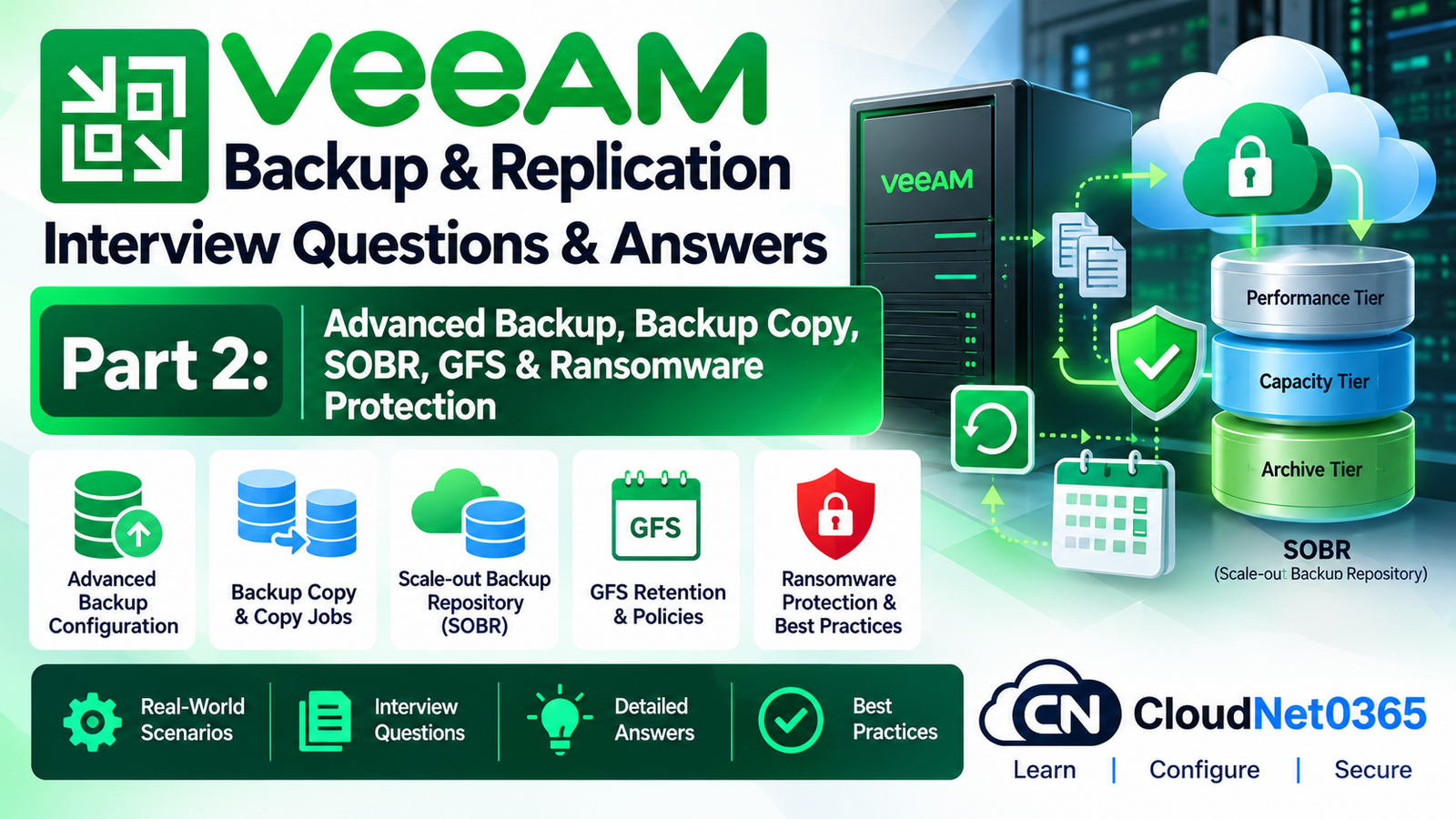
This is Day 10 Part 2 of the Veeam Backup & Replication interview series.
Day 10 Part 1 covered the core Veeam architecture:
- Backup Server
- Backup Proxy
- Backup Repository
- VMware integration
- Backup Jobs
- Backup Chains
- Active Full
- Synthetic Full
- Incremental Backups
- CBT
- Application-Aware Processing
- VMware Transport Modes
- Retention
- RPO/RTO
- Core troubleshooting
This part moves into advanced enterprise backup architecture and ransomware-resistant backup design.
The major topics covered are:
- Backup Copy Jobs
- GFS retention
- Scale-Out Backup Repository (SOBR)
- Performance Tier
- Capacity Tier
- Archive Tier
- Object Storage
- Hardened Linux Repository
- Immutability
- Ransomware protection
- Repository security
- Backup encryption
- Air-gapped/off-site protection concepts
- Backup infrastructure security
- Advanced production scenarios
- Troubleshooting immutable repositories
- Capacity planning
The current Veeam architecture supports performance, capacity and archive tiers within a Scale-Out Backup Repository, while immutable storage can be implemented through supported repository technologies such as hardened repositories and object storage.
1. What is a Backup Copy Job in Veeam?
Answer:
A Backup Copy Job creates an additional copy of existing backup data on another backup target.
For example:
Production VMware
       |
       v
Primary Backup Repository
       |
       v
Backup Copy Job
       |
       v
Secondary Repository
The purpose is to create an additional recovery copy that is independent from the primary backup repository.
A Backup Copy can be used for:
- Off-site protection
- Longer retention
- Disaster recovery
- Ransomware resilience
- Geographic separation
2. What is the difference between a Backup Job and a Backup Copy Job?
Answer:
Backup Job
Protects the production workload and creates the primary backup.
Production VM
      ↓
Backup Job
      ↓
Primary Repository
Backup Copy Job
Copies existing backup data to another backup target.
Primary Backup
      ↓
Backup Copy Job
      ↓
Secondary Backup
Therefore:
A Backup Job creates the primary backup; a Backup Copy Job creates an additional backup copy.
3. Why should an organization use a Backup Copy Job?
Answer:
A single backup repository creates a single recovery location.
If that repository is affected by:
- Hardware failure
- Ransomware
- Accidental deletion
- Storage corruption
- Datacenter failure
the organization may lose its recovery capability.
A Backup Copy creates another recovery location.
For example:
                    Production
                        |
                        v
                 Primary Backup
                        |
              +---------+---------+
              |                   |
              v                   v
       Local Recovery       Off-site Copy
This improves resilience against failure of the primary backup location.
4. What is GFS retention?
Answer:
GFS means Grandfather-Father-Son.
It provides longer-term retention of selected backup restore points.
A typical policy might retain:
Daily:
14 restore points

Weekly:
8 restore points

Monthly:
12 restore points

Yearly:
7 restore points
The exact retention design depends on business and compliance requirements.
GFS is useful when an organization needs recovery points extending beyond the normal operational backup window.
5. Why is GFS retention different from normal retention?
Answer:
Normal retention is primarily concerned with the operational restore window.
For example:
Keep 14 restore points
GFS adds longer-term retention of selected full backup points.
Conceptually:
Operational Retention
       ↓
Recent restore points

GFS Retention
       ↓
Weekly / Monthly / Yearly historical points
This allows an organization to recover from an issue discovered weeks or months after it occurred.
6. What is the difference between a weekly and monthly GFS restore point?
Answer:
The difference is primarily the retention designation assigned to selected restore points.
For example:
Daily backups
      |
      +---- Weekly GFS
      |
      +---- Monthly GFS
      |
      +---- Yearly GFS
A restore point carrying a GFS flag is retained according to the corresponding GFS retention policy rather than being treated only as an ordinary operational restore point.
7. Does GFS replace normal backup retention?
Answer:
No.
GFS and operational retention solve different retention requirements.
A common design uses:
Operational retention
+
GFS retention
For example:
14 operational restore points
+
8 weekly
+
12 monthly
+
7 yearly
The actual storage requirement depends on the backup-chain architecture and the amount of unique data retained.
8. What is a Scale-Out Backup Repository (SOBR)?
Answer:
A Scale-Out Backup Repository is a logical backup-storage system that combines multiple storage resources into a single repository construct.
A SOBR can contain:
- Performance extents
- Capacity extents
- Archive tier
The current Veeam architecture describes the performance tier as the fast-access storage layer, while capacity and archive tiers provide additional object-storage-based storage options.
Conceptually:
                 SOBR
                  |
        +---------+---------+
        |         |         |
        v         v         v
   Performance  Capacity  Archive
      Tier        Tier      Tier
9. What is a Performance Tier in SOBR?
Answer:
The Performance Tier is the primary storage tier of a Scale-Out Backup Repository.
It consists of one or more performance extents.
These extents can be backed by supported repository technologies such as:
- Windows repositories
- Linux repositories
- SMB/NFS repositories
- Supported deduplicating storage
- Supported object storage repositories
The Performance Tier is generally used for operationally accessible backup data.
10. What is an extent in a Scale-Out Backup Repository?
Answer:
An extent is a repository that forms part of a Scale-Out Backup Repository.
For example:
SOBR
 |
 +---- Extent 1
 |
 +---- Extent 2
 |
 +---- Extent 3
Instead of managing several repositories independently for certain workloads, the administrator can manage them through the SOBR abstraction.
This also allows Veeam to apply supported data-placement policies across the extents.
11. Why would you use SOBR instead of one very large repository?
Answer:
SOBR provides flexibility as the environment grows.
For example, if an existing repository reaches capacity:
Repository 1
    ↓
Almost Full
instead of redesigning the entire backup environment, another repository can be added as an extent:
SOBR
 |
 +---- Repository 1
 |
 +---- Repository 2
 |
 +---- Repository 3
Veeam describes horizontal expansion as one of the major benefits of SOBR.
12. What is a Capacity Tier?
Answer:
The Capacity Tier is an additional storage tier of a Scale-Out Backup Repository that uses supported object storage.
It can be used for:
- Longer-term storage
- Offloading older backup data
- Additional disaster recovery protection
- Expanding effective backup capacity
Current Veeam documentation supports capacity extents based on supported cloud and on-premises object storage repositories.
Conceptually:
Performance Tier
       |
       | Offload
       v
Capacity Tier
       |
       v
Object Storage
13. What is the difference between the Copy and Move policies in Capacity Tier?
Answer:
Copy
New backup data can be copied to object storage while the original data remains on the Performance Tier.
Conceptually:
Performance Tier
      |
      +---- Backup remains
      |
      +---- Copy → Object Storage
Move
Older backup data can be moved to object storage according to the configured policy.
Conceptually:
Performance Tier
      |
      v
Object Storage
      |
      v
Older data no longer needs to remain on Performance Tier
Veeam supports both copying newly created backups and moving older backup data according to configured Capacity Tier policies.
14. Can you use both Copy and Move in Capacity Tier?
Answer:
Yes.
A common design can use:
New backups
    ↓
Copy immediately to object storage

Older backups
    ↓
Move to object storage according to policy
This provides an additional copy of new backup data while eventually reducing the amount of older data kept on the Performance Tier.
Veeam explicitly supports combining the copy and move approaches.
15. What is the Archive Tier?
Answer:
The Archive Tier is intended for long-term archival storage of infrequently accessed backup data.
The current SOBR architecture can use an Archive Tier in addition to the Performance and Capacity Tiers.
Conceptually:
Performance Tier
       ↓
Capacity Tier
       ↓
Archive Tier
Archive storage is generally optimized for long-term retention rather than frequent operational recovery.
16. What is the difference between Performance, Capacity and Archive Tiers?
Answer:
| Tier | Primary Purpose |
|---|---|
| Performance Tier | Fast operational backup access |
| Capacity Tier | Additional/long-term object storage |
| Archive Tier | Long-term archival storage |
A simple architecture is:
Production
    |
    v
Performance Tier
    |
    v
Capacity Tier
    |
    v
Archive Tier
The exact design should depend on recovery requirements, retention, cost and storage performance.
17. Can you restore directly from the Capacity Tier?
Answer:
Yes.
Veeam supports restoring data from the Capacity Tier. The current documentation also describes restoring from capacity storage in disaster scenarios without necessarily recreating the original SOBR configuration first.
This is important because object storage should not be considered merely an offline archive.
It can be part of an active recovery architecture.
18. What is immutability?
Answer:
Immutability means backup data cannot be modified or deleted during a defined immutability period.
For example:
Backup created
     |
     v
Immutable for 30 days
     |
     v
Cannot be deleted/modified during period
     |
     v
Immutability expires
This provides protection against:
- Ransomware
- Malicious deletion
- Accidental deletion
- Compromised administrator credentials
Veeam supports immutability across several repository technologies, including hardened repositories and supported object storage.
19. What is a Hardened Linux Repository?
Answer:
A hardened repository is a Linux-based backup repository designed to provide stronger protection against unauthorized modification or deletion of backup files.
The hardened repository uses immutability mechanisms so that backup files remain protected for the configured immutability period.
This is particularly important for ransomware-resistant backup architecture.
20. Why is a Hardened Repository important for ransomware protection?
Answer:
Consider this scenario:
Production
    |
    v
Backup Repository
If an attacker obtains sufficient administrative access, they may attempt to delete or encrypt backups.
With an immutable hardened repository:
Production
    |
    v
Backup
    |
    v
Hardened Repository
    |
    v
Immutable Backup
The attacker cannot simply delete or modify the immutable backup files during the immutability period.
Veeam’s current hardened repository implementation uses immutability services and Linux file attributes to enforce this protection.
21. How long can Veeam hardened-repository backups be immutable?
Answer:
For image-level VM and physical-machine backups, the current Veeam documentation specifies an immutability range of 7 to 9999 days for hardened repositories.
However, the correct interview answer should be:
The immutability period is configurable within the supported limits of the specific Veeam repository and workload type.
Do not assume that every Veeam backup type follows exactly the same immutability rules.
22. Does immutability mean the backup can never be deleted?
Answer:
No.
Immutability is normally time-based.
For example:
Day 0
Backup created

Day 0–30
Immutable

Day 31
Immutability expires
After the immutability period expires, normal supported retention and management operations can remove the backup when appropriate.
Therefore:
Immutable does not mean permanent.
23. Does Veeam job retention override immutability?
Answer:
No.
If a backup is still within its configured immutability period, Veeam cannot delete it simply because the normal job-retention period has expired.
For example:
Job retention:
7 days

Immutability:
30 days
The backup cannot be deleted solely because it has passed the seven-day job-retention period.
The immutability requirement must expire first.
Veeam explicitly documents this relationship.
24. Can immutable backups be manually deleted?
Answer:
Not during the active immutability period through normal supported deletion mechanisms.
This is the fundamental purpose of immutability.
An administrator should therefore plan repository capacity carefully.
For example:
Daily backup growth = 2 TB
Immutability = 30 days
The repository needs enough usable capacity to accommodate the immutable data and the normal operational backup requirements.
25. What is the difference between backup retention and immutability retention?
Answer:
They protect different things.
Backup Retention
Determines how long Veeam should keep restore points.
Immutability
Prevents modification/deletion for a defined protection period.
Example:
Backup retention = 14 days
Immutability = 30 days
The backup cannot be deleted after 14 days if it remains immutable.
Therefore:
Retention determines lifecycle; immutability imposes a protection period on deletion/modification.
26. What is an immutable object-storage backup?
Answer:
Supported object storage platforms can provide immutability for backup data.
The exact implementation depends on the object-storage platform and its supported immutability mechanism.
For example, Veeam supports immutability for supported object storage used by Capacity Tier.
The important architectural principle is:
Veeam
  |
  v
Object Storage
  |
  v
Object Lock / Supported Immutability
Both the Veeam configuration and the underlying object-storage configuration must be designed correctly.
27. Why is object-storage immutability different from simply storing backups in S3?
Answer:
Simply storing backup files in object storage does not automatically mean that they are immutable.
You need an appropriate immutability configuration.
For supported Capacity Tier object storage, Veeam requires the underlying object storage to be configured for immutability and then enables the corresponding Veeam configuration.
Therefore:
Object Storage
    ≠
Automatically Immutable
28. What is the role of encryption in ransomware-resistant backup architecture?
Answer:
Immutability and encryption protect against different threats.
Immutability
Protects against unauthorized modification/deletion.
Encryption
Protects backup data from unauthorized disclosure.
Therefore, a strong architecture can use:
Backup
  |
  +---- Encryption
  |
  +---- Immutability
  |
  +---- Off-site copy
  |
  +---- Restricted administration
Using encryption without protecting the encryption credentials properly can create a recovery risk.
29. Why should the Veeam Backup Server itself be protected?
Answer:
Because the Backup Server is a highly privileged management component.
If an attacker compromises it, they may attempt to:
- Modify jobs
- Disable protection
- Remove repositories
- Access credentials
- Delete backups where technically possible
- Attack connected infrastructure
Therefore, backup security must protect both:
Backup Data
+
Backup Management Plane
Security controls should include:
- Strong authentication
- MFA where supported
- Least privilege
- Restricted administrative access
- Network segmentation
- Patch management
- Monitoring
- Secure credential storage
- Protected configuration backups
30. Why should backup administrators not use Domain Admin for daily Veeam administration?
Answer:
Domain Admin provides broad privileges that are unnecessary for many backup-management operations.
If a Veeam administrator’s credentials are compromised, excessive privileges increase the potential blast radius.
A better security model uses:
- Least privilege
- Dedicated administrative accounts
- MFA where supported
- Role separation
- Restricted access to repositories
The goal is to ensure that compromising the backup management plane does not automatically provide unrestricted control over the entire domain.
31. What is an air-gapped backup?
Answer:
An air-gapped backup is isolated from normal production access so an attacker cannot directly access it through the production environment.
Traditional air gaps may involve:
- Offline media
- Disconnected storage
- Physical isolation
Modern architectures can also provide logical or operational isolation using technologies such as immutable object storage or hardened repositories, depending on the threat model.
The important distinction is:
Immutability prevents modification/deletion during its protection period; an air gap focuses on isolation from the production environment.
They are related but not identical concepts.
32. Is an immutable repository alone enough for ransomware protection?
Answer:
No.
Immutability is a major protection mechanism, but a complete ransomware-resistant backup architecture should also consider:
- Multiple backup copies
- Off-site storage
- Backup administration security
- MFA
- Least privilege
- Network segmentation
- Protected credentials
- Monitoring
- Immutable storage
- Restore testing
- Configuration backup
- Incident-response procedures
A backup that is immutable but impossible to access or restore when needed is not a complete recovery solution.
33. What is a good ransomware-resistant Veeam architecture?
Answer:
A practical design could look like:
                  Production VMware
                         |
                         v
                 Primary Backup
                         |
              +----------+----------+
              |                     |
              v                     v
       Local Recovery       Immutable Copy
                                  |
                                  v
                         Off-site/Object Storage
Another design may use:
Production
   |
   v
SOBR Performance Tier
   |
   v
Immutable Capacity Tier
   |
   v
Archive Tier
The exact architecture depends on:
- RPO
- RTO
- Retention
- Budget
- Network bandwidth
- Security requirements
- Regulatory requirements
34. What is a SOBR data-placement policy?
Answer:
A SOBR data-placement policy determines how backup files are distributed across performance extents.
Veeam can use supported placement policies to distribute backup data across the configured extents.
This helps administrators manage:
- Capacity
- Performance
- Storage utilization
- Repository growth
The exact placement behavior depends on the selected SOBR configuration and Veeam version.
35. What happens if one Performance Tier extent becomes full?
Answer:
SOBR is designed to allow additional storage to be added as extents.
If an extent becomes constrained, the administrator can add another suitable extent to expand the available repository system.
However, you should not assume that adding an extent instantly redistributes every existing backup file.
Existing backup placement and future placement are governed by Veeam’s supported SOBR behavior and policies.
Therefore:
SOBR provides scalable repository architecture, but it is not a magical automatic rebalancing system for every existing backup file.
36. Can immutable and mutable extents be mixed in the same SOBR?
Answer:
This requires careful attention to the Veeam version and repository configuration.
For hardened repositories used as Performance Tier extents, current Veeam documentation specifically states that mutable and immutable extents must not be mixed within the same SOBR.
Therefore, when designing an immutable SOBR:
Verify the supported immutability configuration for all extents before adding them to the same SOBR.
Do not assume that any combination of mutable and immutable repositories is valid.
37. What happens to immutable backups when using SOBR Capacity Tier Move?
Answer:
Immutability can affect how the Move policy behaves.
For example, if a hardened repository is a Performance Tier extent and its backup files are still immutable, Veeam cannot simply delete those files from the Performance Tier to complete a move.
Current Veeam documentation describes special behavior in this situation, including copying immutable files to the Capacity Tier rather than deleting them from the immutable Performance Tier.
This is an important senior-level design consideration.
38. Why must you carefully calculate storage capacity when using immutability?
Answer:
Because immutable data cannot be deleted before its immutability period expires.
Suppose:
Daily backup growth = 1 TB
Operational retention = 14 days
Immutability = 30 days
You cannot simply assume that 14 TB of storage is sufficient.
The actual requirement depends on:
- Full backup size
- Incremental change rate
- Backup-chain design
- GFS retention
- Immutability period
- Other jobs
- Repository overhead
- Capacity Tier behavior
- Growth over time
Therefore, immutability must be included in capacity planning.
39. What is a health check in a backup environment?
Answer:
A health check verifies the integrity or recoverability-related condition of backup data according to the supported Veeam mechanism and configuration.
It is important because:
Backup completed successfully
        ≠
Backup has been proven recoverable
Regular verification should be combined with actual restore testing.
For object storage/Capacity Tier, Veeam also provides supported health-check functionality.
40. Why should you test restores instead of only checking backup job status?
Answer:
Because a green backup job only tells you that the backup operation completed according to Veeam’s processing.
It does not prove that:
- The application can be restored
- The VM can boot
- Required credentials are available
- Recovery procedures work
- RTO can be achieved
- Staff know how to perform the recovery
Therefore:
Backup
   ↓
Verification
   ↓
Restore Test
   ↓
Documented Recovery Procedure
A mature backup strategy includes all four.
41. A ransomware attack occurs and production VMs are encrypted. What would you do first?
Answer:
I would prioritize containment and preservation of recovery data.
Step 1 – Isolate affected systems
Prevent continued ransomware spread.
Step 2 – Protect the backup infrastructure
Restrict access to:
- Veeam Backup Server
- Repositories
- Management accounts
Step 3 – Do not destroy evidence
Follow the organization’s incident-response process.
Step 4 – Identify clean recovery points
Determine which restore points predate the compromise.
Step 5 – Verify backup integrity
Use appropriate Veeam verification and recovery testing.
Step 6 – Recover in a controlled environment
Restore critical services according to business priority.
Step 7 – Reset compromised credentials
Only after following the incident-response process and understanding the compromise.
The critical principle is:
Do not assume the newest backup is the cleanest backup.
42. A ransomware attacker has compromised the Veeam Backup Server. Are immutable backups automatically safe?
Answer:
Not necessarily in every architecture.
The answer depends on how the immutable storage is implemented.
If backups are stored on a properly configured immutable repository, the attacker should not be able to delete or modify those immutable backup files during the configured protection period through normal supported mechanisms.
However, the attacker may still attempt to:
- Destroy the backup configuration
- Disable jobs
- Attack non-immutable copies
- Steal credentials
- Attack repositories
- Affect recovery infrastructure
Therefore, immutable storage must be combined with strong protection of the Veeam management plane.
43. A backup repository is filling much faster than expected. What would you investigate?
Answer:
I would check:
Backup growth
- Daily change rate
- Large VM activity
- Database workloads
- File-server activity
Job configuration
- Retention
- Active Full frequency
- Synthetic Full frequency
- GFS
- Additional jobs
Repository
- Other workloads
- Orphaned data
- Capacity Tier configuration
- Immutability period
Chain
- Unexpected full backups
- CBT behavior
- Changed-block growth
Storage
- Compression/storage optimization
- Deduplication behavior where applicable
I would calculate actual daily growth rather than simply increasing storage immediately.
44. A Capacity Tier copy session is failing. How would you troubleshoot it?
Answer:
I would verify the path:
Performance Tier
       |
       v
Veeam Offload Processing
       |
       v
Object Storage
Check:
- Object-storage availability
- Credentials
- Bucket/container configuration
- Network connectivity
- DNS
- TLS/certificate connectivity where applicable
- Capacity Tier configuration
- Encryption configuration
- Available object-storage capacity/quota
- Veeam session logs
If encryption is enabled for Capacity Tier, verify that the configured encryption credentials are available.
Veeam supports encrypted Capacity Tier offload as part of its configuration.
Answer:
Time synchronization is important for immutability.
I would check:
- System time
- NTP configuration
- Time source
- Recent clock changes
- Veeam immutability service
- Repository health
- Veeam Transport Service
Current Veeam hardened-repository documentation includes timeshift detection as part of its immutability protection mechanisms.
Do not manually alter file attributes or system time simply to make backup files deletable.
46. A business asks for “one-year immutable backups.” What questions should you ask before implementing it?
Answer:
I would clarify:
- One year from what point?
- Is the requirement for every restore point or selected GFS points?
- What is the daily backup growth?
- Is one year the retention period or the immutability period?
- Which repository technology will be used?
- Is the repository capacity sufficient?
- Is object storage involved?
- What is the RPO?
- What is the RTO?
- Is there an off-site requirement?
- Are there compliance requirements?
- How will recovery credentials be protected?
The phrase “one-year immutable backup” is not sufficient to design the solution.
47. What is the difference between immutability and air-gapping in an interview?
Answer:
Immutability
Prevents backup data from being modified or deleted during a defined period.
Air Gap
Separates backup data from normal production connectivity/access.
Example:
Immutability:
Backup exists
+
Cannot be modified/deleted for 30 days
versus:
Air Gap:
Backup storage
+
Not continuously connected to production
A mature security architecture may use both.
48. How would you design Veeam for a critical production environment against ransomware?
Answer:
I would use multiple independent protection layers.
Example:
                 Production
                     |
                     v
              Primary Backup
                     |
          +----------+----------+
          |                     |
          v                     v
   Local Recovery       Immutable Backup
                                |
                                v
                         Off-site Storage
Additionally:
- Protect the Veeam server
- Use least privilege
- Use MFA where supported
- Protect repository credentials
- Encrypt sensitive backup data
- Separate backup administration from normal domain administration
- Monitor backup changes
- Test restores
- Maintain configuration backups
- Document recovery procedures
The objective is to prevent a single compromised account or system from destroying every recovery copy.
49. An interviewer asks: “What makes a backup strategy enterprise-grade?”
Answer:
I would answer:
“An enterprise-grade backup strategy is not simply a successful backup job. It must provide defined RPO and RTO, multiple recovery copies, appropriate retention, protection against ransomware, secure administration, off-site or geographically separated recovery, monitoring, documented procedures and regularly tested restores.”
Then I would explain the architecture:
Production
   |
   v
Primary Backup
   |
   +---- Operational Recovery
   |
   +---- Immutable Copy
   |
   +---- Off-site / Object Storage
   |
   +---- Long-term GFS
50. How would you troubleshoot a complete Veeam ransomware-resilience architecture?
Answer:
I would divide the architecture into five layers.
Layer 1 – Production Protection
Verify:
- Backup jobs
- Successful restore points
- Application-aware processing
- Retention
Layer 2 – Primary Repository
Verify:
- Storage capacity
- Repository health
- Backup-chain integrity
- Performance
Layer 3 – Immutable Protection
Verify:
- Immutability configuration
- Protection period
- Hardened repository/object-storage configuration
- Repository security
Layer 4 – Off-Site Protection
Verify:
- Backup Copy
- Capacity Tier
- Object storage
- Network connectivity
- Copy/offload sessions
Layer 5 – Recovery
Verify:
- Restore points
- Restore procedures
- Recovery credentials
- Application recovery
- RTO
The final test is:
Can I recover critical business services from a known-clean recovery point after assuming the production environment and primary management infrastructure have been compromised?
That is the level of thinking expected from a senior System Administrator.
Advanced Veeam Architecture – Example
A robust architecture can look like:
                         PRODUCTION
                             |
                             v
                       VMware Cluster
                             |
                             v
                    Veeam Backup Proxy
                             |
                             v
                 +-----------------------+
                 | SOBR Performance Tier |
                 +-----------------------+
                             |
                 +-----------+-----------+
                 |                       |
                 v                       v
          Local Recovery          Capacity Tier
                                      |
                                      v
                              Immutable Object
                                  Storage
                                      |
                                      v
                                Archive Tier
A separate Backup Copy architecture may also be used:
Primary Repository
        |
        v
 Backup Copy Job
        |
        v
Secondary / Off-site Repository
        |
        v
Immutable Storage
The exact architecture depends on business requirements, budget, storage technology and recovery objectives.
Quick Revision
Backup Copy
- Creates an additional copy of existing backup data.
- Useful for off-site and secondary protection.
- Separate from the primary Backup Job.
GFS
- Provides long-term retention.
- Uses weekly/monthly/yearly retention points.
- Complements normal operational retention.
SOBR
- Combines multiple repository extents.
- Performance Tier = operational storage.
- Capacity Tier = supported object storage for additional/long-term storage.
- Archive Tier = long-term archival storage.
- SOBR can be expanded by adding supported extents.
Immutability
- Prevents deletion/modification during the protection period.
- Does not mean permanent retention.
- Does not replace backup copies.
- Must be included in capacity planning.
Hardened Repository
- Linux-based repository architecture designed for strong backup protection.
- Supports immutability.
- Important component of ransomware-resistant backup design.
Capacity Tier
- Uses supported object storage.
- Can copy new backups.
- Can move older backups according to policy.
- Supports restore from capacity storage.
Ransomware Protection
A strong design should combine:
Multiple Copies
+
Immutability
+
Off-site Protection
+
Least Privilege
+
MFA
+
Network Segmentation
+
Encryption
+
Restore Testing
Exam Answer Summary
Q: What is a Backup Copy Job?
A Backup Copy Job creates an additional copy of existing backup data on another target for secondary or off-site protection.
Q: What is GFS?
GFS is a long-term retention scheme that retains selected weekly, monthly and yearly restore points.
Q: What is SOBR?
A Scale-Out Backup Repository combines multiple supported storage repositories into a logical repository system with performance, capacity and optionally archive tiers.
Q: What is Capacity Tier?
Capacity Tier provides additional object-storage-based capacity for a SOBR and can copy or move backup data according to configured policies.
Q: What is immutability?
Immutability prevents backup data from being modified or deleted during a configured protection period.
Q: What is a Hardened Repository?
A Hardened Repository is a Linux-based repository designed to protect backup files using immutability mechanisms and stronger repository security.
Q: Does immutability mean backups can never be deleted?
No. Immutability is time-based. Once the configured immutability period expires, normal supported retention and deletion processes can apply.
Q: Is object storage automatically immutable?
No. Object storage must be configured with a supported immutability mechanism and correctly integrated with Veeam.
Q: Is an immutable repository alone sufficient against ransomware?
No. A complete strategy should also protect the Veeam management plane, use least privilege, secure credentials, maintain independent/off-site copies and regularly test recovery.
Senior Interview Tip
If an interviewer asks:
“How would you protect Veeam backups from ransomware?”
Do not answer:
“I will use a backup repository with a long retention.”
A stronger senior-level answer is:
“I would use multiple recovery copies with at least one appropriately configured immutable or isolated copy. I would protect the Veeam management plane with least privilege, MFA where supported, network segmentation and dedicated administrative access. I would also protect encryption credentials, maintain off-site recovery capability, monitor backup infrastructure and regularly test restores.”
That demonstrates that you understand that ransomware protection is an architecture, not a single Veeam checkbox.
Day 10 Progress
Completed
Part 1
Veeam Architecture, VMware Backup, Repositories, Jobs & Core Administration
Part 2
Advanced Backup, Backup Copy, SOBR, GFS, Hardened Repositories, Immutability & Ransomware Protection
Next Part
Veeam Backup & Replication Interview Questions – Day 10 Part 3: Advanced Recovery, Instant VM Recovery, SureBackup, File-Level Recovery, Application Recovery, Replication & Disaster Recovery Scenarios