
Introduction
In the previous four parts, we covered the operational and technical aspects of Veeam Backup & Replication:
- Veeam architecture
- VMware backup
- Backup jobs
- Backup chains
- Backup repositories
- Backup proxies
- SOBR
- GFS
- Immutability
- Backup Copy
- Recovery
- SureBackup
- Replication
- Troubleshooting
- Performance optimization
- CBT
- HotAdd
- VSS
- Repository and proxy problems
This final part moves to the senior System Administrator / Backup Administrator level.
The interviewer may no longer ask:
“What is a backup repository?”
Instead, they may ask:
“You have 500 production VMs, 300 TB of data and ransomware has compromised the production domain. Design the Veeam infrastructure.”
That requires architectural thinking.
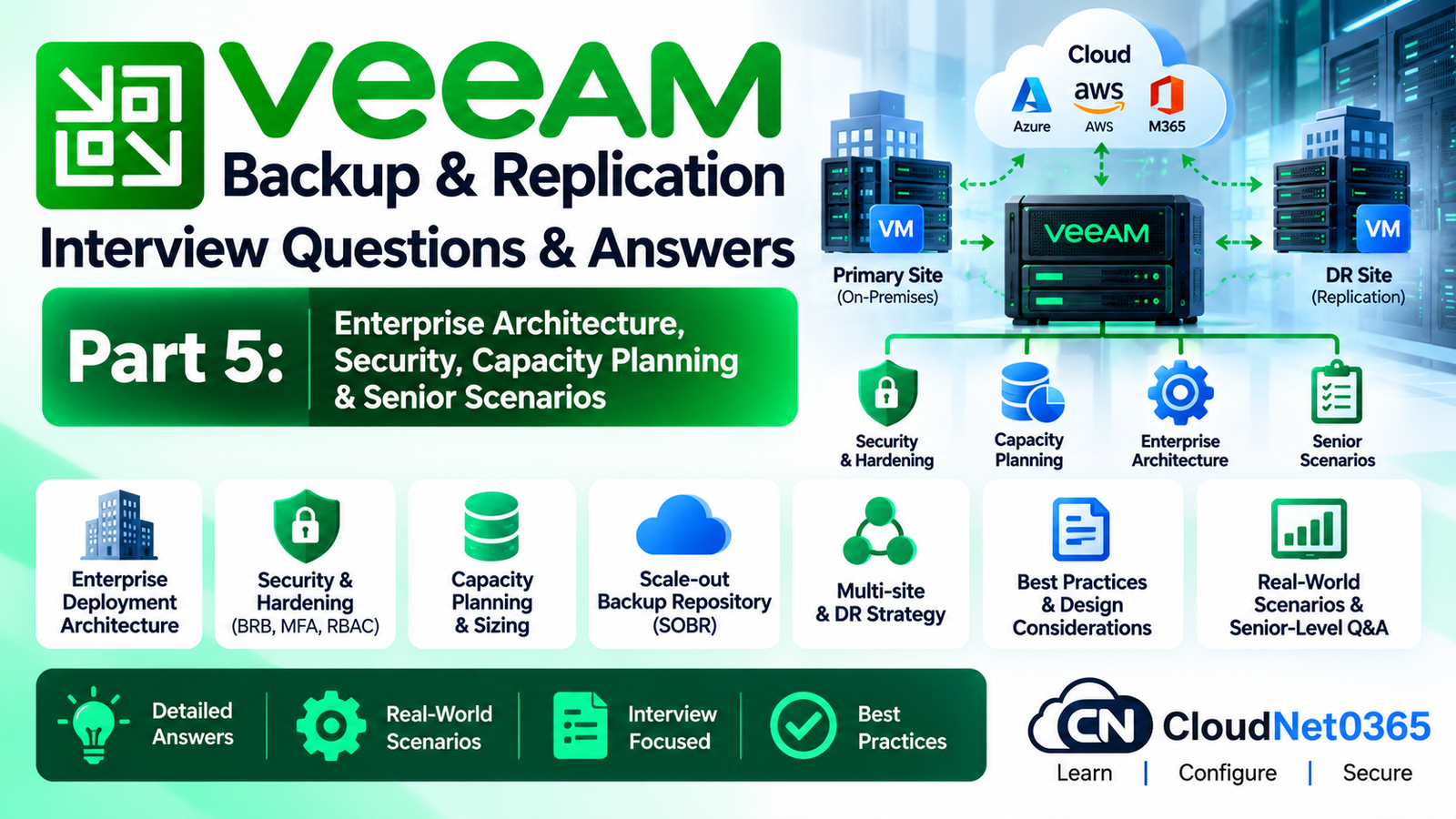
This part focuses on:
- Enterprise Veeam architecture
- Backup security
- Immutable storage
- Backup infrastructure isolation
- Capacity planning
- RPO/RTO design
- Backup governance
- Monitoring
- Recovery strategy
- Ransomware response
- Multi-site architecture
- Disaster recovery planning
- Senior-level production scenarios
Veeam Backup & Replication – Senior Interview Questions
1. How would you design a Veeam backup architecture for a large enterprise?
I would design the architecture in separate logical layers:
                    Production
                        |
                 VMware / Hyper-V
                        |
                 Backup Proxies
                        |
                Veeam Backup Server
                        |
          +-------------+-------------+
          |                           |
    Primary Repository          Backup Copy
          |                           |
          |                    Secondary Site
          |                           |
          +-------------+-------------+
                        |
                 Immutable Storage
                        |
                 Object Storage
The exact design depends on:
- Number of VMs
- Total data size
- Daily change rate
- RPO
- RTO
- WAN bandwidth
- Retention
- Application requirements
- Security requirements
- Budget
I would avoid designing the infrastructure around a single repository or single point of failure.
2. What are the most important factors when designing Veeam infrastructure?
I would evaluate:
Capacity
How much data must be stored?
Performance
How quickly can the infrastructure process the backup workload?
RPO
How much data loss is acceptable?
RTO
How quickly must services be restored?
Security
Can an attacker delete or encrypt the backups?
Resilience
What happens if a repository, site or Veeam server fails?
Scalability
Can the environment grow without redesigning everything?
Recoverability
Can we actually restore the workloads?
These factors should drive the architecture.
3. What is RPO?
RPO means:
Recovery Point Objective
It defines the maximum acceptable amount of data loss measured in time.
Example:
RPO = 4 hours
This means the organization requires a recovery point no older than approximately four hours under the designed backup strategy.
RPO determines how frequently data must be protected.
4. What is RTO?
RTO means:
Recovery Time Objective
It defines how quickly a service must be restored after an outage.
Example:
RTO = 1 hour
This means the recovery design should aim to restore the service within approximately one hour.
RTO affects the choice of recovery technology.
For example, restoring a large VM traditionally from backup may take considerably longer than using a recovery method designed for rapid availability.
5. Why are RPO and RTO important when designing Veeam?
Because backup architecture should be based on business requirements.
For example:
File server
RPO = 24 hours
RTO = 8 hours
A daily backup may be sufficient.
Critical database
RPO = 15 minutes
RTO = 1 hour
A simple daily backup is clearly insufficient.
The protection strategy must therefore be designed around the application’s actual requirements.
6. How would you classify workloads for backup?
I would create protection tiers.
For example:
| Tier | Example | RPO | RTO |
|---|---|---|---|
| Tier 1 | ERP/Database | Very low | Very low |
| Tier 2 | Application servers | Low | Low |
| Tier 3 | File servers | Moderate | Moderate |
| Tier 4 | Non-critical systems | Higher | Higher |
The exact values should come from the business, not be invented by the backup administrator.
This allows expensive high-performance recovery infrastructure to be reserved for genuinely critical workloads.
7. How would you calculate backup repository capacity?
A simplified planning model is:
Required Capacity ≈
Full Backup Size
+
Daily Change Rate × Retention
+
Synthetic/Full Backup Overhead
+
GFS Retention
+
Growth
+
Operational Free Space
For example:
Production data = 100 TB
Daily change = 2 TB
Short-term retention = 14 days
The actual required capacity is not simply 100 TB + 28 TB.
You must consider:
- Compression
- Deduplication
- Full backup strategy
- Backup chain format
- GFS
- Synthetic operations
- Future growth
- Repository free-space requirements
Therefore, capacity planning should use actual Veeam job statistics wherever possible.
8. Why should you not size a repository to exactly the calculated backup requirement?
Because a production repository needs operational headroom.
If the repository reaches 100% capacity:
- Jobs can fail
- Synthetic operations can fail
- Retention processing can be affected
- Backup chains can become difficult to maintain
- Recovery operations may be impacted
I would maintain a documented free-space threshold and monitor capacity continuously.
9. How would you plan for data growth?
I would calculate:
Current Data
+
Historical Growth Rate
+
Expected Business Growth
+
Retention Requirements
+
Additional Protection Copies
For example:
Current backup footprint = 200 TB

Annual growth = 20%

Planning horizon = 3 years
I would not purchase exactly 200 TB.
Capacity planning must account for future growth and operational headroom.
10. What is the role of a Scale-Out Backup Repository in enterprise architecture?
A Scale-Out Backup Repository, or SOBR, combines multiple storage repositories into a logical storage system.
Veeam currently describes SOBR as a repository system supporting horizontal scaling and multiple storage tiers.
Conceptually:
             SOBR
               |
       +-------+-------+
       |       |       |
    Extent 1 Extent 2 Extent 3
It can also incorporate:
- Performance tier
- Capacity tier
- Archive tier
depending on the supported configuration and licensing.
11. When would you use SOBR instead of a single repository?
I would consider SOBR when:
- Backup data is large
- Storage needs to scale
- Multiple repositories exist
- Different storage tiers are required
- Long-term object storage is required
- Enterprise storage management is needed
For a small environment, a single repository may be simpler.
The design should match the environment rather than introducing SOBR unnecessarily.
12. What is the difference between scaling up and scaling out Veeam storage?
Scale up
Increase the capacity/performance of an existing repository.
Repository
    ↓
More disks
More CPU
More RAM
Faster storage
Scale out
Add additional repository resources.
SOBR
 ├── Repository 1
 ├── Repository 2
 └── Repository 3
Scale-out generally provides more flexibility for large environments.
13. How would you design Veeam for two data centers?
A common architecture could be:
              SITE A
        Production VMware
                |
          Veeam Proxies
                |
         Primary Repository
                |
                | WAN
                ↓
              SITE B
        Backup Repository
                |
          Immutable Storage
Site B can provide protection if Site A is unavailable.
Depending on business requirements, I may also deploy:
- Backup server components
- Additional proxies
- SOBR
- Object storage
- Replication
- Backup Copy
- DR orchestration
The exact architecture depends on RPO/RTO and WAN capacity.
14. Should the Veeam Backup Server be located in the production domain?
It can be, but a highly secure architecture should reduce the dependency between the backup infrastructure and the production domain.
Veeam’s current security guidance recommends considering a separate management domain/forest for large environments and placing backup infrastructure in a separate network where applicable.
The goal is to prevent a compromise of the production environment from automatically becoming a compromise of the backup infrastructure.
15. Why should backup infrastructure be isolated from production?
Consider this attack:
Production AD compromised
        ↓
Domain Administrator compromised
        ↓
Attacker searches for backups
        ↓
Backup infrastructure discovered
        ↓
Backups deleted
If backup infrastructure is tightly dependent on the same credentials and network, the attacker may be able to destroy both production and backups.
Isolation creates another security boundary.
16. What is a hardened repository?
A Veeam Hardened Repository is a Linux-based repository designed to protect backup files against modification or deletion, including during a configured immutability period.
Veeam currently supports hardened repositories with immutability and secure authentication mechanisms.
Conceptually:
Production
    ↓
Veeam
    ↓
Linux Hardened Repository
    ↓
Immutable Backup
17. Why is immutability important?
Without immutability:
Ransomware
   ↓
Production encrypted
   ↓
Backup server compromised
   ↓
Backup files deleted
With immutable storage:
Ransomware
   ↓
Production encrypted
   ↓
Backup infrastructure attacked
   ↓
Immutable restore points remain protected
Immutability therefore provides an important layer against destructive attacks.
It is not a replacement for the overall security architecture.
18. Can immutable backups be deleted before the immutability period expires?
No, not through normal Veeam operations while they are immutable.
Veeam documents that backup files stored in a hardened repository cannot be moved, modified or deleted during their immutability period.
This is one reason why retention planning is extremely important.
19. What is the relationship between immutability and retention?
They are different concepts.
Retention
Determines how long restore points should normally be retained.
Immutability
Prevents modification/deletion during the configured protection period.
Example:
Retention = 30 days
Immutability = 14 days
The backup may normally be retained for 30 days while the applicable backup files are protected from modification/deletion during their immutable period.
The exact behavior depends on the backup method and repository configuration.
20. Can every backup chain type be used on a hardened repository?
No.
This is an important current technical detail.
For Veeam hardened repositories, Veeam’s current documentation specifies supported backup-chain considerations, including forward incremental with active full or synthetic full. Reverse incremental and forever-forward incremental are not supported for the hardened repository scenario described in the documentation.
Therefore, do not simply say:
“Any backup chain can be stored on an immutable repository.”
The backup method must be compatible with the repository’s immutability requirements.
21. Can you mix mutable and immutable extents in the same SOBR?
This requires careful planning.
Veeam’s current documentation states that mutable and immutable extents must not be mixed within the same SOBR.
Therefore, when designing SOBR:
SOBR
  ↓
Compatible repository types
  ↓
Consistent immutability design
must be considered before adding extents.
22. How would you protect the Veeam configuration database?
The Veeam configuration database contains critical information about:
- Jobs
- Infrastructure
- Credentials
- Repository configuration
- Backup configuration
- Historical information
I would protect it using Veeam’s configuration backup capability and ensure the configuration backup itself is stored securely and separately from the primary Veeam server.
A configuration backup should not be the only copy of the environment’s recovery information.
23. Why is configuration backup important?
Imagine:
Veeam Server
     ↓
OS failure
     ↓
Veeam application unavailable
The actual backup files may still exist.
But without the Veeam configuration, rebuilding the environment can require substantial manual work.
A configuration backup allows the Veeam environment to be reconstructed much more efficiently.
24. What would you do if both the production domain and Veeam server were compromised?
I would treat the incident as a security incident first, not simply a backup failure.
Priority:
1. Contain attack
2. Protect surviving backup infrastructure
3. Prevent further credential compromise
4. Preserve immutable backups
5. Identify last known-clean restore point
6. Validate backup integrity
7. Rebuild trusted infrastructure
8. Restore critical services
9. Rotate credentials
10. Investigate root cause
I would not immediately start restoring everything before establishing which restore points are trustworthy.
25. How would you identify a clean restore point after ransomware?
I would use multiple sources of evidence.
For example:
- Malware detection results
- Backup timestamps
- Known attack timeline
- Application behavior
- Security team findings
- Backup integrity checks
- Veeam malware detection/scan capabilities
- SureBackup verification
Current Veeam functionality includes malware detection and Scan Backup capabilities for identifying suspicious or infected restore points and finding a last clean restore point in supported scenarios.
26. What is the purpose of Veeam Health Check?
A backup health check verifies the integrity of backup data and helps confirm that a restore point remains usable.
Veeam documents health checks for backup chains and explains that they verify metadata and VM data blocks.
Conceptually:
Backup
   ↓
Health Check
   ↓
Integrity Verification
   ↓
Confidence in Restore
27. Is a successful backup job enough to prove recoverability?
No.
A backup job completing successfully primarily tells you that the backup operation completed.
It does not prove that:
- The application can start
- The VM boots correctly
- Dependencies work
- DNS works
- Authentication works
- The application is usable
That is why recovery verification is important.
28. How does SureBackup fit into an enterprise backup strategy?
SureBackup is designed for recovery verification.
Veeam currently supports full recoverability testing in an isolated environment and also backup verification/content scanning modes.
A simplified process:
Backup
  ↓
SureBackup
  ↓
Isolated Environment
  ↓
VM Boot
  ↓
Application Test
  ↓
Verification
This provides stronger evidence that backups are actually recoverable.
29. How often should recovery testing be performed?
There is no universal frequency.
It should be based on:
- Business criticality
- RTO
- Compliance
- Change frequency
- Risk
- Backup architecture
Critical workloads should be tested more rigorously than low-priority systems.
The important point in an interview is:
“I don’t consider a backup successful until the organization has evidence that it can recover.”
30. How would you design monitoring for a Veeam environment?
I would monitor at least:
Job health
- Success
- Warning
- Failure
Infrastructure
- Repository capacity
- Repository availability
- Proxy availability
- Veeam server health
Performance
- Bottleneck
- Throughput
- Processing rate
Security
- Malware events
- Immutable repository status
- Unexpected configuration changes
Recovery
- SureBackup results
- Health-check results
- Restore testing
Capacity
- Repository growth
- Retention growth
- Object storage consumption
31. What Veeam alerts should receive immediate attention?
Examples:
- Backup job failure
- Repository unavailable
- Immutable repository problem
- Backup chain corruption
- Malware detection
- Insufficient repository capacity
- Veeam server failure
- Critical replication failure
- Recovery verification failure
Not every warning requires the same urgency.
I would classify alerts by business impact.
32. How would you prevent backup monitoring from becoming noisy?
If every warning generates an immediate alert:
100 warnings
    ↓
100 emails
    ↓
Alert fatigue
    ↓
Critical alert ignored
Instead:
- Define meaningful thresholds
- Group similar alerts
- Remove expected transient warnings
- Escalate repeated failures
- Separate informational alerts
- Monitor trends
- Define ownership
The goal is actionable monitoring, not maximum notification volume.
33. How would you monitor repository capacity?
I would track:
Total Capacity
Used Capacity
Free Capacity
Growth Rate
Retention Growth
Expected Days Until Threshold
For example:
Repository:
500 TB

Used:
420 TB

Free:
80 TB

Average daily growth:
2 TB
At that rate, the repository has approximately:
80 / 2 = 40 days
of theoretical remaining capacity.
However, actual planning must account for full backups, retention behavior, growth changes and operational reserve.
34. Why is capacity trend more useful than simply checking free space?
Suppose:
Free space = 30%
That sounds acceptable.
But if:
Usage growth = 1% per day
the repository could become critical very quickly.
Trend analysis provides:
Current state
+
Growth rate
+
Forecast
which is much more useful for capacity planning.
35. How would you design backup security using the 3-2-1 principle?
A traditional interpretation is:
3 copies of data
2 different media
1 off-site copy
For modern ransomware-resistant architecture, I would extend the design with immutable/offline or otherwise isolated copies.
For example:
Production
    |
    +--> Primary Backup Repository
    |
    +--> Immutable Repository
    |
    +--> Off-site/Object Storage
The exact implementation depends on the environment.
The important principle is that compromise of production should not automatically compromise every backup copy.
36. What is the difference between off-site and immutable?
They solve different problems.
Off-site
Protects against:
- Site disaster
- Fire
- Flood
- Major infrastructure failure
Immutable
Protects against:
- Unauthorized modification
- Backup deletion
- Ransomware attempting to destroy backups
A backup can be:
- Off-site but mutable
- On-site and immutable
- Off-site and immutable
The strongest architecture often combines multiple protections.
37. How would you design backup architecture for ransomware resilience?
I would use multiple independent security layers:
Production
   ↓
Veeam Backup Infrastructure
   ↓
Primary Backup
   ↓
Immutable Repository
   ↓
Off-site Copy
   ↓
Object Storage / Additional Protection
Additionally:
- Separate credentials
- MFA where applicable
- Restricted administrative access
- Network segmentation
- Hardened repositories
- Configuration backup
- Monitoring
- Recovery testing
- Malware detection
Veeam’s current security guidance specifically recommends hardened repositories and separation/hardening of backup infrastructure.
38. What is the biggest mistake organizations make with backup security?
A common architectural mistake is assuming:
“The backup server is inside the data center, therefore the backup is safe.”
Physical location does not equal security.
If an attacker compromises:
Domain
 ↓
Administrator
 ↓
Veeam Server
 ↓
Repository
they may be able to destroy backups unless appropriate isolation and immutability controls exist.
39. How would you separate Veeam administrative privileges?
I would apply least privilege.
For example:
Backup Administrator
       ↓
Full backup administration

Backup Operator
       ↓
Operational tasks

Security/Compliance
       ↓
Audit/monitoring

Restore Operator
       ↓
Approved recovery operations
I would avoid giving every helpdesk or infrastructure administrator unrestricted Veeam access.
40. Why should backup administrators use separate credentials?
Suppose the same Domain Admin credentials are used for:
AD
VMware
Veeam
Backup Repository
A compromise of those credentials can expose the entire recovery infrastructure.
Separate privileged accounts reduce the blast radius.
For hardened repositories, Veeam also provides secure authentication approaches designed to reduce credential exposure.
41. How would you design Veeam for a company with 1,000 VMs?
I would first collect:
- Total protected capacity
- Daily change rate
- VM count
- Average VM size
- Largest VMs
- RPO/RTO requirements
- Backup window
- WAN bandwidth
- Retention
- GFS requirements
- DR requirements
Then design:
              Veeam Backup Server
                       |
          +------------+------------+
          |                         |
     Proxy Cluster             Proxy Cluster
          |                         |
       Site A                    Site B
          |                         |
       SOBR                     SOBR
          |                         |
    Immutable Tier          Object Storage
The exact number of proxies/repositories must be calculated from workload and concurrency requirements rather than VM count alone.
42. Why shouldn’t you size Veeam proxies simply by the number of VMs?
Because two environments with the same VM count can have completely different workloads.
Example:
Environment A
500 VMs
50 GB each
Low change rate
Environment B
500 VMs
5 TB databases
Very high change rate
The required processing capacity is completely different.
Proxy sizing should consider:
- Concurrent tasks
- Data change rate
- Transport mode
- Storage performance
- Network bandwidth
- Compression/deduplication workload
- Backup window
43. How would you design Veeam across a slow WAN link?
I would avoid blindly sending all primary backups over the WAN.
A common design is:
Production Site
      |
 Local Backup
      |
 Backup Copy
      |
   WAN
      |
Remote Site
      |
Immutable Repository
This allows the primary backup operation to remain local while the secondary copy is transferred separately.
Veeam’s backup infrastructure architecture uses Data Movers on the source and target sides of the data path, which supports remote-site backup scenarios.
44. What would you do if the WAN is too slow for the required backup copy window?
I would measure:
Data to transfer
÷
Available effective bandwidth
=
Approximate transfer time
Then evaluate:
- Compression
- Deduplication
- Backup Copy mode
- WAN acceleration where appropriate
- Transfer schedule
- Seeded initial copy
- Retention
- Change rate
- Additional local protection
I would not simply increase concurrent tasks because that can make WAN congestion worse.
45. What is a backup window?
The backup window is the period during which backup operations are expected to complete.
For example:
Start: 10 PM
End: 6 AM
If a backup requires 10 hours but the available window is only 8 hours, the architecture is insufficient.
You may need to change:
- Proxy capacity
- Repository performance
- Concurrency
- Job design
- Backup frequency
- Storage
- Network architecture
46. How would you troubleshoot a backup environment where jobs regularly miss the backup window?
Since Part 4 already covered detailed performance troubleshooting, at the architectural level I would examine:
- Total workload
- Backup window
- Data change rate
- Proxy capacity
- Repository capacity/performance
- Network capacity
- Concurrent tasks
- Job scheduling
- Growth trend
Then determine whether the environment has reached a structural capacity limit.
The answer should not simply be:
“Add another proxy.”
First identify the limiting resource.
47. How would you build a disaster recovery strategy using Veeam?
I would separate the strategy into:
Backup
Protect data.
Secondary copy
Protect against primary-site failure.
Replication
Provide rapid recovery for selected critical workloads where appropriate.
Recovery verification
Prove that recovery works.
Documentation
Define exact recovery procedures.
Testing
Regularly test the procedures.
A DR strategy is incomplete if it exists only in a diagram.
48. What should a Veeam disaster recovery runbook contain?
At minimum:
1. Incident declaration
2. Scope identification
3. Recovery priority
4. Required credentials
5. Infrastructure recovery
6. Veeam recovery
7. Repository access
8. Restore point selection
9. Application recovery
10. DNS/network dependencies
11. Validation
12. Business sign-off
13. Failback
The runbook should identify who performs each step.
49. How would you prioritize systems during a major disaster?
I would use business-defined tiers.
For example:
Tier 1
→ Identity
→ DNS
→ Critical databases
→ ERP

Tier 2
→ Application servers
→ File services

Tier 3
→ Non-critical systems
→ Development
The exact order must be determined by application dependencies.
For example, restoring an application server before its database may not produce a usable service.
50. What is dependency-aware recovery?
Dependency-aware recovery means understanding that applications depend on other services.
Example:
ERP
 |
 +-- SQL Database
 |
 +-- Active Directory
 |
 +-- DNS
 |
 +-- Application Server
 |
 +-- File Share
Restoring the ERP VM alone does not necessarily restore the ERP service.
A senior backup administrator must understand the application dependency chain.
51. How would you prove that your Veeam environment is actually recoverable?
I would use multiple validation methods:
Backup Job Success
       +
Health Check
       +
SureBackup
       +
Restore Test
       +
Application Validation
       +
DR Exercise
For critical systems, I would document:
- Restore point used
- Restore duration
- Application validation
- RTO achieved
- Problems encountered
- Corrective actions
52. What would you do if management says, “Our backups have never failed, so we don’t need DR testing”?
I would explain that:
A successful backup operation proves that data was written; it does not prove that the business application can be recovered within the required RTO.
I would propose a controlled recovery test rather than waiting for an actual disaster.
53. How would you investigate an unexpected deletion of backup files?
I would treat it as a potentially serious security event.
I would investigate:
- Who initiated the action
- When it occurred
- Which repository was affected
- Which backup files were removed
- Whether immutability protected any copies
- Whether retention processing was expected
- Whether a job/configuration was changed
- Whether credentials were compromised
- Audit information
- Other backup copies
I would not assume it was automatically a retention operation.
54. What would you do if ransomware is detected in a backup?
I would not automatically delete the backup.
First:
- Identify affected workload.
- Determine affected restore points.
- Establish attack timeline.
- Identify known-clean restore points.
- Verify those restore points.
- Preserve immutable copies.
- Coordinate with security/incident-response teams.
- Restore only after the recovery point is considered trustworthy.
Veeam’s current malware detection capabilities can mark workloads/restore points as suspicious or infected and provide mechanisms such as Scan Backup for supported workloads.
55. How would you design a Veeam environment for maximum ransomware resilience?
A strong architecture would include:
                  Production
                      |
                 Veeam Server
                      |
          +-----------+-----------+
          |                       |
      Local Backup          Secondary Copy
          |                       |
   Hardened Repository      Off-Site Storage
          |                       |
      Immutable             Immutable/
                            Isolated Copy
Along with:
- Network segmentation
- Separate administrative credentials
- MFA where applicable
- Least privilege
- Hardened repository
- Monitoring
- Malware detection
- Health checks
- Recovery testing
- Configuration backup
- Documented incident response
No single security control should be treated as sufficient.
56. What is the difference between backup security and backup recoverability?
Backup security
Protects the backup from:
- Unauthorized access
- Modification
- Deletion
- Ransomware
Backup recoverability
Ensures the backup can actually be used to restore the workload.
You need both.
Secure but corrupted backup
        = Bad

Healthy but attacker-accessible backup
        = Risky
The objective is:
Secure + Healthy + Recoverable
57. How would you document a Veeam environment?
I would maintain:
Infrastructure diagram
VMware
 ↓
Proxies
 ↓
Veeam Server
 ↓
Repositories
 ↓
Secondary Copies
 ↓
Object Storage
Job documentation
- Job name
- Workloads
- Schedule
- Retention
- Repository
- RPO
Recovery documentation
- RTO
- Recovery order
- Dependencies
- Restore procedures
Security documentation
- Administrative roles
- Credentials
- Network segmentation
- Immutability
- MFA
- Access controls
Capacity documentation
- Current capacity
- Growth
- Forecast
- Expansion threshold
58. What would you review during a monthly Veeam health review?
I would review:
Backup
- Failed jobs
- Warning jobs
- Missed jobs
Storage
- Capacity
- Growth
- Repository health
Security
- Malware events
- Immutability
- Unexpected access
Recovery
- SureBackup results
- Health checks
- Restore tests
Infrastructure
- Veeam server
- Proxies
- Repositories
Capacity planning
- Growth rate
- Backup window
- Processing trends
DR
- Replication health
- Secondary copies
- DR readiness
59. What would you include in a senior-level Veeam dashboard?
I would want a dashboard showing:
BACKUP HEALTH
---------------
Successful
Warning
Failed

CAPACITY
---------------
Repository %
Growth Rate
Forecast

SECURITY
---------------
Immutable Copies
Malware Events
Suspicious Restore Points

RECOVERY
---------------
SureBackup
Health Checks
Restore Tests

DR
---------------
Replication
Secondary Copies
RPO Status
The dashboard should focus on actionable information rather than displaying every available metric.
60. You join a company with 300 VMs and no formal backup documentation. What do you do during your first week?
I would perform a structured backup assessment.
Day 1 – Inventory
Identify:
- Veeam version
- Veeam server
- VMware infrastructure
- Proxies
- Repositories
- Jobs
- Backup copies
- Replication
- Object storage
Day 2 – Protection
Determine:
- What is backed up?
- What is not backed up?
- Retention
- RPO
- RTO
- Critical workloads
Day 3 – Security
Check:
- Immutable storage
- Credentials
- Administrative access
- Network segmentation
- MFA
- Repository permissions
Day 4 – Recoverability
Test:
- File restore
- VM restore
- Application recovery
- SureBackup
- Configuration backup
Day 5 – Report
Produce:
Current State
     ↓
Risks
     ↓
Gaps
     ↓
Business Impact
     ↓
Recommended Architecture
     ↓
Implementation Priority
This is the type of approach expected from a senior administrator.
61. Production has 500 VMs, backups are successful, but there is no immutable copy. What is your biggest concern?
The primary concern is recoverability against destructive compromise.
A successful backup does not protect you if an attacker can compromise the backup infrastructure and delete the backup files.
I would prioritize introducing an appropriate immutable or otherwise isolated backup copy while maintaining the existing backup process during the transition.
62. Production and the Veeam server are both in the same Active Directory domain. Is that automatically insecure?
Not automatically.
However, it creates a stronger dependency between production identity and backup administration.
If the domain is compromised and highly privileged credentials are shared with Veeam, the backup infrastructure may be exposed.
For larger environments, Veeam’s current security guidance recommends considering a separate management domain/forest and a separate network for backup infrastructure.
The objective is to reduce the blast radius of a production identity compromise.
63. Your primary repository is destroyed. What should happen next?
The answer depends on the architecture.
If there is:
Primary Backup
+
Secondary/Immutable Copy
then recovery can proceed using the surviving copy.
This demonstrates why a backup strategy should not depend on a single repository.
I would:
- Declare the repository failure.
- Verify surviving copies.
- Determine affected workloads.
- Prioritize recovery.
- Restore from the appropriate secondary copy.
- Rebuild the failed repository.
- Re-establish the normal protection strategy.
64. What would make you reject a proposed Veeam architecture?
Examples include:
- Single backup copy for critical workloads
- No immutable/isolated copy
- Backup repository on the same security boundary as production
- Shared Domain Admin credentials
- No configuration backup
- No recovery testing
- No documented RPO/RTO
- No capacity planning
- No monitoring
- No DR procedure
- Repository sized with zero operational headroom
The exact architecture must vary by business requirements, but these are significant risk indicators.
65. Give a complete senior-level Veeam architecture for a production environment.
A mature architecture could look like:
                         PRODUCTION
                             |
                     VMware / Hyper-V
                             |
                    +--------+--------+
                    |                 |
                 Proxy A           Proxy B
                    |                 |
                    +--------+--------+
                             |
                     Veeam Backup Server
                             |
                  +----------+----------+
                  |                     |
             Primary SOBR          Backup Copy
                  |                     |
          +-------+-------+             |
          |               |             |
       Extent 1        Extent 2       WAN
          |               |             |
          +-------+-------+             |
                  |                     |
          Immutable Repository     DR Site
                  |                     |
                  +----------+----------+
                             |
                      Object Storage
                             |
                    Long-Term Protection
Security layer:
Separate backup network
        +
Least privilege
        +
Separate administrative accounts
        +
MFA where applicable
        +
Immutable storage
        +
Monitoring
        +
Malware detection
        +
Recovery testing
Operational layer:
Backup
 ↓
Health Check
 ↓
SureBackup
 ↓
Secondary Copy
 ↓
DR Test
 ↓
Capacity Review
This is the difference between simply running Veeam jobs and designing a business-ready backup and recovery platform.
Quick Revision
| Topic | Key Point |
|---|---|
| RPO | Maximum acceptable data loss measured in time |
| RTO | Target recovery time |
| SOBR | Logical scalable repository system |
| Scale Up | Increase existing resource capacity |
| Scale Out | Add additional resources |
| Hardened Repository | Linux repository designed for secure/immutable backup storage |
| Immutability | Protects backup files from modification/deletion during the configured period |
| Off-site Copy | Protects against site-level disasters |
| Configuration Backup | Protects Veeam configuration |
| Health Check | Verifies backup integrity |
| SureBackup | Verifies recoverability |
| Malware Detection | Helps identify suspicious/infected backup data |
| Capacity Planning | Forecast storage and processing requirements |
| Backup Window | Time available to complete protection operations |
| 3-2-1 | Multiple copies across different media with off-site protection |
| Network Isolation | Reduces attack surface |
| Least Privilege | Limits administrative blast radius |
| Recovery Runbook | Defines disaster recovery procedures |
| Dependency Mapping | Ensures applications are restored in the correct order |
| DR Testing | Proves recovery capability |
Exam Answer Summary
1. What is RPO?
The maximum acceptable amount of data loss measured in time.
2. What is RTO?
The target amount of time required to restore a service.
3. Why use immutable backups?
To protect backup data from unauthorized modification or deletion, including ransomware attacks.
4. Why use a separate backup network?
To reduce the possibility that compromise of production allows direct access to backup infrastructure.
5. Why is SureBackup important?
It provides recovery verification rather than merely confirming that a backup job completed.
6. Why is capacity planning important?
Because repository capacity, processing resources and backup windows must accommodate current workloads, retention and future growth.
7. Why are multiple backup copies required?
Because a single backup repository can become a single point of failure or compromise.
8. What is the most important principle in enterprise Veeam design?
The backup infrastructure must remain recoverable even when the primary production environment is unavailable or compromised.
Senior Interview Tip
If the interviewer asks:
“Design a Veeam backup solution for our enterprise.”
Do not immediately start talking about backup jobs.
Start with:
“First I would understand the business RPO and RTO requirements, classify workloads by criticality, calculate the data volume and daily change rate, then design the Veeam infrastructure around performance, capacity, security and recoverability. I would separate production and backup security boundaries, use appropriate repository architecture with immutable protection, maintain secondary/off-site copies, protect the Veeam configuration, implement monitoring and malware detection, and regularly validate recovery through health checks, SureBackup and restore testing.”
That answer demonstrates senior-level architecture thinking rather than simply Veeam product knowledge.
Veeam Backup & Replication Complete
Part 1
Architecture, VMware Backup & Core Administration
Part 2
Advanced Backup, SOBR, GFS, Immutability & Ransomware Protection
Part 3
Recovery, SureBackup, Replication & Disaster Recovery
Part 4
Advanced Troubleshooting, Performance & Production Issues
Part 5
Enterprise Architecture, Security, Capacity Planning & Senior-Level Scenarios
The Veeam section is now complete without repeating the detailed operational troubleshooting already covered in Parts 1–4.
Next Day
Day 11 – Microsoft SQL Server & Database Administration
The next section will move into SQL Server administration and troubleshooting, covering SQL Server architecture, databases, instances, authentication, permissions, backups, recovery models, transaction logs, SQL Agent, maintenance, performance and real-world DBA/System Administrator scenarios.